
TCL 55Q7D Pro
TCL 55Q7D Pro 55-inch 4K SQD MiniLED Google TV User Manual
Model: 55Q7D Pro
1. Introduction
This user manual provides essential information for the safe and efficient operation of your TCL 55Q7D Pro 55-inch 4K SQD MiniLED Google TV. Please read this manual thoroughly before using the product and retain it for future reference. Your new television features advanced display technology including SQD MiniLED, 4K resolution, a 144Hz refresh rate, and integrated Google TV for a comprehensive entertainment experience. It also includes an ONKYO 2.1 Hi-Fi audio system for superior sound quality.
2. Important Safety Information
Always follow basic safety precautions when using this television to reduce the risk of fire, electric shock, and injury.
- Power Source: Connect the TV only to an AC power outlet of the specified voltage. Ensure the power cord is not damaged or pinched.
- Ventilation: Do not block ventilation openings. Allow adequate space around the TV for proper airflow to prevent overheating.
- Water and Moisture: Do not expose the TV to rain or moisture. Do not place objects filled with liquids, such as vases, on the TV.
- Cleaning: Unplug the TV before cleaning. Use a soft, dry cloth. Do not use liquid cleaners or aerosol cleaners.
- Placement: Place the TV on a stable, level surface or mount it securely to a wall using a VESA-compatible bracket. Keep the TV away from direct sunlight, heat sources, and strong magnetic fields.
- Servicing: Do not attempt to service this product yourself. Refer all servicing to qualified service personnel.
3. Package Contents
Verify that all items are included in the package:
- TCL 55Q7D Pro 55-inch 4K SQD MiniLED Google TV
- Stand
- Remote Control
- Power Cable
- User Manual (this document)
- Warranty Card
4. Setup
4.1 Physical Setup
Before proceeding, ensure the TV is placed on a stable surface or securely mounted.
Stand Installation:
If using the included stand, carefully attach it to the bottom of the TV according to the instructions provided in the separate stand installation guide. Ensure all screws are tightened securely.
Wall Mounting:
For wall mounting, use a VESA-compatible wall mount kit (sold separately) that supports a 300x300mm pattern. Follow the wall mount manufacturer's instructions carefully. Professional installation is recommended.
4.2 Connecting Devices
Connect your external devices to the TV's ports:
- HDMI Ports (x3): Connect Blu-ray players, game consoles, cable boxes, or other HDMI-enabled devices. This TV supports HDMI for signal input.
- USB Ports (x2: 1x USB 2.0, 1x USB 3.0): Connect USB storage devices for media playback or software updates.
- Optical Digital Audio Output: Connect to an external audio receiver or soundbar for enhanced sound.
- Antenna/Cable Input: Connect your antenna or cable TV signal.
- Ethernet Port: For a wired internet connection.
4.3 Initial Power-On and Google TV Setup
- Connect the power cable to the TV and a power outlet.
- Press the power button on the remote control or the TV.
- Follow the on-screen instructions to complete the initial setup, including language selection, network connection (Wi-Fi or Ethernet), and Google TV account setup.
- You can connect to Wi-Fi or Bluetooth devices during this setup.
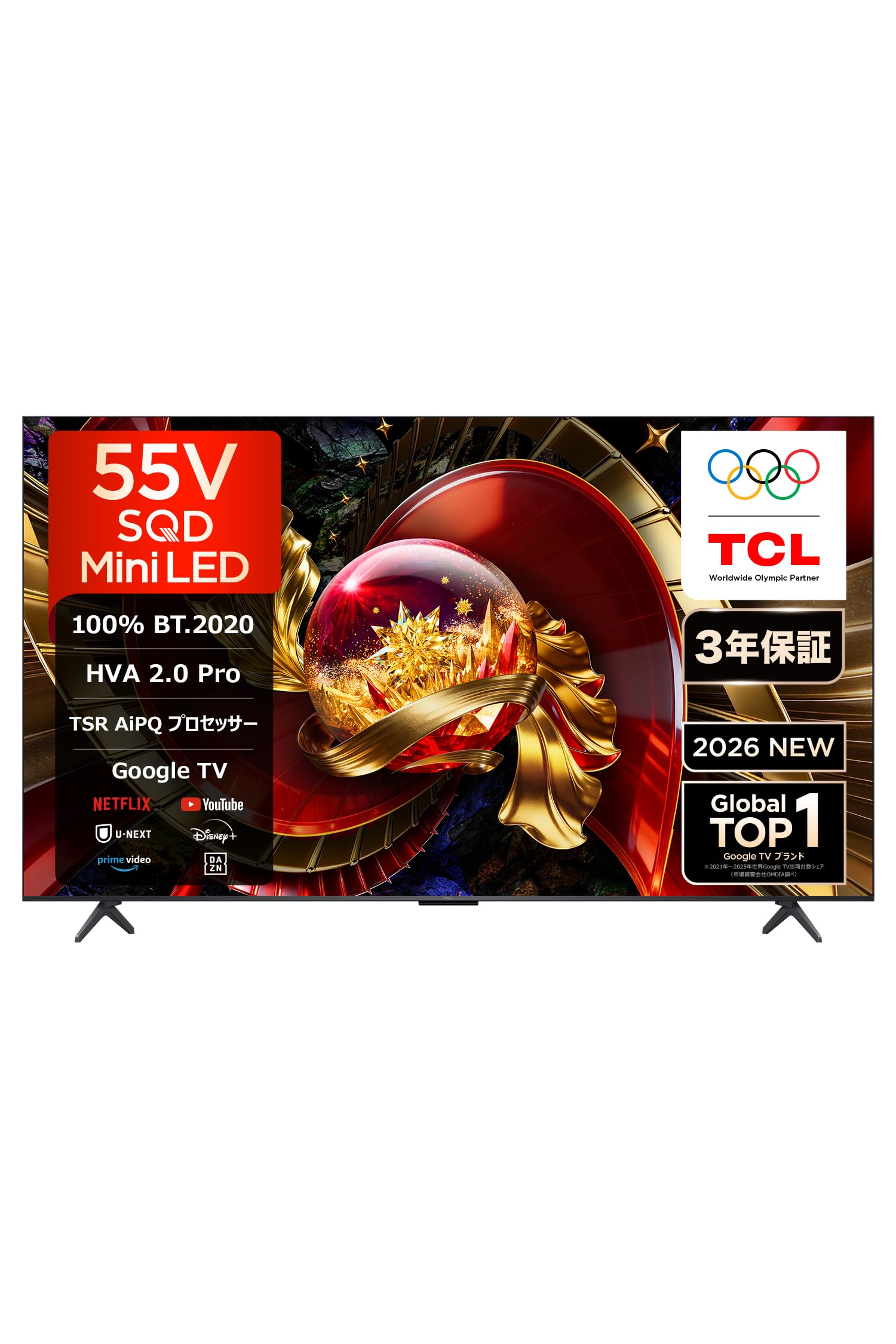
Image: Front view of the TCL 55Q7D Pro television.
5. Operating Your TV
5.1 Remote Control Functions
The remote control allows you to navigate the TV's features. Basic functions include power on/off, volume control, channel selection, input source selection, and accessing the Google TV home screen.
5.2 Google TV Interface
Your TV runs on Google TV, providing access to a wide range of streaming services and apps. Navigate using the remote control's directional pad and select button.
- Streaming Services: Access popular services like YouTube, Netflix, Hulu, and Prime Video directly from the home screen.
- Voice Search: Use the built-in voice search feature (compatible with Alexa and Google Assistant) to find content, control smart home devices, and get information.
- Content Sharing: Utilize AirPlay 2 and Google Cast to stream content from your mobile devices to the TV.

Image: The Google TV home screen displaying various streaming application icons.
5.3 Picture Settings
Your TV features advanced picture technologies for an immersive viewing experience:
- SQD MiniLED: Experience vibrant colors and precise light control with the SQD MiniLED display.
- 4K Resolution: Enjoy stunning clarity and detail with 4K Ultra HD resolution.
- 144Hz Refresh Rate: Provides smooth motion for fast-paced content and gaming.
- HDR Support: Compatible with HDR10+, Dolby Vision, Dolby Vision Gaming, and Dolby Vision IQ for enhanced contrast and color.
- TSR AiPQ Processor: This processor optimizes image quality, enhancing color, contrast, and clarity across various content types.

Image: A visual representation of the SQD MiniLED technology producing rich, vibrant colors.
5.4 Sound Settings
The TV is equipped with an ONKYO 2.1 Hi-Fi audio system for powerful and clear sound:
- ONKYO 2.1 Hi-Fi System: Features a built-in subwoofer for deep bass and immersive audio.
- Dolby Atmos: Delivers multi-dimensional sound that moves around you.
- DTS-X & DTS Virtual:X: Provides virtual 3D surround sound for an enhanced audio experience.

Image: Diagram illustrating the ONKYO 2.1 Hi-Fi audio system with a subwoofer.
5.5 Gaming Features
Designed for gamers, the TV offers:
- 144Hz Native Refresh Rate: Ensures ultra-smooth gameplay.
- AMD FreeSync Premium Pro: Eliminates screen tearing and stuttering for fluid gaming.
- ALLM (Auto Low Latency Mode): Automatically switches to a low-latency mode for responsive gaming.
- Game Master: Optimizes settings for various game genres.

Image: Graphic depicting a car racing game on a 4K 144Hz display, highlighting smooth motion.
5.6 AI Features
The TV integrates TCL AI for enhanced functionality:
- AI Content Search: Quickly find desired content across various platforms.
- AI Game Support: Optimizes game settings for a better experience.
- AI Art Gallery: Transform your TV into a digital art display.
- AI Office Functions: Utilize Chromecast and AirPlay 2 for productivity tasks.

Image: Overview of TCL AI features including content search, game support, art gallery, and office functions.
6. Maintenance
Proper maintenance ensures the longevity and performance of your TV.
- Screen Cleaning: Gently wipe the screen with a soft, lint-free cloth. For stubborn marks, lightly dampen the cloth with water or a specialized screen cleaner. Never spray liquid directly onto the screen.
- Body Cleaning: Wipe the TV's frame and back panel with a soft, dry cloth.
- Dust Removal: Use a soft brush or vacuum cleaner with a brush attachment to remove dust from ventilation openings.
- Power Cord: Regularly check the power cord for any signs of damage.
7. Troubleshooting
If you encounter issues with your TV, refer to the following common problems and solutions:
| Problem | Possible Cause / Solution |
|---|---|
| No power | Ensure the power cable is securely connected and the outlet is working. Check if the power indicator light is on. |
| No picture, but sound is present | Check the input source. Ensure external devices are powered on and connected correctly. Try a different HDMI cable. |
| No sound, but picture is present | Check the volume level and mute status. Ensure external audio systems are connected and configured correctly. |
| Remote control not working | Replace batteries. Ensure there are no obstructions between the remote and the TV's IR sensor. Re-pair Bluetooth remote if applicable. |
| Cannot connect to Wi-Fi | Check your router and internet connection. Re-enter the Wi-Fi password. Try restarting the TV and router. |
| Picture quality issues (e.g., blur, color distortion) | Adjust picture settings in the TV menu. Ensure the input source is providing a high-quality signal. |
If the problem persists after trying these solutions, please contact customer support.
8. Specifications
| Feature | Detail |
|---|---|
| Screen Size | 55 inches |
| Display Technology | SQD-MiniLED, TCL Full-Domain Halo Control Technology |
| Resolution | 4K (3840 x 2160) |
| Refresh Rate | 144 Hz |
| HDR Support | Dolby Vision Gaming, Dolby Vision IQ, HDR10+, Dolby Vision |
| Picture Upscaling Technology | TSR AiPQ Processor, TCL Full-Domain Halo Control Technology |
| Backlight Configuration | Super Quantum Dot, Precise Local Dimming |
| Backlight Technology | MiniLED |
| Aspect Ratio | 16:9 |
| Operating System | Google TV |
| Connectivity | Bluetooth, HDMI, USB, Wi-Fi |
| HDMI Ports | 3 |
| USB Ports | 2 (1x USB 2.0, 1x USB 3.0) |
| Audio Input | DTS-X, DTS Virtual:X |
| Speaker Features | 2.1CH ONKYO with Subwoofer, Dolby ATMOS |
| Max Audio Output | 40 Watts |
| Screen Mirroring Technology | AirPlay 2, Google Cast |
| Special Features | AMD FreeSync Premium Pro, AirPlay2, Game Master, Bezel-less Design, ALLM |
| Dimensions (D x W x H) | 29.5 x 122.8 x 77.6 cm |
| VESA Mount Standard | 300x300mm |
| Included Components | Stand, User Manual, Remote Control, Warranty Card, Power Cable |
9. Warranty and Support
9.1 Warranty Information
This TCL 55Q7D Pro television comes with a 3-year manufacturer's warranty. Please refer to the included warranty card for detailed terms and conditions, including coverage for natural failures and physical damage.
9.2 Customer Support
For technical assistance, troubleshooting beyond this manual, or warranty claims, please contact TCL customer support. Contact information can be found on the warranty card or the official TCL website.

Image: Map showing TCL service centers and support locations in Japan.
Related documents55Q7D Pro

Ask a question about this manual
Ask about setup, troubleshooting, compatibility, parts, safety, or missing instructions. Manuals+ will review the question and use this page’s manual context to help answer it.