
Volorful VV68
Volorful VV68 Digital Voice Recorder User Manual
Model: VV68
Introduction
Thank you for choosing the Volorful VV68 Digital Voice Recorder. This device is designed to capture clear audio with advanced features such as AI noise reduction, one-touch recording, and voice activation. This manual provides detailed instructions for setting up, operating, maintaining, and troubleshooting your recorder to ensure optimal performance.
Package Contents
Please verify that all items are present in your package:
- 1 x Volorful VV68 Digital Voice Recorder
- 1 x USB-C to USB-C Cable
- 1 x Transcription Cable
- 1 x USB-C Cable (USB-A to USB-C)
- 1 x Lavalier Microphone
- 1 x 16GB TF Memory Card (pre-installed or separate)
- 1 x Lanyard
- 1 x User Manual

Image: The Volorful VV68 Digital Voice Recorder shown with its accessories, including USB cables, lavalier microphone, TF card, lanyard, and user manual.
Setup
1. Charging the Device
Before first use, fully charge the recorder. Connect the device to a power source (such as a computer USB port or a USB wall adapter) using the provided USB-C cable. The battery indicator on the 1.44-inch display will show charging status. A full charge provides up to 70 hours of continuous recording.
2. Inserting the TF Card
The device comes with 16GB built-in memory and supports an additional TF card up to 256GB. If the 16GB TF card is not pre-installed, gently insert it into the designated TF card slot until it clicks into place. Ensure the recorder is powered off before inserting or removing the TF card.
3. Connecting External Microphone/Line Input
For enhanced audio capture or line-in recording, plug the external lavalier microphone or the transcription cable into the 3.5mm jack located on the left side of the recorder. The device will automatically detect the external input.

Image: The recorder connected to an external lavalier microphone for hands-free recording and to a smartphone for line-in audio capture. The 3.5mm jack is used for both connections.
Operating Instructions
1. Basic Controls
Familiarize yourself with the main buttons on the device:
- REC Button: Starts recording.
- SAVE Button: Saves the current recording and returns to the previous menu.
- LOCK Button: Prevents accidental button presses during recording or playback.
- POWER/PLAY/PAUSE/OK Button: Powers the device on/off, plays/pauses audio, and confirms selections.
- PREV/NEXT Buttons: Navigates through files or fast forwards/rewinds during playback.
- VOL+/VOL- Buttons: Adjusts volume.
- DEL Button: Deletes selected files.
- MENU Button: Accesses the setup menu.

Image: A close-up of the Volorful VV68 recorder highlighting the REC, SAVE, LOCK, PLAY, and MENU buttons for simple operation.
2. Power On/Off
To power on, press and hold the POWER/PLAY/PAUSE/OK button. To power off, press and hold the same button until the screen turns off.
3. One-Touch Recording
From any screen, press the REC button to instantly start recording. The screen will display the recording time and file information. The device utilizes a 2159 professional audio chip with DSP noise reduction for clear audio up to 1536kbps PCM recording.
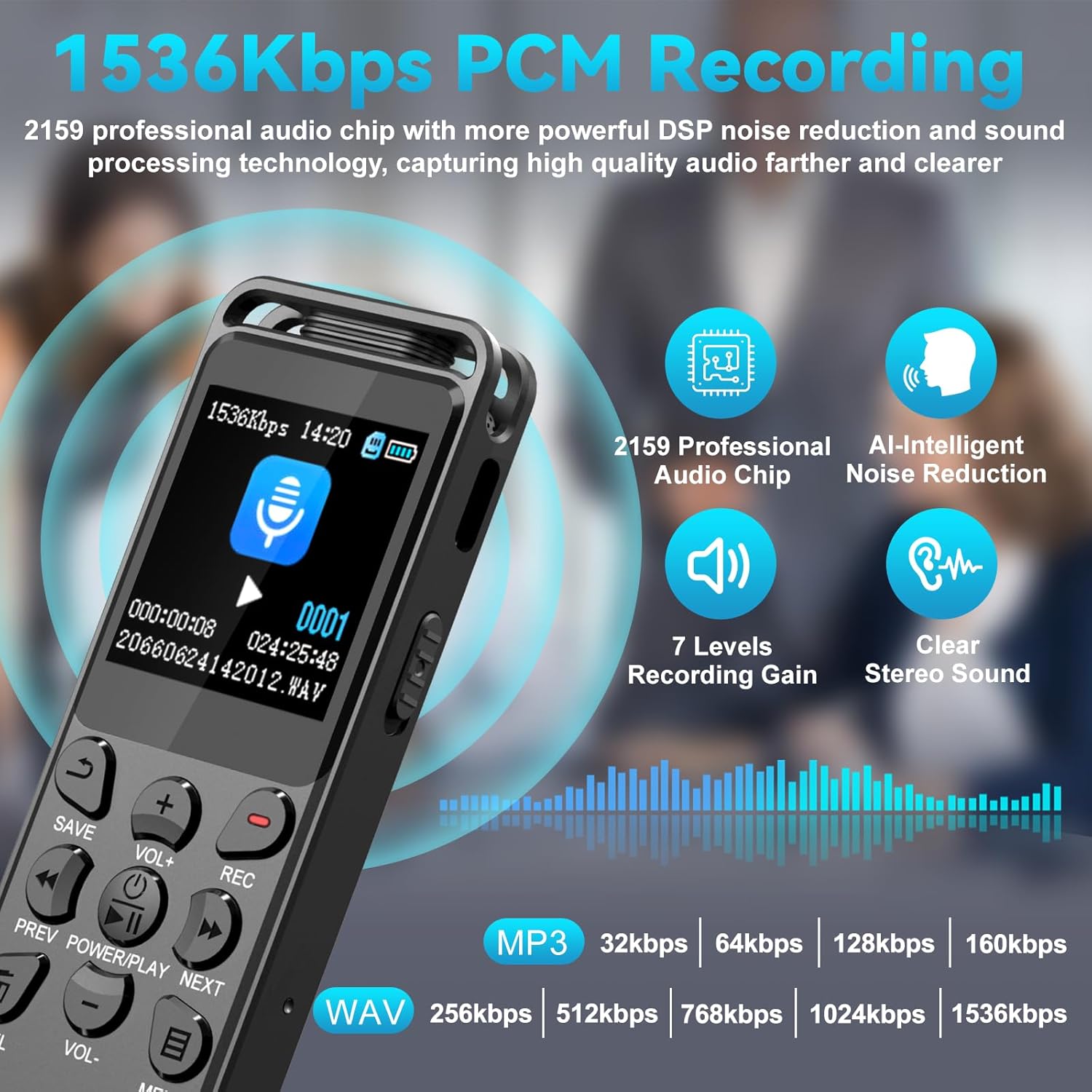
Image: The recorder's screen displaying active recording at 1536Kbps, indicating the use of a professional audio chip and AI noise reduction for high-quality sound.
4. Saving Recordings
To stop and save a recording, press the SAVE button. The file will be saved automatically with a timestamp (YYYY-MM-DD-HH-MM-SS) for easy organization.
5. Lock Function
To prevent accidental interruptions, slide the dedicated LOCK switch (usually on the side of the device) to the 'Lock' position. This disables all buttons until unlocked.
6. Playback
Navigate to your saved files using the PREV/NEXT buttons. Press the PLAY/PAUSE/OK button to start playback. During playback, use VOL+/VOL- to adjust the volume, and PREV/NEXT to fast forward or rewind.
7. Voice-Activated Recording (VOR)
The VOR feature saves storage space by recording only when sound is detected. To enable and adjust VOR sensitivity:
- Press the MENU button.
- Navigate to the VOR settings.
- Select your desired sensitivity level (6 levels available, from 60dB to 85dB).

Image: The recorder's display illustrating the voice-activated recording function with six adjustable sensitivity levels, from 60dB to 85dB, to capture sound only when detected.
8. A-B Repeat Function
The A-B repeat function allows you to loop a specific segment of an audio file, useful for learning or reviewing important sections.
- During playback, press the A-B repeat button (refer to the device's button layout, often integrated with other controls or accessible via menu) at the starting point (A).
- Press it again at the ending point (B). The segment between A and B will repeat.
9. Password Protection
To protect your recordings, you can set a 6-digit password. This feature ensures privacy and security for your files.
- Access the MENU.
- Navigate to the 'Password' or 'Security' settings.
- Follow the on-screen prompts to set your 6-digit password.
10. File Transfer to Computer
Connect the recorder to your computer using the provided USB-C cable. The device will appear as a removable disk. You can then drag and drop your recorded files (named by date and time) to your computer for backup or further processing. The device is compatible with both Mac and Windows operating systems.

Image: The recorder connected to a laptop via USB-C cable, illustrating the process of charging and transferring recorded files to a computer.
11. MP3 Player Function
The Volorful VV68 can also function as an MP3 player. Transfer compatible audio files (MP3, FLAC, WMA, APE, OGG, WAV) to the device's memory. Use the PREV/NEXT and PLAY/PAUSE/OK buttons to navigate and play your music.
Maintenance
Cleaning
Wipe the device with a soft, dry cloth. Do not use liquid cleaners or solvents, as they may damage the device's surface or internal components.
Battery Care
To prolong battery life, avoid fully discharging the battery frequently. Charge the device regularly, even if not in use for extended periods. Store the device in a cool, dry place.
Storage
When not in use, store the recorder in a protective case or pouch to prevent scratches and damage from dust or impacts.
Troubleshooting
- Device does not power on: Ensure the battery is charged. Connect to a power source and try again.
- Cannot record: Check if the device memory or TF card is full. Delete unnecessary files or insert a new TF card. Ensure the device is not in 'Lock' mode.
- Poor audio quality: Ensure the microphone is not obstructed. If using an external microphone, ensure it is securely connected. Check recording settings (e.g., PCM quality, AI noise reduction).
- Computer does not recognize the device: Try a different USB port or cable. Ensure the device is powered on when connected.
- Buttons are unresponsive: Check if the 'Lock' switch is engaged. Disengage it to restore button functionality.
Specifications
| Feature | Detail |
|---|---|
| Model Number | VV68 |
| Memory Storage Capacity | 32 GB (16GB built-in + 16GB TF card) |
| Expandable Memory | Up to 256GB (via TF card) |
| Recording Formats | MP3 Audio, WAV (PCM up to 1536kbps) |
| Playback Formats | MP3, FLAC, WMA, APE, OGG, WAV |
| Battery Life (Average) | 70 hours (recording) |
| Screen Size | 1.44 inches |
| Microphone Form Factor | Built-In, External Lavalier Mic support |
| Microphone Operation Mode | Stereo |
| Hardware Interface | USB Type C, 3.5mm Headphone Jack |
| Product Dimensions | 0.47"D x 1.29"W x 3.89"H (12mm D x 33mm W x 99mm H) |
| Item Weight | 65 g |
| Compatible Devices | Personal Computer, Smartphone (for line-in) |

Image: The recorder displaying its compact dimensions (3.9 inches long, 1.3 inches wide, 0.5 inches thick) and highlighting features like Timer Recording, Password Protection, Segment Recording, Voice Activated Recording, A-B Repeat, Variable Speed Playback, MP3 Player, and Line input/External Recording.
Warranty and Support
The Volorful VV68 Digital Voice Recorder comes with a 2-year warranty from the date of purchase. This warranty covers manufacturing defects and ensures reliable operation under normal use.
For technical support, warranty claims, or any questions regarding your device, please contact Volorful customer service through the retailer where you purchased the product or refer to the contact information provided in your product packaging.
Ask a question about this manual
Ask about setup, troubleshooting, compatibility, parts, safety, or missing instructions. Manuals+ will review the question and use this page’s manual context to help answer it.