
Introduction
This manual provides detailed instructions for the assembly, operation, maintenance, and troubleshooting of your COMHOMA Standing Desk, model CO-DH005. Please read this manual thoroughly before use to ensure proper function and longevity of your product.
Product Specifications
| Brand | COMHOMA |
| Model Number | CO-DH005 |
| Product Dimensions | 15.75"D x 31.5"W x 30.71"H |
| Minimum Height | 30.7 Inches |
| Maximum Height | 46.4 Inches |
| Maximum Weight Recommendation | 176 Pounds (80 kg) |
| Material Type | Wood (Top), Metal (Frame) |
| Special Features | Adjustable Desktop, Adjustable Height, Ergonomic, Foldable, Portable, Lockable Wheels |
| Assembly Required | Yes |
Note: All dimensions are approximate and may vary slightly.
Setup Instructions
A detailed instruction manual and all necessary accessories are included with your COMHOMA Standing Desk. Please follow the steps below for assembly.
- Unpack Components: Carefully remove all parts from the packaging and verify against the included parts list.
- Assemble Base: Attach the support bars and wheels to the main frame according to the diagrams in the separate assembly guide. Ensure all screws are tightened securely.
- Attach Desktop: Secure the desktop to the adjustable height mechanism. Pay attention to the orientation for the tiltable feature.
- Install Adjustment Knobs: Insert and tighten the height and tilt adjustment knobs.
- Final Check: Before use, ensure all connections are secure and the desk is stable.

Image: Overview of the COMHOMA Standing Desk with key dimensions and weight capacity highlighted.
Operating Instructions
Height Adjustment
The desk offers five gear adjustment options, allowing the height to be adjusted from 30.7 inches to 46.4 inches. To adjust the height:
- Locate the height adjustment knobs on the vertical support poles.
- Loosen the knobs to unlock the height mechanism.
- Carefully raise or lower the desktop to your desired height.
- Tighten the knobs firmly to secure the desktop in place.

Image: Demonstration of the desk's adjustable height for both sitting and standing positions.
Tiltable Desktop
The desktop features an innovative flip-up design that allows for smooth 0-90° adjustment. This is ideal for various activities such as typing, drawing, or reading. A secure locking mechanism ensures stability at any angle, and a premium anti-slip edge helps protect your devices.
- Locate the tilting tabletop knob beneath the desktop.
- Loosen the knob to adjust the desktop angle.
- Tilt the desktop to your preferred angle (0-90°).
- Tighten the knob to lock the desktop securely in position.

Image: The 0-90° tiltable desktop feature in use, highlighting the adjustment mechanism.
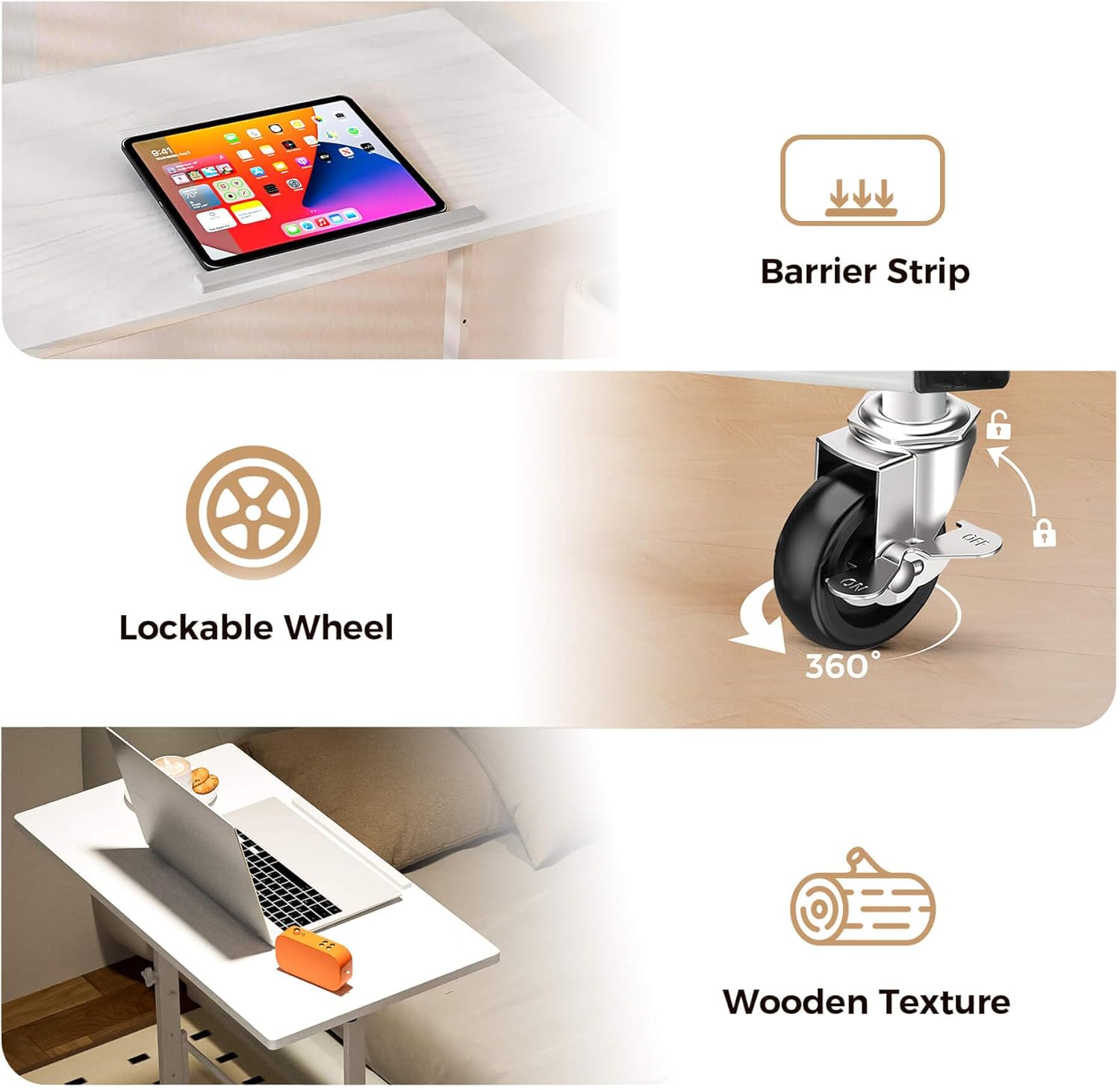
Image: Details of the desk's features including the barrier strip, lockable wheels, and wooden texture.
Mobility and Stability
The desk is equipped with smooth PU rubber wheels for easy movement between workspaces. Each wheel includes a one-touch lock mechanism to keep the desk stable during use. The desktop also features a double anti-moving design to prevent sliding, supporting up to 176 pounds.
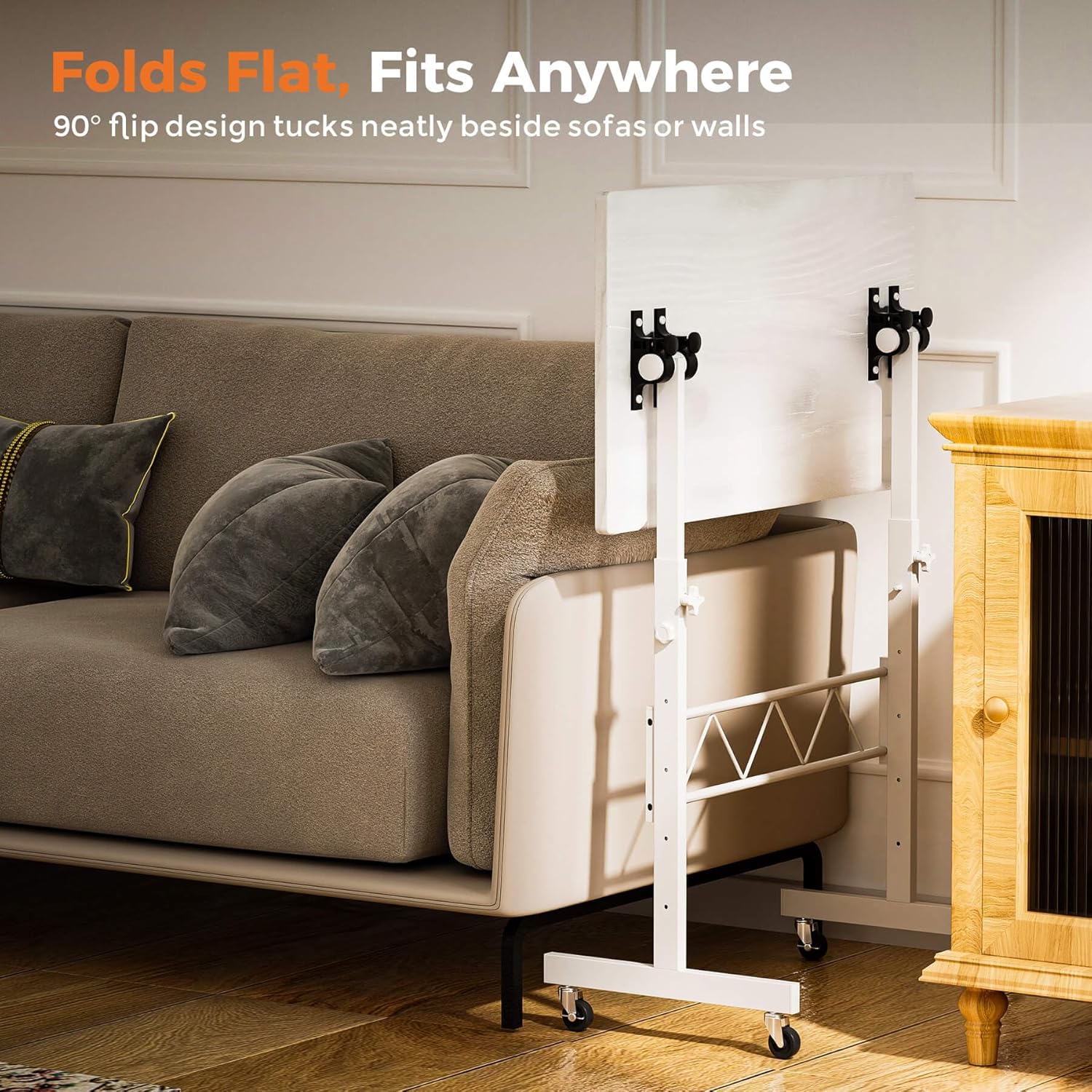
Image: The desk in its folded, space-saving configuration.

Image: Various applications of the desk, including use with a treadmill, as a drafting table, and as an overbed table.
Video: This video demonstrates the COMHOMA Small Standing Desk in various use cases, including sitting, standing, and drawing, highlighting its adjustable height and tiltable desktop features.
Maintenance
- Cleaning: Wipe the desktop and frame with a soft, damp cloth. Avoid harsh chemicals or abrasive cleaners.
- Regular Checks: Periodically check all screws and knobs to ensure they are tight. Retighten if necessary to maintain stability.
- Wheel Care: Keep the wheels free of debris to ensure smooth movement.
- Storage: When not in use, the desk can be folded flat for compact storage.
Troubleshooting
| Problem | Possible Cause | Solution |
|---|---|---|
| Desk is wobbly. | Loose screws or uneven surface. | Ensure all assembly screws are tightened. Move the desk to a flat, even surface. |
| Height adjustment is difficult. | Knobs are too tight or mechanism is stiff. | Loosen adjustment knobs sufficiently before attempting to change height. Apply a small amount of silicone lubricant to the sliding parts if necessary. |
| Desktop does not tilt smoothly. | Tilting knob is too tight or mechanism is stiff. | Ensure the tilting tabletop knob is adequately loosened. Check for any obstructions in the tilting mechanism. |
| Wheels do not roll freely. | Debris caught in wheels or locks engaged. | Check if wheel locks are disengaged. Remove any hair or debris from the wheel casters. |
Warranty and Support
Your COMHOMA Standing Desk comes with the following warranty and support:
- Free Replacement or Refund: Within 30 days of purchase.
- Free Replacement or Repair: Within 1 year of purchase.
For any questions or suggestions, please contact COMHOMA customer support. We are committed to ensuring customer satisfaction.
