
1. Introduction
This manual provides essential information for using your new XIAOMI 17T smartphone. Please read it carefully before using the device to ensure proper operation and to maximize its features. Keep this manual for future reference.

Image: The XIAOMI 17T smartphone, showcasing its sleek design.
2. Package Contents
Verify that all items are present in your product package:
- XIAOMI 17T Smartphone
- USB-C Cable
- SIM Eject Tool (SIM-Pin)
- Silicone Cover (may vary by region/bundle)
- Quick Start Guide (this manual)

Image: Contents of the XIAOMI 17T package, including the smartphone, USB-C cable, and SIM eject tool.
3. Setup
3.1 Inserting the SIM Card
- Locate the SIM card tray on the side of your device.
- Insert the SIM eject tool into the small hole next to the tray and press firmly until the tray pops out.
- Place your Nano-SIM card(s) into the tray with the gold contacts facing down. Ensure proper orientation.
- Carefully push the tray back into the slot until it clicks into place.
3.2 Initial Power On and Configuration
- Press and hold the Power button until the XIAOMI logo appears.
- Follow the on-screen instructions to select your language, region, connect to Wi-Fi, and set up your Google account.
- You may be prompted to transfer data from an old device. Follow the instructions if desired.
- Complete the setup process to access the home screen.
4. Operating Your XIAOMI 17T
4.1 Display Features
The XIAOMI 17T features a 6.59-inch 120Hz Eye-Care Display. This display offers a high refresh rate for smooth visuals and includes intelligent visual protection features adapted to environment, time, and usage.
- 120Hz Refresh Rate: Provides fluid scrolling and gaming experience.
- Super Sunlight Display: Enhances visibility in bright outdoor conditions.
- Wet Touch 2.0: Improves touch responsiveness even with wet fingers.
- Low Blue Light Certification: Reduces eye strain during prolonged use.

Image: The XIAOMI 17T display, highlighting its eye-care features.
4.2 Camera System
The device is equipped with a Leica 5x Telephoto lens, offering advanced photography capabilities.
- Leica 5x Telephoto: Provides 5x optical zoom and 10x optical-level lossless zoom.
- AI Ultra Zoom: Achieve up to 120x digital zoom for distant subjects.
- Leica Live Moment: Captures decisive moments and the story leading up to them with authentic Leica imagery.
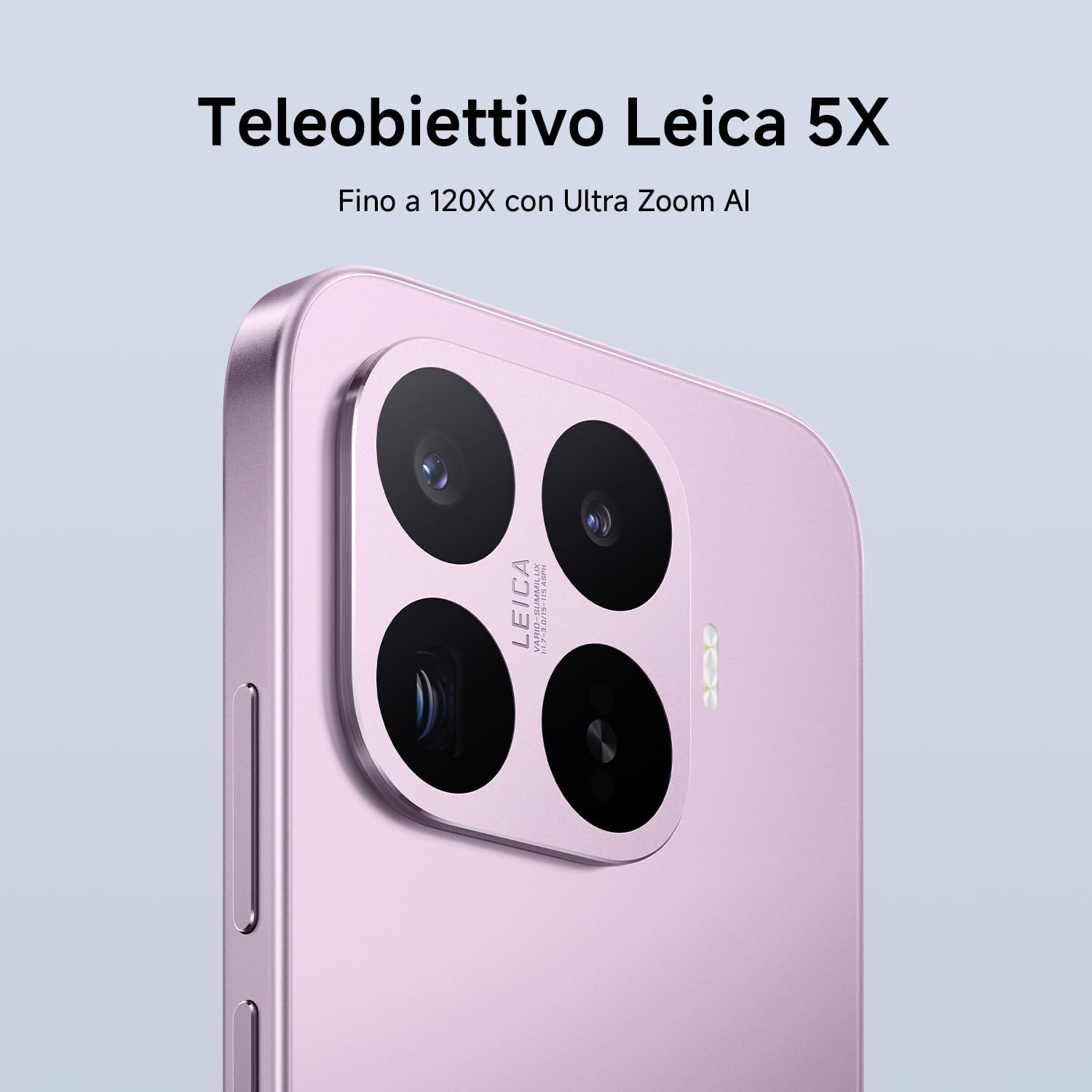
Image: Close-up of the XIAOMI 17T's Leica camera module.

Image: An example of photography using the Leica Live Moment feature, capturing dynamic motion.
4.3 Battery and Charging
The XIAOMI 17T is equipped with a 6500mAh Silicon-Carbon battery, designed for extended usage.
- 6500mAh (typ) Battery: Offers up to 17.2 hours of continuous use.
- 67W HyperCharge: Achieve 100% charge in approximately 58 minutes.
- Fast Charging Support: Supports 50W PD/PPS fast charging and other third-party protocols.
- Wired Reverse Charging: Up to 22.5W for charging other devices.

Image: Diagram illustrating the internal structure and capacity of the 6500mAh Silicon-Carbon battery.
4.4 Performance
Powered by the MediaTek Dimensity 9500 processor, the XIAOMI 17T delivers robust performance.
- MediaTek Dimensity 9500: Built on a 4nm TSMC process for high performance and efficiency.
- 8-core GPU: Ensures smooth multitasking and intense gaming experiences.
- Xiaomi 3D IceLoop System: An efficient cooling system designed to maintain optimal performance by dissipating heat rapidly.

Image: Representation of the MediaTek Dimensity 9500-Ultra processor chip.

Image: Diagram showing the Xiaomi 3D IceLoop System for efficient heat dissipation within the smartphone.
4.5 Software (Xiaomi HyperOS)
The XIAOMI 17T runs on Xiaomi HyperOS, providing a seamless and intuitive user experience.
- HyperOS: An advanced operating system designed for enhanced performance and efficiency.
- AI Features: Availability of AI features may vary by region. Check your local website for more information.

Image: The Xiaomi HyperOS logo, indicating the operating system of the device.
5. Maintenance
- Cleaning: Use a soft, lint-free cloth to clean the screen and body. Avoid abrasive materials or harsh chemicals.
- Water Resistance: The device may have a degree of water resistance, but it is not waterproof. Avoid submerging it in water.
- Temperature: Operate the device within recommended temperature ranges (typically 0°C to 35°C).
- Software Updates: Regularly update your device's software to ensure optimal performance and security.
6. Troubleshooting
| Problem | Possible Solution |
|---|---|
| Device does not power on. | Ensure the battery is charged. Connect to the charger for at least 10 minutes, then try powering on again. |
| Screen is unresponsive. | Perform a forced restart by holding the Power button for about 10-15 seconds. |
| Poor battery life. | Check background app usage, reduce screen brightness, disable unnecessary features like GPS or Bluetooth when not in use. |
| Camera issues. | Clear the camera app's cache and data. Ensure there are no obstructions on the camera lenses. |
| Network connectivity problems. | Check SIM card insertion. Restart the device. Reset network settings in the phone's settings menu. |
If problems persist, contact customer support or visit an authorized service center.
7. Specifications
| Feature | Detail |
|---|---|
| Brand | XIAOMI |
| Model Name | Xiaomi 17T |
| Storage Capacity | 256 GB |
| Color | Black |
| Display | 6.59" Eye-Care Display, 120Hz |
| Battery | 6500mAh Silicon-Carbon (typ) |
| Charging | 67W HyperCharge, 50W PD/PPS, 22.5W Wired Reverse Charging |
| Rear Camera | Leica 5x Telephoto, AI Ultra Zoom up to 120x |
| Processor | MediaTek Dimensity 9500 (4nm TSMC process, 8-core GPU) |
| Operating System | Xiaomi HyperOS |
8. Warranty and Support
Your XIAOMI 17T smartphone comes with a standard warranty. Please refer to the warranty card included in your package or visit the official XIAOMI website for detailed warranty terms and conditions specific to your region.
- Warranty Period: Typically 2-3 years, depending on local regulations.
- Customer Support: For technical assistance, troubleshooting, or service requests, please contact XIAOMI customer support through their official website or local service centers.
- Online Resources: Visit the official XIAOMI website for FAQs, software updates, and additional support materials.
Note: This product is not a medical device. Its functions are not intended for medical purposes and are not designed to predict, diagnose, prevent, or cure any disease.


