
1. Introduction
Thank you for choosing the IOWODO R30Max Smartwatch. This manual provides essential information to help you set up, operate, and maintain your device. Please read it carefully to ensure optimal performance and longevity of your smartwatch.
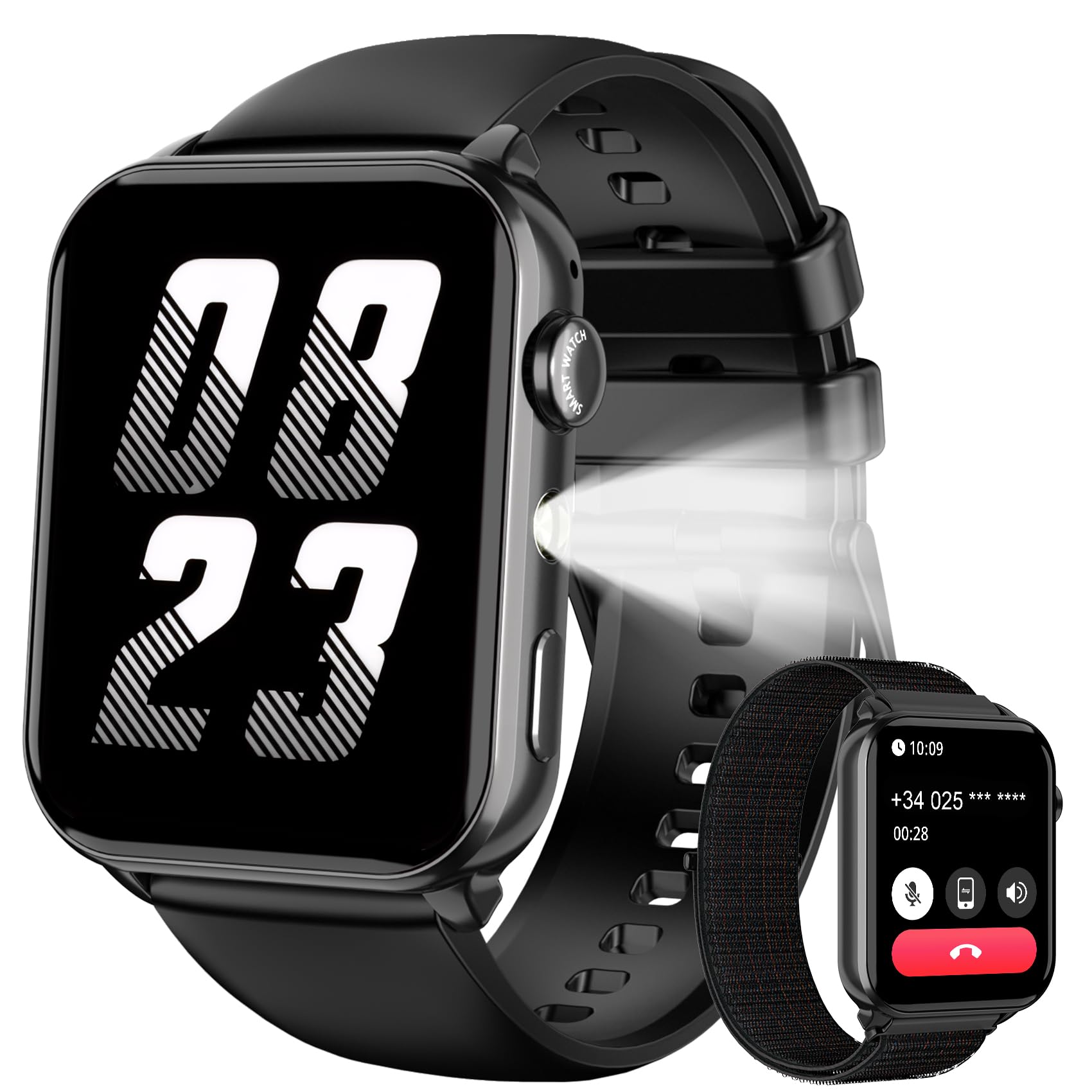
Image: The IOWODO R30Max Smartwatch, featuring a sleek design with a black strap and a vibrant screen displaying various health metrics.
2. What's in the Box
Upon unboxing your IOWODO R30Max Smartwatch, please verify that all the following items are included:
- IOWODO R30Max Smartwatch Unit
- Charging Cable
- User Manual
3. Setup
3.1 Initial Charging
Before first use, fully charge your smartwatch. Connect the charging cable to the charging port on the back of the watch and plug the USB end into a standard USB power adapter (not included) or a computer's USB port. The watch display will indicate charging status.
3.2 App Installation
To unlock all features and synchronize data, download the companion app on your smartphone. Search for the official IOWODO app (e.g., "IOWODO Fit" or similar) in your device's app store (App Store for iOS, Google Play Store for Android).
3.3 Device Pairing
- Ensure your smartphone's Bluetooth is enabled.
- Open the IOWODO companion app on your smartphone.
- Follow the in-app instructions to add a new device. The app will search for your R30Max smartwatch.
- Select your smartwatch from the list of available devices to initiate pairing. Confirm any pairing requests on both your phone and the smartwatch.
- Once paired, the watch will synchronize time and settings with your phone.
4. Operating Instructions
4.1 Basic Navigation
- Touchscreen: Swipe left/right, up/down to navigate through menus and features. Tap to select.
- Side Button: Press to wake the screen, return to the home screen, or access the main menu. A long press may power the device on/off.
4.2 Key Features
- Activity Tracking: Monitors steps taken, distance covered, and calories burned throughout the day. View daily summaries on the watch or in the app.
- Heart Rate Monitoring: Provides real-time heart rate readings. Access this feature from the main menu or a dedicated widget.
- Sleep Monitoring: Automatically tracks your sleep patterns, including deep sleep, light sleep, and wake times. Review detailed sleep analysis in the app.
- Notifications: Receive call, message, and app notifications directly on your wrist when connected to your smartphone.
- Sports Modes: Select from various sports modes to track specific activities with more accurate data.
5. Maintenance
5.1 Cleaning
Wipe the watch screen and strap regularly with a soft, dry, lint-free cloth. For stubborn dirt, slightly dampen the cloth with water. Avoid using harsh chemicals or abrasive materials.
5.2 Battery Care
To prolong battery life, avoid fully discharging the battery frequently. Charge the device when the battery level is low. Do not expose the watch to extreme temperatures.
5.3 Water Resistance
The IOWODO R30Max Smartwatch is designed with a certain level of water resistance. Refer to the product specifications for details on its water resistance rating. Avoid hot water, steam, or prolonged submersion unless explicitly stated as safe for such conditions.
6. Troubleshooting
- Watch not turning on: Ensure the watch is fully charged. Connect it to the charger for at least 30 minutes.
- Cannot pair with smartphone:
- Ensure Bluetooth is enabled on your phone and the watch is within range.
- Restart both your phone and the smartwatch.
- Check if the app has the necessary permissions (e.g., location, Bluetooth).
- If previously paired, try unpairing and re-pairing the device.
- Inaccurate heart rate/activity data: Ensure the watch is worn snugly on your wrist, about one finger's width above your wrist bone. Clean the sensor on the back of the watch.
- Notifications not received: Check app permissions on your phone. Ensure the app is running in the background and not being optimized for battery saving. Verify notification settings within the IOWODO app.
7. Specifications
| Feature | Specification |
|---|---|
| Brand | IOWODO |
| Model Number | R30Max |
| Connectivity Technology | Bluetooth |
| Battery Capacity | 380 Milliamper-hour (mAh) |
| Battery Composition | Lithium-ion |
| UPC | 729545167626 |
8. Warranty and Support
8.1 Product Warranty
The IOWODO R30Max Smartwatch comes with a 1-year warranty from the date of purchase. This warranty covers manufacturing defects under normal use. It does not cover damage caused by misuse, accidents, unauthorized modifications, or normal wear and tear.
8.2 Customer Support
For technical assistance, warranty claims, or any questions regarding your IOWODO R30Max Smartwatch, please contact IOWODO customer support through the official website or the contact information provided with your purchase documentation.


