
Introduction
Welcome to your new MINISO K200 Handheld Portable Fan. This manual provides essential information for the safe and efficient operation, maintenance, and troubleshooting of your device. Please read it thoroughly before use to ensure optimal performance and longevity.
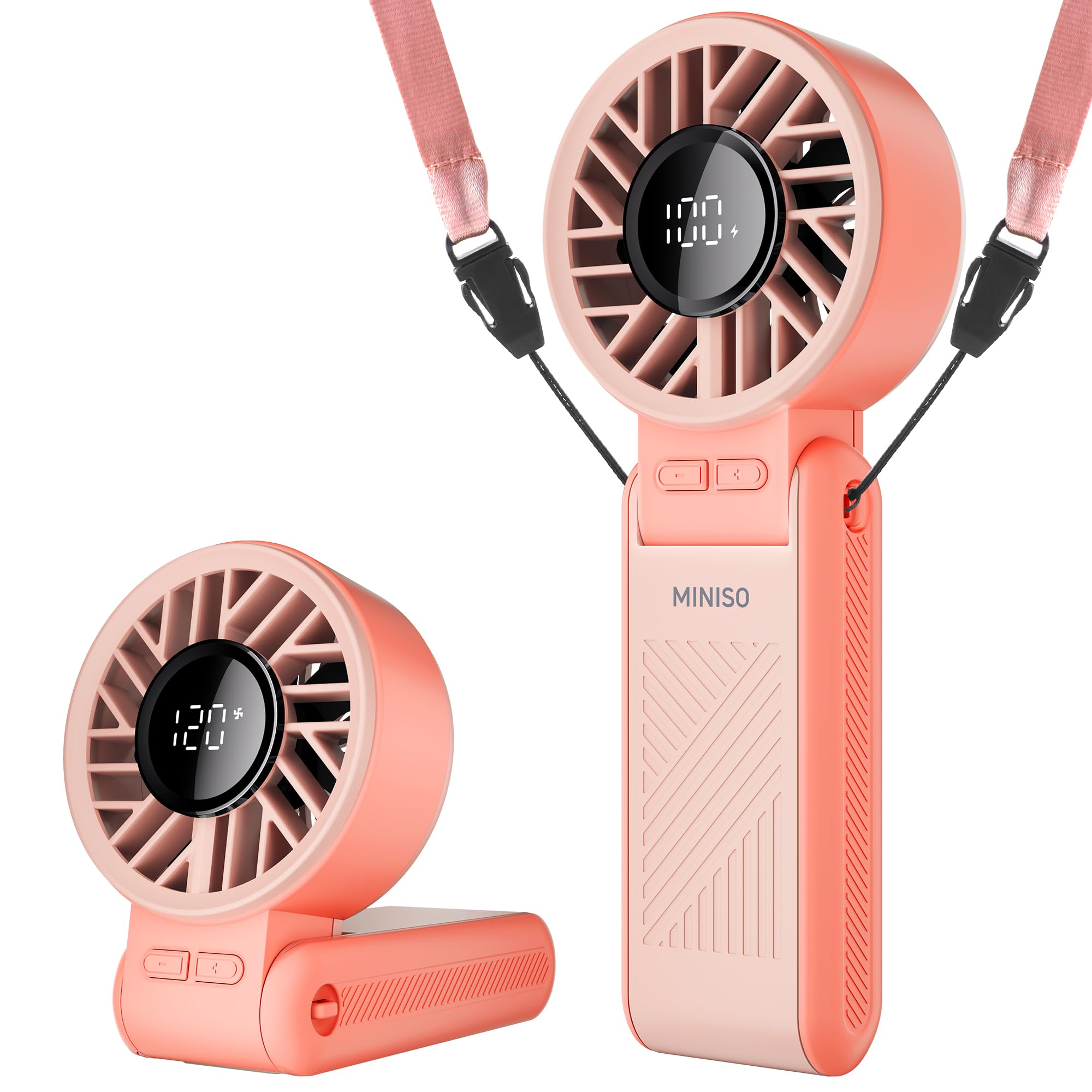
Image: The MINISO K200 Handheld Portable Fan in its pink color variant, showcasing its compact and ergonomic design.
Product Features
- 120-Level High-Speed Cooling: Equipped with a turbo-concentrated airflow structure, delivering wind speeds up to 8m/s for rapid cooling.
- 3600mAh Large Battery: Provides up to 8 hours of continuous cooling on low speed, with a full charge in approximately 2 hours via Type-C.
- 3-in-1 Foldable Design: Functions as a handheld fan, a desk fan (180° foldable base), and a neck fan (with included lanyard).
- LED Digital Display: Shows real-time battery percentage and current speed level.
- Durable & Outdoor-Ready: Features a child-safe grille, skin-friendly ABS grip, and IPX4 water-resistant rating for protection against light rain and splashes.

Image: Visual representation of the fan's versatility, showing it used as a handheld device, standing on a desk, and worn around the neck with a lanyard.
Package Contents
Please check the package for the following items:
- MINISO K200 Handheld Portable Fan
- USB-C Charging Cable
- Adjustable Lanyard
- User Manual
Safety Instructions
To ensure safe operation and prevent damage, please adhere to the following safety guidelines:
- Do not insert fingers or any foreign objects into the fan grille.
- Keep the fan away from excessive water or liquids. While it has an IPX4 rating for light splashes, it is not waterproof.
- Do not attempt to disassemble, modify, or repair the fan yourself. Contact customer support for assistance.
- This product is not a toy. Keep it out of reach of children.
- Use only the provided USB-C cable or a certified equivalent for charging.
- Avoid exposing the fan to extreme temperatures, direct sunlight for prolonged periods, or high humidity.
- Do not block the air inlet or outlet during operation.
Setup
- Unpacking: Carefully remove the fan and all accessories from the packaging. Retain the packaging for future storage or transport.
- Initial Charge: Before first use, fully charge the fan. Connect the provided USB-C charging cable to the fan's charging port and to a compatible USB power source (e.g., wall adapter, computer, power bank). The LED display will show the battery charging status. A full charge typically takes about 2 hours.
- Attach Lanyard (Optional): If you intend to use the fan as a neck fan, attach the adjustable lanyard to the designated loop located on the fan's handle.

Image: The MINISO K200 fan being charged via a USB-C cable, highlighting its 3600mAh battery capacity and various charging methods.
Operating Instructions
Power On/Off
- To turn the fan ON, press the power button once.
- To turn the fan OFF, long press the power button for approximately 2 seconds.
Adjusting Fan Speed
The fan offers 120 stepless wind speeds for precise control:
- Press the "+" button to increase the fan speed. Each press will increase the speed by 20 levels.
- Press the "-" button to decrease the fan speed. Each press will decrease the speed by 20 levels.
- The LED display will show the current speed level (e.g., 1-120).

Image: Close-up of the MINISO K200 fan's controls, illustrating the power button and '+' / '-' buttons for speed adjustment.
Using 3-in-1 Modes
- Handheld Mode: Simply hold the fan by its ergonomic handle for personal cooling.
- Desk Mode: Fold the handle 180 degrees to transform the fan into a stable desktop unit. Place it on any flat surface.
- Neck Fan Mode: Attach the adjustable lanyard and wear the fan around your neck, freeing your hands. Adjust the fan head angle as needed.

Image: The MINISO K200 fan shown in various folded and unfolded states, highlighting its compact size and dimensions.
LED Display
The high-definition LED screen provides real-time information:
- Battery Percentage: Shows the remaining battery charge.
- Speed Level: Displays the current fan speed setting.

Image: A person using the MINISO K200 fan, with an overlay illustrating the fan's 120 stepless wind speeds and their approximate battery durations.
Charging
- Connect the USB-C charging cable to the fan's charging port and to a standard USB power source (e.g., 5V/1A adapter).
- The LED display will show the battery percentage increasing during charging.
- A full charge takes approximately 2 hours.
- The fan will provide a low-battery reminder when charging is needed to prevent unexpected shutdowns.
Maintenance
Cleaning
- Always ensure the fan is turned off before cleaning.
- Wipe the exterior of the fan with a soft, dry cloth.
- To clean the fan grille, use a soft brush or cotton swab to gently remove any accumulated dust. Do not use water or harsh chemical cleaners directly on the grille or internal components.
Storage
- When not in use, store the fan in a cool, dry place, away from direct sunlight and extreme temperatures.
- If storing for an extended period, it is recommended to charge the battery to approximately 50% to help maintain battery health.
Troubleshooting
| Problem | Possible Cause | Solution |
|---|---|---|
| Fan does not turn on | Battery is depleted | Charge the fan fully using the USB-C cable. |
| Power button not pressed correctly | Press and hold the power button for 2 seconds to turn on. | |
| Weak airflow | Low speed setting | Increase the fan speed using the "+" button. |
| Obstruction in grille | Check for and gently remove any obstructions from the fan grille. | |
| Fan stops unexpectedly | Battery is depleted | Recharge the fan. |
| Overheating | Turn off the fan and allow it to cool down before restarting. | |
| LED display not working | Fan is off or battery is very low | Turn on the fan or charge the battery. |
| Cannot charge | Faulty cable or adapter | Try a different USB-C cable or power adapter. |
| Charging port damaged | Contact customer support for repair or replacement. |
Specifications
- Brand: MINISO
- Model: K200
- Battery Capacity: 3600mAh
- Charging Time: Approximately 2 hours (via Type-C)
- Operating Time: Up to 8 hours (low speed), 5 hours (medium speed), 3 hours (high speed)
- Wind Speed: Up to 8m/s
- Number of Speeds: 120 (stepless adjustment)
- Product Dimensions: 2.5"D x 2.5"W x 6"H (approximate, folded)
- Material: High-quality ABS Plastic
- Water Resistance: IPX4 (splash-proof)
- Power Source: Battery Powered
- Special Features: Foldable design, LED Digital Display, 3-in-1 functionality (Handheld, Desk, Neck Fan)

Image: An exploded view diagram illustrating the internal components and powerful airflow mechanism of the MINISO K200 fan.
Warranty and Support
For detailed warranty information, product registration, or technical support, please refer to the warranty card included in your product packaging or visit the official MINISO website. You may also contact MINISO customer service directly through the contact information provided on the packaging or website.
Please retain your purchase receipt as proof of purchase for any warranty claims.