
Introduction
This manual provides essential information for the safe and efficient use of your ZTE V80 Vita Smartphone. Please read this guide thoroughly before operating your device to ensure optimal performance and longevity. The ZTE V80 Vita features a 6.75-inch High-Res 120Hz display, a 50MP triple camera system, 14GB (4+10) RAM with memory fusion technology, 256GB internal storage, and a 5000mAh battery, running on Android 16.
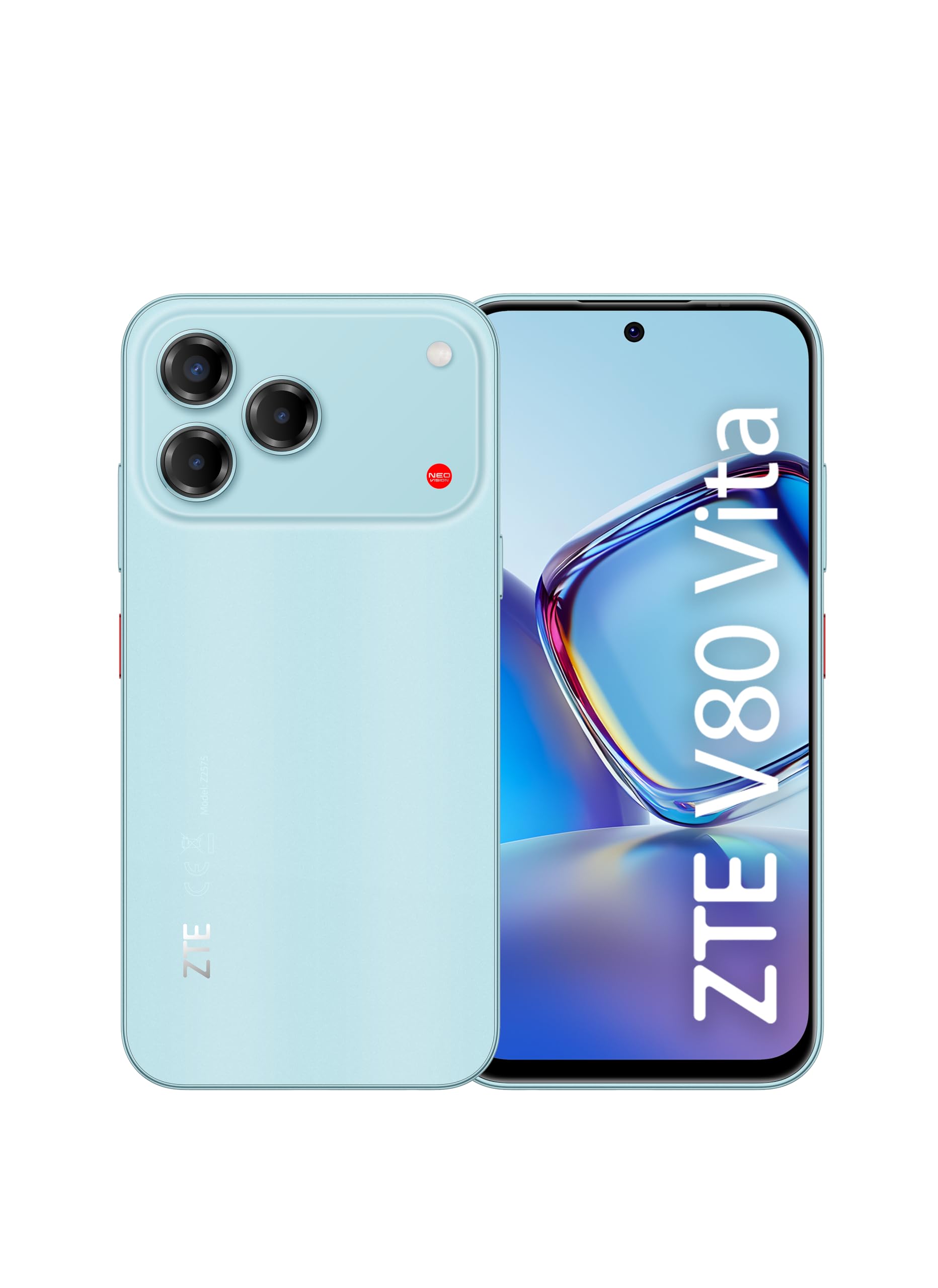
Image: Front view of the ZTE V80 Vita Smartphone.
What's in the Box
Verify that all items are present in your product package:
- ZTE V80 Vita Mobile Phone
- USB Cable
- SIM Ejection Tool
Setup
Inserting SIM Card and Micro-SD
To ensure network connectivity and expandable storage, follow these steps to insert your SIM card(s) and an optional Micro-SD card:
- Locate the SIM tray on the side of your device.
- Insert the SIM ejection tool into the small hole next to the tray and press firmly until the tray pops out.
- Place your Nano-SIM card(s) and Micro-SD card (if applicable) into the designated slots on the tray, ensuring correct orientation.
- Carefully push the tray back into the device until it is flush with the side.

Image: Side view of the ZTE V80 Vita Smartphone, showing the SIM card tray location.
Initial Power On
Press and hold the Power button located on the side of the device until the ZTE logo appears. Follow the on-screen prompts to complete the initial setup, including language selection, Wi-Fi connection, and Google account setup.
Charging the Device
Connect the provided USB cable to the USB-C port at the bottom of your phone and plug the other end into a compatible power adapter. The device will indicate charging status on the screen. For optimal battery life, use the original charging accessories.
Operating
Display and Navigation
The ZTE V80 Vita features a 6.75-inch High-Res display with a 120Hz refresh rate for smooth visuals. Navigate the interface using touch gestures. The interactive Live Island 2.0 system provides quick and immediate notifications, enhancing your user experience.

Image: Front display of the ZTE V80 Vita Smartphone.
Camera Functions
Your device is equipped with a versatile camera system. The rear features a 50MP triple camera with AI technology for enhanced photography. The front camera is 16MP, suitable for selfies and video calls. Open the Camera app to access various modes and settings.

Image: Back view of the ZTE V80 Vita Smartphone, highlighting the triple camera system.
Performance and Memory
The ZTE V80 Vita is powered by an Octa-core processor and runs on Android 16. It supports memory fusion technology, expanding the effective RAM up to 14GB (4GB physical + 10GB virtual) for smoother multitasking and app performance. The device comes with 256GB of internal storage, expandable via Micro-SD.
Battery Management
The 5000mAh battery provides extended usage time. To optimize battery life, adjust screen brightness, close unused applications, and utilize power-saving modes available in the device settings.
Maintenance
Cleaning
Use a soft, lint-free cloth to clean the screen and body of your smartphone. Avoid using harsh chemicals or abrasive materials that could damage the device's surface.
Software Updates
Regularly check for and install software updates to ensure your device has the latest features, security patches, and performance improvements. You can usually find this option in the 'Settings' menu under 'System' or 'Software Update'.
Storage Management
Periodically review your device's storage to free up space. Delete unnecessary files, uninstall unused apps, and transfer large media files to cloud storage or an external Micro-SD card.
Troubleshooting
Device Not Powering On
Ensure the battery is sufficiently charged. Connect the device to a charger for at least 15 minutes, then attempt to power it on again. If the issue persists, perform a forced restart by holding the Power button for an extended period (typically 10-15 seconds).
Connectivity Issues (4G, Wi-Fi, Bluetooth)
- 4G: Check if your SIM card is properly inserted and activated. Verify that mobile data is enabled in settings and that you have network coverage.
- Wi-Fi: Ensure Wi-Fi is enabled and you are connected to the correct network. Try restarting your router and the phone.
- Bluetooth: Make sure Bluetooth is turned on for both devices and they are within range. Try unpairing and re-pairing the devices.
Camera Malfunctions
If the camera app is not working, try clearing its cache and data in the app settings. Restarting the phone can also resolve temporary software glitches. Ensure there are no physical obstructions on the camera lenses.
Battery Drain
High battery consumption can be caused by background apps, high screen brightness, or frequent use of power-intensive features. Review battery usage in settings to identify culprits and adjust usage patterns. Consider enabling power-saving modes.
Specifications
Key technical specifications for the ZTE V80 Vita Smartphone:
| Feature | Specification |
|---|---|
| Brand | ZTE |
| Model Name | ZTE V80 Vita |
| Operating System | Android 16 |
| RAM | 4 GB (expandable up to 14 GB with memory fusion) |
| Internal Storage | 256 GB (expandable via Micro-SD) |
| Display | 6.75-inch High-Res LCD, 120Hz Refresh Rate |
| Rear Camera | 50 MP Triple Camera with AI |
| Front Camera | 16 MP |
| Battery Capacity | 5000 mAh |
| Cellular Technology | 4G (GSM, LTE) |
| Connectivity | Bluetooth 5.2 + NFC, 3.5mm Headphone Jack, USB-C, Wi-Fi |
| Wireless Service Provider | Unlocked |
| Form Factor | Bar |
| Model Year | 2026 |
Warranty Information
The ZTE V80 Vita Smartphone comes with a 2-year product warranty from the date of purchase. This warranty covers manufacturing defects and malfunctions under normal use. Please retain your proof of purchase for warranty claims. For detailed terms and conditions, refer to the warranty card included in your product packaging or visit the official ZTE website.
Support
For further assistance, technical support, or to find answers to frequently asked questions, please visit the official ZTE support channels:
- Online Support: Visit the ZTE Store on Amazon for product information and links to official support resources.
- Documentation: Additional documentation, such as the Data Transparency Declaration, may be available for download.


