
Introduction
Thank you for choosing the Thunelec U9 Wireless Earbuds. These earbuds are designed to provide a superior audio experience with advanced features such as Active Noise Cancellation (ANC), Environmental Noise Cancellation (ENC), Bluetooth 5.4 connectivity, and a multifunctional touch screen. This manual will guide you through the setup, operation, and maintenance of your new earbuds to ensure optimal performance and longevity.
Please read this manual carefully before using the product and retain it for future reference.
What's in the Box
Verify that all items are present in your package:
- U9 Wireless Earbuds (2 units)
- Wireless Charging Case
- Charging Cable (Type-C)
- User Manual
- Eartips (S/M/L sizes)
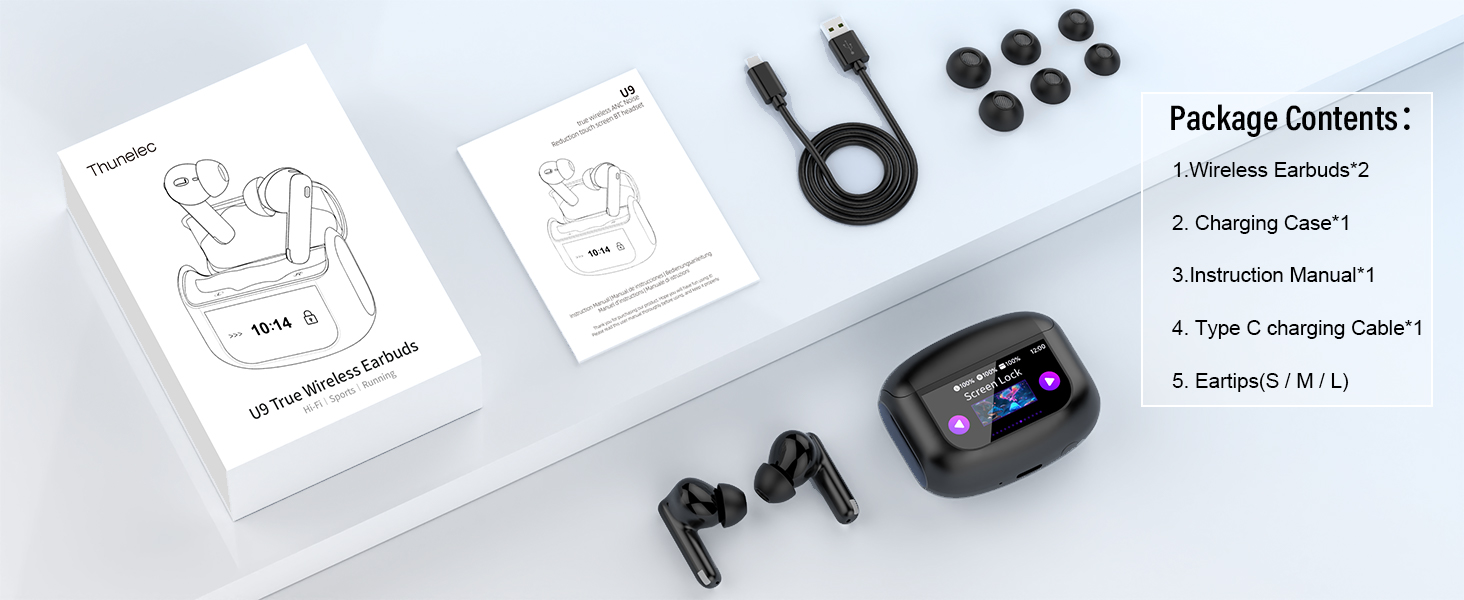
Image: Contents of the Thunelec U9 package, including earbuds, charging case, charging cable, user manual, and various eartip sizes.
Setup
1. Charging the Earbuds and Case
Before first use, fully charge the earbuds and charging case. Connect the provided Type-C charging cable to the charging case and a USB power source. The charging case features a smart indicator to show real-time battery levels.
- Charging Time: Approximately 1.5 hours for the charging case.
- Battery Life: 6-8 hours of continuous use on a single charge; up to 48 hours total with the charging case.

Image: The Thunelec U9 earbuds and charging case connected to a USB-C cable for charging, illustrating the 48-hour playtime capability.
2. Pairing with Your Device
- Ensure the earbuds are charged and placed inside the charging case.
- Open the charging case. The earbuds will automatically enter pairing mode.
- On your device (smartphone, tablet, laptop), enable Bluetooth.
- Search for available Bluetooth devices and select "U9" from the list.
- Once connected, you will hear a confirmation tone, and the earbuds will be ready for use.
The U9 earbuds offer wide compatibility with iOS, Android, and other Bluetooth-enabled devices, ensuring seamless one-tap pairing.
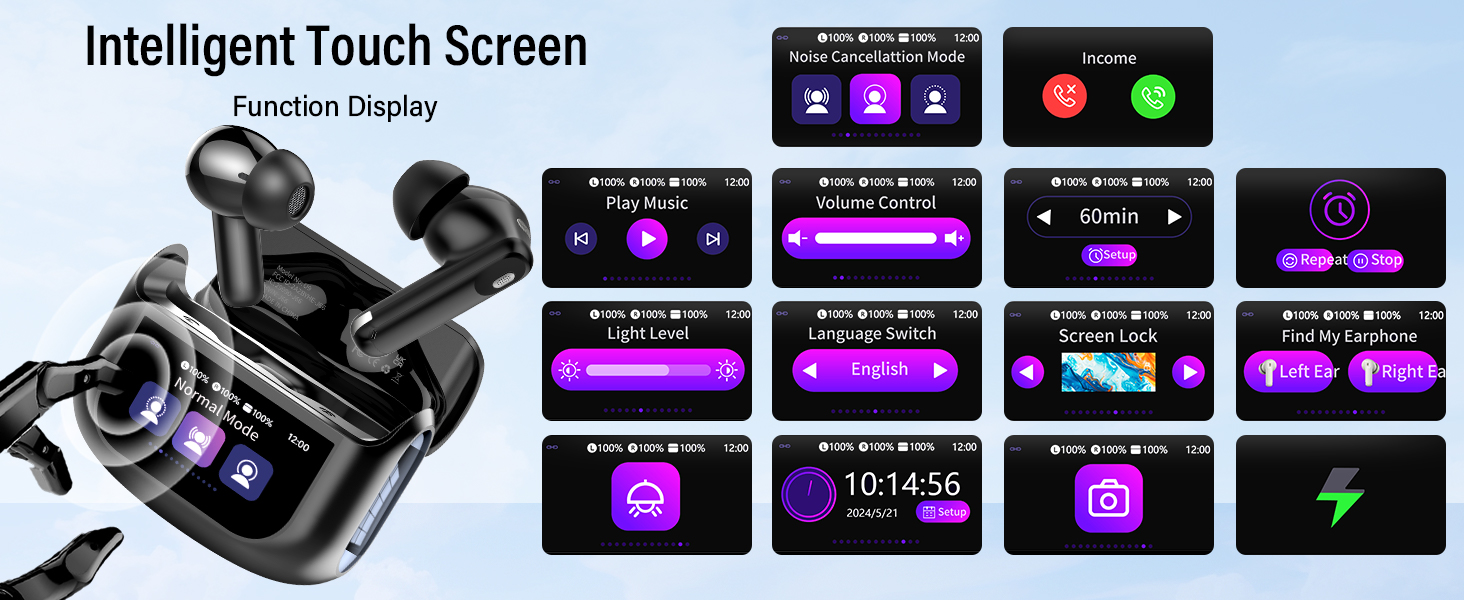
Image: The Thunelec U9 earbuds and charging case shown with various compatible devices (phone, tablet, laptop) demonstrating wide compatibility and one-step pairing.
3. Wearing the Earbuds
Choose the correct size of silicone eartips (S/M/L) for a secure and comfortable fit. A proper fit is crucial for optimal sound quality and noise cancellation performance. Insert the earbuds into your ears and gently twist them until they feel snug and stable.
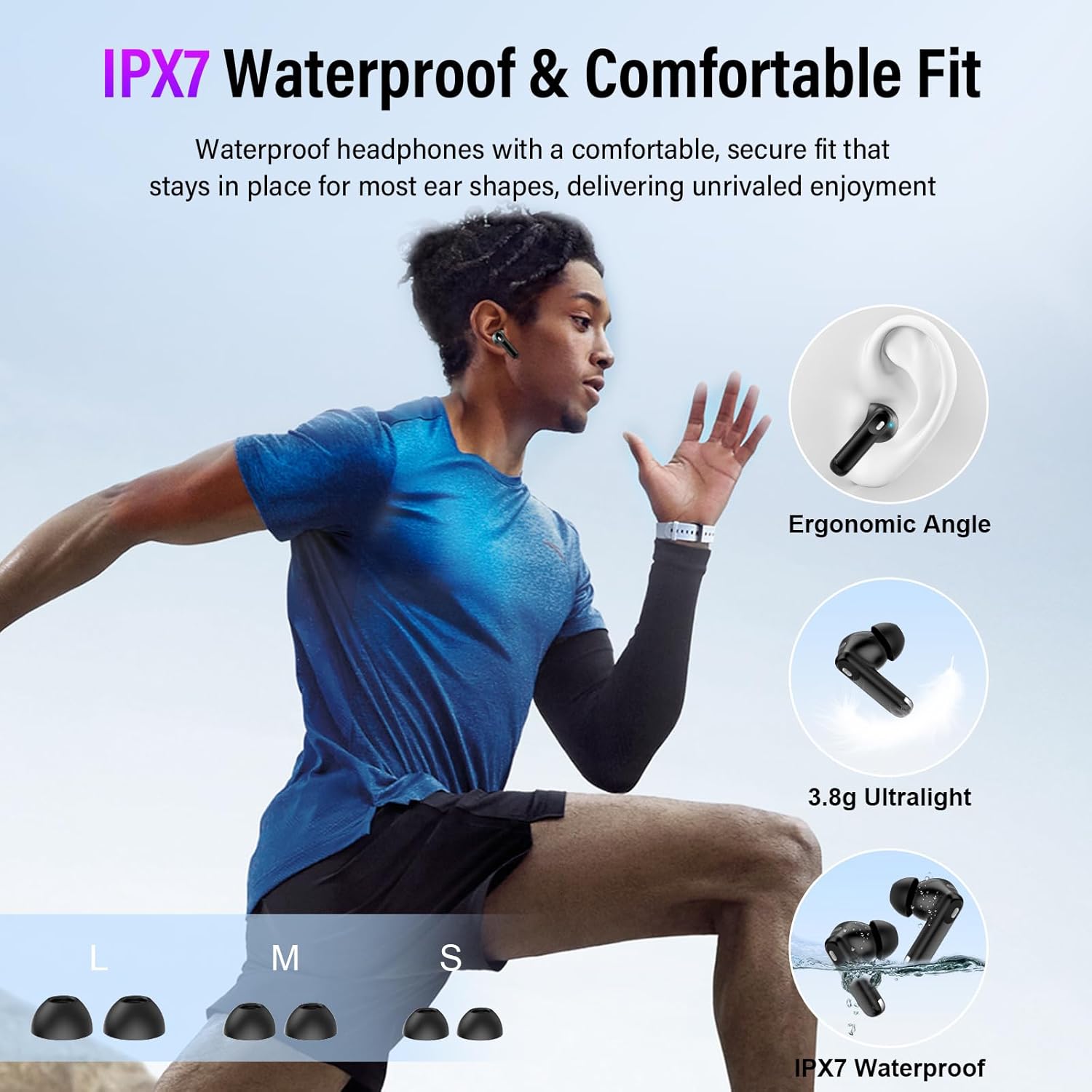
Image: An illustration demonstrating the ergonomic design and secure fit of the Thunelec U9 earbuds, highlighting their lightweight nature and IPX7 waterproof rating.
Operating Instructions
1. Smart Touch Controls
The U9 earbuds feature intuitive touch controls on each earbud. The charging case also has a full-color touch screen for additional functions.
| Action | Function |
|---|---|
| Long press L/R (2 seconds) | Previous Song / Next Song |
| Click 2 times | Play / Pause |
| Click R 3 times | ANC Mode Switching (ANC/Transparency/Normal) |
| Click L 3 times | Activate Voice Assistant |
| Click 1 time (incoming call) | Answer Call |
| Long press (incoming call) | Hang Up / Reject Call |
Note: Direct volume control is not supported on the earbuds. Adjust volume via the charging case screen or your connected device.

Image: A visual guide to the smart touch controls on the Thunelec U9 earbuds, detailing actions for music, calls, and noise cancellation modes.
2. ANC/ENC Noise Cancellation & Transparency Mode
The U9 earbuds feature advanced noise cancellation technology:
- Active Noise Cancellation (ANC): Blocks up to 45dB of external noise, ideal for commutes and noisy environments.
- Environmental Noise Cancellation (ENC): Enhances vocal clarity during calls by suppressing background static.
- Transparency Mode: Allows you to hear your surroundings clearly without removing the earbuds, ensuring safety and awareness.
Switch between these modes by triple-tapping the right earbud or using the charging case touch screen.

Image: Two individuals wearing Thunelec U9 earbuds, illustrating the effectiveness of ANC+ENC noise cancellation for clear audio and calls in various environments.
3. EQ Modes and Sound Quality
The earbuds are equipped with 14.2mm bio-carbon fiber dynamic coils for rich, immersive sound. You can customize your listening experience with five built-in EQ modes:
- Standard
- Classic
- Jazz
- Rock
- Pop
These modes can be selected via the charging case touch screen to tailor the audio to your preference.

Image: The Thunelec U9 charging case screen showing the selection of various EQ modes (Normal, Jazz, Rock, Pop, Classics) for a customized audio experience.
4. Multifunctional Touch Screen on Charging Case
The charging case features a full-color touch screen that provides access to various functions without needing your phone:
- Music playback control (play/pause, skip tracks)
- Noise-canceling mode switching
- Call management
- 7-language switching
- Wallpaper customization
- Screen brightness adjustment
- Headphone search function
- Timer function
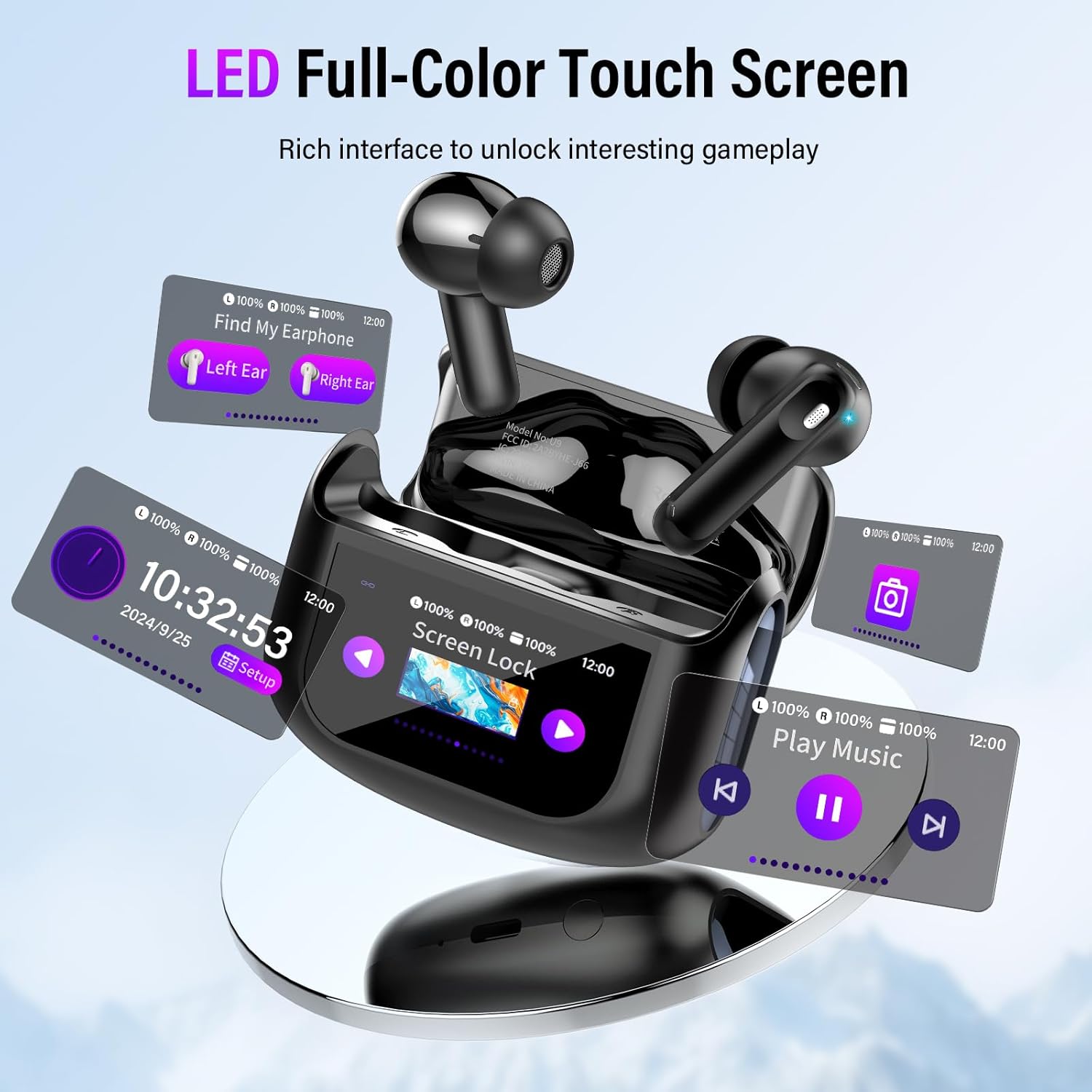
Image: The Thunelec U9 charging case showcasing its LED full-color touch screen with various interface options like time, screen lock, music playback, and earbud finding.
5. Earbud-Finding Function
If you misplace your earbuds, use the "Find My Earphone" function on the charging case touch screen. This will make the earbuds emit a beeping sound, helping you locate them easily.
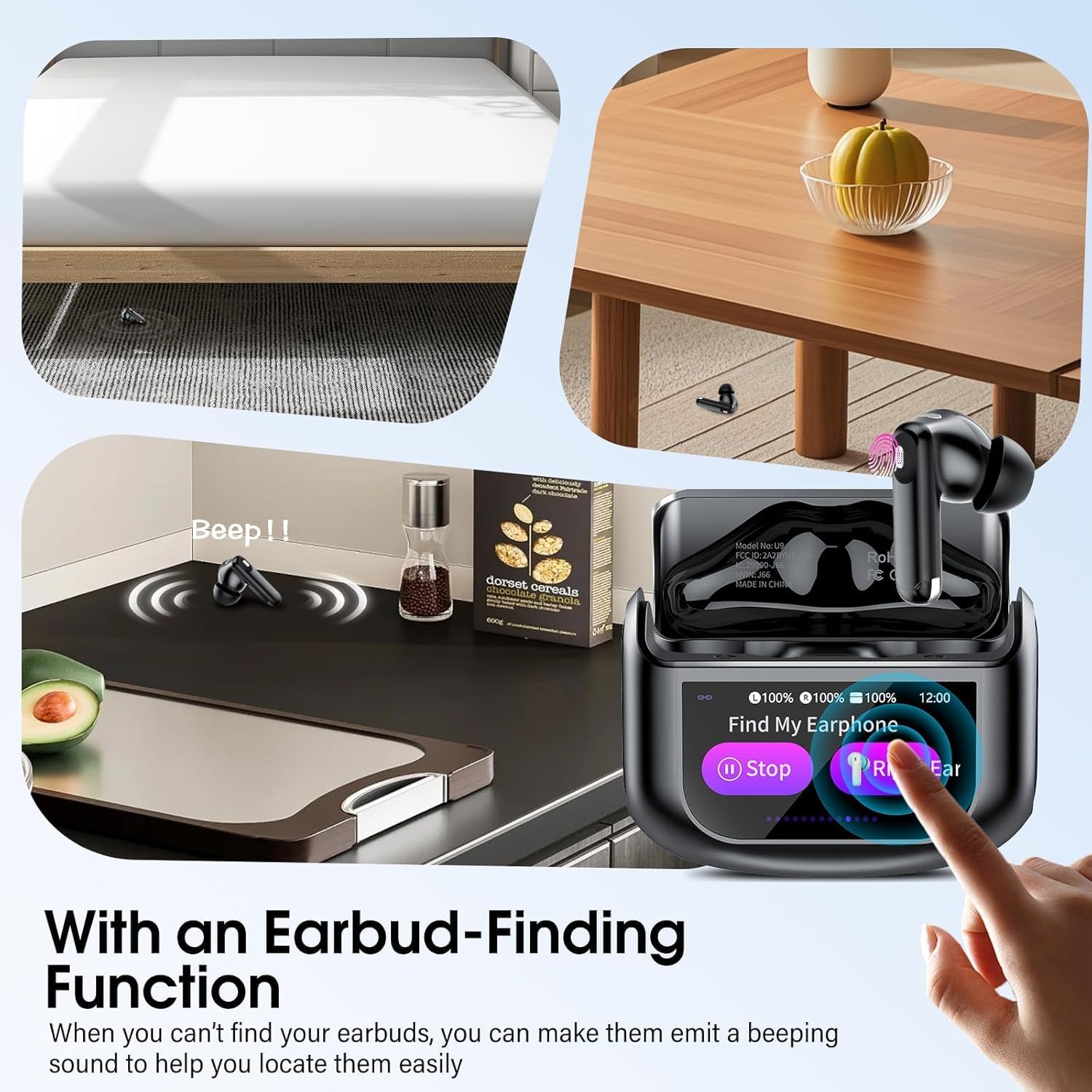
Image: A person searching for a lost earbud, with the Thunelec U9 charging case screen displaying the "Find My Earphone" function, indicating a beeping sound to aid location.
6. Photo Control
The charging case can act as a remote shutter for your phone's camera. This allows you to capture photos from a distance without directly touching your phone, useful for selfies or group shots.
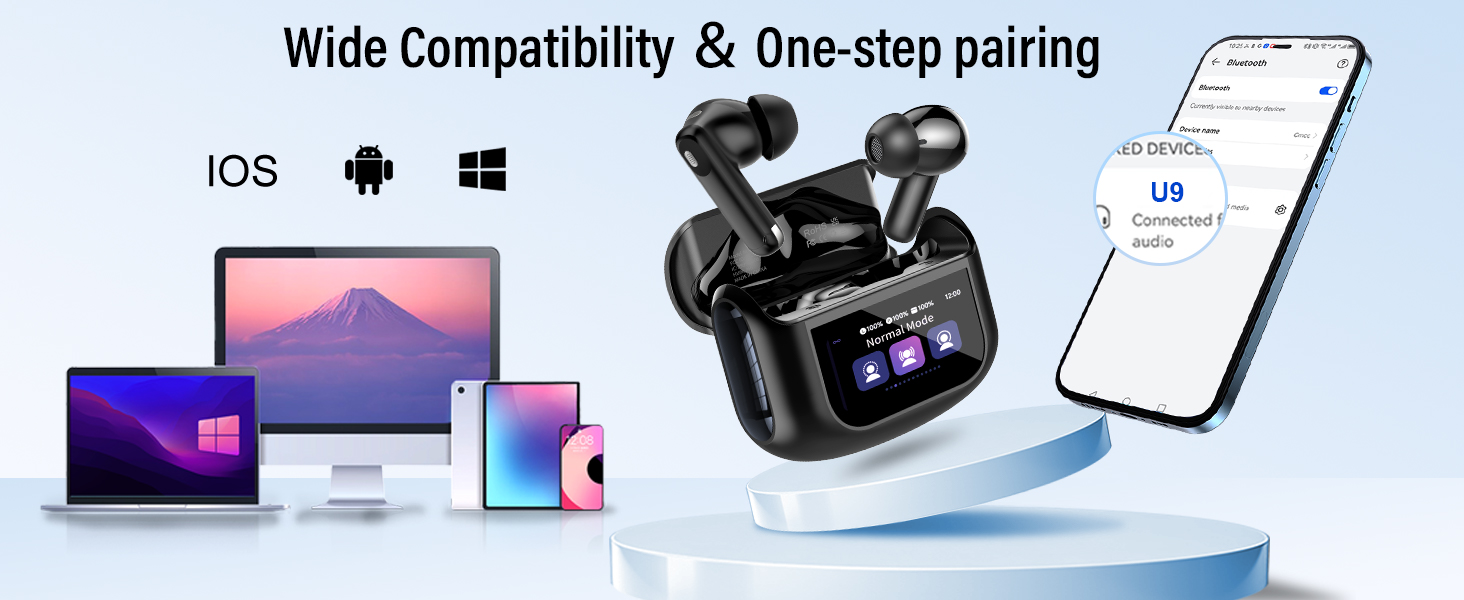
Image: The Thunelec U9 charging case displaying a camera icon, indicating its photo control feature for remote picture taking.
Maintenance
Cleaning
Regular cleaning helps maintain sound quality and hygiene:
- Gently wipe the earbuds and charging case with a soft, dry, lint-free cloth.
- Remove eartips and clean them with mild soap and water, then dry thoroughly before reattaching.
- Use a cotton swab or small brush to carefully clean any debris from the speaker mesh and charging contacts.
- Avoid using abrasive materials, alcohol, or chemical cleaners.
Water Resistance
The U9 earbuds are IPX7 waterproof, meaning they can resist sweat, rain, and splashes. They are suitable for intense workouts or sudden rainy commutes. However, they are not designed for swimming or prolonged submersion in water. Ensure the earbuds are dry before placing them back in the charging case to prevent damage.
Troubleshooting
If you encounter issues with your Thunelec U9 earbuds, please refer to the following common solutions:
No Sound or Intermittent Connection
- Ensure both earbuds are charged.
- Check that Bluetooth is enabled on your device and the earbuds are properly paired.
- Try unpairing and re-pairing the earbuds with your device.
- Move closer to your device to ensure you are within the Bluetooth range.
- Reset the earbuds (refer to the full user manual for specific reset instructions if needed).
Poor Sound Quality
- Ensure the eartips provide a secure and sealed fit in your ear canal. Try different sizes.
- Clean any debris from the earbud speaker mesh.
- Check the EQ settings on the charging case or your device.
- Ensure the audio source is of good quality.
Earbuds Not Charging
- Ensure the charging cable is securely connected to both the case and the power source.
- Verify that the charging contacts on both the earbuds and the case are clean and free of obstruction.
- Try a different charging cable or power adapter.
Touch Controls Not Responding
- Ensure your fingers are clean and dry when touching the control area.
- Restart the earbuds by placing them in the case and closing it, then reopening.
Specifications
| Feature | Detail |
|---|---|
| Brand | Thunelec |
| Model Name | U9 |
| Bluetooth Version | 5.4 |
| Noise Control | Active Noise Cancellation (ANC), Environmental Noise Cancellation (ENC), Sound Isolation |
| Ear Placement | In Ear |
| Water Resistance Level | IPX7 (Waterproof) |
| Battery Life (Earbuds) | 6-8 hours |
| Total Playtime (with Case) | Up to 48 hours |
| Case Charge Time | 1.5 hours |
| Control Type | Touch Control |
| Audio Driver Type | Dynamic Driver (14.2mm) |
| Compatible Devices | iOS, Android, Laptops, Tablets, Smart TVs (Bluetooth-enabled) |
Warranty and Support
Warranty Information
Thunelec provides a 30-day unconditional refund and a 2-year warranty for the U9 Wireless Earbuds. Please retain your proof of purchase for warranty claims.
Customer Support
For any questions, technical assistance, or warranty claims, please contact Thunelec customer support through the retailer where you purchased the product or visit the official Thunelec website for contact information.
We are committed to providing you with the best possible experience.