
1. Introduction
Thank you for purchasing the Roxicosly Portable DAB/DAB+ FM Digital Radio. This versatile device combines digital and analog radio reception with Bluetooth connectivity, TF card playback, and essential alarm clock functions. Designed for both indoor and outdoor use, it features a clear 2.4-inch color display and a powerful 3000mAh battery for extended listening. Please read this manual carefully to ensure proper use and to fully enjoy all the features of your new radio.
2. Important Safety Information
- Do not expose the device to rain, moisture, or extreme temperatures.
- Avoid disassembling or modifying the device. Refer all servicing to qualified personnel.
- Keep the device away from strong magnetic fields.
- Use only the specified charging adapter.
- Dispose of batteries responsibly according to local regulations.
3. Package Contents
Please check that all items are present:
- Roxicosly Portable DAB/DAB+ FM Digital Radio
- USB Type-C Charging Cable
- AC Power Adapter
- User Manual
4. Product Overview
4.1 Front Panel and Display
The front panel features the 2.4-inch TFT color display and primary control buttons.

Image: Front view of the Roxicosly radio, highlighting its clear reception capabilities for DAB+ (174.928-239.200MHz) and FM (87.5-108.00MHz). The display shows radio station information. Icons below indicate 80 channels, auto-scan, RDS, and sleep timer. A woman is preparing fruit in the background, suggesting kitchen use.
4.2 Side and Rear Panels
The side and rear panels house the antenna, ports, and additional controls.

Image: Side view of the Roxicosly radio, illustrating the TF card slot and 3.5mm AUX input. The image shows a Micro SD card being inserted into the TF slot and a 3.5mm audio jack connected to the AUX port. Text indicates support for MP3, FLAC, WAV, and other formats, as well as headphone and external speaker connections.
- Power Button: Press and hold to turn on/off.
- Mode Button: Switch between DAB, FM, Bluetooth, TF Card, and AUX modes.
- Tune/Select Knob: Rotate to tune frequencies or navigate menus; press to select.
- Volume Knob: Rotate to adjust volume.
- Preset Buttons: Store and recall favorite stations.
- EQ Button: Cycle through equalizer presets.
- Info Button: Display additional information (e.g., program type, signal strength).
- Play/Pause Button: Control playback in Bluetooth/TF modes, activate snooze for alarms.
- TF Card Slot: Insert a Micro SD card for audio playback (up to 64GB).
- AUX Input (3.5mm): Connect external audio devices.
- USB Type-C Port: For charging the internal battery.
- Telescopic Antenna: Extend for optimal radio reception.
5. Setup
5.1 Charging the Battery
The radio is equipped with a built-in 3000mAh rechargeable battery. Before first use, fully charge the device.
- Connect the USB Type-C cable to the radio's charging port.
- Connect the other end of the cable to the provided AC power adapter.
- Plug the adapter into a wall outlet.
- The battery indicator on the display will show charging status. A full charge takes approximately 3-4 hours and provides up to 18 hours of playback at 50% volume.
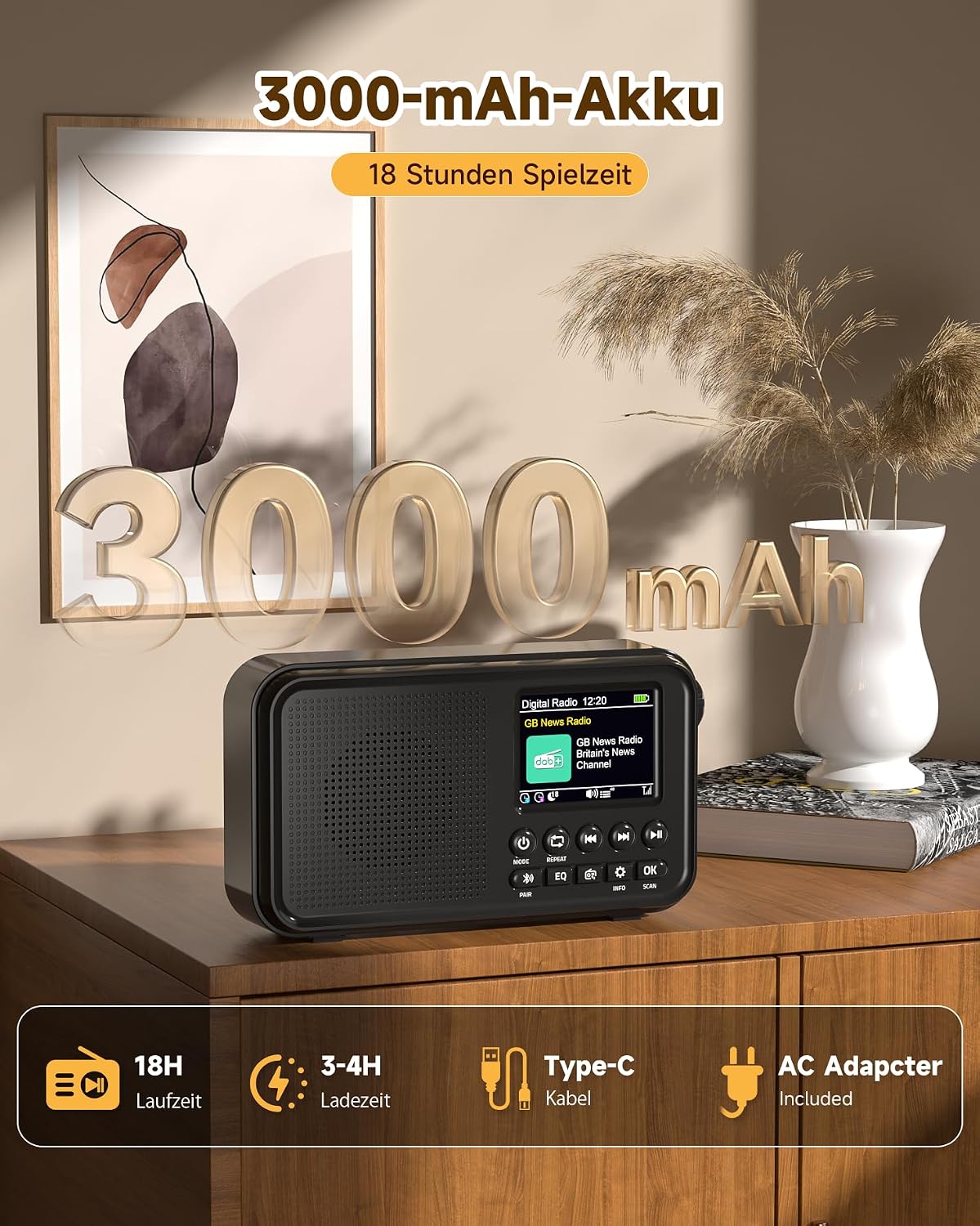
Image: The Roxicosly radio on a wooden surface, emphasizing its 3000mAh battery capacity. Icons below indicate 18 hours runtime, 3-4 hours charging time, Type-C cable, and included AC adapter.
5.2 Initial Power On and Language Selection
- Press and hold the Power button to turn on the radio.
- Upon first power-on, you may be prompted to select a language. Use the Tune/Select knob to scroll through the 12 available languages and press the knob to confirm your selection.
5.3 Time and Date Setting
The time and date are usually automatically set via DAB/DAB+ signal. If not, you can set it manually in the system settings.
5.4 Antenna Adjustment
Extend the telescopic antenna fully for optimal DAB/DAB+ and FM radio reception.
6. Operating Instructions
6.1 DAB/DAB+ Radio Mode
- Press the Mode button until 'DAB' is displayed.
- The radio will automatically scan for available DAB/DAB+ stations upon first use or if no stations are found.
- Use the Tune/Select knob to scroll through the list of available stations. Press the knob to select a station.
- To store a station as a preset, press and hold a Preset button (e.g., P1-P5). To recall, short press the corresponding Preset button. The radio supports 40 DAB+ presets.
6.2 FM Radio Mode
- Press the Mode button until 'FM' is displayed.
- To auto-scan for stations, press and hold the Scan button. The radio will scan and store available stations.
- To manually tune, rotate the Tune/Select knob.
- To store a station as a preset, press and hold a Preset button. To recall, short press the corresponding Preset button. The radio supports 40 FM presets.
6.3 Bluetooth 5.0 Mode
Connect your smartphone, tablet, or other Bluetooth-enabled device to stream audio wirelessly.

Image: The Roxicosly radio with a focus on its 8W Hi-Fi speaker, Bluetooth 5.0 connectivity, and 6 EQ modes (Normal, Pop, Rock, Jazz, Classic, Bass). A smartphone is shown connected via Bluetooth to the radio.
- Press the Mode button until 'Bluetooth' is displayed. The radio will enter pairing mode, indicated by a flashing Bluetooth icon.
- On your external device, enable Bluetooth and search for 'Roxicosly Radio'.
- Select the radio from the list to pair. Once connected, the Bluetooth icon will stop flashing.
- You can now play audio from your device through the radio. Use the radio's Play/Pause and skip buttons, or your device's controls.
6.4 TF Card Playback
Play audio files directly from a Micro SD (TF) card (up to 64GB).
- Insert a TF card with audio files (MP3, FLAC, WAV, etc.) into the TF card slot.
- Press the Mode button until 'TF Card' is displayed.
- The radio will automatically start playing the audio files.
- Use the Play/Pause and skip buttons to control playback.
6.5 AUX Input Mode
Connect external audio sources via a 3.5mm audio cable.
- Connect one end of a 3.5mm audio cable to the radio's AUX input port.
- Connect the other end to the headphone jack or audio output of your external device.
- Press the Mode button until 'AUX' is displayed.
- Control playback and volume from your external device.
6.6 EQ Modes
Customize your listening experience with 6 equalizer presets.
- Press the EQ button repeatedly to cycle through the available sound modes: Standard, Pop, Rock, Jazz, Classic, and Bass.
6.7 Alarm Clock Function
Set up to two independent alarms with customizable settings.
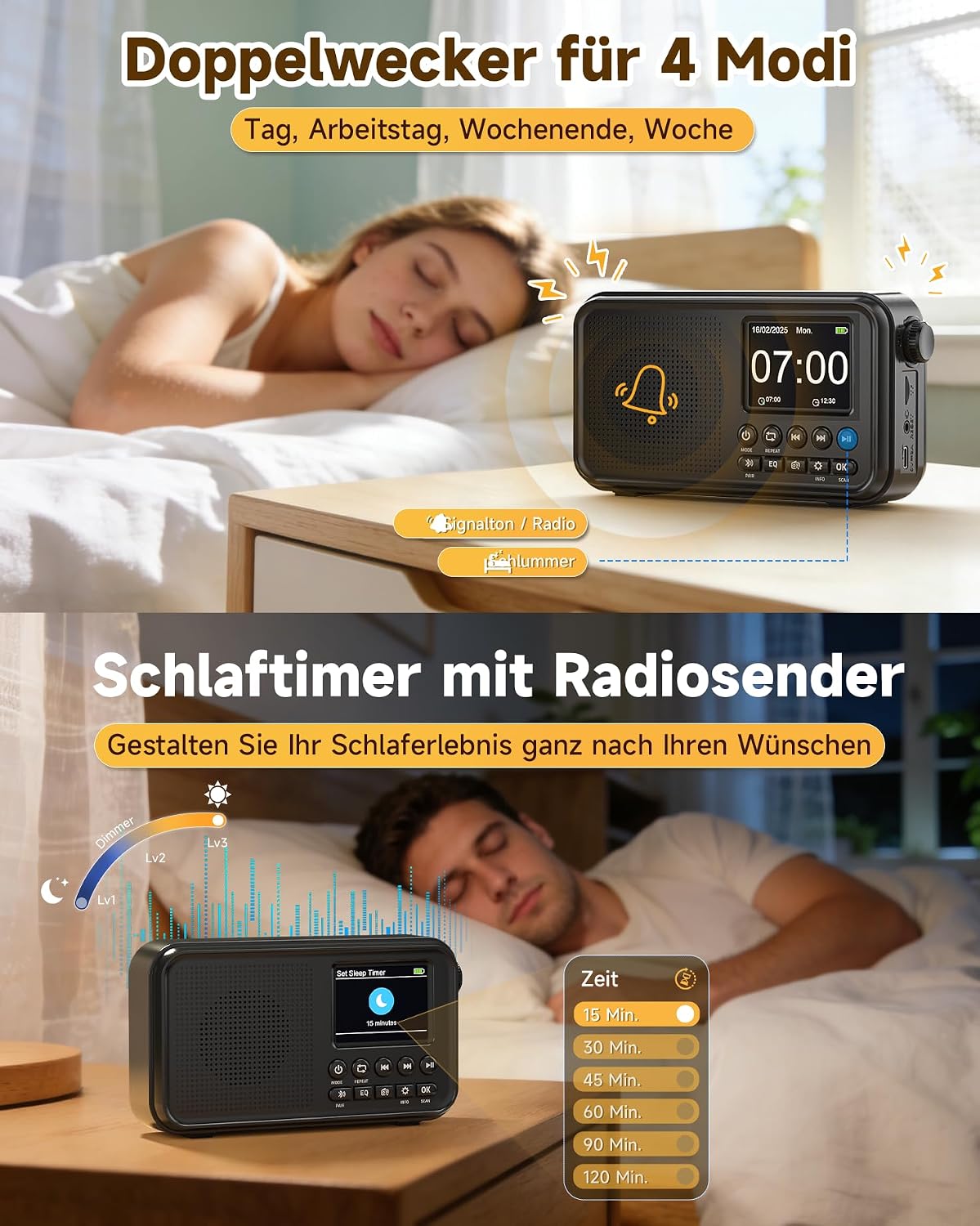
Image: The Roxicosly radio displaying alarm clock settings (07:00 AM) and sleep timer options (15, 30, 45, 60, 90, 120 minutes). The image depicts a person sleeping peacefully, suggesting the radio's use as a bedside alarm and sleep aid.
- Access the alarm settings through the system menu.
- Set the alarm time, alarm source (buzzer or radio station), and repetition (daily, weekdays, weekends, once).
- When the alarm sounds, press the Play/Pause button to activate the snooze function. Snooze can be repeated up to 9 times.
6.8 Sleep Timer Function
Set a timer for the radio to automatically turn off.
- Access the sleep timer settings through the system menu.
- Select a duration from 15 to 120 minutes (e.g., 15, 30, 45, 60, 90, 120 minutes). The radio will play for the selected duration and then automatically power off.
6.9 Display Settings
Adjust display brightness and backlight timeout for comfort and energy saving.
- Navigate to the system settings menu.
- Adjust the display brightness (e.g., 3 levels).
- Set the backlight timeout (e.g., 10 to 180 seconds) after which the display dims or turns off.
7. Maintenance
7.1 Cleaning
- Wipe the radio with a soft, dry cloth.
- Do not use abrasive cleaners, waxes, or solvents.
7.2 Battery Care
- To prolong battery life, avoid fully discharging the battery frequently.
- If storing the radio for an extended period, charge it to approximately 50% every few months.
8. Troubleshooting
| Problem | Possible Cause | Solution |
|---|---|---|
| No power | Battery is depleted; Power adapter not connected. | Charge the battery; Ensure power adapter is securely connected. |
| Poor radio reception | Antenna not extended; Weak signal area. | Fully extend the telescopic antenna; Reposition the radio for better signal. |
| Bluetooth pairing failed | Radio not in pairing mode; Device too far; Bluetooth already connected to another device. | Ensure radio is in Bluetooth pairing mode; Move device closer; Disconnect from other devices. |
| TF card not playing | Card inserted incorrectly; Unsupported file format; Corrupted card. | Reinsert TF card correctly; Ensure files are MP3, FLAC, WAV; Try another TF card. |
| Display is dim or off | Backlight timeout activated; Brightness set too low. | Press any button to reactivate backlight; Adjust display brightness in settings. |
9. Specifications
| Feature | Detail |
|---|---|
| Brand | Roxicosly |
| Model | B0GWM4MZSG |
| Connectivity Technology | Bluetooth 5.0, Auxiliaire |
| Supported Radio Bands | DAB/DAB+, FM |
| Tuning Technology | Digital |
| Power Source | Battery Powered (3000mAh) |
| Display Type | 2.4-inch TFT Color Display |
| Audio Output Mode | Hi-Fi (8W Speaker) |
| EQ Presets | 6 (Standard, Pop, Rock, Jazz, Classic, Bass) |
| Presets | 80 (40 DAB+, 40 FM) |
| TF Card Support | Up to 64GB |
| Dimensions (L x W x H) | 16.9 x 4.7 x 9.2 cm |
| System Languages | 12 |

Image: A comparison chart highlighting the Roxicosly radio's features against a generic 'Other Brand'. Key features shown for Roxicosly include a 2.4-inch TFT color display, built-in 3000mAh battery, 80 presets, Bluetooth 5.0, 6 EQ modes, TF card playback, dual alarm & sleep timer, 12 languages & 3 brightness levels, Type-C input, and headphone jack.
10. Warranty and Support
Your Roxicosly Portable DAB/DAB+ FM Digital Radio is covered by a standard manufacturer's warranty. For specific warranty details, please refer to the documentation included with your purchase or contact your retailer.
If you encounter any issues or have questions regarding the operation of your device, please contact our customer support team. Contact information can typically be found on the product packaging or the retailer's website.
