
Introduction
This manual provides essential instructions for the safe assembly, operation, maintenance, and troubleshooting of your Generic 15ft Smart Electric Double-Sided Patio Umbrella. Please read this manual thoroughly before using the product and retain it for future reference.
Safety Information
- Always ensure the umbrella base is adequately weighted and stable to prevent tipping, especially in windy conditions.
- Do not use the umbrella during strong winds, heavy rain, or thunderstorms. Close and secure the umbrella to prevent damage or injury.
- Keep children and pets away from the umbrella during operation.
- Do not attempt to modify or repair the electrical components of the umbrella. Contact qualified personnel for service.
- Ensure all electrical connections are dry before operation.
- Avoid placing the umbrella near open flames or heat sources.
Package Contents
Verify that all components are present before assembly:
- Umbrella Canopy (Double-Sided)
- Main Pole (with integrated smart controller and solar panel)
- Weighted Base
- Remote Control
- Instruction Manual
Setup and Assembly
- Unpack Components: Carefully remove all parts from the packaging. Inspect for any damage.
- Assemble the Base: Place the weighted base in your desired location. Ensure the surface is flat and stable. The base is designed to provide stability for the umbrella.
- Attach the Main Pole: Insert the main pole into the designated slot in the weighted base. Secure it firmly according to the base's specific fastening mechanism (e.g., tightening screws or bolts).
- Mount the Canopy: Carefully lift and attach the umbrella canopy to the top of the main pole. Ensure it is securely fastened.
- Initial Solar Charge: Allow the integrated solar panel on the main pole to charge in direct sunlight for at least 6-8 hours before first use to ensure optimal battery performance for the remote control and LED lights.

Figure 1: Umbrella Dimensions and Components. This diagram illustrates the overall dimensions of the 15ft x 9ft canopy, the pole height, and the base measurements, along with key components like the 48mm pole diameter.

Figure 2: Extra-Large Sunshade. The 15ft x 9ft canopy provides extensive coverage, featuring 99.9% UV blocking and a PU coating for superior sun protection.
Operating Instructions
Remote Control Operation
The umbrella can be effortlessly opened, closed, and its LED lights controlled using the provided remote control, effective up to 50 meters.
- Open Umbrella: Press the "Open" button on the remote. The umbrella will automatically extend.
- Close Umbrella: Press the "Close" button on the remote. The umbrella will retract.
- Stop Operation: Press the "Stop" button to halt the umbrella's movement at any point.
- Turn Lights On/Off: Use the designated light button on the remote to activate or deactivate the solar LED lights.

Figure 3: Remote Control Operation. The remote allows for convenient control of the umbrella's opening, closing, and lighting functions from a distance.
Pole-Mounted Smart Controller
An integrated controller on the main pole provides an alternative method for operation and displays battery status.
- Open/Close Buttons: Use the up/down arrows on the controller to open or close the umbrella.
- Light Button: Press the light button to control the LED lights.
- Battery Indicator: LEDs on the controller show the current charge level of the 2000mAh solar-powered battery. A full charge provides up to 300 open/close cycles.
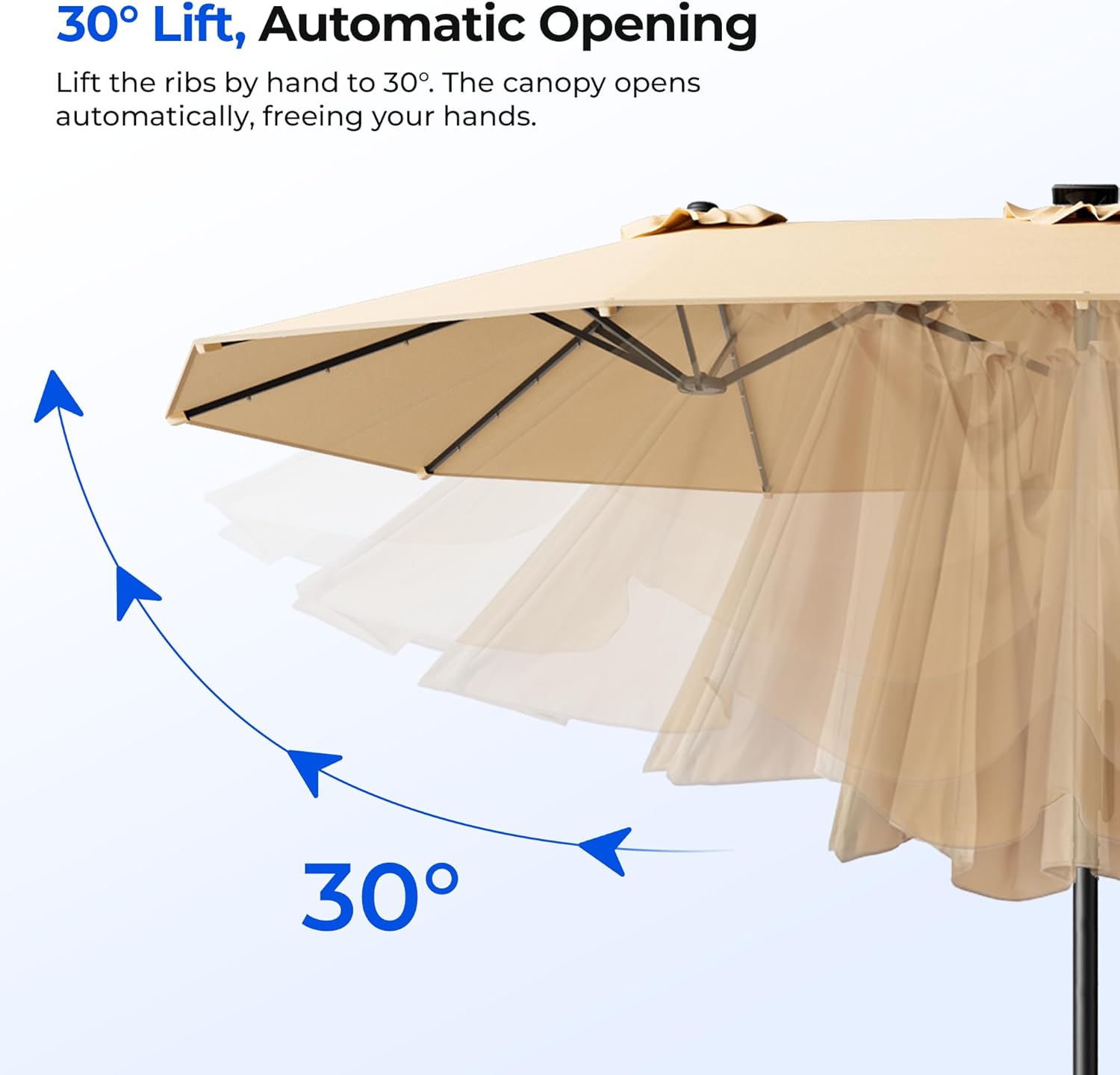
Figure 4: Pole-Mounted Smart Controller. This controller offers direct access to umbrella functions and displays the solar battery's charge status.
Automatic Opening Mechanism
The umbrella features a 30-degree lift mechanism for automatic opening.
- When initiating the open command, the ribs will lift by approximately 30 degrees, allowing the canopy to expand automatically.
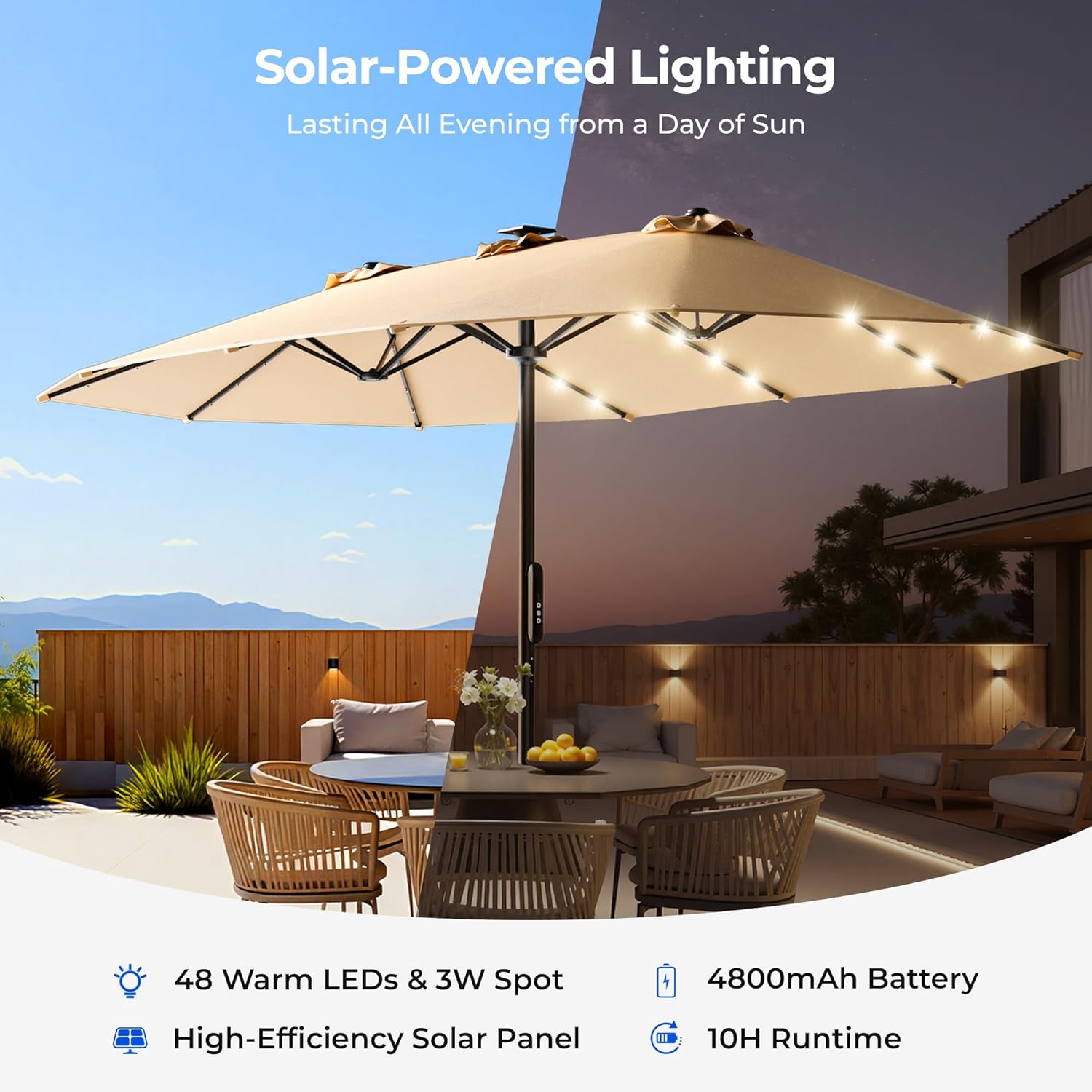
Figure 5: 30° Lift, Automatic Opening. This feature simplifies the opening process, allowing the canopy to unfurl smoothly.
Solar LED Lights
The umbrella is equipped with solar-powered LED lights for evening illumination.
- The 12 sturdy ribs contain LED lights that charge during the day via the integrated solar panel.
- The lights can be activated or deactivated using either the remote control or the pole-mounted smart controller.
- A fully charged battery provides ample runtime for evening use.

Figure 6: Solar-Powered Lighting. The integrated LED lights provide ambient illumination for your patio after sunset, charged by solar energy during the day.
Maintenance
- Canopy Cleaning: The fade-resistant, water-repellent fabric can be cleaned with mild soap and water. Rinse thoroughly and allow to air dry completely before closing or storing.
- Frame Care: The powder-coated stainless steel frame is designed for corrosion resistance. Periodically wipe down the frame with a damp cloth to remove dirt and debris. Avoid abrasive cleaners.
- Solar Panel: Keep the solar panel clean and free of obstructions (e.g., leaves, dirt) to ensure efficient charging. Wipe gently with a soft, damp cloth.
- Storage: When not in use for extended periods or during inclement weather, close the umbrella and secure it with the convenient Velcro straps. For winter storage, it is recommended to cover the umbrella or store it indoors to prolong its lifespan.
Troubleshooting
| Problem | Possible Cause | Solution |
|---|---|---|
| Umbrella does not open/close. | Low battery, remote control out of range, obstruction, motor issue. | Ensure solar panel has charged sufficiently. Check remote battery. Move closer to the umbrella. Inspect for physical obstructions. If issues persist, contact support. |
| LED lights do not turn on. | Low battery, solar panel dirty/obstructed, light button not pressed. | Allow solar panel to charge in direct sunlight. Clean solar panel. Ensure light button is pressed on remote or pole controller. |
| Umbrella feels unstable. | Base not adequately weighted, uneven ground, loose pole connection. | Ensure base is filled/weighted correctly. Place on a flat, level surface. Tighten all pole connections. Do not use in high winds. |
| Remote control not responding. | Remote battery dead, out of range, interference. | Replace remote control battery. Move closer to the umbrella. Reduce potential interference sources. |
Specifications
| Model Name | HY41ELB |
| Canopy Dimensions | 15 ft (Length) x 9 ft (Width) |
| Canopy Material | 220GSM Solution-Dyed Fabric with PU Coating |
| UV Protection | 99.9% UV Blocking |
| Frame Material | Stainless Steel (2X powder-coated finish) |
| Shaft Material | Stainless Steel |
| Pole Diameter | 48mm / 1.89 inches |
| Power Source | Solar-powered (integrated panel) |
| Battery Capacity (Open/Close) | 2000mAh |
| Battery Capacity (LED Lights) | 4800mAh |
| Open/Close Cycles (per charge) | Up to 300 |
| LED Lights | 48 Warm LEDs & 3W Spot |
| LED Runtime (per charge) | Up to 10 hours |
| Remote Control Range | Up to 50 meters |
| Operating Temperature | -10°C to 60°C (14°F to 140°F) |
| Net Weight | Approx. 46.51 lbs (21.1 kg) |
| Color | Beige |
Warranty and Support
For warranty details, technical support, or replacement parts, please refer to your purchase documentation or contact the retailer where the product was purchased. Ensure you have your model number (HY41ELB) and proof of purchase available when contacting support.