
1. Introduction
This manual provides essential information for setting up, operating, maintaining, and troubleshooting your realme P4 Lite 5G smartphone. Please read this guide thoroughly to ensure optimal performance and longevity of your device.
2. What's in the Box
Upon unboxing your realme P4 Lite 5G, verify that all the following items are included:
- realme P4 Lite 5G Smartphone
- USB Cable
- Power Adapter
- SIM Tray Ejector
- Quick Start Guide
- Screen Protector (pre-applied or in box)
3. Device Overview
Familiarize yourself with the physical components of your realme P4 Lite 5G.

Figure 3.1: Front view of the realme P4 Lite 5G, showing the display and front camera.

Figure 3.2: Back view of the realme P4 Lite 5G, highlighting the camera module and Mosaic Green finish.
Key Components:
- Power Button: Located on the side, used to power on/off and wake/sleep the device.
- Volume Buttons: Adjust media and call volume.
- USB Type-C Port: For charging and data transfer.
- 3.5mm Headphone Jack: For audio output.
- SIM Card Tray: Insert Nano-SIM cards.
- Rear Camera Module: Contains the main camera and LED flash.
- Front Camera: For selfies and video calls.
4. Setup
4.1. SIM Card Installation
- Locate the SIM card tray on the side of your device.
- Insert the provided SIM ejector tool into the small hole next to the tray and press gently until the tray pops out.
- Place your Nano-SIM card(s) into the tray with the gold contacts facing down, ensuring they are correctly aligned. The device supports Dual SIM.
- Carefully push the tray back into the slot until it is flush with the device's side.

Figure 4.1: Side view of the realme P4 Lite 5G, indicating the SIM card tray location.
4.2. Initial Power On
Press and hold the Power button located on the side of the device until the realme logo appears on the screen. The device will boot up.
4.3. First-time Setup Wizard
Follow the on-screen instructions to complete the initial setup:
- Language Selection: Choose your preferred language.
- Region Selection: Select your country/region.
- Wi-Fi Connection: Connect to a Wi-Fi network for internet access.
- Google Account: Sign in with your Google account or create a new one.
- Data Transfer: Option to transfer data from an old device.
- Security Settings: Set up a screen lock (PIN, pattern, password, fingerprint).
5. Operating Your Device
5.1. Display Features
The realme P4 Lite 5G features a 17.3 cm (6.8 inches) 144Hz Ultra Bright Display with 900 nits peak brightness. This provides smooth scrolling and clear visibility even in direct sunlight. Full Brightness DC Dimming is integrated to reduce eye strain during prolonged use.

Figure 5.1: The 144Hz Ultra Bright Display offers a fluid visual experience.
5.2. Battery Management
Your device is equipped with a 7000mAh Titan Battery, designed for extended usage. It supports 15W fast charging. The 6-Year Healthier Battery feature and Bypass Charging help extend battery lifespan and maintain performance over time.

Figure 5.2: Details on the 7000mAh battery, bypass charging, and 6-year battery health.
5.3. Performance and Software
The realme P4 Lite 5G is powered by the MediaTek Dimensity 6300 6nm Octa-core 5G Chipset, ensuring smooth multitasking. It runs on Android 16 and features a 4-Year Zero-Lag guarantee, supported by the Flux Engine and AI Boost technology for optimized app performance and reduced power consumption.
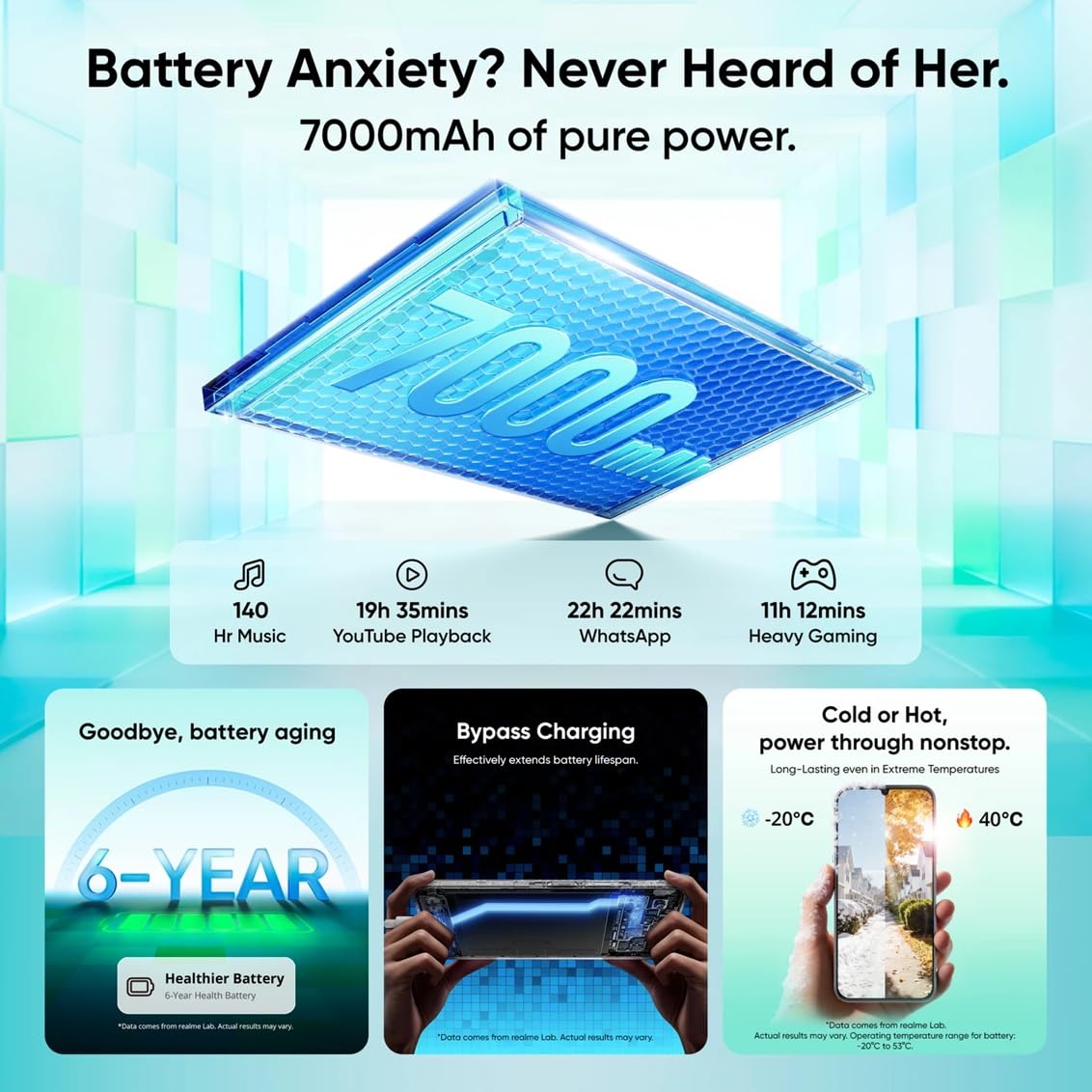
Figure 5.3: Information on the 4-year zero lag performance and AI Boost optimization.

Figure 5.4: Overview of the MediaTek Dimensity 6300 chipset and the Airflow Vapor Chamber Cooling System.
5.4. Camera Usage
The device features a 13MP wide-angle rear camera and a 5MP front camera. Various camera modes are available:
- Photo: Standard photo capture.
- Video: Record videos up to 1080P at 30 fps.
- Portrait: For photos with a blurred background effect.
- Night: Enhanced low-light photography.
- Panorama: Capture wide-angle scenes.
- Cinematic: Video mode with cinematic aspect ratios.
- SLO-MO: Slow-motion video recording.
- TIME-LAPSE: Speed up video footage.
- Dual-view video: Record from front and rear cameras simultaneously.
5.5. Connectivity
The realme P4 Lite 5G supports:
- 5G Network: For high-speed mobile data.
- Wi-Fi 5 (802.11ac): For wireless internet connection.
- Bluetooth 5.3: For connecting wireless accessories.
- USB Type-C: For charging and wired data transfer.
- GPS, GLONASS, Galileo, Beidou, QZSS: For accurate location services.
5.6. AI Powered Features
Leverage the integrated AI Assistant for Notes and AI-Powered Documents. These features offer voice-to-text with auto-highlighting, translation, summarization, and mind map generation. The AI Writer supports multiple languages including English, Hindi, Tamil, Telugu, and Bengali, and provides tools like Clean up, Elaborate, and Formal tone adjustment for document management.
6. Maintenance
6.1. Device Protection
The realme P4 Lite 5G is built with ArmorShell Protection, offering 360° drop defense and MIL-STD 810H military-grade shock resistance. It also features an IP64 Dust and Water Resistance rating, protecting against dust ingress and water splashes. Smart Touch 2.0 ensures responsive touch even with wet hands or gloves.
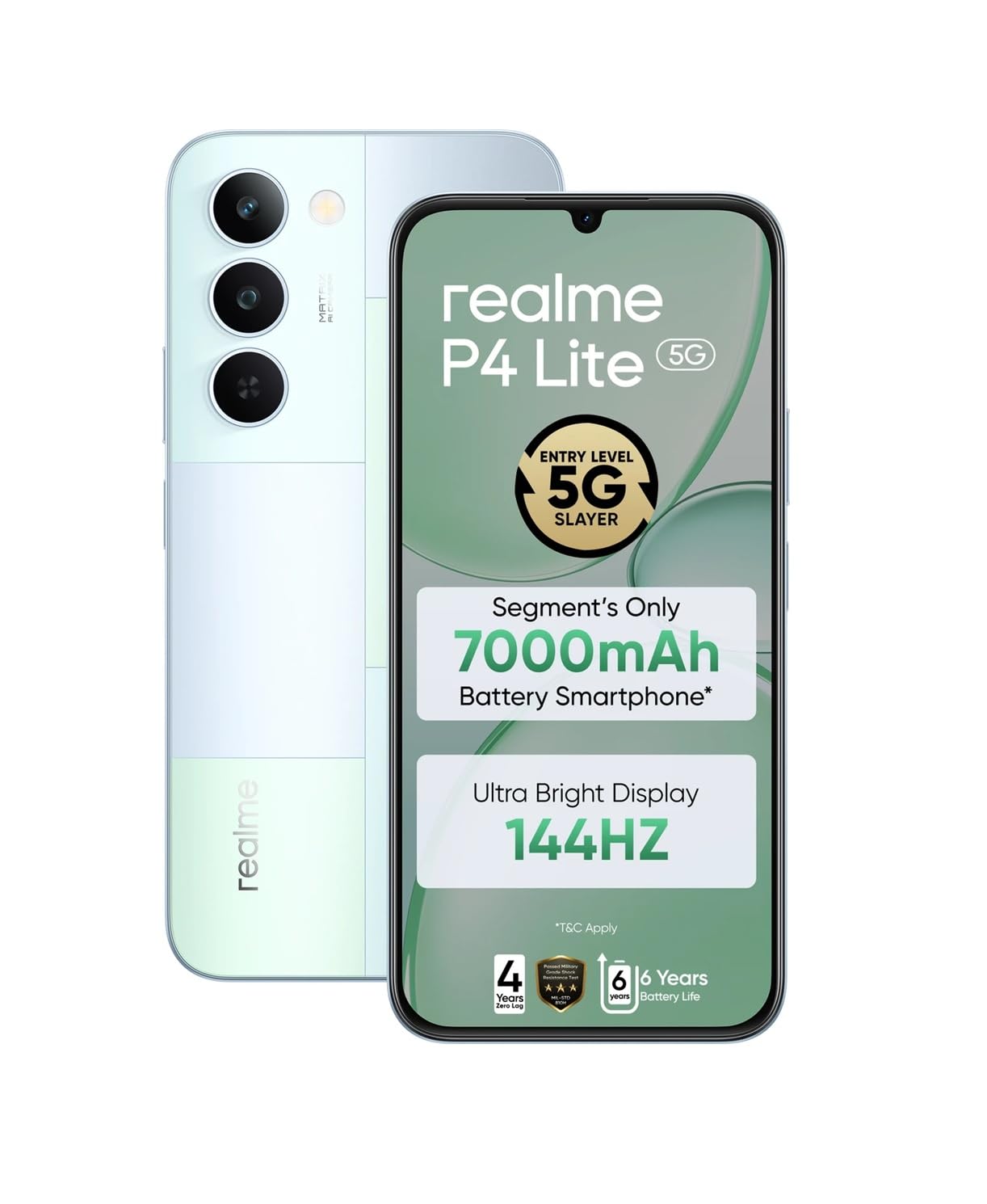
Figure 6.1: The realme P4 Lite 5G design incorporates robust protection features.
6.2. Software Updates
Regularly check for and install software updates to ensure your device has the latest features, security patches, and performance improvements. Navigate to Settings > About phone > Software update to check for updates.
6.3. Cleaning Your Device
To clean your device, power it off and use a soft, lint-free cloth. For stubborn smudges, slightly dampen the cloth with water or a screen cleaner designed for electronics. Avoid using harsh chemicals or abrasive materials.
7. Troubleshooting
This section addresses common issues you might encounter with your realme P4 Lite 5G.
7.1. Device Not Powering On
- Ensure the battery is charged. Connect the device to the power adapter and wait a few minutes before attempting to power on again.
- Press and hold the Power button for at least 10-15 seconds to force a restart.
7.2. Slow Performance or Freezing
- Close unnecessary background applications.
- Clear the cache of frequently used apps via Settings > Apps > [App Name] > Storage > Clear cache.
- Restart your device regularly to refresh the system.
- Ensure sufficient storage space is available.
7.3. Connectivity Issues (Wi-Fi/Bluetooth/5G)
- Toggle Wi-Fi, Bluetooth, or Mobile Data off and on again.
- Restart your device.
- For Wi-Fi, restart your router.
- For 5G, ensure you are in an area with network coverage and your SIM card is active.
7.4. Touch Screen Unresponsiveness
- Ensure your hands are clean and dry.
- If using a screen protector, ensure it is properly installed and not interfering with touch sensitivity.
- Restart the device.
8. Specifications
Detailed technical specifications for the realme P4 Lite 5G.
| Feature | Specification |
|---|---|
| Brand | realme |
| Model | P4 Lite 5G |
| Operating System | Android 16 |
| Processor | MediaTek Dimensity 6300 Octa-core (2x2.4 GHz Cortex-A76 & 6x2.0 GHz Cortex-A55) |
| GPU | ARM Mali-G57 MC2@1072MHz |
| RAM | 6 GB (Up to 14GB Dynamic RAM) |
| Internal Storage | 128 GB |
| Display | 17.3 cm (6.8 inches) IPS LCD, 720 x 1570 pixels, 144Hz, 900 nits, Panda Glass |
| Rear Camera | 13MP (f/2.2, FOV 77°) with LED Flash |
| Front Camera | 5MP (f/2.2, FOV 78°) |
| Battery Capacity | 7000 mAh Lithium-Ion |
| Charging | 15W Fast Charge (PD, DCP) |
| Connectivity | 5G, Wi-Fi 5 (802.11ac), Bluetooth 5.3, USB Type-C, 3.5mm Jack |
| SIM Card Type | Dual Nano-SIM |
| Sensors | Proximity sensor, Ambient light sensor, E-compass, Accelerometer, Fingerprint Recognition |
| Water Resistance | IP64 (Dust and Water Resistant) |
| Dimensions | 16.6 x 7.8 x 0.8 Centimeters |
| Weight | 212 Grams |
| Model Year | 2026 |
9. Warranty and Support
9.1. Warranty Information
Your realme P4 Lite 5G comes with a 12 months manufacturer warranty for the device unit and 6 months for box accessories from the date of purchase. Please retain your proof of purchase for warranty claims.
9.2. Manufacturer Contact
For further assistance, technical support, or warranty claims, please contact the manufacturer:
Oppo Mobiles India Private Limited
5th Floor, Tower-B, Building No. 8, DLF Cyber City, Gurugram, Haryana-122002, India
Please refer to the official realme website or your local support channels for the most up-to-date contact information and service center locations.


