
Important Safety Instructions
When using electrical appliances, basic precautions should always be followed to reduce the risk of fire, electric shock, and injury to persons. Read all instructions before using this fan.
- Always plug fans directly into a wall outlet/receptacle. Never use with an extension cord.
- Do not operate any fan with a damaged cord or plug. Discard fan or return to an authorized service facility for examination and/or repair.
- Do not run cord under carpeting. Do not cover cord with throw rugs, runners, or similar coverings. Arrange cord away from traffic area and where it will not be tripped over.
- Always unplug the fan before moving, servicing, or cleaning.
- Do not insert or allow fingers or foreign objects to enter any ventilation or exhaust opening as this may cause an electric shock or fire, or damage the fan.
- Do not block air intakes or exhaust in any manner. Do not use on any soft surface, like a bed, where openings may become blocked.
- This fan is equipped with a Blue Plug™ safety fuse technology. This is a safety feature. Refer to the service instructions for fuse replacement.
- The fan includes a built-in Child Lock feature for added safety in households with children.
Setup
Follow these steps to set up your Lasko Ascend Tower Fan:
- Unpack: Carefully remove the fan and all packaging materials from the box.
- Assemble Base: The fan base typically comes in two pieces. Align and snap or screw the two halves of the circular stand together.
- Attach Base to Fan: Carefully place the fan body onto the assembled base. Rotate the fan body clockwise until it securely locks into place on the base. Ensure it is firm and stable.
- Placement: Place the fan on a firm, level surface where it will not tip over. Ensure there are no obstructions to the air intake or exhaust.
- Plug In: Insert the power cord into a 120V AC wall outlet.
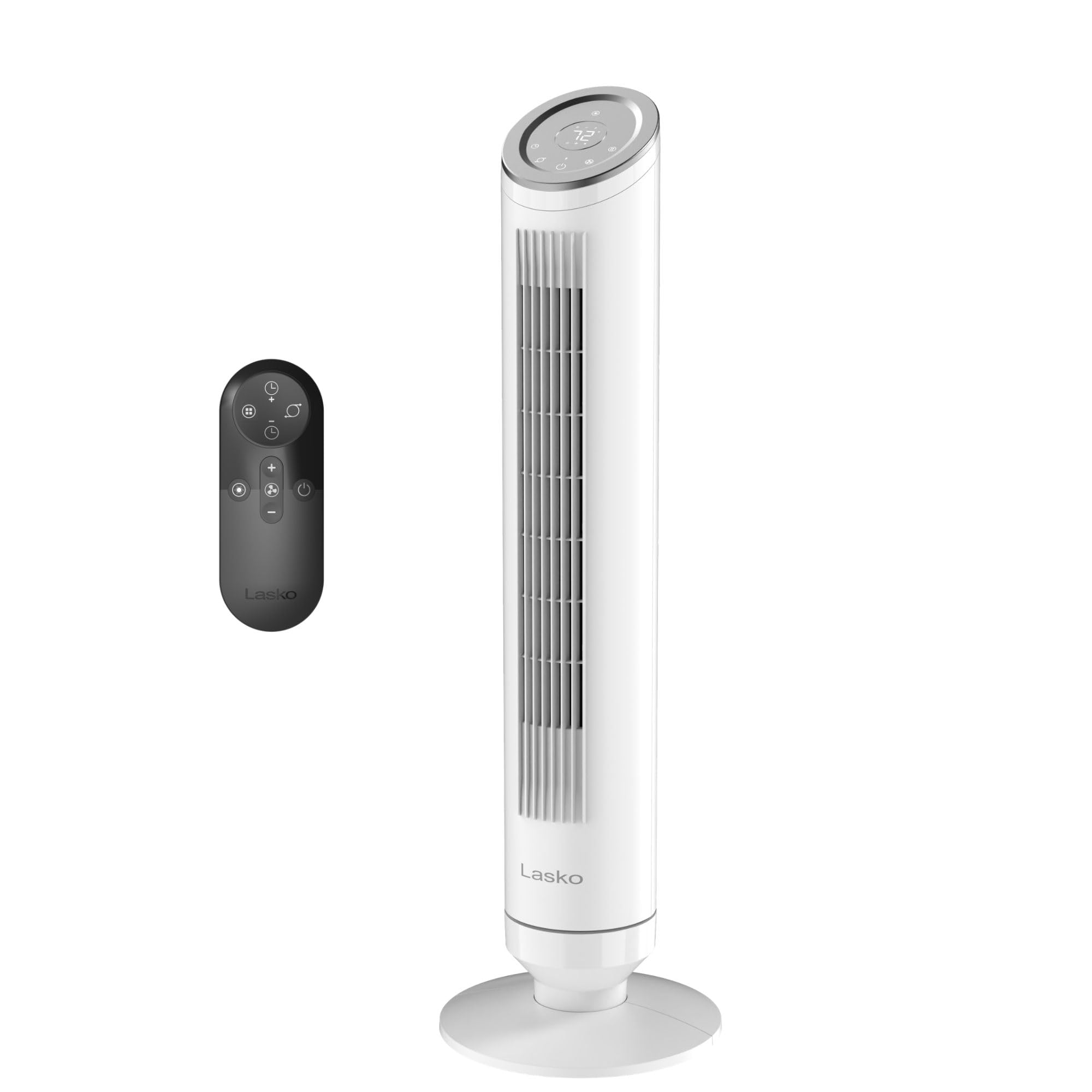
Image: The Lasko Ascend Tower Fan, Model OST105, in white.
Operating Instructions
Your Lasko Ascend Tower Fan can be operated using the control panel on top of the unit or the included multi-function remote control.
Control Panel and Remote
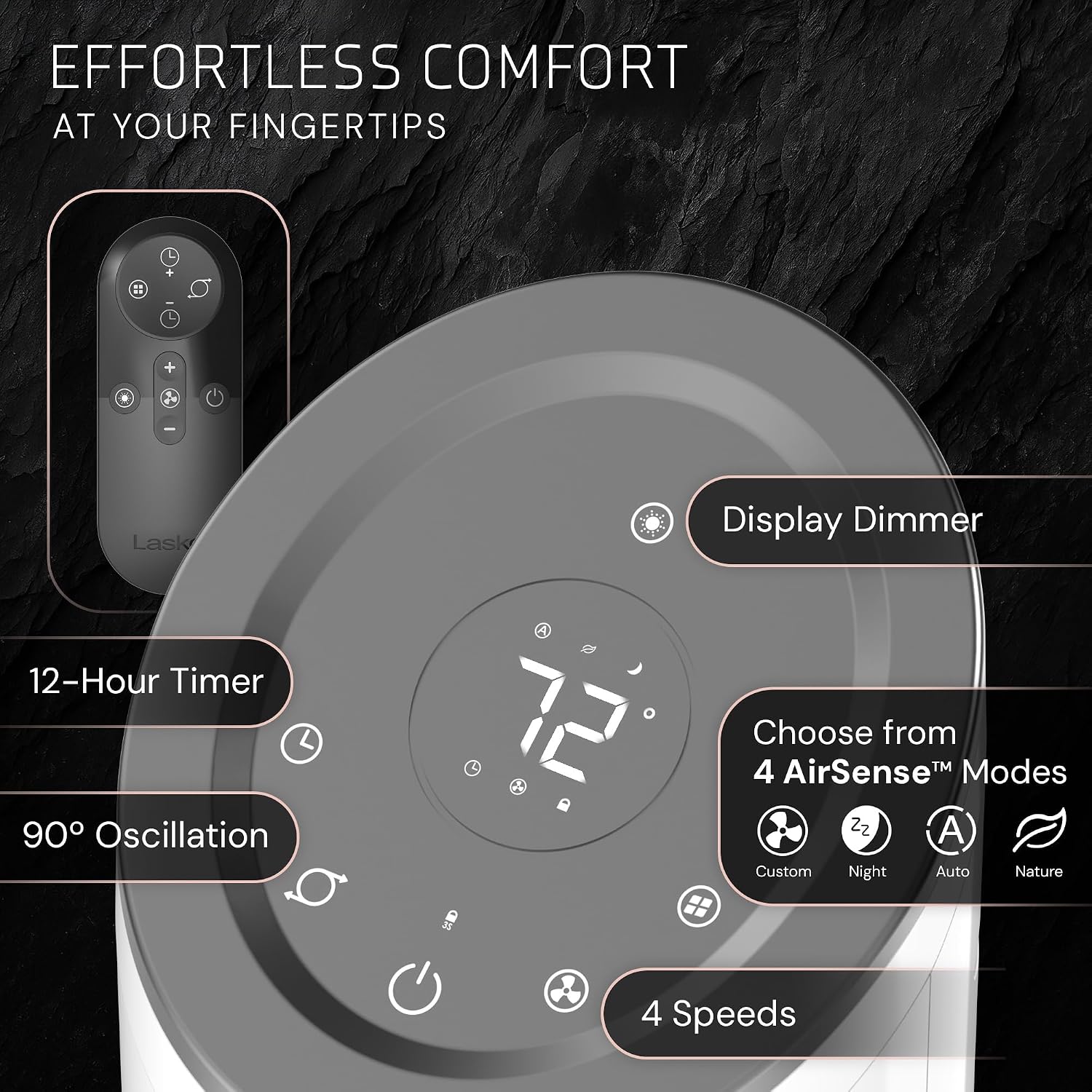
Image: Detailed view of the fan's LED control panel and remote control.
- Power Button (Power Symbol): Press to turn the fan ON or OFF.
- Speed Settings (Fan Blade Symbol): Cycle through 4 fan speeds (1, 2, 3, 4).
- Oscillation Button (Oscillation Symbol): Press to start or stop the 90-degree oscillation feature.
- Timer Button (Clock Symbol): Set the fan to automatically turn off after a specified time (up to 12 hours).
- Mode Button (Square with A, N, C, Moon Symbols): Select from 4 wind modes: Custom, Auto, Nature, and Night.
- Display Dimmer Button (Sun Symbol): Adjust the brightness of the LED display.
The remote control offers the same functionality as the control panel. It features onboard storage for convenience.
Wind Modes and AirSense™ Technology

Image: Explanation of AirSense intelligent control and wind modes.
- Custom Mode: Allows manual selection of fan speed.
- Auto Mode (AirSense™ AI): The fan automatically adjusts its speed based on the ambient room temperature to maintain optimal comfort.
- Nature Mode: Simulates a natural breeze by varying fan speeds.
- Night Mode: Operates at a lower, quieter speed with a dimmed display, ideal for sleeping.
Oscillation
Press the oscillation button to activate a wide 90-degree sweeping motion, distributing airflow across a larger area.

Image: Visual representation of the fan's 90-degree oscillation.
Quiet Operation
The Lasko Ascend Tower Fan is designed for quiet operation, producing only 29 dBA on its lowest speed setting, making it suitable for bedrooms and quiet environments.

Image: Chart comparing the fan's 29 dBA noise level to other common sounds.
Maintenance
Regular maintenance ensures optimal performance and longevity of your fan.
- Cleaning the Exterior: Unplug the fan before cleaning. Use a soft cloth to wipe the exterior surfaces. Do not use water directly on the fan or allow water to drip into the motor housing.
- Mesh Filter Cleaning: The fan features a built-in mesh filter that captures pet hair, dust, and lint. Periodically remove and clean this filter to maintain airflow and internal component cleanliness. Refer to the product diagram for filter location and removal instructions. The filter can typically be rinsed with water and allowed to air dry completely before reinstallation.
- Storage: When not in use, store the fan in a cool, dry place. It is recommended to store it in its original box to protect it from dust and damage.
Troubleshooting
If your fan is not operating as expected, consult the following common issues and solutions:
| Problem | Possible Cause | Solution |
|---|---|---|
| Fan does not turn on. | No power, Blue Plug™ fuse blown, or power button not pressed. | Ensure fan is plugged into a live outlet. Check the Blue Plug™ for a blown fuse (refer to safety instructions for replacement). Press the power button firmly. |
| Weak or no airflow. | Blocked air intake/exhaust or dirty mesh filter. | Ensure no objects are blocking the fan's air vents. Clean the mesh filter as described in the Maintenance section. |
| Oscillation is noisy or erratic. | Base not securely attached or internal obstruction. | Verify the base is firmly locked onto the fan body. If the issue persists, discontinue use and contact customer support. |
| Remote control not working. | Dead batteries, obstruction, or out of range. | Replace remote batteries. Ensure there is a clear line of sight between the remote and the fan's sensor. Operate within a reasonable range. |
If the problem cannot be resolved with the above steps, do not attempt to repair the fan yourself. Contact Lasko customer support for assistance.
Specifications
- Brand: Lasko
- Model Name: Ascend 36" 4-Speed Tower Fan
- Model Number: OST105
- Color: White
- Product Dimensions (D x W x H): 11" x 9.7" x 36"
- Power Source: AC
- Noise Level: 29 dBA (on low speed)
- Special Features: 90° Oscillation, Remote Control, AirSense™ AI, 12-Hour Timer, 4 Speeds, 4 Wind Modes (Custom, Auto, Nature, Night), Mesh Filter, Child Lock, EZGrip Carry Handle, Blue Plug™ Safety Fuse.
- Included Components: Tower Fan, Remote Control
Warranty & Support
For warranty information, technical support, or service inquiries, please contact Lasko customer service. Refer to the product packaging or the official Lasko website for the most current contact details and warranty terms.
Online Support: Visit the official Lasko website for FAQs, product registration, and support resources.
Customer Service: Contact information for Lasko customer service can typically be found on the product packaging or by visiting www.lasko.com.


