
Introduction
This manual provides essential information for the safe and effective use of your Teyleten Robot Dual Channel Micro 1S Brushed Electronic Speed Controller (ESC). Please read this manual thoroughly before installation and operation to ensure proper functionality and to prevent damage to the unit or connected components.
Safety Information
- Ensure correct polarity when connecting power. Incorrect connections can cause permanent damage.
- Operate within the specified voltage range (3.5-6.0V DC). Exceeding this range will damage the ESC.
- Avoid short circuits on output terminals.
- Keep the ESC away from moisture, dust, and extreme temperatures.
- This product is designed for use with hollow cup motors in RC drones. Do not use with incompatible motor types.
Product Overview
The Teyleten Robot Dual Channel Micro 1S Brushed ESC is a compact electronic speed controller designed for small RC applications, particularly hollow cup motors in 1S (single cell) setups. It features dual channels, allowing independent control of two brushed motors. Its small size and low weight make it suitable for micro drones and other miniature robotic projects.

Figure 1: Top view of the Teyleten Robot Dual Channel Micro 1S Brushed ESC. This image displays the compact blue circuit board with its central black integrated circuit (IC) and various smaller surface-mount components, including resistors and capacitors. Connection pads are visible along the edges.
Specifications
| Feature | Value |
|---|---|
| Input Voltage | 3.5 – 6.0 V DC |
| Output Current | 1.8 A continuous (bidirectional) |
| Channels | Dual Channel |
| Motor Type Compatibility | Brushed, Hollow Cup Motors |
| Application | RC Drone, Micro Robotics |
Setup and Wiring
Proper wiring is crucial for the functionality and safety of the ESC. Refer to the following steps and diagrams for correct connection.
- Power Input: Connect your DC power source (3.5-6.0V) to the designated input pads on the ESC. Ensure correct polarity: positive (+) to positive, negative (-) to negative.
- Motor Connections: Connect your brushed hollow cup motors to the output channels. Each channel typically has two output pads for motor connection. The direction of rotation can be reversed by swapping the motor wires.
- Signal Input: Connect the control signal wires from your flight controller or receiver to the signal input pads on the ESC. This ESC typically uses standard PWM signals for control. Consult your flight controller manual for specific wiring instructions.
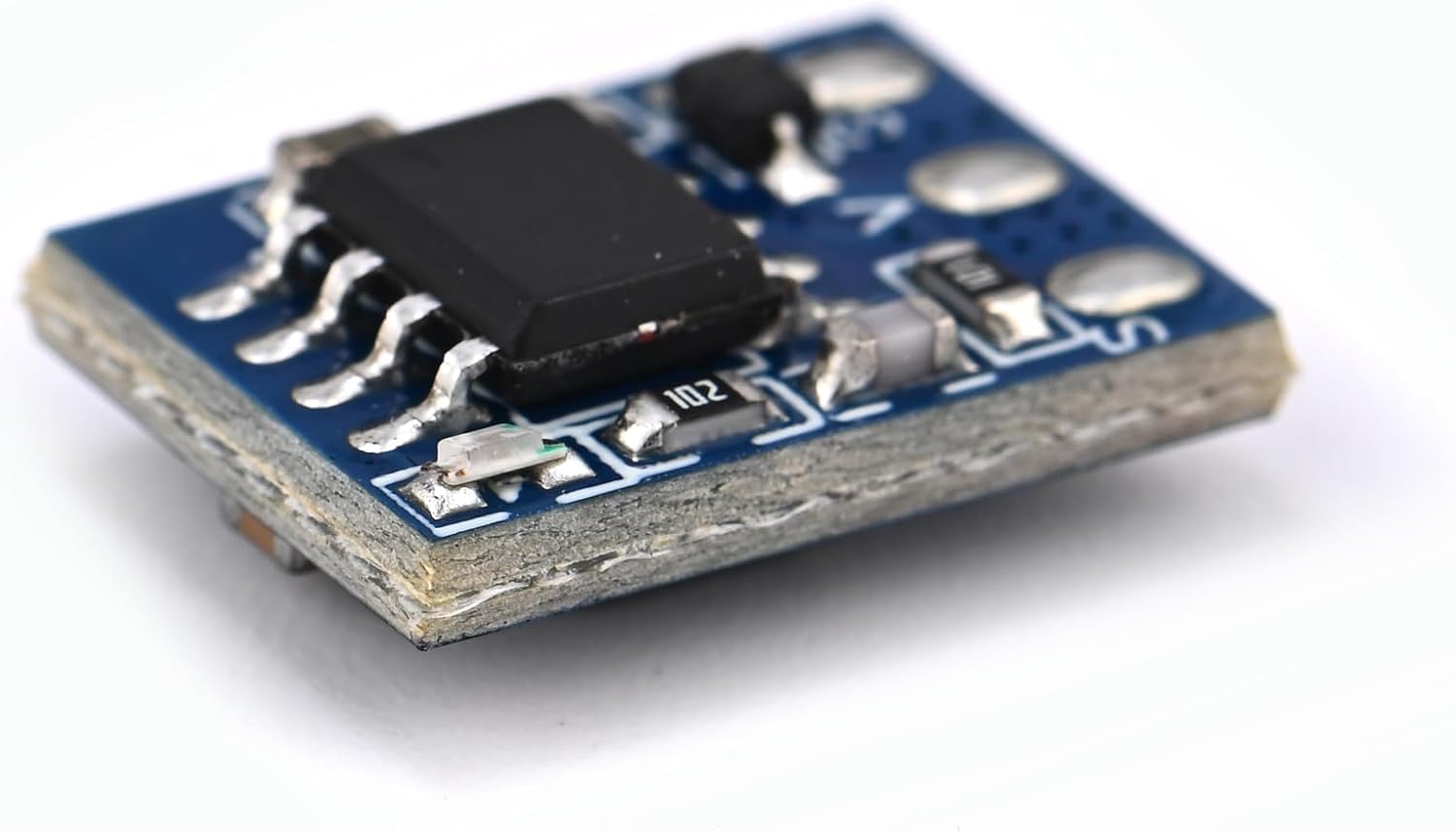
Figure 2: Side view of the Teyleten Robot Dual Channel Micro 1S Brushed ESC. This image highlights the compact, layered construction of the circuit board, showing its thin profile and the solder joints for the surface-mount components.
Note: Always double-check all connections before applying power to prevent damage.
Operating Instructions
Once properly wired, the ESC is ready for operation. The control signals from your flight controller will dictate the speed and direction of the connected motors.
- Power On: Apply power to the ESC within the specified voltage range.
- Signal Input: Ensure your flight controller or receiver is sending appropriate PWM signals to the ESC's signal input.
- Motor Control: The ESC will translate the input signals into motor speed and direction. For dual-channel operation, each channel controls one motor independently.
- Testing: Before full operation, perform a low-power test to confirm correct motor rotation and response to control inputs.
Maintenance
The Teyleten Robot Dual Channel Micro 1S Brushed ESC is designed for reliability with minimal maintenance. Follow these guidelines to ensure longevity:
- Keep Clean: Regularly inspect the ESC for dust, dirt, or debris. Use a soft brush or compressed air to gently clean the board.
- Avoid Physical Damage: Protect the ESC from impacts and excessive vibrations.
- Environmental Protection: If operating in environments with moisture or conductive particles, consider conformal coating or enclosing the ESC in a protective casing.
- Connection Integrity: Periodically check solder joints and wire connections for looseness or corrosion.

Figure 3: Angled view of the Teyleten Robot Dual Channel Micro 1S Brushed ESC. This perspective provides a clear view of the component arrangement on the blue PCB, including the main IC, resistors, and capacitors, along with the various connection points.
Troubleshooting
If you encounter issues with your ESC, refer to the following common problems and solutions:
- Motor Not Spinning:
- Check power connections and ensure the input voltage is within 3.5-6.0V.
- Verify signal wire connections from the flight controller/receiver.
- Test the motor directly to ensure it is functional.
- Inspect for any visible damage to the ESC or wires.
- Erratic Motor Behavior:
- Ensure signal connections are secure and free from interference.
- Check for loose motor wires or poor solder joints.
- Verify that the flight controller is sending stable control signals.
- ESC Overheating:
- Ensure the motor current draw does not exceed the ESC's continuous rating (1.8A per channel).
- Provide adequate airflow around the ESC, especially in enclosed spaces.
- Check for short circuits in the motor or wiring.
Support
For further assistance or technical inquiries, please contact Teyleten Robot customer support through their official channels or the retailer where the product was purchased. Provide your product model number (Dual Channel Micro 1S Brushed ESC) and a detailed description of the issue.