
Introduction
This manual provides essential information for the safe and efficient operation, assembly, and maintenance of your WERHY Electric Bike Y2/Y6/Y6PRO. Please read this manual thoroughly before your first ride and keep it for future reference.
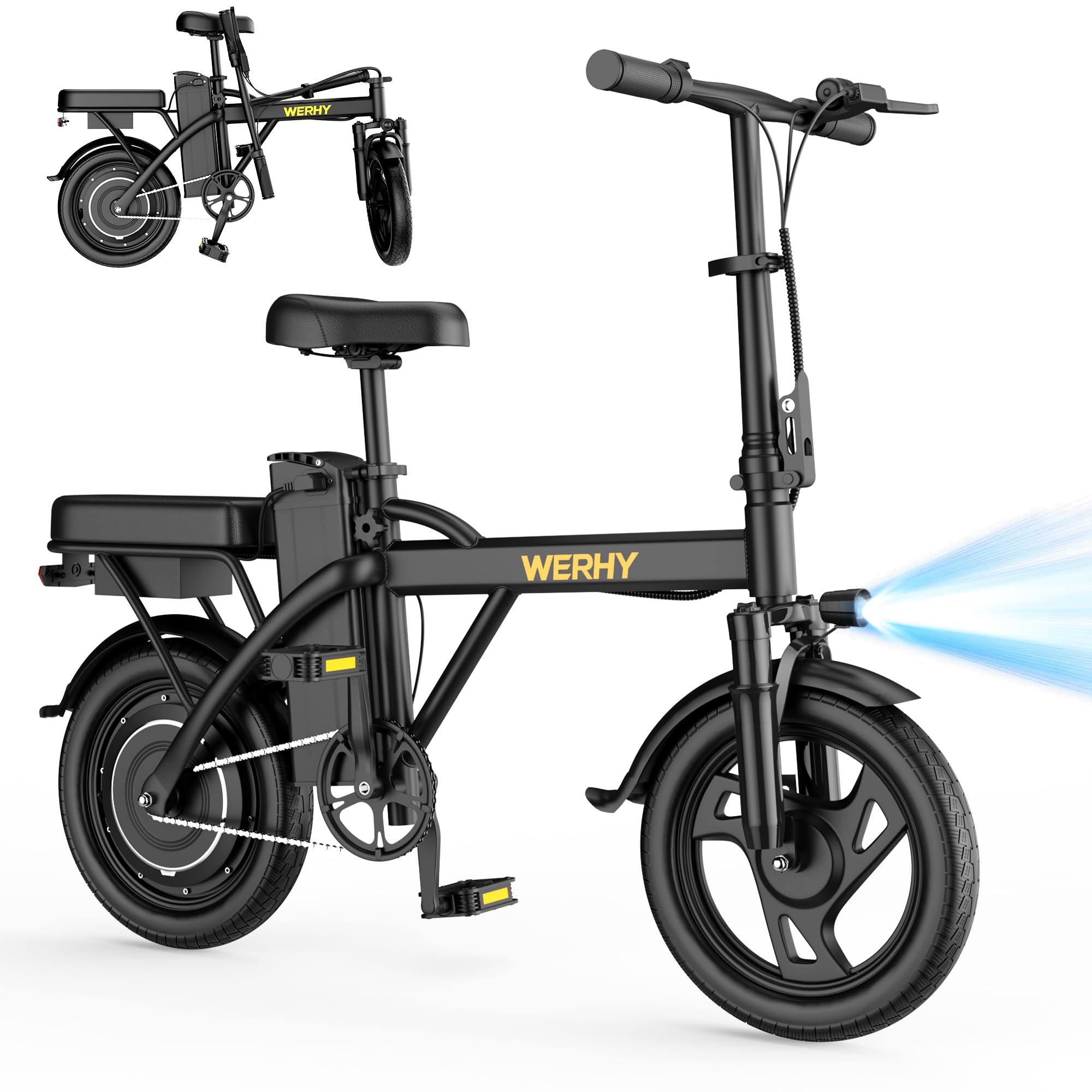
Image: The WERHY Electric Bike Y2/Y6/Y6PRO in its assembled form.
Safety Information
Always prioritize safety when operating your electric bike. Failure to follow safety guidelines can result in serious injury or damage to the bike.
- Wear a helmet and appropriate safety gear.
- Familiarize yourself with local e-bike regulations and traffic laws.
- Perform a pre-ride inspection before each use (brakes, tires, battery, lights).
- Do not ride under the influence of alcohol or drugs.
- Avoid riding in adverse weather conditions or on slippery surfaces.
- Ensure all components are securely fastened before riding.
Setup and Assembly
Your WERHY Electric Bike comes partially assembled. Follow these steps to complete the assembly and prepare for your first ride.
Unboxing and Initial Inspection
- Carefully remove the bike and all components from the packaging.
- Inspect for any visible damage during shipping. Contact customer support immediately if damage is found.
- Remove all protective packaging materials.
Video: This video demonstrates the unboxing and assembly process for the WERHY Electric Bike. It shows how to remove packaging, attach the front wheel, adjust handlebars, install the seat, and attach pedals and the rear fender.
Front Wheel Installation
- Align the front wheel with the fork. Ensure the brake disc slides correctly into the caliper.
- Insert the axle bolt through the fork and wheel hub.
- Securely tighten the nuts on both sides of the axle using the provided wrench.

Image: Close-up view of a person installing the front wheel, showing the brake disc and axle assembly.
Handlebar and Seat Adjustment
- Adjust the handlebar stem to your desired height and secure the quick-release lever.
- Insert the seat post into the frame and adjust the seat height for comfortable riding. Secure with the quick-release clamp.
Pedal Installation
- Identify the left (L) and right (R) pedals.
- Thread the right pedal (R) clockwise into the right crank arm.
- Thread the left pedal (L) counter-clockwise into the left crank arm.
- Tighten both pedals securely with a wrench.
Battery Charging
Before first use, fully charge the battery. The battery can be charged while installed on the bike or removed.
- Connect the charger to the battery charging port.
- Plug the charger into a standard wall outlet.
- The indicator light on the charger will change (e.g., red to green) when fully charged.

Image: Close-up of the WERHY Electric Bike's high-capacity, detachable, and lockable battery.
Operating Instructions
Understand the various modes and controls to safely operate your WERHY Electric Bike.
Power On/Off
- To power on, press and hold the power button on the handlebar display.
- To power off, press and hold the power button again.
Riding Modes
Your e-bike features three riding modes:
- Electric Mode: Provides full motor assistance without pedaling. Use the throttle to control speed.
- Pedal Assist Mode: The motor provides assistance as you pedal. Adjust the assist level (1-3) for more or less power.
- Manual Mode: Ride the bike like a traditional bicycle without any motor assistance.

Image: The handlebar of the WERHY Electric Bike, highlighting the LED display and controls for selecting electric, pedal assist, or manual riding modes.
Controls and Display
- LED Display: Shows current speed, battery level, and selected riding mode.
- Throttle: Located on the handlebar, used to engage electric mode and control speed.
- Brakes: Equipped with electronic brakes and disc brakes for reliable stopping. Always use both brakes simultaneously for optimal stopping power.
- Headlight/Taillight: Turn on for increased visibility, especially during night rides.
- Horn: Use to alert pedestrians or other riders.

Image: Illustration of the WERHY Electric Bike's dual braking system (electronic and disc brakes) and dual lighting system (LED headlight and taillight) for safety.
Maintenance
Regular maintenance ensures the longevity and safe operation of your electric bike.
General Care
- Keep the bike clean. Wipe down the frame with a damp cloth. Avoid high-pressure washing directly on electrical components.
- Lubricate the chain regularly to ensure smooth operation and prevent rust.
- Check tire pressure before each ride. The 14-inch inflatable tires require proper inflation for optimal performance and safety.
- Inspect brake pads and cables for wear and proper function. Adjust or replace as needed.
- Ensure all bolts and fasteners are tight.
Battery Care
- Charge the battery fully after each ride, or at least once a month if not in use, to prolong its lifespan.
- Store the battery in a cool, dry place, away from direct sunlight and extreme temperatures.
- Do not completely drain the battery before recharging.
- Use only the original WERHY charger provided with your bike.
Troubleshooting
This section addresses common issues you might encounter with your WERHY Electric Bike.
| Problem | Possible Cause | Solution |
|---|---|---|
| Bike does not power on. | Battery is low or not connected; power button not pressed correctly. | Charge the battery; ensure battery is securely connected; press and hold power button. |
| Motor not assisting. | Not in electric or pedal assist mode; low battery; loose motor connection. | Select appropriate riding mode; charge battery; check motor cable connections. |
| Brakes feel weak. | Worn brake pads; loose brake cable; air in hydraulic system (if applicable). | Inspect and replace brake pads; adjust brake cable tension; consult a professional for hydraulic brake issues. |
| Unusual noises during riding. | Loose components; dry chain; tire rubbing. | Check all fasteners; lubricate chain; inspect tire clearance. |
If you encounter issues not listed here or cannot resolve a problem, please contact WERHY customer support.
Specifications
| Feature | Detail |
|---|---|
| Bike Type | Electric Bike |
| Motor | 500W Brushless Motor |
| Max Speed | 22 MPH |
| Battery | 48V High Capacity Battery |
| Max Range (Pedal Assist Mode) | 30/40/50 Miles (depending on model/conditions) |
| Wheel Size | 14 Inches |
| Frame Material | Carbon Steel |
| Suspension Type | Front Dual Suspension |
| Brake Style | Rear Disc Brakes + Electronic Brake |
| Number of Speeds | 2 (Gear Type: freewheel) |
| Special Features | Headlight, Taillight, LED Display, Foldable Design |
| Max Load | 265 LBS |
| Assembly Required | No (partial assembly required upon delivery) |
Warranty and Support
Warranty Information
WERHY is committed to providing high-quality products. Your electric bike comes with a warranty:
- E-bike and different parts: One-year warranty.
- Battery and Motor: 6-month warranty.
Please refer to your purchase documentation for full warranty terms and conditions.
Customer Support
If you have any questions, require assistance with assembly, operation, or maintenance, or need to claim warranty service, please contact WERHY customer support. Contact details can typically be found on the WERHY Direct seller page or your purchase invoice.
