
1. Introduction
Welcome to the OnePlus Nord CE6 Lite user manual. This guide provides essential information to help you get started with your new smartphone, understand its features, and ensure optimal performance. The OnePlus Nord CE6 Lite combines a powerful MediaTek Dimensity 7400 Apex Processor with a long-lasting 7000mAh battery and a smooth 144Hz display, designed for a seamless user experience.

Image: The OnePlus Nord CE6 Lite smartphone in Vivid Mint, showcasing its sleek design.
2. Setup Guide
2.1. SIM Card Installation
- Locate the SIM card tray on the side of your device.
- Insert the SIM ejector tool into the small hole next to the tray and press firmly until the tray pops out.
- Place your Nano SIM cards (supports Dual SIM) into the designated slots on the tray, ensuring the gold contacts face downwards.
- Carefully reinsert the SIM tray into the phone until it clicks into place.
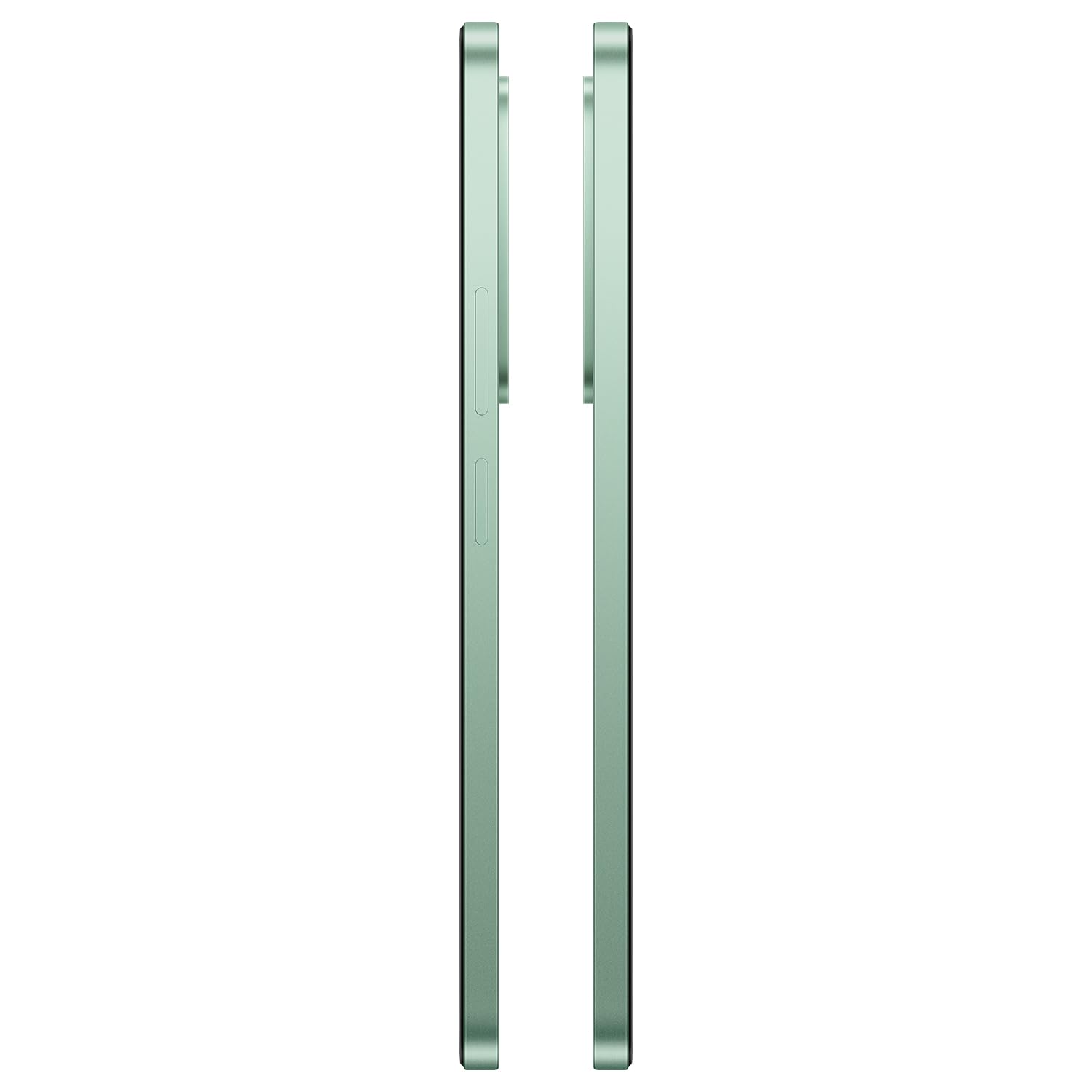
Image: Side view of the OnePlus Nord CE6 Lite, indicating the location of the SIM card tray.
2.2. Initial Power On and Setup
- Press and hold the Power button until the OnePlus logo appears.
- Follow the on-screen instructions to select your language, connect to Wi-Fi, and set up your Google account.
- Configure security features such as fingerprint recognition and screen lock.
2.3. Charging Your Device
The OnePlus Nord CE6 Lite is equipped with a 7000mAh battery and supports 45W SUPERVOOC fast charging. Use the provided power adapter and USB Type-C cable for optimal charging speed.
- Connect the USB Type-C cable to the charging port at the bottom of your phone.
- Plug the power adapter into a wall outlet.
- A full charge takes approximately 97 minutes. A quick 10-minute charge can provide up to 7.5 hours of call time.

Image: The OnePlus Nord CE6 Lite charging with its 45W SUPERVOOC fast charger, highlighting the 7000mAh battery capacity.
3. Operating Your Device
3.1. Display Features
Experience fluid visuals on the 6.72-inch LCD display with a 144Hz refresh rate and 2400 x 1080 pixel resolution. The display offers up to 1000 nits peak brightness for clear viewing even in bright sunlight. Aqua Touch technology ensures precise control, even with wet or oily fingers.

Image: The OnePlus Nord CE6 Lite display highlighting its 144Hz refresh rate for smooth visuals.
3.2. Performance and Gaming
Powered by the MediaTek Dimensity 7400 Apex Processor and 8GB RAM, the Nord CE6 Lite delivers enhanced performance for multitasking and gaming. Enjoy up to 144 FPS support for compatible games and 90 FPS for top-rated shooters, ensuring a responsive and lag-free experience.

Image: Visual representation of the MediaTek Dimensity 7400 Apex Processor, 8GB RAM, and 256GB ROM.

Image: A user playing a game on the OnePlus Nord CE6 Lite, illustrating high FPS gaming performance.
3.3. Camera Usage
Capture every moment with the versatile triple camera system: a 50MP main camera, an 8MP front camera, and a 2MP depth-assist camera. Record sharp and smooth videos in 4K at 30 FPS. Utilize features like 4K Motion Photos, AI Portrait Glow, and AI Eraser for enhanced photography.
- 50MP Main Camera: For high-resolution photos and detailed shots.
- 8MP Front Camera: For clear selfies and video calls.
- 2MP Depth-Assist Camera: Enhances portrait mode for professional-looking bokeh effects.
- 4K Video Recording: Capture moments with superior clarity and motion.
- 4K Motion Photos: Bring still images to life with short video clips.
- AI Features: Utilize AI Portrait Glow for improved portraits and AI Eraser to remove unwanted objects from photos.

Image: Diagram illustrating the 8MP front, 50MP main, and 2MP depth-assist cameras on the OnePlus Nord CE6 Lite.

Image: A scene captured with 4K 30 FPS video recording on the OnePlus Nord CE6 Lite.

Image: A comparison showing the effect of AI Portrait Glow on a photograph.
3.4. Software and User Interface
The OnePlus Nord CE6 Lite runs on OxygenOS 16, offering a smooth and intuitive user experience. It integrates Google Gemini, a personal AI assistant from Google, to help with various tasks from planning to learning.

Image: The OxygenOS 16 interface, showcasing its clean and user-friendly design.

Image: An example of Google Gemini in action on the OnePlus Nord CE6 Lite, assisting with a query.
3.5. Audio
Enhance your audio experience with the 300% Ultra Volume Mode, providing powerful sound that cuts through noise. The device features a Type-C headphone jack.

Image: The OnePlus Nord CE6 Lite illustrating the 300% Ultra Volume Mode for powerful audio output.
4. Maintenance
4.1. Device Durability
The OnePlus Nord CE6 Lite is built with military-grade durability, designed to withstand real-world toughness and maintain its performance for up to 5 years.

Image: The OnePlus Nord CE6 Lite depicted in a rugged environment, symbolizing its military-grade durability.
4.2. Battery Health Management
The 7000mAh battery is designed for longevity, retaining up to 80% of its capacity even after 6 years of daily use. To maximize battery life, avoid extreme temperatures and use the official charger.

Image: Graphic indicating 6 years of battery health for the OnePlus Nord CE6 Lite.
4.3. Cooling System
The device features a category-leading 5,300 mm² VC (Vapor Chamber) cooling system to effectively manage heat during intensive tasks like gaming or heavy multitasking, ensuring stable performance.

Image: Internal view of the OnePlus Nord CE6 Lite highlighting the 5300 mm² vapor chamber cooling system.
5. Troubleshooting
If you encounter issues with your OnePlus Nord CE6 Lite, consider the following basic troubleshooting steps:
- Restart Device: A simple restart can resolve many minor software glitches.
- Check Connections: Ensure Wi-Fi, Bluetooth, and cellular connections are active and stable.
- Software Updates: Regularly check for and install system updates to ensure optimal performance and security. Go to Settings > About device > OxygenOS version.
- Clear Cache: If an app is misbehaving, try clearing its cache via Settings > Apps > [App Name] > Storage usage > Clear cache.
- Factory Reset: As a last resort, if issues persist, you may consider a factory reset. Warning: This will erase all data on your phone. Back up important data before proceeding. Go to Settings > System settings > Backup and reset > Reset phone > Erase all data.
For more advanced troubleshooting or persistent issues, please contact OnePlus customer support.
6. Specifications
| Feature | Detail |
|---|---|
| Brand | OnePlus |
| Model | Nord CE6 Lite |
| Operating System | OxygenOS 16 |
| Processor | MediaTek Dimensity 7400 Apex (2.6 GHz) |
| RAM | 8 GB |
| Storage Capacity | 128 GB |
| Display Size | 6.72 Inches |
| Display Resolution | 2400 x 1080 Pixels |
| Refresh Rate | 144 Hz |
| Main Camera | 50 MP |
| Front Camera | 8 MP |
| Video Capture Resolution | 4K at 30 FPS |
| Battery Capacity | 7000 mAh |
| Charging | 45W SUPERVOOC Fast Charging |
| SIM Card Slot Count | Dual SIM (Nano) |
| Connectivity | 5G, Bluetooth, USB Type-C, Wi-Fi |
| Biometric Security | Fingerprint Recognition |
| Water Resistance Level | Water Resistant |
| Item Weight | 208 Grams |
| Item Dimensions | 16.6 x 7.6 x 0.9 Centimeters |
7. What's in the Box
Your OnePlus Nord CE6 Lite package includes the following items:
- OnePlus Nord CE6 Lite Smartphone
- Power Adapter (45W SUPERVOOC)
- USB Cable (Type-C)
- Phone Case
- Quick Start Guide
- SIM Tray Ejector
8. Warranty and Support
8.1. Warranty Information
The OnePlus Nord CE6 Lite comes with a 1-year manufacturer's warranty. Please refer to the warranty card included in your package for detailed terms and conditions. Additional protection plans may be available for purchase separately.
8.2. Manufacturer Contact Information
For support, service, or inquiries, please contact the manufacturer:
Manufacturer: DBG TECHNOLOGY (INDIA) PRIVATE LIMITED
Address: PLOT NO 10, SECTOR-5, HSIIDC INDUSTRIAL MODEL TOWNSHIP, BAWAL, REWARI, HARYANA -123501, India
You can also visit the official OnePlus support website for further assistance.


