
Introduction
The TRUGLO TRU-Brite 34MM Open Dot Sight is designed for rapid target acquisition and versatile aiming. This durable, lightweight, and weather-resistant optic features a wide 34mm x 24mm sight window, minimizing housing obstruction and keeping your focus on the target. It offers multiple reticle options in both red and green colors, providing optimal contrast against various backgrounds and targets.
Constructed from aluminum with a black anodized finish, this sight is built to withstand shock and is waterproof, ensuring reliable performance in diverse environmental conditions. It features an integrated Weaver-style mounting system for easy installation and precise windage and elevation adjustments.
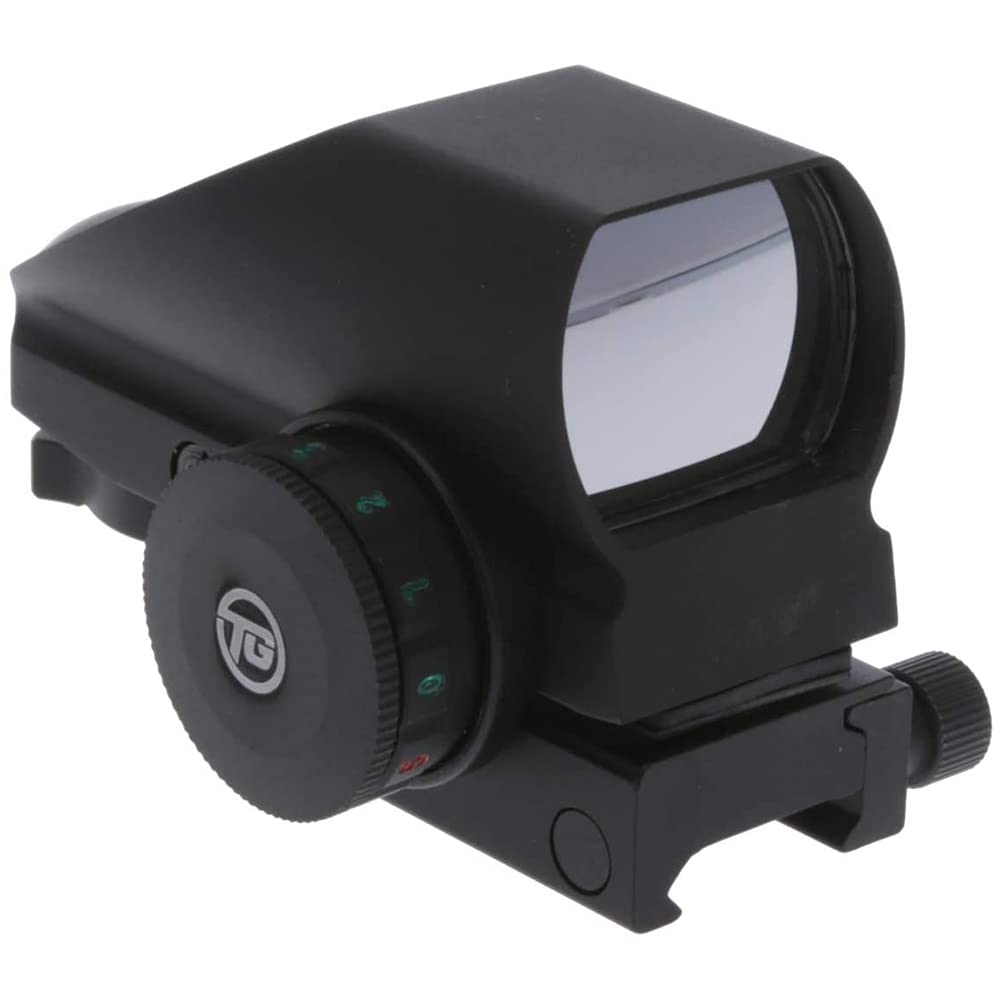
Image: Front view of the TRUGLO TRU-Brite 34MM Open Dot Sight, showcasing its compact design and wide sight window.
Setup
Mounting the Sight
- Identify a suitable Weaver or Picatinny rail on your firearm.
- Loosen the mounting screws on the sight's base.
- Position the sight onto the rail, ensuring the cross-bolt aligns with a slot on the rail.
- Tighten the mounting screws using the provided hex key. Do not overtighten. A snug fit is sufficient to prevent movement without damaging the sight or rail.
Battery Installation/Replacement
The TRUGLO TRU-Brite sight uses a CR2032 battery, which is typically pre-installed. To replace the battery:
- Locate the battery compartment cap, usually on the side of the sight's brightness adjustment knob.
- Unscrew the cap counter-clockwise.
- Remove the old CR2032 battery.
- Insert a new CR2032 battery with the positive (+) side facing outwards.
- Securely screw the cap back on, ensuring a tight seal for water resistance.

Image: Side view of the sight, highlighting the brightness adjustment knob which also houses the battery compartment.
Operating Instructions
Power On/Off and Brightness Adjustment
The sight is powered on and off, and its brightness adjusted, using the rotary knob located on the side. This knob typically has multiple settings for brightness levels (e.g., 1-5) for both red and green reticles, as well as 'off' positions between color settings.
- Rotate the knob to select either a red or green reticle.
- Continue rotating to increase or decrease the brightness level. It is recommended to start with the lowest brightness setting and gradually increase until sufficient contrast is achieved for your environment.
- To turn off the sight, rotate the knob to an '0' (off) position.
Reticle Selection
This sight offers multiple reticle options, including 5-MOA Dot, 5-MOA Center Dot, 2.5-MOA Dot, and 2.5-MOA Center Dot. A separate selector, often a small lever or button, allows you to cycle through these reticle patterns. You will feel a tactile click when a new reticle is selected, ensuring precise alignment.

Image: Illustration of the various dual-color reticle patterns available on the sight.
Windage and Elevation Adjustments
The sight features precise windage and elevation adjustment screws, typically located on the side and top of the sight body. These adjustments are made with a small flathead screwdriver or the provided hex key.
- Windage Adjustment: Adjusts the reticle horizontally (left/right).
- Elevation Adjustment: Adjusts the reticle vertically (up/down).
Each click of the adjustment screw typically corresponds to a specific change in point of impact (e.g., 1/4 inch at 30 feet). Make small, incremental adjustments and verify your point of impact after each change until the sight is zeroed.
Maintenance
Cleaning
To maintain optimal performance and clarity, keep the lenses clean. Use a soft, lint-free microfiber cloth (often included with the sight) to gently wipe the lens surfaces. Avoid touching the projector lens inside the sight with your fingers, as oils and dirt can affect performance. For stubborn smudges, a small amount of lens cleaning solution designed for optics can be applied to the cloth, not directly to the lens.
Storage
When not in use, store the sight in a dry, cool place, away from direct sunlight and extreme temperatures. Ensure the sight is turned off to conserve battery life. Consider using a protective cover or case to prevent scratches and impacts to the lenses and housing.
Troubleshooting
- Reticle is dim or not visible: Check the battery. Replace the CR2032 battery if it is low or depleted. Ensure the brightness knob is set to an illuminated position and not an 'off' setting.
- Reticle appears distorted or blurry: Adjust the brightness to a lower setting. High brightness levels, especially indoors, can sometimes cause perceived distortion. Ensure the lenses are clean.
- Sight does not hold zero: Verify that the mounting screws are securely tightened to the rail. While tightening, avoid overtightening to prevent stripping threads. If the issue persists, inspect the rail and sight for any damage or loose components.
- General malfunction: If the sight exhibits unexpected behavior or fails to function correctly after basic troubleshooting, refer to the warranty information for service options.
Specifications
| Feature | Specification |
|---|---|
| Brand | TRUGLO |
| Model Name | TG8380BN |
| Magnification | 1x |
| Objective Lens Diameter | 34 Millimeters |
| Reticle Type | Multi-Reticle (5-MOA Dot, 5-MOA Center Dot, 2.5-MOA Dot, 2.5-MOA Center Dot) |
| Reticle Colors | Red / Green |
| Material | Aluminum |
| Item Weight | 5.49 ounces |
| Mounting Type | Weaver Mount |
| Compatible Devices | Cross Bow, Handgun |
| Field Of View | 30 Yards (Parallax free from 30 yards) |
| Weather Resistance | Waterproof, Shock Resistant |
| Battery Type | CR2032 |
Warranty and Support
TRUGLO products are manufactured to high standards and are backed by a manufacturer's warranty. For specific warranty details, claims, or technical support, please refer to the documentation included with your product or visit the official TRUGLO website. Keep your proof of purchase for warranty purposes.
Important Information
Proposition 65 Warning: This product contains chemicals known to the State of California to cause cancer and birth defects or other reproductive harm.
