
1. Introduction
Thank you for choosing the Blukar K9171 Mini Rechargeable LED Pen Flashlight. This compact and versatile flashlight is designed for various applications, from everyday carry (EDC) to outdoor activities and emergency situations. Please read this manual carefully to ensure proper use, maintenance, and to maximize the lifespan of your device.
Package Contents:
- Blukar K9171 Mini Rechargeable LED Pen Flashlight
- USB-C Charging Cable
- Lanyard
- User Manual
2. Product Overview
The Blukar K9171 features a durable aluminum alloy body, a convenient pocket clip, and a zoomable head that also conceals the USB-C charging port. It is designed for portability and reliability.

Image: The Blukar K9171 flashlight, highlighting its compact size and integrated clip for easy portability. Dimensions are approximately 12.63 cm (4.97 in) in length and 1.96 cm (0.77 in) in diameter, weighing 60g.
3. Setup
Initial Charge:
Before first use, fully charge the flashlight. Refer to the 'Charging' section for detailed instructions.
Attaching the Lanyard:
Thread the included lanyard through the small loop at the tail cap of the flashlight for added security and ease of carrying.
4. Operating Instructions
Power On/Off and Mode Selection:
The flashlight features a single button for all operations. It has four lighting modes: High, Medium, Low, and SOS.
- To Turn On: Press the button once. The flashlight will turn on in the last used mode (memory function).
- To Change Modes: Briefly press the button repeatedly to cycle through High → Medium → Low.
- SOS Mode: Double-click the button quickly to activate the SOS flashing mode.
- Quick Turn Off: If the flashlight has been on for more than 8 seconds, a single press of the button will turn it off directly.
- Instant Turn Off: In any mode, press and hold the button for approximately 3 seconds to turn off the flashlight immediately.

Image: Visual representation of the four lighting modes (High, Medium, Low, SOS) and the single-button control for the Blukar K9171 flashlight.
Zoom Function:
The flashlight features an adjustable zoom function to switch between a wide floodlight and a focused spotlight beam.
- To Zoom Out (Floodlight): Extend the head of the flashlight forward. This provides a wider beam for illuminating larger areas.
- To Zoom In (Spotlight): Retract the head of the flashlight backward. This concentrates the light into a narrow, long-distance beam.

Image: The Blukar K9171 flashlight illustrating its zoom capability, transitioning from a wide floodlight beam to a focused spotlight beam for different illumination needs.
5. Charging
The Blukar K9171 is equipped with an integrated 800mAh lithium-ion battery and a hidden USB-C charging port.
- Accessing the Charging Port: Gently pull the head of the flashlight forward to reveal the USB-C charging port.
- Connecting the Cable: Insert the provided USB-C cable into the flashlight's port and connect the other end to a USB power source (e.g., wall adapter, computer, power bank).
- Charging Indicator: A small LED indicator next to the charging port will illuminate:
- Red Light: Indicates the flashlight is currently charging.
- Green Light: Indicates the flashlight is fully charged.
- Charging Time: A full charge typically takes approximately 2 hours.
- Battery Life: The flashlight offers up to 15 hours of runtime in low mode and approximately 2.5 hours in high mode on a full charge.
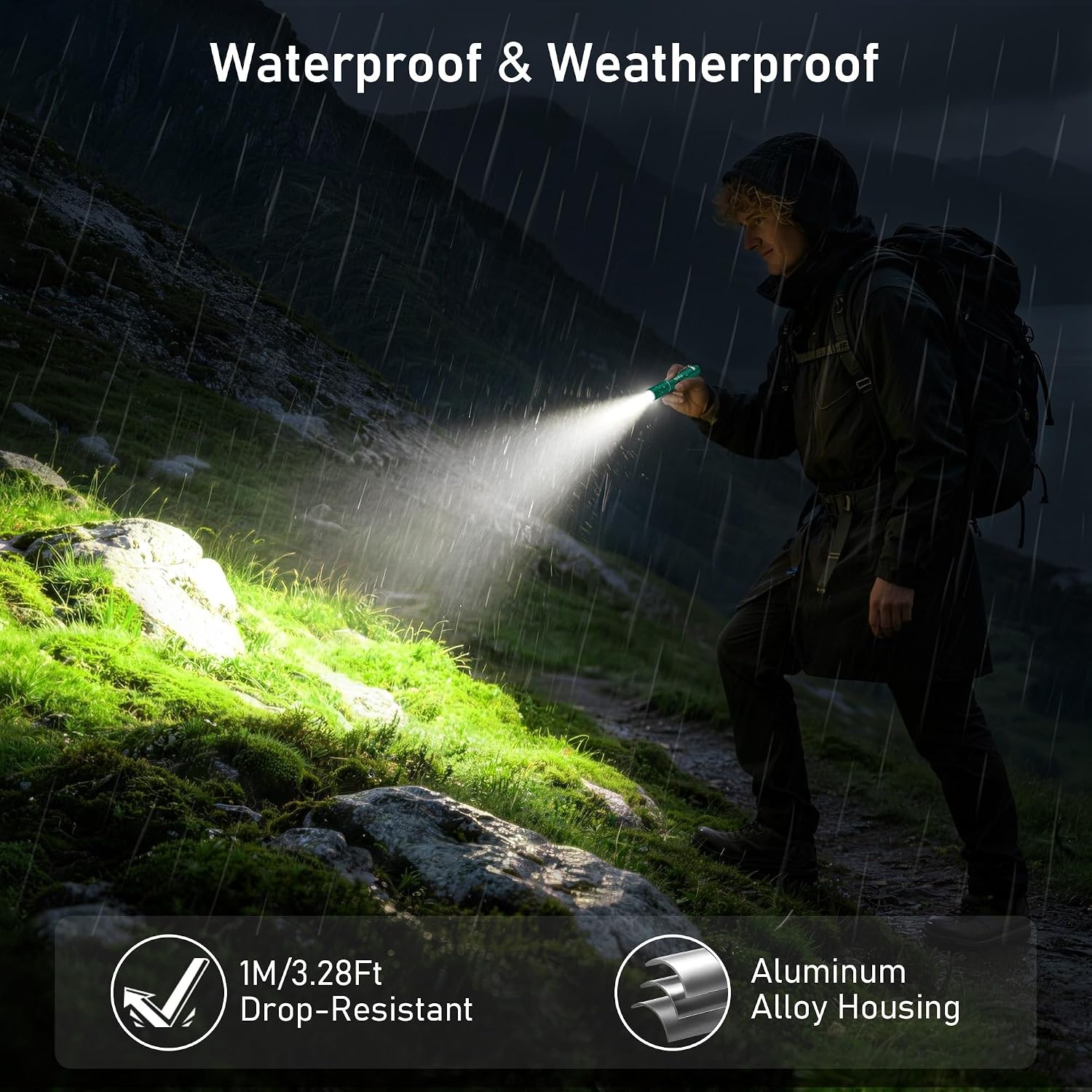
Image: The Blukar K9171 flashlight being charged via USB-C, with visual indicators for charging (red light) and fully charged (green light) status.
6. Maintenance
Cleaning:
Wipe the flashlight with a soft, damp cloth. Do not use abrasive cleaners or solvents. Ensure the charging port is closed and dry before cleaning.
Storage:
Store the flashlight in a cool, dry place away from direct sunlight and extreme temperatures. For long-term storage, charge the battery every 3-6 months to maintain its health.
Water Resistance:
The Blukar K9171 is water-resistant (IPX6 rated), meaning it can withstand splashes and rain. However, it is not designed for submersion in water. Always ensure the zoom head is fully retracted to protect the USB-C port from moisture when not charging.

Image: The Blukar K9171 flashlight in use during rainy weather, highlighting its robust, water-resistant aluminum alloy housing suitable for outdoor conditions.
7. Troubleshooting
- Flashlight does not turn on:
- Ensure the battery is charged. Connect to a power source and check the charging indicator.
- Press the power button firmly.
- Light is dim or flickers:
- The battery level may be low. Recharge the flashlight.
- Charging indicator does not light up:
- Ensure the USB-C cable is properly connected to both the flashlight and the power source.
- Try a different USB-C cable or power adapter.
- Ensure the charging port is clean and free of debris.
- Flashlight gets warm during use:
- It is normal for the flashlight body to warm up, especially on High mode, as the aluminum alloy acts as a heatsink. If it becomes excessively hot, reduce the brightness mode or turn it off to cool down.
8. Specifications
| Feature | Specification |
|---|---|
| Model Number | K9171 |
| Brand | Blukar |
| Light Source Type | LED |
| Power Source | Battery Powered (Integrated Lithium-Ion) |
| Battery Capacity | 800mAh |
| Charging Port | USB-C |
| Charging Time | Approx. 2 hours |
| Runtime (Low Mode) | Up to 15 hours |
| Runtime (High Mode) | Approx. 2.5 hours |
| Lighting Modes | 4 (High, Medium, Low, SOS) |
| Special Features | Zoomable, Memory Function, Pocket Clip |
| Material | Aluminum Alloy |
| Water Resistance | IPX6 (Water-resistant) |
| Dimensions (L x W x H) | 126mm x 24mm x 20mm |
| Weight | 60 grams |

Image: Internal view indicating the built-in, non-removable lithium battery of the Blukar K9171 flashlight.
9. Safety Information
- Do not look directly into the LED light. The intense beam can cause temporary vision impairment or eye damage.
- Keep out of reach of children.
- Do not disassemble or modify the flashlight. This can lead to damage, electric shock, or fire, and will void the warranty.
- Avoid exposing the flashlight to extreme temperatures, open flames, or corrosive environments.
- Do not dispose of the battery in fire or with household waste. Follow local regulations for battery disposal.
- Ensure the charging port is dry before connecting the USB-C cable.
10. Warranty & Support
Blukar products typically come with a warranty. Please refer to the warranty card included in your package or visit the official Blukar website for specific warranty terms and registration details. For technical support, troubleshooting assistance, or any inquiries regarding your Blukar K9171 flashlight, please contact Blukar customer service through the contact information provided on the product packaging or their official website.
When contacting support, please have your model number (K9171) and purchase details ready.
