
1. Important Safety Instructions
Please read all instructions carefully before using this appliance. Keep this manual for future reference.
- Do not touch hot surfaces. Use handles or knobs.
- To protect against fire, electric shock, and injury to persons, do not immerse cord, plugs, or appliance in water or other liquid.
- Close supervision is necessary when any appliance is used by or near children.
- Unplug from outlet when not in use and before cleaning. Allow to cool before putting on or taking off parts, and before cleaning the appliance.
- Do not operate any appliance with a damaged cord or plug, or after the appliance malfunctions or has been damaged in any manner.
- The use of accessory attachments not recommended by the appliance manufacturer may result in fire, electric shock, or injury to persons.
- Do not use outdoors.
- Do not let cord hang over edge of table or counter, or touch hot surfaces.
- Do not place on or near a hot gas or electric burner, or in a heated oven.
- Always attach plug to appliance first, then plug cord into the wall outlet. To disconnect, turn any control to "off", then remove plug from wall outlet.
- Do not use appliance for other than intended use.
- Scalding may occur if the lid is removed during the brewing cycles.
2. Package Contents
Verify that all items are present and in good condition upon opening the package.
- Kismile SCA-Certified Drip Coffee Maker (Model CM125A)
- Glass Carafe
- Removable Water Tank
- Filter Holder / Funnel
- Shower Head
- Measuring Scoop
- Instruction Manual

Image: All included components of the Kismile coffee maker.
3. Product Overview
The Kismile SCA-Certified Drip Coffee Maker is designed for optimal coffee extraction, offering both hot and cold brew options with precise temperature control and adjustable flow.

Image: Front view of the Kismile Drip Coffee Maker.
Key Features:
- SCA-Certified Brewing: Achieves optimal brewing temperatures (197–205°F) for balanced extraction.
- 3-Second Instant Heat: Rapid heating for quick brewing.
- Deep-Extraction Cold Brew: A 20-minute infusion process for smoother, richer cold brew.
- Removable Water Tank: 1250ml capacity, easy to refill and clean.
- Adjustable Flow Control: Manual lever for customizing water flow for pour-over style brewing.
- 40-Minute Keep-Warm: Maintains coffee temperature between 176–185°F.
- Large Capacity Filter Basket: Accommodates 70g of coffee grounds, compatible with V-shape or basket filters.
- Anti-Drip Design: Prevents spills when the carafe is removed.
- Auto Stop When Funnel Removed: Safety feature to prevent accidents during brewing.
- Food-Grade Materials: Constructed with anodized aluminum alloy body, borosilicate glass carafe, and FDA-compliant AS water tank and PP funnel.

Image: Auto Stop feature when the funnel is removed.
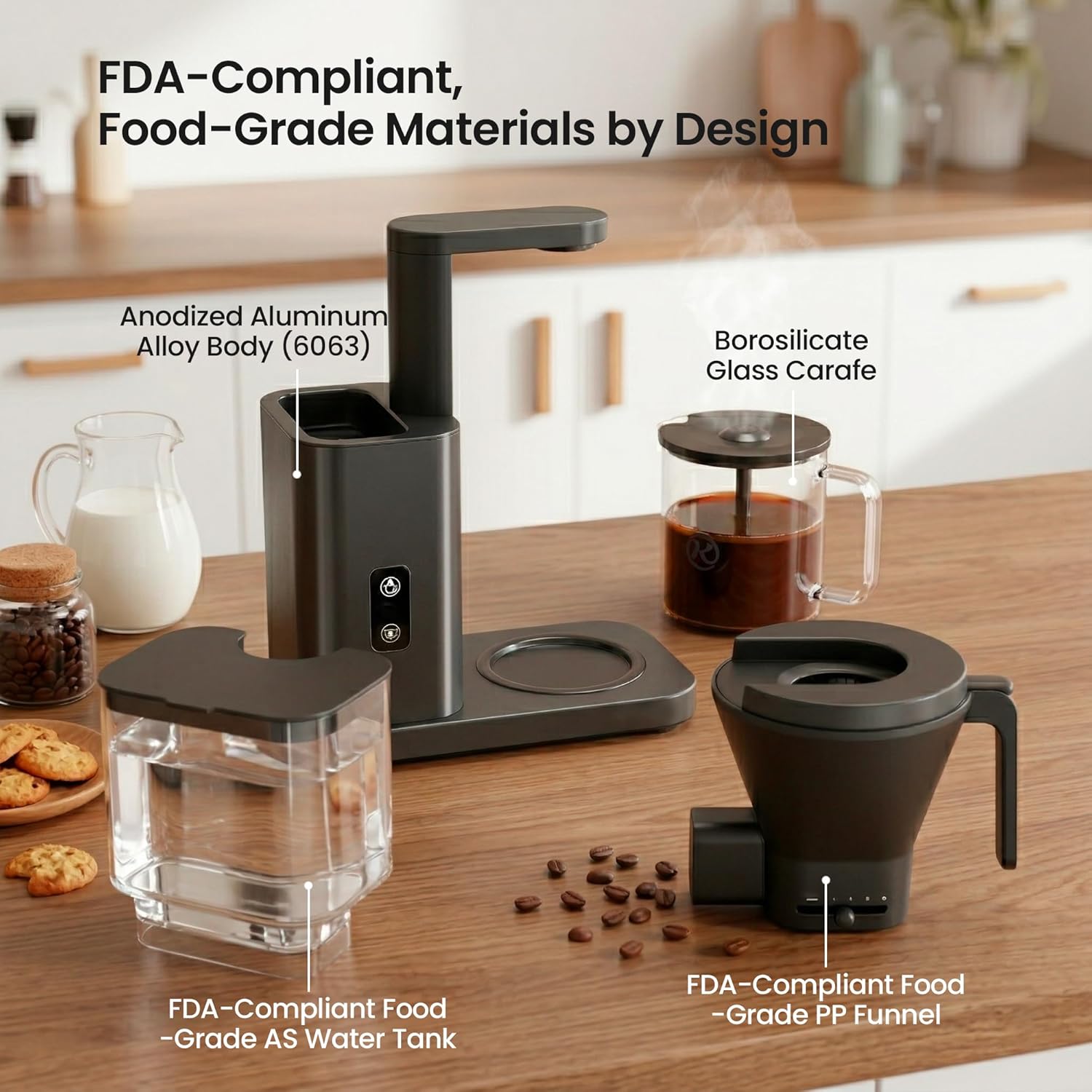
Image: Components made from FDA-compliant, food-grade materials.
4. Setup and First Use
- Unpack: Carefully remove all packaging materials and ensure all components are present.
- Clean: Wash the glass carafe, removable water tank, filter holder, and shower head in warm, soapy water. Rinse thoroughly and dry. The removable parts are dishwasher safe.
- Placement: Place the coffee maker on a flat, stable, heat-resistant surface, away from the edge of the counter.
- Assemble:
- Place the removable water tank onto the main unit.
- Insert the filter holder into its designated slot.
- Place the glass carafe on the warming plate.
- Initial Rinse Cycle: Before first use, run two full cycles with only water to clean the internal components.
- Fill the water tank to the MAX line with fresh, cold water.
- Do not add coffee grounds.
- Press the Hot Brew button to start a cycle.
- Discard the water after each cycle.

Image: Removing the 1250 ml removable water tank.
5. Operating Instructions
5.1 Hot Brew Coffee
- Fill Water Tank: Remove the water tank and fill it with fresh, cold water up to the desired level (max 1250ml for 8 cups). Reattach the tank securely.
- Add Coffee Grounds: Place a paper filter (V-shape or basket) or a reusable metal filter into the filter holder. Add your desired amount of ground coffee (up to 70g). A general guideline is 1-2 tablespoons of coffee per 6 ounces of water.
- Position Carafe: Ensure the glass carafe is correctly placed on the warming plate.
- Select Hot Brew: Press the Hot Brew button (indicated by a coffee cup icon). The light will illuminate, and the brewing process will begin. The machine heats water to 197–205°F in approximately 3 seconds and brews 8 cups in about 6 minutes.
- Adjust Flow (Optional): For a stronger pour-over style, use the adjustable flow control lever on the filter holder to slow down the water flow. This allows for pre-infusion and multi-stage extraction.
- Keep Warm: After brewing, the warming plate will keep the coffee at 176–185°F for up to 40 minutes. The machine will automatically shut off after 40 minutes.
Video: Demonstrates the Kismile 8-Cup Drip Coffee Brew process, including adding grounds and starting the hot brew cycle.

Image: 3-Second Rapid Heating in action.

Image: The 40-Minute Keep-Warm function.
5.2 Cold Brew Coffee
For cold brew, use cold water between 4–10°C (39–50°F). Do not add ice, as it dilutes flavor. The total brew time for cold brew is approximately 20 minutes for deep infusion.
- Fill Water Tank: Fill the water tank with fresh, cold water (4–10°C).
- Add Coffee Grounds: Place a filter in the filter holder and add your desired amount of coarse ground coffee.
- Position Carafe: Ensure the glass carafe is correctly placed.
- Select Cold Brew: Press the Cold Brew button (indicated by a snowflake icon). The blue light will turn on, and the hot brew light will turn off. The machine will begin a 20-minute deep infusion process.
- Note: Occasional pauses during cold brewing are normal and help optimize flavor.
- Cool Down: If switching from hot brew to cold brew, allow the machine to cool for 5-10 minutes after hot brewing for best results.
Video: Demonstrates the cold brew function, showing how to activate it and the brewing process.

Image: Pro-Grade Cold Brew feature.
5.3 Adjustable Flow Control
The manual flow-control lever on the filter holder allows you to customize your brewing experience, especially for pour-over style coffee.
- Slide the lever to the left to slow down the water flow, allowing for a longer pre-infusion and multi-stage extraction, resulting in a bolder flavor.
- Slide the lever to the right for a faster flow, suitable for standard drip coffee.
- The "Drip Stop" position completely stops the flow, useful when removing the carafe mid-brew.
Video: Demonstrates how to use the custom settings, specifically the adjustable flow control lever.

Image: Adjustable Flow Control lever.
6. Maintenance and Cleaning
Regular cleaning ensures optimal performance and extends the life of your coffee maker.
6.1 Daily Cleaning
- Unplug: Always unplug the coffee maker before cleaning.
- Discard Grounds: Remove the filter holder and discard used coffee grounds and filter.
- Wash Removable Parts: Wash the glass carafe, filter holder, and removable water tank in warm, soapy water. Rinse thoroughly and dry. These parts are dishwasher safe.
- Wipe Exterior: Wipe the exterior of the coffee maker with a soft, damp cloth. Do not use abrasive cleaners or scouring pads.
- Warming Plate: Wipe the warming plate with a damp cloth. Do not immerse the main unit in water.

Image: Removable parts are dishwasher safe for easy cleaning.
6.2 Descaling (Monthly or as needed)
Mineral deposits from water can affect the performance of your coffee maker. Descale monthly or when you notice slower brewing times or reduced coffee temperature.
- Prepare Descaling Solution: Mix 1 part white vinegar with 2 parts water. Fill the water tank with this solution.
- Run Brew Cycle: Place an empty carafe on the warming plate. Run a full hot brew cycle with the descaling solution.
- Rest: After the cycle, let the solution sit in the carafe for 15-20 minutes.
- Rinse Cycles: Discard the solution. Fill the water tank with fresh, clean water and run two full hot brew cycles to rinse out any remaining vinegar taste.
7. Troubleshooting
| Problem | Possible Cause | Solution |
|---|---|---|
| Coffee does not brew. |
|
|
| Coffee tastes weak or watery. |
|
|
| Coffee overflows from filter basket. |
|
|
| "Error!" message or unexpected behavior when removing parts. | Safety mechanism triggered. | The machine has an "Auto Stop When Funnel Removed" safety feature. Ensure all parts are correctly in place before and during brewing. If an error persists, unplug the machine for 30 seconds and plug it back in. |
| Cold brew tastes too weak. |
|
|
8. Specifications
| Feature | Detail |
|---|---|
| Brand | Kismile |
| Model Name | CM125A |
| Capacity | 8 Cups / 1250 ml (40 Fluid ounces) |
| Color | Black |
| Product Dimensions (D x W x H) | 6.3"D x 12.13"W x 13.62"H |
| Item Weight | 6.9 Pounds |
| Wattage | 1650 watts |
| Coffee Input Type | Ground Coffee |
| Brewing Temperature (Hot) | 197–205°F (SCA-Certified) |
| Keep Warm Temperature | 176–185°F (for 40 minutes) |
| Cold Brew Time | Approx. 20 minutes |
| Dishwasher Safe Parts | Yes (Removable parts) |
9. Warranty and Support
For warranty information or technical support, please contact Kismile customer service. Details can typically be found on the product packaging or the official Kismile website.
Please have your model number (CM125A) and purchase date available when contacting support.