
1. Introduction
Thank you for choosing the Intempo Alto Primo Wireless Noise-Cancelling Headphones. These headphones are designed to provide a superior audio experience with active noise cancellation, transparency mode, and Bluetooth connectivity. Please read this manual carefully before using the product to ensure proper operation and to maximize your listening enjoyment.
2. Safety Information
- Do not expose the headphones to extreme temperatures, humidity, or corrosive substances.
- Avoid dropping or subjecting the headphones to strong impacts.
- Do not attempt to disassemble or repair the headphones yourself. This will void the warranty.
- Clean the headphones with a soft, dry cloth. Do not use abrasive cleaners.
- Prolonged listening at high volume levels may cause hearing damage. Adjust volume to a safe level.
- Keep out of reach of children.
3. Package Contents
Ensure all items are present in the box:
- 1 x Intempo Alto Primo Noise-Cancelling Headphones
- 1 x USB-C Charging Cable
- 1 x Carry Case
- 1 x User Manual (this document)
4. Product Overview
Familiarize yourself with the components and controls of your Intempo Alto Primo headphones.

Figure 4.1: Right Earcup Controls and Ports
This image displays a close-up of the right earcup, highlighting the USB-C charging port, 3.5mm audio input, power/pairing button, and the button for switching between noise-cancelling, transparency, and normal modes.
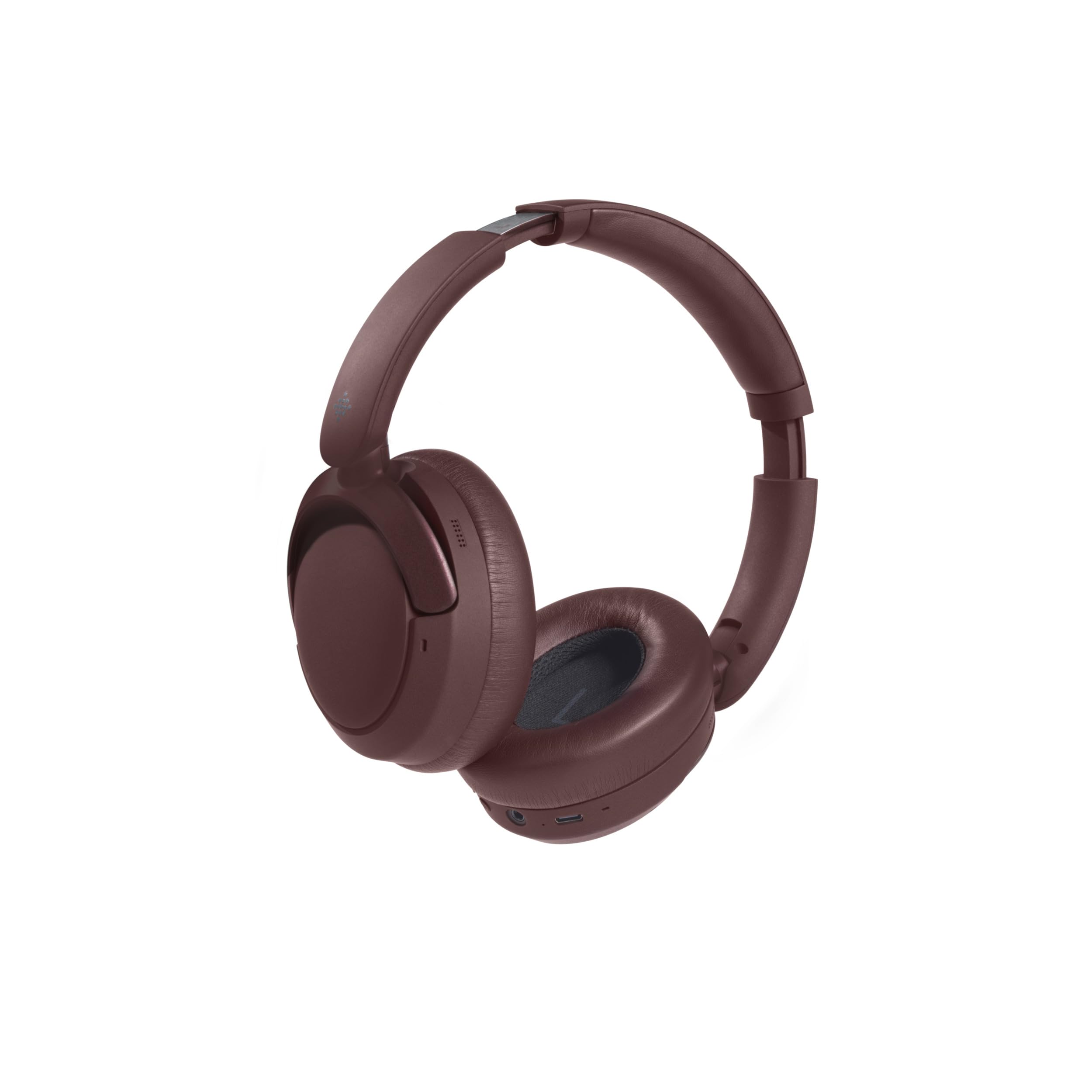
Figure 4.2: Foldable Design
The headphones are shown in their folded position, demonstrating their compact design for easy storage and portability in the included carry case.
Controls and Indicators:
- Power Button: Press and hold to power on/off. Short press for play/pause, answer/end calls.
- Volume Up/Next Track: Short press for volume up. Long press for next track.
- Volume Down/Previous Track: Short press for volume down. Long press for previous track.
- Mode Button: Press to cycle through Active Noise Cancellation (ANC), Transparency Mode, and Normal Mode.
- USB-C Charging Port: For charging the headphones.
- 3.5mm Audio Jack: For wired connection (cable not included, but common for headphones).
- LED Indicator: Shows power status, charging status, and Bluetooth pairing status.
5. Charging the Headphones
- Connect the USB-C charging cable to the charging port on the right earcup.
- Connect the other end of the cable to a USB power adapter (5V/1A recommended) or a computer's USB port.
- The LED indicator will illuminate during charging.
- Charging typically takes approximately 1.5 hours for a full charge.
- Once fully charged, the LED indicator will typically turn off or change color to indicate completion.
- A full charge provides up to 55 hours of playback time.
6. Setup: Bluetooth Pairing
To connect your headphones to a Bluetooth-enabled device:
- Ensure the headphones are fully charged.
- Power on the headphones by pressing and holding the Power Button until the LED indicator flashes (e.g., blue and red alternately), indicating pairing mode.
- On your device (e.g., smartphone, tablet, computer), enable Bluetooth and search for available devices.
- Select "Intempo Alto Primo" from the list of found devices.
- Once paired, the LED indicator will typically show a steady blue light or flash slowly.
- The headphones will automatically attempt to reconnect to the last paired device when powered on.
7. Operating Instructions
7.1. Power On/Off
- Power On: Press and hold the Power Button for approximately 3 seconds until the LED indicator lights up.
- Power Off: Press and hold the Power Button for approximately 3 seconds until the LED indicator turns off.
7.2. Audio Playback
- Play/Pause: Short press the Power Button.
- Volume Up: Short press the Volume Up button.
- Volume Down: Short press the Volume Down button.
- Next Track: Long press the Volume Up button.
- Previous Track: Long press the Volume Down button.
7.3. Call Management
- Answer/End Call: Short press the Power Button.
- Reject Call: Long press the Power Button.
7.4. Noise Control Modes
The headphones offer three distinct noise control modes:
- Active Noise Cancellation (ANC): Reduces ambient noise for an immersive listening experience. Press the Mode Button to activate.
- Transparency Mode: Allows you to hear your surroundings while still enjoying your audio. Press the Mode Button again to switch to this mode.
- Normal Mode: Standard audio playback without noise cancellation or transparency. Press the Mode Button a third time to return to this mode.
8. Maintenance and Care
- Cleaning: Wipe the headphones with a soft, slightly damp cloth. Do not use harsh chemicals or solvents.
- Storage: When not in use, store the headphones in their carry case to protect them from dust and damage. Store in a cool, dry place.
- Battery Care: To prolong battery life, avoid fully discharging the headphones frequently. Charge them regularly, even if not used for extended periods.
9. Troubleshooting
| Problem | Possible Solution |
|---|---|
| Headphones do not power on. | Ensure the headphones are fully charged. Connect to a power source and try again. |
| Cannot pair with a Bluetooth device. |
|
| No sound or low volume. |
|
| Noise cancellation is not effective. |
|
10. Specifications
| Model Name: | Alto Primo |
| Model Number: | EE8031 |
| Brand: | INTEMPO |
| Connectivity Technology: | Bluetooth |
| Form Factor: | Circum-Aural (Over-Ear) |
| Color: | Brown |
| Material: | ABS, PP, METAL |
| Charging Time: | 1.5 hours |
| Playback Time: | Up to 55 hours |
| Compatible Devices: | Android (and generally other Bluetooth-enabled devices) |
11. Warranty and Support
This product is stated to have "No Guarantee" according to the provided information. For any product-related issues, technical support, or inquiries, please contact the retailer from whom you purchased the product. Please retain your proof of purchase for any potential support claims.


