
1. Product Overview
The AGARO Grand Smart Door Lock provides advanced security and convenient access to your home. This smart lock integrates multiple unlocking methods, ensuring flexibility and robust protection. It is designed for easy installation on compatible doors and offers various features for enhanced home safety.

Image: The AGARO Grand Smart Door Lock offers five distinct access methods: App with Bluetooth, Fingerprint, RFID card, PIN Access, and Manual key access.
Key features include:
- 5-Way Access: Unlock using Fingerprint, RFID Card, PIN Access, Bluetooth App, or a traditional Manual Key.
- Auto-Lock System: Automatically secures your door after closing.
- Durable Construction: Features an aluminum alloy body and 304-grade stainless steel mortise for enhanced security.
- Reversible Handle: Compatible with both left and right-handed door configurations.
- Emergency Power: External power bank option for unlocking if batteries are fully discharged.
2. What's in the Box
Carefully unpack the box and ensure all components are present:
- Front Panel
- Back Panel
- 2 x RFID Cards
- 2 x Manual Keys
- Screw Pack
- Side Plate
- Mortise Lock

Image: All components included in the AGARO Grand Smart Door Lock package.
3. Setup and Installation
Before installation, verify your door's compatibility. This lock is designed for wooden doors with a thickness between 38mm and 50mm (3.8 cm - 5 cm). It is not suitable for double doors.

Image: The smart door lock is ideal for wooden doors with a thickness of 3.8 to 5 cm.
The handle is reversible, allowing installation on both left and right-handed doors. Professional installation is recommended to ensure proper functionality and security.
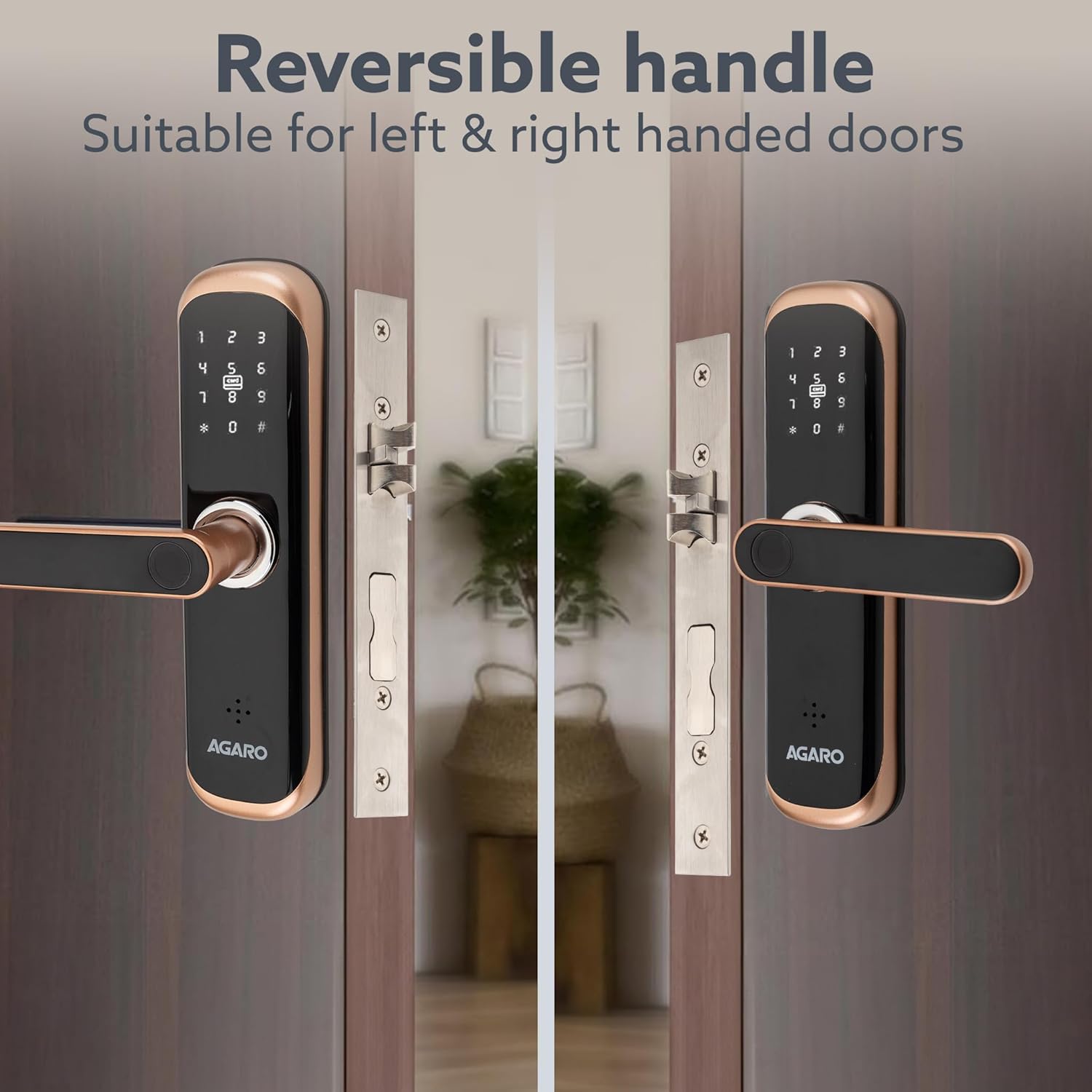
Image: The reversible handle design allows for installation on either left or right-handed doors.

Image: Visual guide for door compatibility, indicating suitability for single doors with inside or outside opening, but not for double doors.
4. Operating Instructions
The AGARO Grand Smart Door Lock offers multiple ways to unlock your door:
4.1 Fingerprint Access
- Registration: Follow the instructions in the SmartLife app or the lock's menu to register your fingerprints.
- Unlocking: Place your registered finger on the fingerprint sensor located on the handle. The lock will disengage upon successful recognition.
4.2 RFID Card Access
- Registration: Register the provided RFID cards through the SmartLife app or the lock's menu.
- Unlocking: Present a registered RFID card to the card reader area on the lock's front panel. The lock will disengage.
4.3 PIN Access
- Setting PIN: Set your desired PIN code via the SmartLife app or the lock's keypad menu.
- Unlocking: Enter your registered PIN code on the keypad and press '#' or the designated confirmation button. The lock will disengage.
4.4 App with Bluetooth Access
- Pairing: Download the SmartLife app on your smartphone. Enable Bluetooth and pair your device with the AGARO Grand Smart Door Lock following the in-app instructions.
- Unlocking: Open the SmartLife app, select your lock, and use the unlock function within the app.
4.5 Manual Key Access
- Unlocking: Insert the provided manual key into the keyhole, usually located at the bottom or front of the lock, and turn to unlock. This method is primarily for emergency use.

Image: Demonstrates the various convenient access options available with the smart lock.
5. Maintenance
To ensure the longevity and optimal performance of your AGARO Grand Smart Door Lock, follow these maintenance guidelines:
- Cleaning: Wipe the lock's surface with a soft, dry cloth. Avoid using abrasive cleaners, solvents, or harsh chemicals, as these can damage the finish and electronic components.
- Battery Replacement: The lock will provide a low battery warning. Replace batteries promptly to avoid operational issues.
- Emergency Power: If the batteries completely discharge, you can temporarily power the lock using a standard power bank connected to the emergency power port (usually a Micro-USB port) to gain access via fingerprint, PIN, or RFID card.
- Keyhole Maintenance: Keep the manual keyhole clean and free of debris. Do not lubricate with oil-based products, as this can attract dust.
6. Troubleshooting
Refer to the following common issues and their solutions:
- Lock Not Responding: Check battery levels. If batteries are low or dead, use the emergency power bank feature or the manual key.
- Fingerprint/RFID/PIN Not Recognized: Ensure your finger is clean and dry, the RFID card is correctly presented, or the PIN is entered accurately. Re-register if necessary.
- Wrong Password Alarm: The lock is equipped with a wrong password alarm feature. If multiple incorrect PIN attempts are made, the alarm may sound, and the lock may temporarily disable access. Wait for the lockout period to expire before trying again.
- App Connectivity Issues: Ensure Bluetooth is enabled on your smartphone and the lock. Restart the app or re-pair the device if connection problems persist.
- Auto-Lock Malfunction: Verify that the door sensor is clean and unobstructed. Check settings in the SmartLife app to ensure auto-lock is enabled and configured correctly.

Image: Overview of the lock's robust security features, including tamper and hack-proof design and wrong password alarm.
7. Specifications
| Feature | Detail |
|---|---|
| Brand | AGARO |
| Model Number | 34227 |
| Lock Type | Key Lock (Smart Door Lock) |
| Special Features | Fingerprint, RFID Card, Bluetooth Access |
| Connectivity Protocol | Bluetooth |
| Control Method | App, Fingerprint, RFID Card, PIN, Key |
| Material | Metal (Aluminum Alloy Body, Stainless Steel Mortise) |
| Item Dimensions (L x W x H) | 6 x 1 x 24 Centimeters |
| Item Weight | 1000 Grams |
| Recommended Uses | Home |
| Door Thickness Compatibility | 38-50 mm |
8. Warranty Information
The AGARO Grand Smart Door Lock comes with a 1-Year Warranty from the date of purchase. Please retain your purchase receipt as proof of warranty. The warranty covers manufacturing defects under normal use conditions. For detailed terms and conditions, please refer to the warranty card included in your package or contact customer support.
9. Support
For any assistance, technical support, or service inquiries regarding your AGARO Grand Smart Door Lock, please contact our customer care team:
- Phone: 9821486487
- Email: info@uclindia.com
Please have your product model number (34227) and purchase details ready when contacting support.

Image: Contact information for customer assistance.