
1. Product Overview
The FLYLINKTECH 8500mAh V11/V15 Battery Replacement is designed to provide extended power and reliable performance for your compatible Dyson V11 and V15 click-in cordless vacuum cleaners. This high-capacity lithium-ion battery features an advanced Smart Battery Management System (BMS) and multiple safety protections to ensure durability and safe operation.

Image 1.1: Internal view of the FLYLINKTECH 8500mAh V11/V15 battery, highlighting its high capacity and lithium-ion cell structure.
2. Compatibility
This replacement battery is specifically designed for Dyson V11 and V15 click-in models only. It is compatible with the following series and part numbers:
- Dyson V11 Series: SV15, SV16, SV17, SV22, SV28, SV29, SV47 (Absolute, Animal, Torque Drive, Outsize)
- Dyson V15 Detect Series
- Part Numbers: 970938-01, 970425-01
Important Note:
This battery is NOT compatible with Dyson V11 SV14 screw-in type models. Please verify your vacuum's battery attachment style (click-in button vs. screw-in) before installation by comparing it with the image below.

Image 2.1: Visual guide for identifying compatible Dyson V11 and V15 click-in battery models, contrasting with incompatible screw-in types.
3. Safety Information
Your safety is paramount. This battery incorporates advanced safety features. Please adhere to the following guidelines:
- Cool-Down Period: Battery heating after use is normal. To prolong battery life, allow the battery to cool down for 15-20 minutes before charging.
- Integrated Protections: The battery features an advanced chip control technology providing 10 major protections against:
- Moisture Protection
- Temperature Protection
- Transport Protection
- Power Protection
- Overvoltage Protection
- Overcharge Protection
- Short Circuit Protection
- Overcurrent Protection
- Overdischarge Protection
- Cell Protection
- Durability: Rigorously tested for over 1800 aging cycles, ensuring performance comparable to original products.
- Impact Resistance: An anti-collision cotton design between battery cells protects against shocks.
- Certifications: This product is fully certified with FCC, CE, and RoHS standards.

Image 3.1: Overview of the 10 safety protection features integrated into the battery design.
4. Installation (Setup)
The FLYLINKTECH V11/V15 battery replacement is designed for tool-free installation. Follow these simple steps:
- Step 1: Remove Old Battery
Press the red release button located on the bottom of your vacuum's existing battery. Slide the old battery out horizontally from the vacuum handle.
- Step 2: Align New Battery
Align the connector of the new FLYLINKTECH battery with the corresponding port on the vacuum handle. Ensure proper orientation.
- Step 3: Secure New Battery
Push the new battery firmly upward into the vacuum handle until it clicks securely into place. A distinct click indicates that the battery is properly seated and locked.

Image 4.1: Illustrated steps for the tool-free installation of the replacement battery.
5. Charging Instructions
After installation, ensure the battery is fully charged before first use. The battery can be charged using your existing Dyson V11/V15 wall-mount charger or other compatible charging methods.
- Connect your Dyson vacuum with the installed FLYLINKTECH battery to its original wall-mount charger.
- Alternatively, the battery can be charged directly using a compatible charging dock (if available for your model).
- Always allow the battery to cool down for 15-20 minutes after heavy use before initiating a charge cycle to optimize battery life.
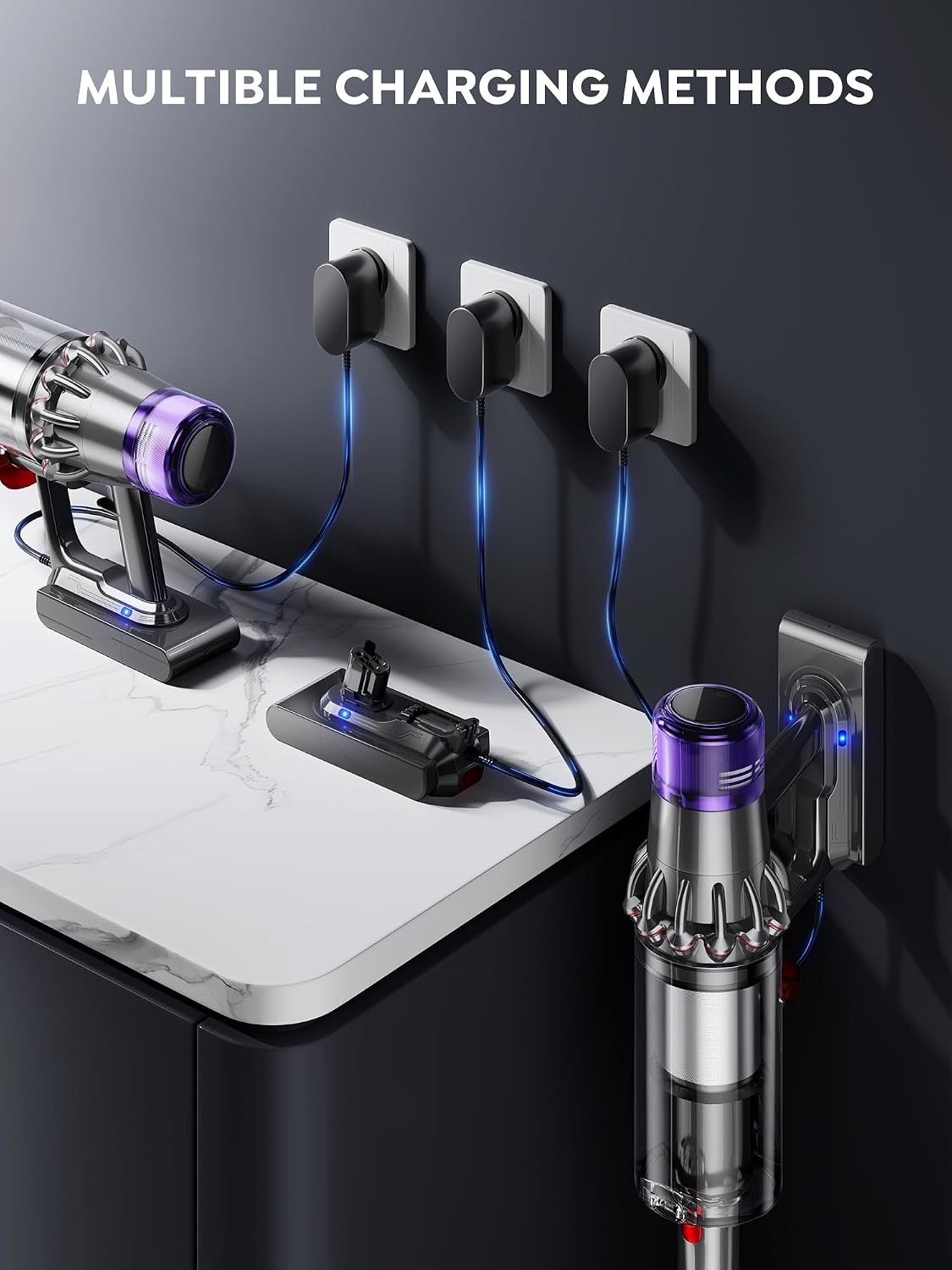
Image 5.1: Examples of multiple charging methods for the vacuum with the installed battery.
6. Maintenance
Proper maintenance ensures the longevity and optimal performance of your FLYLINKTECH battery and vacuum.
- Battery Care:
- Avoid fully discharging the battery frequently.
- Store the battery in a cool, dry place if not in use for extended periods.
- Always allow the battery to cool down before charging.
- Filter Maintenance:
The package includes 2 washable HEPA motor after-filters and a vacuum cleaner brush. Regular cleaning of filters is crucial for vacuum performance.
- Remove filters from the vacuum.
- Wash filters under cold running water until the water runs clear.
- Allow filters to air dry completely for at least 24 hours before reinserting them into the vacuum. Do not use a dryer or heat source.
- Use the provided brush to clean dust and debris from the battery and vacuum components.
- Battery Dust Cover: Use the included battery dust cover to protect the battery terminals and connections when the battery is stored separately or not in use.

Image 6.1: Illustration of the washable filters and cleaning brush included for maintenance.
7. Troubleshooting
If you encounter issues with your FLYLINKTECH V11/V15 battery, consider the following common solutions:
- Vacuum Not Powering On:
- Ensure the battery is fully and securely clicked into place. Remove and re-install the battery to confirm proper seating.
- Check if the battery has sufficient charge. Connect to the charger and observe charging indicators.
- Battery Not Charging:
- Verify that the charger is properly connected to a working power outlet and to the vacuum/battery.
- Ensure the battery has cooled down for 15-20 minutes after use before attempting to charge.
- Inspect the charging port and battery terminals for any obstructions or damage.
- Reduced Run Time:
- Ensure filters are clean and dry, as clogged filters can increase motor strain and reduce battery life.
- Confirm the battery is fully charged before use.
- Operating the vacuum in MAX mode will consume battery power faster than eco or standard modes.
If troubleshooting steps do not resolve the issue, please contact customer support for further assistance.
8. Specifications
| Feature | Specification |
|---|---|
| Model | V11/V15 |
| Capacity | 8500mAh |
| Battery Cell Type | Lithium Ion |
| Compatible Part Numbers | 970938-01, 970425-01 |
| Product Dimensions | 18 x 8 x 8 cm |
| Product Weight | 900 g |
| Certifications | FCC, CE, RoHS |
9. Warranty and Support
FLYLINKTECH stands behind the quality of its products.
- Warranty: All purchases include a 30-day return policy and a 365-day exchange warranty.
- Package Contents:
- 1 x FLYLINKTECH 8500mAh V11/V15 Battery
- 2 x Washable HEPA Filters
- 1 x Cleaning Brush
- 1 x Battery Dust Cover
- 1 x Instruction Manual (this document)
- Customer Support: For any questions, concerns, or warranty claims, please contact us via Amazon. Navigate to "My Account" > "Orders" > "Contact Us" for 24/7 support.