
1. Introduction
Welcome to your new Redmi A7 Pro 4G smartphone. This manual provides essential information for setting up, operating, maintaining, and troubleshooting your device. The Redmi A7 Pro 4G features a large 17.53cm (6.9-inch) 120Hz display, a powerful Octa-core processor, a 6300mAh battery, and an AI dual camera system, all within a slim design.
2. Setup
2.1 What's in the Box
- Redmi A7 Pro 4G Smartphone
- Charger
- USB Type-C Cable
- SIM Eject Tool
- Warranty Card
- User Guide
2.2 Device Overview
Familiarize yourself with the physical components of your Redmi A7 Pro 4G.
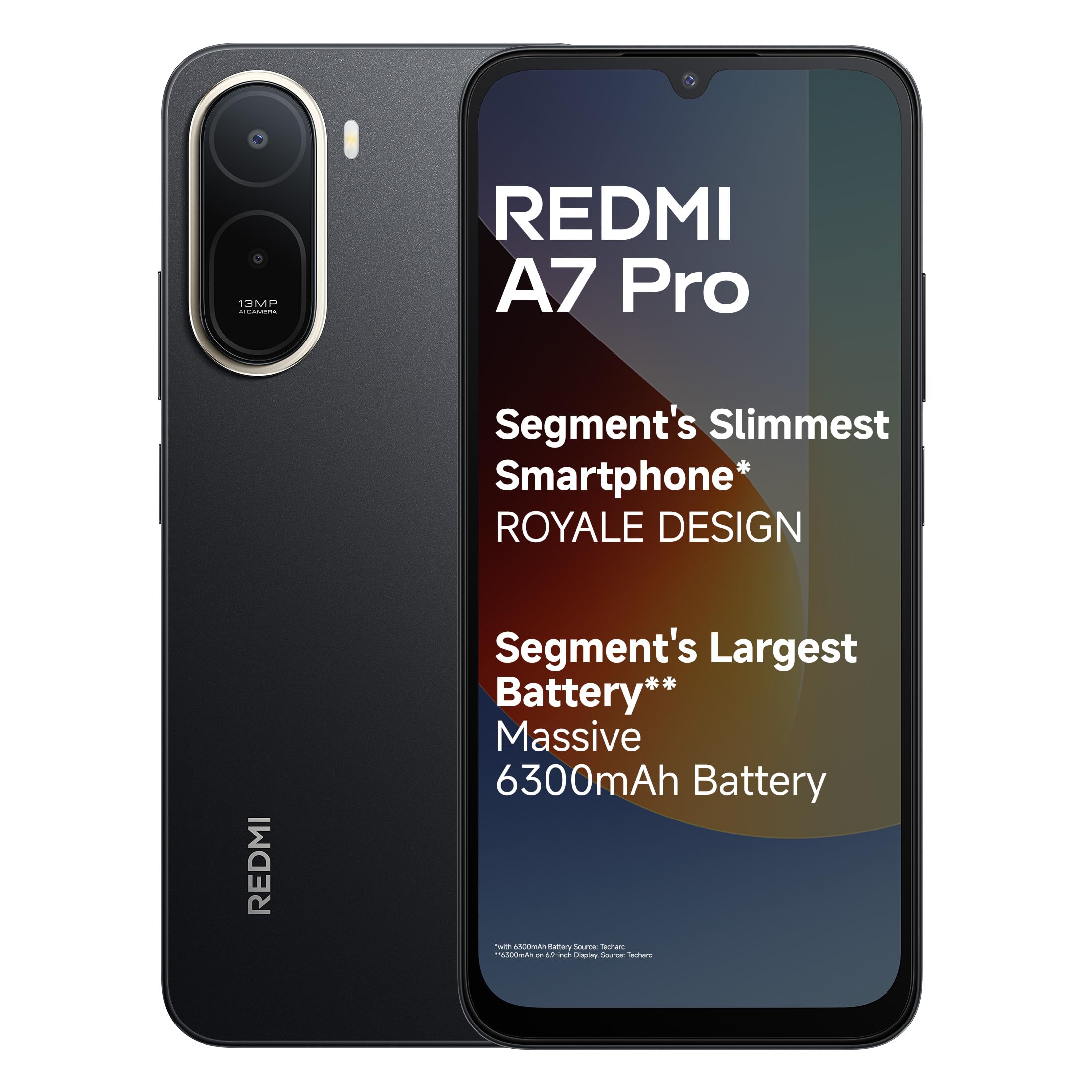
Figure 2.2.1: Rear view of the Redmi A7 Pro 4G smartphone, highlighting the camera module and sleek design.
2.3 SIM Card Installation
- Locate the SIM card tray on the side of your device.
- Insert the SIM eject tool into the small hole next to the tray and push gently until the tray pops out.
- Place your Nano-SIM card(s) and/or microSD card into the tray with the gold contacts facing down.
- Carefully reinsert the tray into the phone.
2.4 Initial Charge and Power On
- Connect the USB Type-C cable to your phone's charging port and the other end to the provided charger. Plug the charger into a power outlet.
- Allow the phone to charge for at least 30 minutes before first use.
- To power on, press and hold the Power button (usually on the right side) until the Redmi logo appears.
- Follow the on-screen instructions to complete the initial setup, including language selection, Wi-Fi connection, and Google account setup.
3. Operating Instructions
3.1 Display and Navigation
The Redmi A7 Pro 4G features a large 17.53cm (6.9-inch) display with a smooth 120Hz refresh rate for fluid scrolling and responsiveness.

Figure 3.1.1: The 17.53cm (6.9-inch) 120Hz display of the Redmi A7 Pro 4G.
- Touch Gestures: Tap to select, swipe to scroll, pinch to zoom.
- Adaptive Refresh Rate: The display automatically adjusts its refresh rate for optimal performance and battery efficiency.
- Wet Touch 2.0: Enhanced touch responsiveness even with wet hands.
3.2 Battery Management
Your device is equipped with a large 6300mAh battery, designed for extended usage.

Figure 3.2.1: Illustration of the 6300mAh battery and charging capabilities.
- 15W Quick Charging: Use the provided charger for fast charging.
- 7.5W Wired Reverse Charging: Your phone can charge other compatible devices using a USB-C to USB-C cable (sold separately).
- To optimize battery life, reduce screen brightness, disable unused features like Bluetooth or GPS, and close background applications.
3.3 Camera Features
Capture moments with the 13MP AI Dual Camera and 8MP Selfie Shooter.

Figure 3.3.1: The 13MP AI Dual Camera system.
- AI Dual Camera: The main camera system is tuned for enhanced imagery.
- 8MP Selfie Camera: For clear self-portraits and video calls.
- Ultra HD Mode: Captures clear, detailed shots that remain sharp even when zoomed in.
- Portrait Mode: Creates a natural background blur to keep the focus on your subject.
- AI Sky Scaping: Utilize AI for quick photo edits, such as enhancing skies.
3.4 Performance and Operating System
The Redmi A7 Pro 4G is powered by a powerful Octa-core processor and runs on Android 16 with Xiaomi HyperOS 3.

Figure 3.4.1: The powerful Octa-core processor for smooth performance.
- Octa-core Processor: Delivers smooth and stable performance for daily tasks and multitasking.
- Android 16 with HyperOS 3: Enjoy a smoother, smarter experience with seamless connectivity across Xiaomi devices.
- Updates: Up to 4 years of OS updates and 6 years of security patches.
3.5 Smart Features
Leverage integrated smart features for enhanced usability.

Figure 3.5.1: Google Gemini and Circle to Search functionalities.
- Google Gemini: An integrated AI assistant for various tasks.
- Circle to Search: Quickly search for information by circling objects on your screen.
3.6 Audio
Experience enhanced audio with boosted speakers.

Figure 3.6.1: Boosted speakers delivering 200% super volume.
- 200% Super Volume: Delivers louder and clearer sound for an immersive audio experience.
4. Maintenance
4.1 Cleaning Your Device
To keep your phone in optimal condition, regularly clean it with a soft, lint-free cloth. Avoid using harsh chemicals or abrasive materials.
4.2 Software Updates
Ensure your device's software is up to date to benefit from the latest features, security patches, and performance improvements. You can check for updates in Settings > About phone > MIUI version (or similar path).
4.3 Battery Care
To prolong battery lifespan, avoid extreme temperatures, do not let the battery completely drain frequently, and use the original charger.
4.4 Durability Features
The Redmi A7 Pro 4G is built for everyday life with several durability features.

Figure 4.4.1: Durability features including IP52 rating.
- IP52-rated: Provides protection against dust and splashing water.
- Side-mounted Fingerprint Sensor: For secure and convenient unlocking.
- Face Unlock: Another biometric security option for quick access.
5. Troubleshooting
This section addresses common issues you might encounter with your Redmi A7 Pro 4G.
5.1 Common Issues and Solutions
| Problem | Possible Solution |
|---|---|
| Device not turning on | Ensure the battery is charged. Connect to the charger for at least 15 minutes, then try powering on again. |
| Slow performance / Apps freezing | Close unused background apps. Clear cache from app settings. Restart the device. Ensure sufficient storage space. |
| Battery draining quickly | Reduce screen brightness. Disable Wi-Fi, Bluetooth, GPS when not in use. Check battery usage in settings to identify power-hungry apps. |
| Cannot connect to Wi-Fi | Restart your router and phone. Forget the network in phone settings and reconnect. Ensure correct password. |
5.2 Factory Reset
If persistent issues occur, a factory reset may be necessary. Warning: This will erase all data on your phone. Back up important data before proceeding. Navigate to Settings > System > Reset options > Erase all data (factory reset).
6. Specifications
Key technical specifications for the Redmi A7 Pro 4G smartphone.
| Feature | Detail |
|---|---|
| Brand | Redmi |
| Model | A7 Pro 4G |
| Operating System | Android 16 with Xiaomi HyperOS 3 |
| RAM Memory | 4 GB |
| Internal Storage | 64 GB |
| Screen Size | 17.53 Centimetres (6.9 inches) |
| Refresh Rate | 120 Hz |
| Display Type | LCD |
| Cellular Technology | 4G |
| Main Camera | 13 MP AI Dual Camera |
| Front Camera | 8 MP |
| Battery Capacity | 6300 Milliamp Hours |
| Charging | 15W Quick Charging, 7.5W Wired Reverse Charging |
| Connector Type | USB Type C |
| Weight | 210 Grams |
| Dimensions | 17.2 x 7.9 x 0.8 Centimeters |
| Durability | IP52-rated |
7. Warranty Information
The Redmi A7 Pro 4G comes with a 1-year manufacturer warranty for the device itself and a 6-month manufacturer warranty for in-box accessories, including batteries, from the date of purchase. Please retain your proof of purchase for warranty claims.
8. Support
For further assistance, technical support, or service inquiries, please refer to the following:
- Manufacturer: PADGET A-14 Sector 68 Noida Padget Electronics Pvt Ltd Uttar Pradesh – 201301, Xiaomi Technology India Pvt Ltd
- Importer: Xiaomi Technology India Private Limited, Building Orchid. Block E, Embassy Tech Village, Marathahalli Outer Ring Road, Devarabisanahalli, Bengaluru 560103
- Visit the official Redmi India website for support resources, FAQs, and service center locations.

Figure 8.1.1: Pan India Service commitment for Redmi products.


