
Introduction
This manual provides essential information and instructions for using your new REDMI A7 Pro 4G smartphone. Please read this guide thoroughly to ensure proper operation and to maximize your device's features. Keep this manual for future reference.
1. Initial Setup
1.1 Unboxing and Package Contents
Carefully unpack your REDMI A7 Pro 4G. The package should contain the following items:
- REDMI A7 Pro 4G Smartphone
- Charger
- USB Type-C Cable
- SIM Eject Tool
- Warranty Card
- User Guide (this manual)
1.2 Inserting SIM Card and Powering On
- Locate the SIM card tray on the side of your device.
- Insert the SIM eject tool into the small hole next to the tray and gently push until the tray pops out.
- Place your Nano-SIM card(s) into the tray with the gold contacts facing down. Ensure proper orientation.
- Carefully reinsert the SIM tray into the phone.
- Press and hold the Power button (usually on the right side) until the REDMI logo appears to turn on your device.
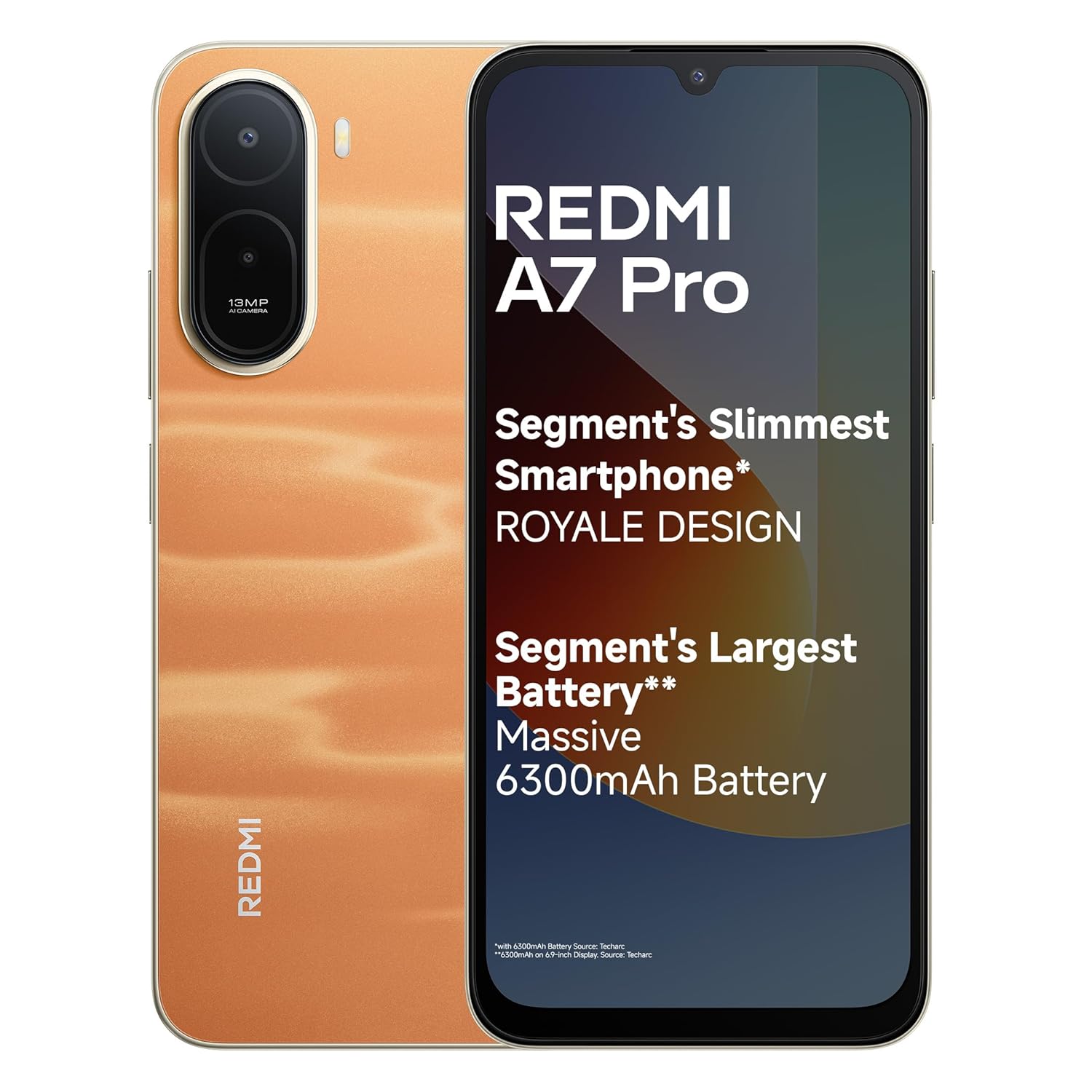
Image: The REDMI A7 Pro 4G smartphone in Sunset Orange, showcasing its design.
1.3 Initial Device Configuration
Follow the on-screen prompts to complete the initial setup:
- Select your language and region.
- Connect to a Wi-Fi network.
- Sign in with your Google account or create a new one.
- Set up screen lock (PIN, pattern, password, fingerprint, face unlock).
- Review and accept terms and conditions.
1.4 Charging the Battery
Before first use, fully charge your device. Use the provided charger and USB Type-C cable.
- Connect the USB cable to the charger and the other end to your phone's USB-C port.
- Plug the charger into a power outlet.
- The phone supports 15W Quick Charging for faster power-ups and 7.5W Wired Reverse Charging to share power with other devices.

Image: Illustration of the REDMI A7 Pro 4G's 6300mAh battery and charging capabilities.
2. Operating Your REDMI A7 Pro 4G
2.1 Display Features
Your REDMI A7 Pro 4G features a large and smooth display:
- Size: 17.53cm (6.9-inch) Massive Display for immersive viewing.
- Refresh Rate: 120Hz Adaptive Refresh Rate for smoother scrolling and animations.
- Certification: Triple TUV Certification for eye comfort.
- Wet Touch 2.0: Enhanced touch responsiveness even with wet hands.

Image: The large 17.53cm (6.9-inch) 120Hz display of the REDMI A7 Pro 4G.
2.2 Performance and Software
The REDMI A7 Pro 4G is powered by a robust processor and runs on the latest Android version:
- Processor: Powerful Octa-core Processor for smooth and stable performance.
- Operating System: Android 16 with Xiaomi HyperOS3.
- Software Updates: Up to 4 years of OS updates and 6 years of security patches.
- HyperOS Features: Experience seamless connectivity with features like HyperIsland, Call Sync, Shared Clipboard, and Network Sync across your Xiaomi devices.

Image: Visual representation of the Octa-core processor within the REDMI A7 Pro 4G.

Image: Overview of Xiaomi HyperOS3 features including HyperIsland, Call Sync, Shared Clipboard, and Network Sync.
2.3 Camera Functions
Capture moments with the REDMI A7 Pro 4G's camera system:
- Rear Camera: 13MP AI Dual Camera, tuned for India imagery.
- Front Camera: 8MP Selfie Shooter.
- Ultra HD Mode: For clear, detailed shots that remain sharp even when zoomed in.
- Portrait Mode: Creates natural background blur to keep the focus on your subject.
- AI Sky Scaping: Quick AI edits to enhance sky in photos.

Image: Close-up of the REDMI A7 Pro 4G's camera module, highlighting the 13MP AI Dual Camera and 8MP Selfie Camera.

Image: Examples of photos taken using Ultra HD Mode and Portrait Mode on the REDMI A7 Pro 4G.

Image: Demonstration of the AI Sky Scaping feature, showing a before and after comparison of a sky in a photo.
2.4 Audio
Experience enhanced audio with the REDMI A7 Pro 4G:
- Boosted Speakers: With 200% Super Volume, the device delivers louder, clearer sound.

Image: The REDMI A7 Pro 4G showcasing its boosted speakers for enhanced audio output.
2.5 Security Features
Secure your device and data with multiple unlocking options:
- Side-mounted Fingerprint Sensor: Convenient and quick unlocking.
- Face Unlock: Unlock your device using facial recognition.
2.6 Smart AI Assistant
Leverage intelligent features for daily tasks:
- Google Gemini: Integrated AI assistant for various tasks.
- Circle to Search: Quickly search for information by circling items on your screen.

Image: Demonstration of Google Gemini and Circle to Search features on the REDMI A7 Pro 4G.
3. Maintenance and Care
3.1 Cleaning Your Device
- Use a soft, lint-free cloth to wipe the screen and body.
- Avoid using harsh chemicals, abrasive cleaners, or aerosol sprays.
- Do not expose the device to excessive moisture.
3.2 Software Updates
Regularly check for and install software updates to ensure optimal performance and security. Your device is guaranteed up to 4 years of OS updates and 6 years of security patches.
- Go to Settings > About phone > System update to check for updates.
3.3 Battery Care
- Avoid extreme temperatures, which can degrade battery life.
- For optimal battery longevity, avoid frequently draining the battery completely or charging it to 100% for extended periods.
- The 6300mAh battery is designed for up to 1000 charge cycles, maintaining good capacity over time.
3.4 Device Durability
The REDMI A7 Pro 4G is built for everyday life:
- IP52-rated: Provides protection against dust and splashing water.
- The device has endured over 40,000 tests for reliability.

Image: Visual highlighting the IP52 rating and durability of the REDMI A7 Pro 4G.
4. Troubleshooting Common Issues
4.1 Device Not Responding
- If your device becomes unresponsive, press and hold the Power button for about 10-15 seconds to force a restart.
4.2 Slow Performance or App Crashes
- Close unused applications running in the background.
- Clear cache for problematic apps (Settings > Apps > [App Name] > Storage > Clear cache).
- Ensure your device software is up to date.
- If issues persist, consider a factory reset (Settings > System > Reset options > Erase all data (factory reset)). Warning: This will erase all data on your phone. Back up important data first.
4.3 Battery Draining Quickly
- Check battery usage in Settings > Battery to identify power-hungry apps.
- Reduce screen brightness and disable unnecessary features like GPS, Bluetooth, or Wi-Fi when not in use.
- Enable battery saver mode.
4.4 Network Connectivity Issues
- Toggle Airplane Mode on and off.
- Restart your device.
- Reset network settings (Settings > System > Reset options > Reset Wi-Fi, mobile & Bluetooth).
- Ensure your SIM card is correctly inserted and active.
5. Product Specifications
| Feature | Specification |
|---|---|
| Brand | Redmi |
| Model Name | REDMI A7 Pro |
| Operating System | Android 16 with Xiaomi HyperOS3 |
| RAM Memory Installed Size | 4 GB |
| Memory Storage Capacity | 64 GB |
| Colour | Sunset Orange (variant shown) |
| Display Type | LCD |
| Display Size | 17.53cm (6.9-inch) |
| Display Refresh Rate | 120Hz Adaptive |
| Battery Capacity | 6300 mAh |
| Charging | 15W Quick Charge, 7.5W Wired Reverse Charging |
| Rear Camera | 13MP AI Dual Camera |
| Front Camera | 8MP Selfie Shooter |
| Cellular Technology | 4G |
| Connector Type | USB Type C |
| Item Weight | 210 Grams |
| Item Dimensions (L x W x H) | 17.2 x 7.9 x 0.8 Centimeters |
| Durability | IP52-rated |
6. Warranty and Support
6.1 Warranty Information
Your REDMI A7 Pro 4G comes with the following warranty:
- Device: 1 year manufacturer warranty from the date of purchase.
- In-box Accessories: 6 months manufacturer warranty for accessories, including batteries, from the date of purchase.
Please retain your proof of purchase for warranty claims.
6.2 Customer Support
For technical assistance, service, or further inquiries, please contact Redmi customer support. The REDMI A7 Pro 4G benefits from Pan India Service, offering complete peace of mind with industry-leading repair turnaround times and affordable repair options.

Image: Information on Redmi's Pan India Service, highlighting efficient and affordable repair services.
Manufacturer: PADGET A-14 Sector 68 Noida Padget Electronics Pvt Ltd Uttar Pradesh – 201301, Xiaomi Technology India Pvt Ltd
Importer: Xiaomi Technology India Private Limited, Building Orchid. Block E, Embassy Tech Village, Marathahalli Outer Ring Road, Devarabisanahalli, Bengaluru 560103
For more information, visit the official Redmi Store.


