
Introduction
This manual provides detailed instructions for the safe and efficient operation, setup, and maintenance of your SOOPYK LYCZ628B1 4-in-1 Water Cooler Dispenser with Ice Maker. Please read all instructions carefully before use and retain this manual for future reference.
Important Safety Information
- Ensure the appliance is placed on a stable, level surface away from direct sunlight and heat sources.
- Do not immerse the appliance, cord, or plug in water or other liquids.
- Always unplug the dispenser before cleaning or performing any maintenance.
- The hot water function includes a Child Safety Lock to prevent accidental burns. Always engage this lock when not in use, especially in households with children.
- Use only bottled water suitable for water dispensers.
- Do not block ventilation openings.
Setup
Unpacking and Placement
Carefully remove the dispenser from its packaging. Place the unit upright on a firm, level surface. Ensure there is adequate space around the unit for proper ventilation. The dispenser measures approximately 17"D x 13"W x 40.5"H.

Image: SOOPYK water cooler dispenser with its dimensions clearly indicated.
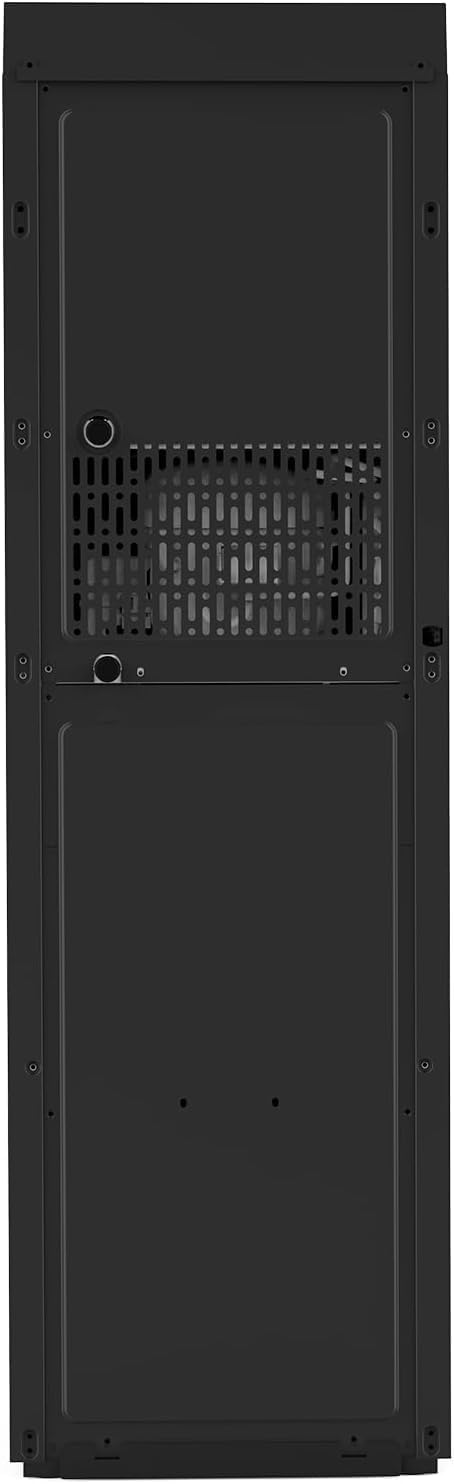
Image: Rear view of the dispenser, highlighting the ventilation and connection points.
Water Bottle Installation (Bottom Load)
- Open the bottom cabinet door.
- Place a standard 3-5 gallon water bottle inside the cabinet.
- Insert the water probe into the bottle opening. Ensure it is securely seated.
- Close the cabinet door.
Initial Cleaning and Power Connection
Before first use, it is recommended to perform a self-cleaning cycle (refer to the Maintenance section). After cleaning, plug the dispenser into a grounded electrical outlet. Allow the unit to stand for at least 30 minutes before turning on the heating or cooling functions to allow refrigerants to settle.
Video: A demonstration of how to use the SOOPYK water cooler dispenser, including initial setup and dispensing functions.
Operating Instructions
Control Panel Overview
The dispenser features a touch screen control panel for various functions.

Image: Close-up of the touch screen control panel, showing options for hot, fresh, cold water, and ice cubes.
Dispensing Water (Hot, Cold, Room Temperature)
- Hot Water: Press the hot water button. For safety, this button is equipped with a child safety lock. Press and hold the child safety lock button, then press the hot water button to dispense. Hot water temperature is approximately 205°F (95°C).
- Cold Water: Press the cold water button. Cold water temperature is approximately 45°F (6°C). The cold water function can be turned on by clicking its power button. When two blue lights are illuminated, the cold water is ready.
- Room Temperature Water: Press the fresh water button to dispense room temperature water.
Ice Making Function
The built-in bullet ice maker automatically transfers water to produce ice. It can produce 9 pieces of bullet ice per cycle, with a daily capacity of up to 22 lbs. The ice storage capacity is 0.88 lbs. The machine will beep and stop making ice when the ice bin is full. Note: The dispenser does not keep ice frozen; it is designed for immediate use.
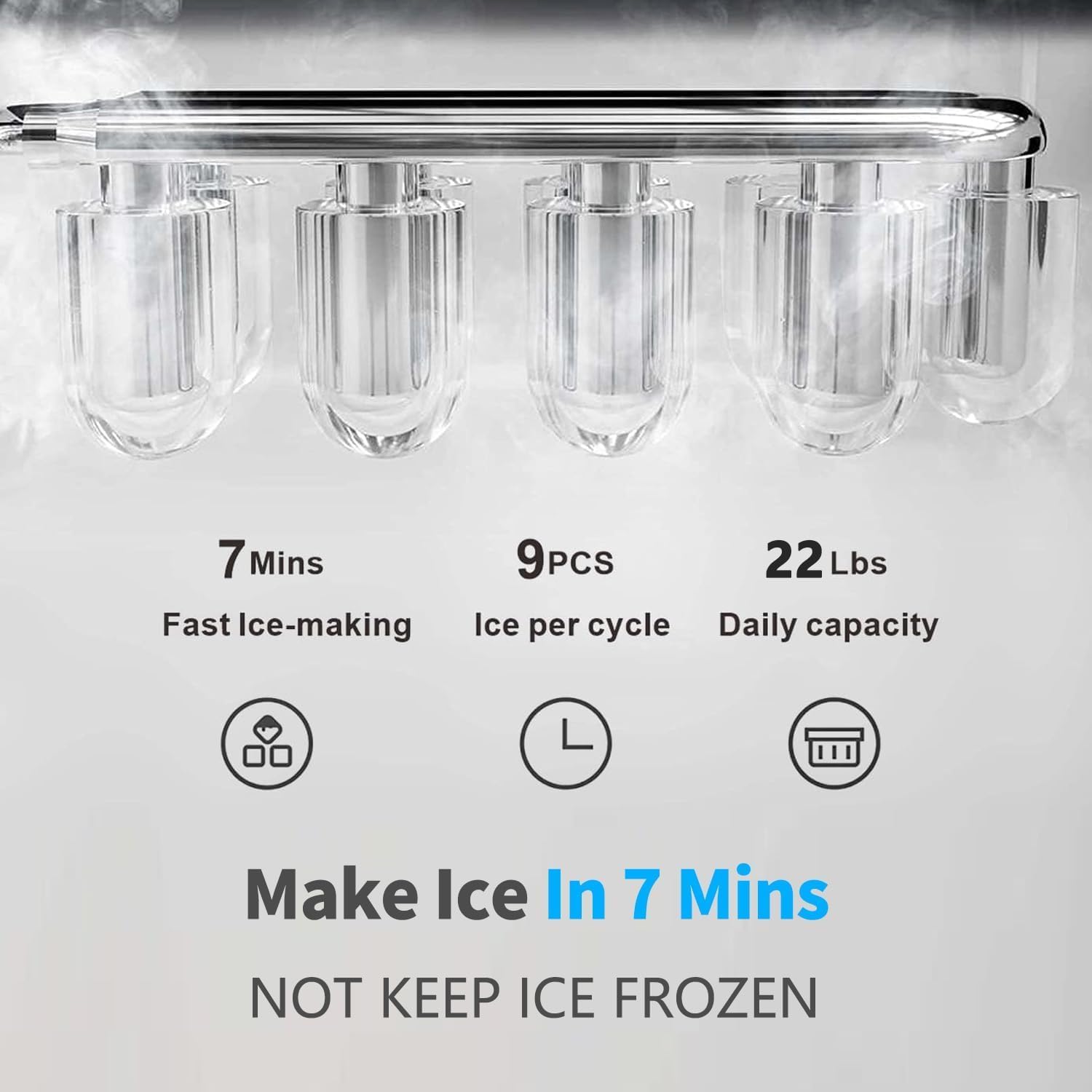
Image: Details on ice production, showing 7 minutes for fast ice making, 9 pieces per cycle, and 22 lbs daily capacity.
ECO Mode
To conserve energy, activate the ECO mode. When ECO mode is on, the machine will stop making hot water at night. Press the energy saving button to turn on ECO mode. Press and hold the ECO button for 3 seconds to turn it off.
Empty Bottle Alert
The empty bottle indicator alerts you when the water bottle needs replacement. The indicator is controlled by the PCB program for accurate water level detection. When the bottle is empty, the indicator may not light up immediately; it depends on the cold water tank's water level. If the bottle is empty, wait approximately 7 minutes and check if the Empty Indicator is on.
Night Light Feature
The dispenser includes a night light feature for convenience in low-light conditions.

Image: The dispenser illuminated by its night light in a dark setting.
Video: An overview of the SOOPYK water cooler with ice maker, demonstrating its various functions and features.
Maintenance
Self-Cleaning Function
The dispenser features a self-cleaning function to maintain hygiene. To activate:
- Press and hold the power button to turn off the machine.
- Press and hold the ice-making button for 3 seconds.
- The ice indicator will blink, and the power light will remain on, indicating the self-cleaning cycle has started.
- The machine will automatically shut off after approximately 10 minutes upon completion of the cycle.

Image: Internal components of the dispenser, showing the UV lamp for enhanced cleaning.
Drip Tray Cleaning
The removable drip tray should be cleaned regularly to prevent spills and maintain hygiene. Simply slide out the tray, empty any collected water, wash with mild soap and water, rinse thoroughly, and replace.
General Cleaning
Wipe the exterior of the dispenser with a soft, damp cloth. Do not use abrasive cleaners or solvents.
Troubleshooting
| Problem | Possible Cause | Solution |
|---|---|---|
| No water dispensing | Water bottle empty or not properly installed. | Check water bottle level and ensure it is correctly seated with the probe. Wait for the 'Empty Bottle Alert' if applicable. |
| No hot/cold water | Heating/cooling function not activated or recently turned on. | Ensure the hot/cold power buttons are on. Allow sufficient time for water to reach desired temperature (lights will indicate readiness). |
| No ice production | Ice bin full, water bottle empty, or ice making function not activated. | Check ice bin, replace water bottle if empty, and ensure the ice making function is turned on. |
| Unusual noise | Normal operation sounds (compressor, water pump) or unit not level. | Ensure the unit is on a level surface. If noise is excessive or unusual, contact customer support. |
Specifications
- Brand: SOOPYK
- Model Number: LYCZ628B1
- Product Dimensions: 17"D x 13"W x 40.5"H
- Water Temperatures: Hot (approx. 205°F / 95°C), Cold (approx. 45°F / 6°C), Room Temperature
- Ice Type: Bullet Ice
- Ice Production Capacity: Up to 22 lbs per day
- Ice Storage Capacity: 0.88 lbs
- Features: Self-Cleaning, Child Safety Lock, ECO Mode, Empty Bottle Alert, Stainless Steel Weld Tank
Warranty and Support
For extended protection, various plans are available for purchase. These include:
- 4-Year Protection Plan: One-time payment of $52.99.
- Complete Protect: Monthly billing at $16.99, covering eligible past and future purchases.
For product support or inquiries, please refer to the contact information provided at the point of purchase or visit the official SOOPYK website.

