
1. Product Overview
The OPPO F33 5G is a high-performance smartphone designed for seamless communication, photography, and productivity. It features a 50MP AI Camera, a long-lasting 7000mAh battery with 80W fast charging, and a durable design.
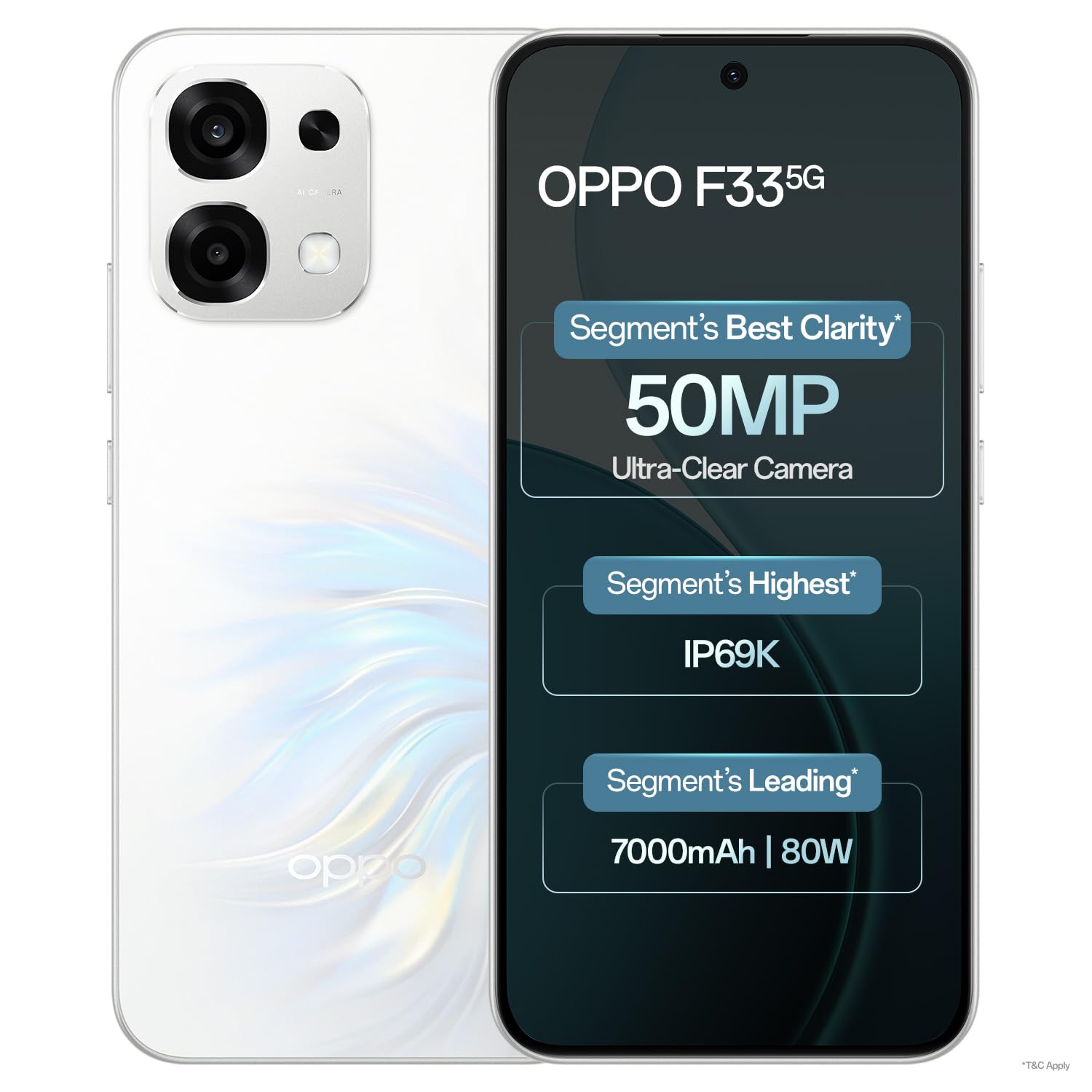
Image: Front view of the OPPO F33 5G Smartphone in Pearl White.

Image: Back view of the OPPO F33 5G Smartphone in Pearl White, showcasing the camera module.
2. Setup Guide
2.1. Package Contents
Before you begin, ensure all items are present in the box:
- OPPO F33 5G Smartphone
- Phone Case
- Power Adapter (80W SUPERVOOC)
- Quick Start Guide
- SIM Tray Ejector
- Screen Protector (pre-applied or in box)
2.2. Inserting SIM Cards
- Locate the SIM card tray on the side of the phone.
- Insert the SIM tray ejector tool into the small hole next to the tray and press gently until the tray pops out.
- Place your Nano-SIM cards into the designated slots on the tray. This device supports Dual SIM functionality.
- Carefully reinsert the SIM tray into the phone.
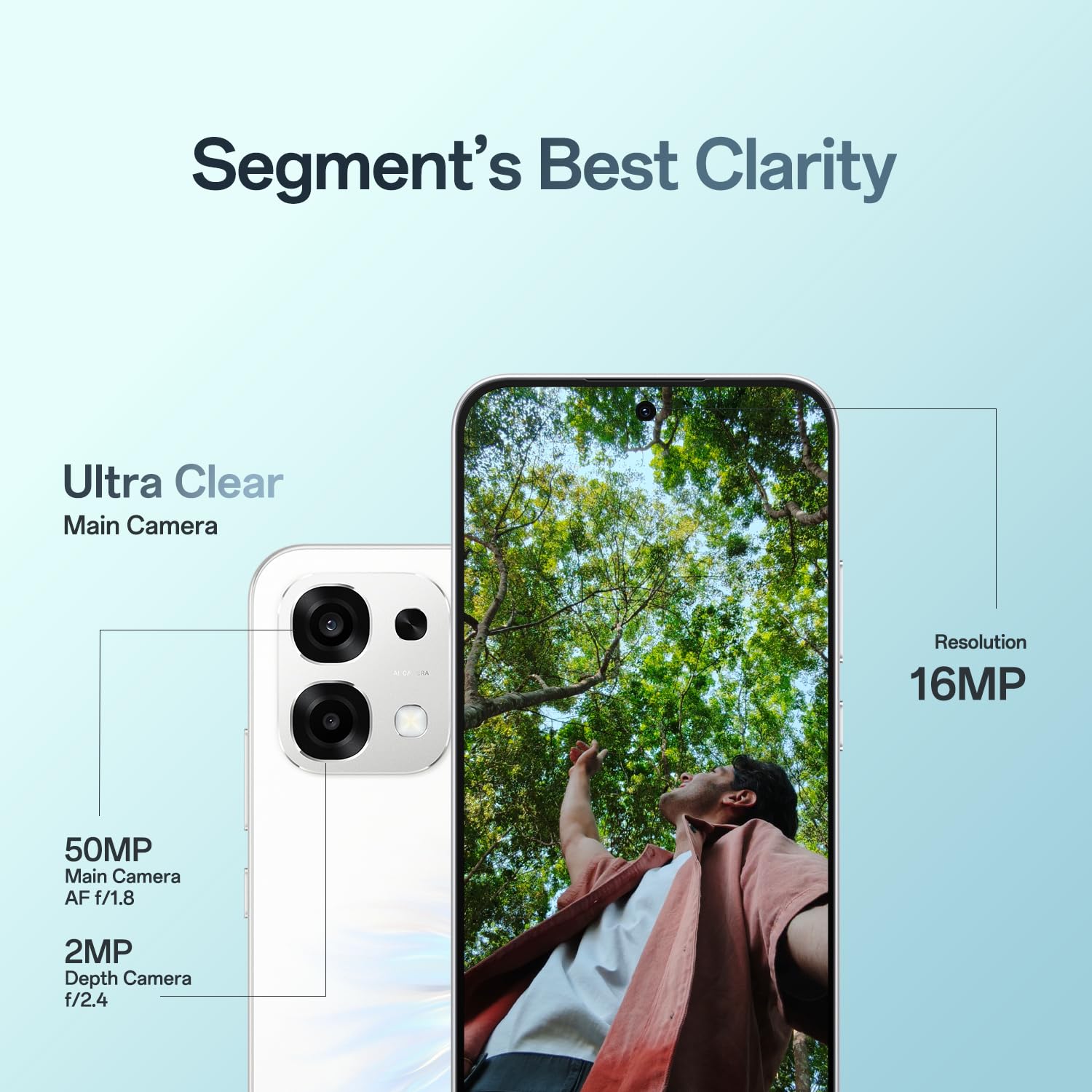
Image: Side view of the OPPO F33 5G Smartphone, showing the SIM card tray location.
2.3. Initial Charging and Power On
- Connect the provided Power Adapter to the USB Type-C port at the bottom of the phone.
- Plug the adapter into a power outlet. The phone will begin charging.
- Once sufficiently charged, press and hold the Power button (usually on the right side) until the OPPO logo appears on the screen.
- Follow the on-screen instructions to complete the initial setup, including language selection, Wi-Fi connection, and Google account setup.
3. Operating Instructions
3.1. Camera Features
The OPPO F33 5G is equipped with a versatile camera system:
- 50MP AI Main Camera: Captures high-resolution images with AI enhancements for optimal clarity and color.
- 16MP Front Camera: Designed for clear selfies and video calls.
- AI Pop Out: An AI feature that allows you to isolate subjects from backgrounds in photos.
- AI Portrait Glow: Enhances portrait photos with improved lighting and skin tones.
- AI Eraser 2.0: Enables removal of unwanted objects or people from your photos.

Image: Diagram illustrating the 50MP main camera and 16MP front camera resolution.

Image: Visual demonstration of the AI Pop Out feature, showing how subjects can be extracted from backgrounds.
3.2. Battery and Charging
The device features a 7000mAh battery and supports 80W SUPERVOOC Fast Charging.
- Use only the provided 80W Power Adapter and cable for optimal charging speed and safety.
- A 5-minute charge can provide approximately 1 hour of WhatsApp video calls or 1.6 hours of Instagram browsing.

Image: Information on the 7000mAh battery and 80W Flash Charge capabilities, including usage estimates.
3.3. Performance and Software
The OPPO F33 5G runs on Android 15 with ColorOS 16, offering a smooth user experience.
- Dual-Engine Smoothness System: Optimized for lag-free operation, minimizing delays, screen flicker, crashes, screen jumps, and freezes.
- Cooling System: Features a High-Performance 4289mm² VC Cooling System to maintain optimal temperature during heavy usage.
- AI Features: Includes AI Writer for drafting and AI Ultra-clear Document for organizing and digitizing documents.

Image: Graphic detailing the benefits of the Dual-Engine Smoothness System powered by ColorOS 16.

Image: Illustration of the High-Performance VC Cooling System designed for heat dissipation.

Image: Demonstration of AI Writer for drafting and AI Ultra-clear Document for digitizing paper documents.
3.4. Connectivity
The device supports 5G cellular technology, Bluetooth, and Wi-Fi for robust connectivity.
- Ensure your SIM cards are 5G compatible for optimal network speeds.
- Connect to Wi-Fi networks for internet access and Bluetooth devices for wireless peripherals.

Image: Visual representation of the phone maintaining strong signal in challenging environments like elevators, hills, and narrow lanes.
4. Maintenance
4.1. Durability Features
The OPPO F33 5G is built with enhanced durability:
- Military-Grade Shock Resistance: Tested to MIL-STD 810H standards for protection against accidental drops and impacts.
- 360° Armour Body: Provides comprehensive protection for the device.
- IP69K Water and Dust Resistance: Offers high-level protection against water and dust ingress.

Image: Visual highlighting the 360° Armour Body and Military-Grade Shock Resistance features of the phone.

Image: Demonstration of the phone's IP69K water and dust resistance, showing it being used in wet conditions.
4.2. Cleaning Your Device
To keep your phone in optimal condition:
- Use a soft, lint-free cloth to wipe the screen and body.
- Avoid using harsh chemicals, abrasive materials, or aerosol sprays.
- Ensure all ports are dry before charging or connecting accessories.
5. Troubleshooting
If you encounter issues with your OPPO F33 5G, try the following common solutions:
- Device Not Responding: Press and hold the Power button for about 10-15 seconds to force a restart.
- Charging Issues: Ensure the charging cable and adapter are securely connected and undamaged. Try a different power outlet.
- Network Problems: Check if SIM cards are correctly inserted. Try toggling Airplane Mode on and off. If issues persist, contact your network provider.
- App Malfunctions: Close and reopen the app. If the problem continues, clear the app's cache or reinstall it.
- Software Updates: Ensure your device is running the latest software version. Go to Settings > About Phone > Software Update.
For more complex issues, refer to the support section for contact information.
6. Specifications
| Feature | Detail |
|---|---|
| Brand | OPPO |
| Model | F33 5G |
| Operating System | Android 15 (ColorOS 16) |
| RAM | 8 GB |
| Storage | 256 GB |
| CPU | 6-core ARM Cortex-A78AE v8.2, 3.4 GHz |
| Battery Capacity | 7000 mAh |
| Charging | 80W SUPERVOOC Fast Charging |
| Main Camera | 50MP AI Camera |
| Front Camera | 16MP |
| Display Type | AMOLED |
| Display Size | 6.57-inch Flat Screen |
| Dimensions | 16.3 x 7.8 x 0.8 Centimeters |
| Weight | 204 Grams |
| Connectivity | 5G, Bluetooth, Wi-Fi, Dual SIM |
| Durability | Military-Grade Shock Resistance, IP69K Water and Dust Resistance |
| Color (Current Variant) | Pearl White |
| Box Contents | Phone Case, Power Adapter, Quick Start Guide, SIM Tray Ejector, Screen Protector |
7. Warranty Information
The OPPO F33 5G Smartphone comes with the following warranty:
- Handset: 12 Months
- Adapter & Cable: 6 Months
Please retain your proof of purchase for warranty claims. The warranty covers manufacturing defects and does not cover damage caused by misuse, accidents, or unauthorized repairs.
8. Customer Support
For further assistance, please contact OPPO customer support:
- Hotline: 18001032777 (Available 9:00 - 22:00, Monday - Sunday, including holidays)
- WhatsApp: +91-9871 502777
- Authorized Service Centers: Over 580 service centers available nationwide for repairs, software updates, service inquiries, and device diagnosis.

Image: Overview of OPPO's customer support services, including contact numbers and service center information.