
Introduction
Thank you for choosing the JOBEAR M9 Cordless Vacuum Cleaner. This manual provides essential information for the safe and efficient operation, maintenance, and troubleshooting of your new vacuum cleaner. Please read it thoroughly before first use and keep it for future reference.
Important Safety Instructions
When using an electrical appliance, basic precautions should always be followed, including the following:
- Read all instructions before using this appliance.
- Do not use outdoors or on wet surfaces.
- Do not allow to be used as a toy. Close attention is necessary when used by or near children.
- Use only as described in this manual. Use only manufacturer's recommended attachments.
- Do not use with damaged cord or plug. If appliance is not working as it should, has been dropped, damaged, left outdoors, or dropped into water, return it to a service center.
- Do not pull or carry by cord, use cord as a handle, close a door on cord, or pull cord around sharp edges or corners. Do not run appliance over cord. Keep cord away from heated surfaces.
- Do not unplug by pulling on cord. To unplug, grasp the plug, not the cord.
- Do not handle plug or appliance with wet hands.
- Do not put any object into openings. Do not use with any opening blocked; keep free of dust, lint, hair, and anything that may reduce airflow.
- Keep hair, loose clothing, fingers, and all parts of body away from openings and moving parts.
- Do not pick up anything that is burning or smoking, such as cigarettes, matches, or hot ashes.
- Do not use to pick up flammable or combustible liquids, such as gasoline, or use in areas where they may be present.
- Do not pick up toxic material, such as chlorine bleach, ammonia, or drain cleaner.
- Do not use without dust cup and/or filters in place.
- Turn off all controls before unplugging.
- Use extra care when cleaning on stairs.
- Store indoors.
- Use only the original charger for charging.
- Always use the vacuum cleaner with the battery attached.
Package Contents
Please check the package contents to ensure all items are present:
- 650W 60KPA Cordless Vacuum Unit
- 4000mAh Battery & Charger
- Extra HEPA Filter & Sponge
- Telescopic Tube
- User Manual
- Quick User Manual
- Wall Mount Plate
- 2-in-1 Brush
- Long Crevice Nozzle
Product Overview
The JOBEAR M9 Cordless Vacuum Cleaner is designed for efficient whole-home cleaning with advanced features.
Powerful Suction and Motor
Equipped with an upgraded 650W brushless motor, the M9 delivers powerful suction up to 60 KPA. It features a one-touch switch for three cleaning modes, effectively capturing pet hair, micro dust, and debris from various surfaces.

Image: The JOBEAR M9 Cordless Vacuum Cleaner demonstrating its 650W and 60KPA super suction on a hard floor.

Image: Detailed view of the 650W upgraded motor, highlighting its power.
Extended Battery Life
The M9 features a 6 x 4000mAh rechargeable battery pack, providing up to 70 minutes of usage time in the lowest suction mode. This allows for comprehensive cleaning of large areas on a single charge. The battery is removable for convenient charging and replacement.

Image: Illustration of the 6x4000mAh battery pack and its long runtime capability.
Tangle-Free Brush Head with LED Lights
The V-shaped spiral brush head combines soft and stiff bristles to create a dual anti-tangle system, effectively reducing hair tangling. Six wide-angle LED green lights illuminate dark areas, making hidden dust visible.

Image: Exploded view of the anti-tangle floor brush, showing its internal design.

Image: The brush head with LED green lights highlighting dust particles on the floor.
Self-Standing Design and Smart LED Display
The self-standing design allows the vacuum to stand upright independently, offering convenience during cleaning breaks. An adjustable telescopic wand accommodates users of various heights. The smart LED screen provides real-time status alerts for charging, clogging, and dust cup fullness.
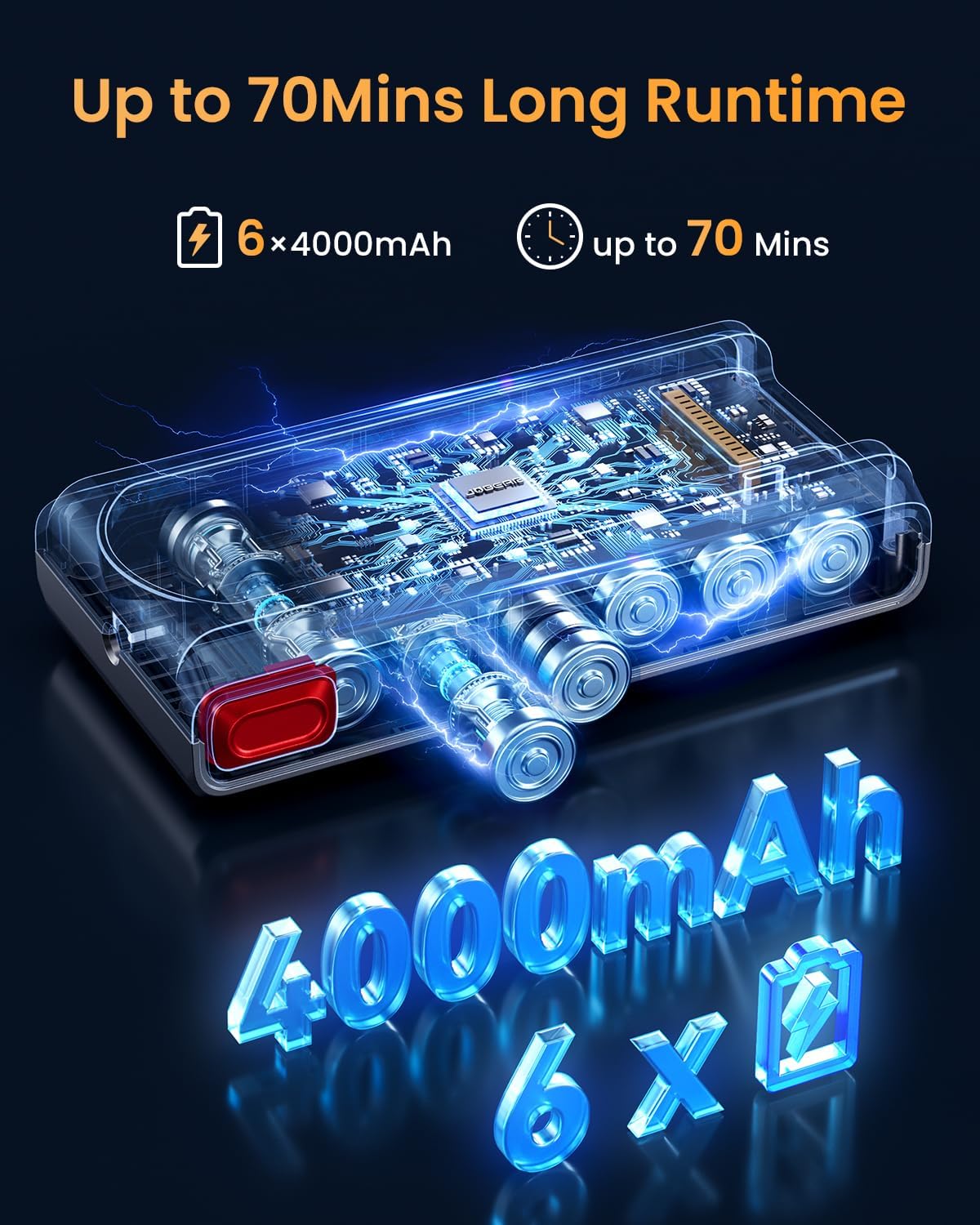
Image: The vacuum cleaner standing independently in a living room setting.

Image: The all-in-one LED display showing operational status and alerts.
Large Dust Cup and Advanced Filtration
A 1.8L large dust cup minimizes the need for frequent emptying. The 8-layer precision filtration system, with multi-cyclone separation technology, captures 99.99% of microscopic particles and expels clean air, preventing secondary pollution.

Image: Demonstrating the easy emptying of the 1.8L large dust cup.

Image: Diagram illustrating the 8-stage filtration system and clean air output.
Setup
Assembly
- Unpack all components from the box.
- Attach the telescopic tube to the main vacuum unit until it clicks into place.
- Connect the floor brush head to the other end of the telescopic tube.
- Ensure the battery pack is securely inserted into the main unit.
Charging the Battery
Before first use, fully charge the battery. The battery can be charged while attached to the vacuum or separately.
- Connect the original charger to a power outlet.
- Plug the charger into the charging port on the battery or the wall-mounted charging dock.
- The LED display will indicate charging status. A full charge takes approximately 4 hours.
Wall Mount Installation
The included wall mount plate allows for convenient storage and charging.
- Choose a suitable location near a power outlet.
- Secure the wall mount plate to the wall using appropriate screws and anchors (not included).
- Hang the vacuum cleaner on the wall mount for storage and charging.
Operating Instructions
Power On/Off and Suction Modes
- To power on, press the power button on the main unit.
- Press the mode button to cycle through the three suction modes: Low, Medium, and Max. The LED display will show the current mode.
- To power off, press the power button again.
Using Attachments
The vacuum comes with various attachments for different cleaning needs:
- 2-in-1 Brush: Ideal for cleaning upholstery, curtains, and delicate surfaces.
- Long Crevice Nozzle: Perfect for reaching tight spaces, corners, and car interiors.
To use an attachment, remove the telescopic tube and attach the desired accessory directly to the main vacuum unit.
Cleaning Different Surfaces
The M9 is suitable for all floor types, including hard floors and carpets.
- For hard floors, the standard suction mode is usually sufficient. The LED green lights will help identify dust.
- For carpets or heavily soiled areas, select a higher suction mode (Medium or Max) for deeper cleaning.
Self-Standing Feature
When you need to pause cleaning, simply release the vacuum and it will stand upright on its own, allowing you to free your hands without leaning it against furniture.
Video: Official demonstration of the JOBEAR M9 Cordless Vacuum Cleaner's self-standing feature and general use.
Maintenance
Regular maintenance ensures optimal performance and extends the lifespan of your vacuum cleaner.
Emptying the Dust Cup
The 1.8L dust cup should be emptied regularly, especially when the 'dust-full' warning appears on the LED display.
- Ensure the vacuum is turned off.
- Press the dust cup release button (usually located near the bottom of the main unit).
- Empty the contents into a trash bin.
- Reattach the dust cup securely.

Image: Step-by-step visual guide on how to empty the vacuum's dust cup.
Cleaning Filters
The HEPA filter should be cleaned monthly and replaced every three months to maintain filtration efficiency.
- Remove the dust cup and locate the HEPA filter.
- Gently tap the filter to remove loose dust. You may rinse it under cold water if heavily soiled, ensuring it is completely dry before reinserting.
- Replace the filter as recommended.
Cleaning the Brush Head
Regularly inspect and clean the floor brush to prevent clogging from tangled hair and debris.
- Turn off the vacuum and detach the floor brush.
- Use the included small brush accessory or scissors to cut and remove any tangled hair or fibers from the roller.
- Ensure the brush rotates freely before reattaching.
Troubleshooting
If you encounter issues with your JOBEAR M9, refer to the following common problems and solutions:
| Problem | Possible Cause | Solution |
|---|---|---|
| Vacuum does not turn on | Battery not charged or not properly inserted. | Ensure battery is fully charged and securely inserted. |
| Low suction power | Dust cup full, filters clogged, or brush head obstructed. | Empty dust cup, clean/replace filters, remove obstructions from brush head. |
| Brush head not rotating | Hair or debris tangled in roller, or brush head not properly attached. | Clean the roller brush, ensure brush head is securely attached. |
| LED display shows error code | Specific internal issue or blockage. | Refer to the quick user manual for specific error code meanings, or contact customer support. |
| Short battery runtime | Battery not fully charged, or operating in Max mode continuously. | Ensure battery is fully charged. Use lower suction modes for longer runtime. Battery life naturally degrades over time. |
If the problem persists after attempting these solutions, please contact JOBEAR customer support.
Specifications
| Feature | Detail |
|---|---|
| Brand | JOBEAR |
| Model Name | M9 |
| Motor Wattage | 650 watts |
| Suction Power | Up to 60 KPA |
| Battery Capacity | 6 x 4000mAh (Lithium-Ion) |
| Runtime | Up to 70 minutes (low mode) |
| Battery Charge Time | 4 hours |
| Dust Cup Capacity | 1.8 liters |
| Filtration System | 8-layer, HEPA Filter |
| Noise Level | ≤ 60dB |
| Surface Recommendation | All floors |
| Item Weight | 3.5 pounds |
| Dimensions (L x W x H) | 3"L x 2"W x 5"H (main unit, approximate) |
| Control Method | Push Button |
| Connectivity Technology | Wireless |
| UPC | 788362957636 |
Warranty and Support
Warranty Information
The JOBEAR M9 Cordless Vacuum Cleaner comes with a 3-year manufacturer's warranty. This warranty covers defects in materials and workmanship under normal use.

Image: Example of a warranty card, indicating product protection.
Customer Support
For any issues during use, questions, or warranty claims, please contact JOBEAR customer support. Our team is available to provide prompt assistance.
- Contact: Refer to the contact information provided in your quick user manual or on the official JOBEAR website.
- Troubleshooting: If you encounter a clog or an error code, first clean the vacuum or consult this manual for quick troubleshooting steps.
JOBEAR is committed to providing reliable products and excellent customer service. Live easier, live JOBEAR!