
SEDETA L Shaped Desk
SEDETA L-Shaped Desk with Hutch and RGB LED Lights User Manual
Model: L Shaped Desk
1. Introduction
Thank you for choosing the SEDETA L-Shaped Desk with Hutch. This desk is designed to provide a spacious and organized workstation for your home office, gaming setup, or study area. It features an L-shaped desktop, a multi-functional hutch with various storage compartments, an integrated RGB LED lighting system, and a built-in power outlet with USB charging ports. This manual provides essential information for assembly, operation, maintenance, and troubleshooting to ensure optimal use of your new desk.
2. Safety Information
Please read all instructions carefully before assembly and use. Keep this manual for future reference.
- Ensure all parts are present and undamaged before beginning assembly. Do not use damaged parts.
- Assemble the desk on a soft, clean surface to prevent scratches.
- Always use the correct tools as specified in the assembly instructions.
- Do not overtighten screws during assembly, as this may damage the material.
- Keep small parts and packaging materials away from children and pets to prevent choking hazards.
- Ensure the desk is placed on a level surface to prevent instability. Adjustable foot pads are provided for minor adjustments.
- For electrical components (power outlet, LED lights), ensure they are connected to a grounded power source. Do not overload the power outlets.
- Do not expose electrical components to water or excessive moisture.
- If any electrical component malfunctions, discontinue use immediately and contact customer support.
3. Package Contents
Your SEDETA L-Shaped Desk is shipped in multiple boxes. Please verify that all components are present before starting assembly. A detailed list of numbered parts and all necessary assembly tools are included in the separate installation manual provided with your product.

Image: Overall dimensions of the SEDETA L-Shaped Desk and notification that it ships in two boxes.
4. Setup and Assembly
Assembly of the SEDETA L-Shaped Desk requires careful attention to detail. A comprehensive, step-by-step instruction manual with numbered parts and all required assembly tools is included in your package. Please refer to this dedicated manual for detailed assembly instructions.
General Assembly Tips:
- Unpack Carefully: Lay out all parts and hardware on a clean, soft surface to prevent damage.
- Identify Parts: Match each part to the corresponding number in the instruction manual.
- Follow Steps Sequentially: Adhere strictly to the order of steps provided in the manual.
- Secure Connections: Ensure all screws and fasteners are tightened securely, but avoid overtightening.
- Adjust Leveling Feet: Once assembled, adjust the foot pads at the base of the desk to ensure stability on uneven floors.
5. Operating Instructions
5.1 RGB LED Lighting System
The desk features an integrated RGB LED lighting system to enhance your workspace ambiance. It can be controlled via a dedicated button or a smartphone application.
- Control Methods: Use the physical button located on the desk or download the specified smartphone application (refer to the LED light manual for app details).
- Color Options: Access over 60,000 customizable colors.
- Modes: Explore various lighting effects, including music sync mode and timing functions.
- Placement: LED strips are installed on the hutch backboard and inside the glass display cabinet.
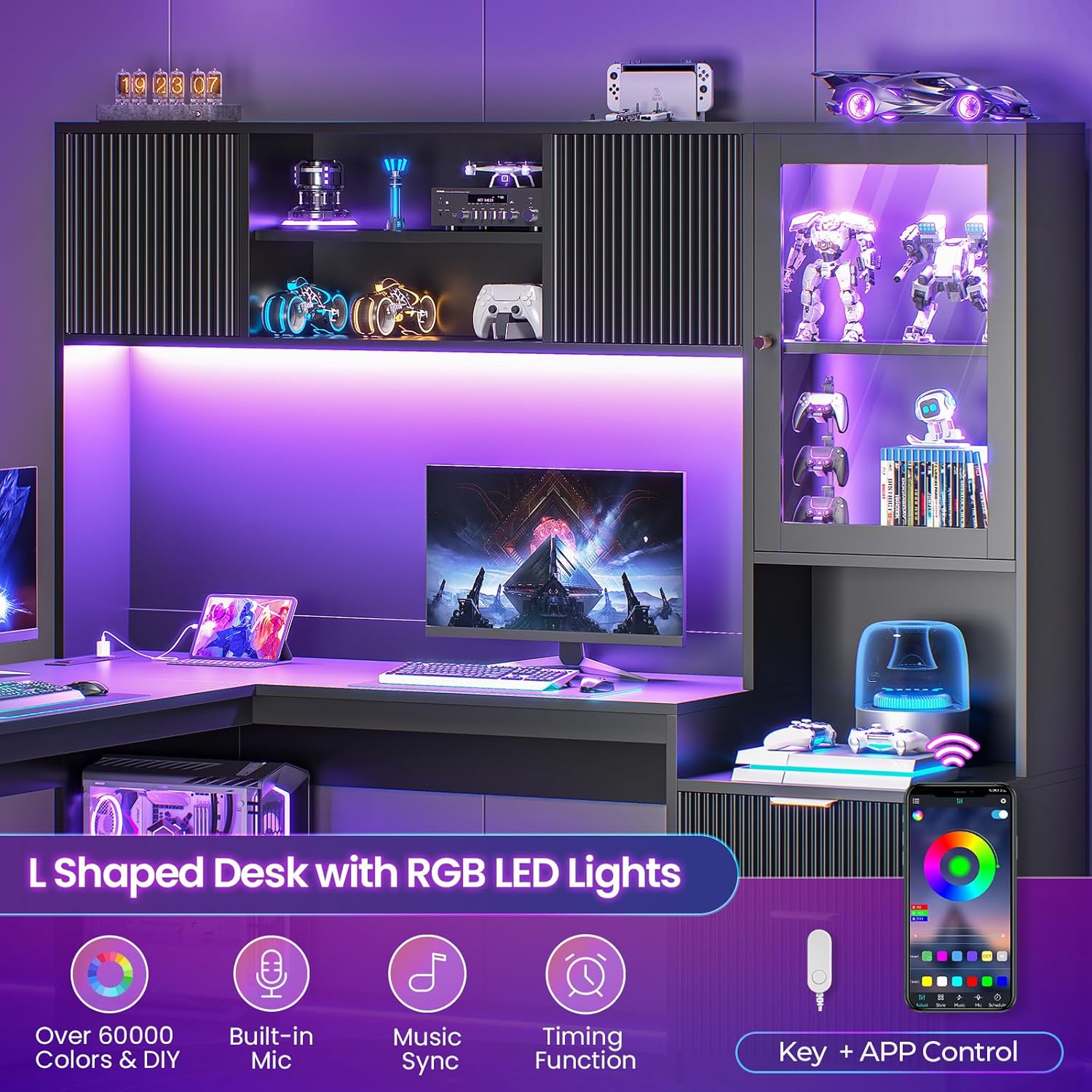
Image: The SEDETA L-Shaped Desk illuminated by its RGB LED lighting system.
5.2 Built-in Power Outlet and Charging Station
The desktop includes a convenient power strip for your electronic devices.
- Power Outlets: 4 AC outlets (120V/12A) for standard electronics.
- USB Ports: 2 USB charging ports (5V/2A) for smartphones, tablets, and other USB-powered devices.
- Master Power Switch: A master switch controls power to all outlets and USB ports.
- Power Cord: Features a 5-foot long power cord for connection to a wall outlet.

Image: Detail of the built-in power outlet and charging station.
5.3 Storage System
The desk offers extensive storage options to keep your workspace organized.
- Hutch Storage: The 65-inch wide hutch includes fluted-door closed cabinets, a clear glass display cabinet, and open storage shelves.
- Drawers: Three drawers are provided: one specialized file drawer compatible with Legal, Letter, and A4 size documents, and two additional storage drawers for personal items.
- Adjustable Shelf: One cabinet features an adjustable shelf, allowing customization of storage space for various items like printers, books, or collectibles.

Image: Overview of the 65-inch storage hutch with various compartments.

Image: The three storage drawers, including file and general storage options.
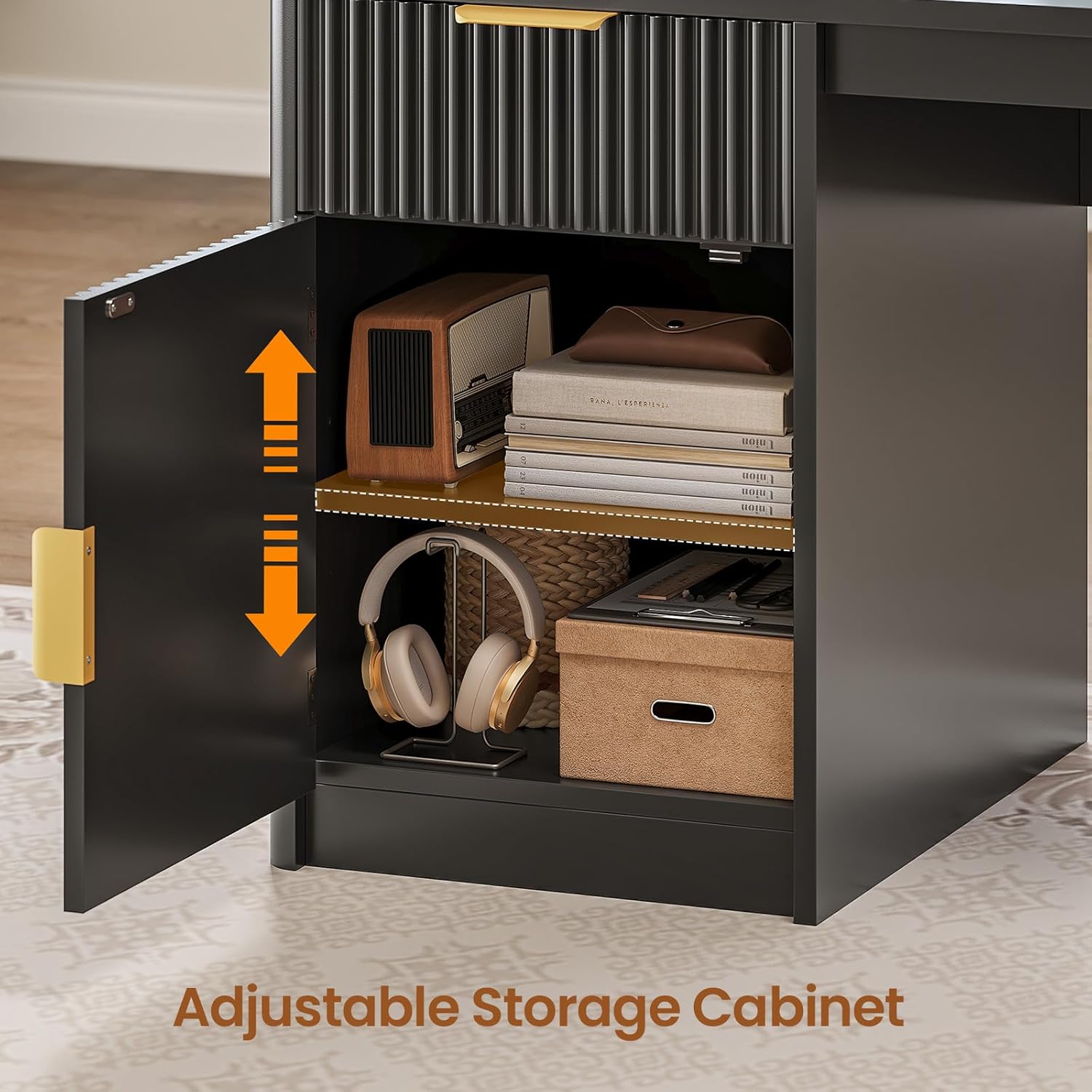
Image: Cabinet with an adjustable shelf for flexible storage.
6. Maintenance and Care
Proper care will ensure the longevity and appearance of your SEDETA L-Shaped Desk.
- Cleaning: For general cleaning, wipe surfaces with a damp cloth. For a dry finish, follow with a dry cloth.
- Avoid Harsh Chemicals: Do not use abrasive cleaners, strong detergents, or solvents, as these can damage the finish.
- Spills: Wipe up spills immediately to prevent staining or damage to the engineered wood.
- Heat and Moisture: Avoid placing hot items directly on the desk surface. Use coasters for drinks to prevent water rings.
- Sunlight Exposure: Prolonged exposure to direct sunlight may cause fading or discoloration.
- Hardware Check: Periodically check and tighten all screws and fasteners to maintain structural integrity.
7. Troubleshooting
This section addresses common issues you might encounter with your desk.
7.1 Desk Instability
- Issue: The desk wobbles or is uneven.
- Solution: Check that all assembly screws are securely tightened. Adjust the leveling foot pads at the bottom of the desk legs to compensate for uneven floor surfaces.
7.2 RGB LED Lights Not Working
- Issue: LED lights do not turn on or function incorrectly.
- Solution: Ensure the LED light power cable is securely connected to a power source and the desk's built-in power outlet. Check the master power switch on the power outlet. Verify that the LED controller (button or app) is functioning correctly. If using the app, ensure your device is properly paired.
7.3 Power Outlets Not Supplying Power
- Issue: Devices plugged into the built-in power outlets or USB ports do not charge or receive power.
- Solution: Ensure the desk's main power cord is securely plugged into a functional wall outlet. Check that the master power switch on the desk's power strip is in the 'ON' position. Test the wall outlet with another device to confirm it has power. Avoid overloading the power strip with too many high-power devices.
7.4 Drawers Not Sliding Smoothly
- Issue: Drawers are stiff or difficult to open/close.
- Solution: Ensure the drawer slides are properly aligned and free of obstructions. Check that the drawer contents are not interfering with the sliding mechanism. Verify that the drawer assembly was completed correctly according to the manual.
8. Specifications
| Feature | Detail |
|---|---|
| Brand | SEDETA |
| Model Name | L Shaped Desk |
| Shape | L-Shape |
| Product Dimensions (D x W x H) | 65"D x 66.9"W x 63.2"H |
| Color | Black |
| Material Type | Engineered Wood |
| Item Weight | 161 Pounds |
| Number of Drawers | 3 (1 File, 2 Storage) |
| Number of Shelves | 8 (4 Enclosed, 4 Open) |
| Power Outlet | 4 AC (120V/12A), 2 USB (5V/2A) |
| LED Lights | RGB, APP & Button Control, Music Sync, Timing Function |
| Assembly Required | Yes |
9. Warranty and Customer Support
SEDETA is committed to providing quality products and customer satisfaction. Specific warranty details are typically included with your product packaging. Please refer to any enclosed documentation for information regarding warranty coverage and duration.
For any questions, concerns, or assistance with assembly, operation, or troubleshooting, please contact SEDETA customer support. Our professional after-sales support team is available to help resolve any issues you may encounter.
- Contact Information: Refer to the contact details provided in your product's packaging or visit the official SEDETA website for support options.
- When Contacting Support: Please have your product model number (L Shaped Desk) and purchase information ready to expedite assistance.
Related documentsL Shaped Desk

Ask a question about this manual
Ask about setup, troubleshooting, compatibility, parts, safety, or missing instructions. Manuals+ will review the question and use this page’s manual context to help answer it.