
1. Product Overview
The LongPlus 8MP Wireless Outdoor Security Camera (Model CLK2-W1X8) is designed to provide reliable surveillance for your home or property. This battery-powered camera features 4K UHD resolution, advanced color night vision, AI-powered motion detection, two-way audio communication, and flexible storage options. It supports both 2.4GHz and 5GHz Wi-Fi networks for stable connectivity.
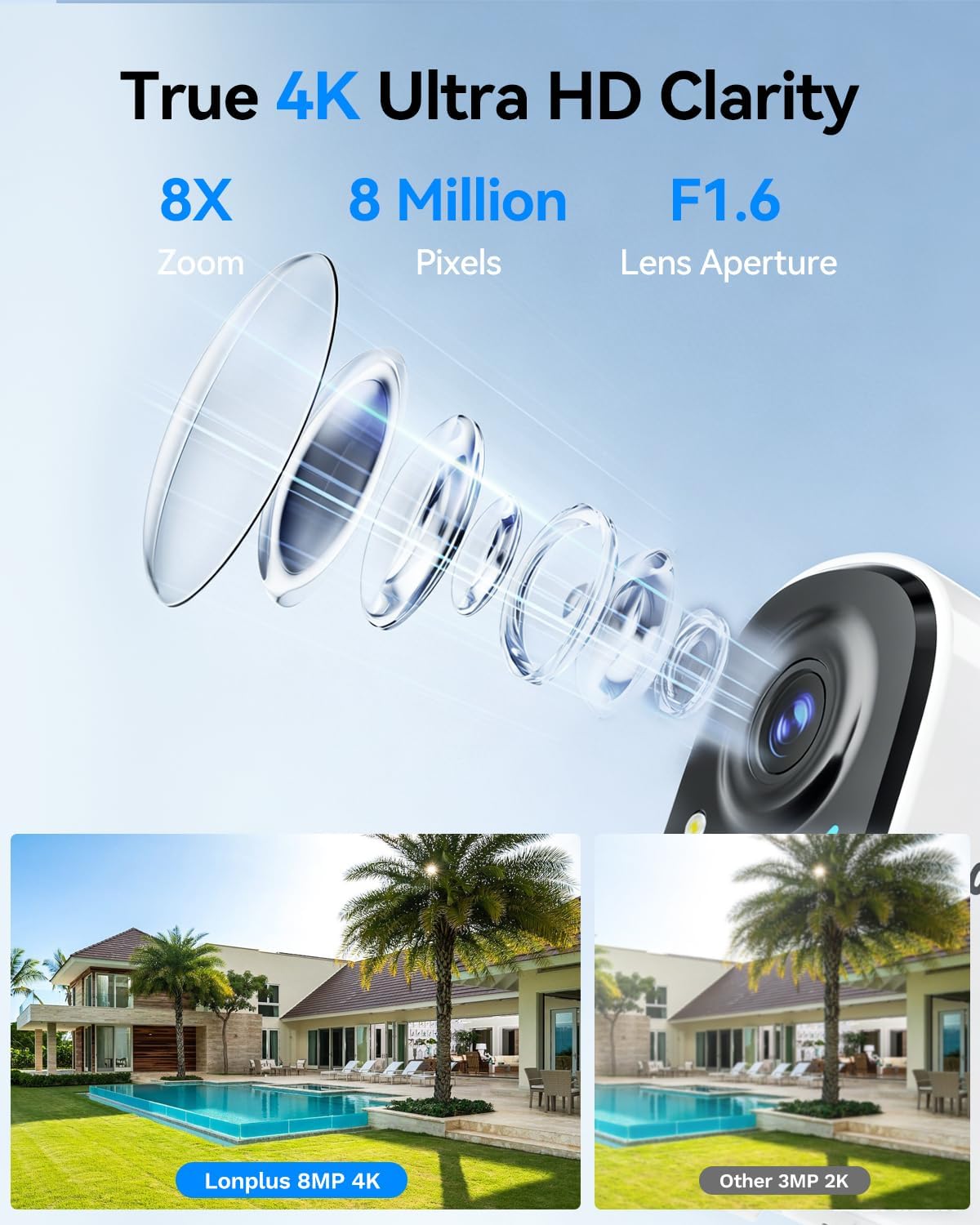
Image 1.1: Overview of the LongPlus 8MP Wireless Outdoor Security Camera highlighting its features.

Image 1.2: Key features of the LongPlus 4K Wireless Security Camera, including 4K 8MP HD, 5200mAh battery, multi-user sharing, two-way talk, human/car detection, SD/cloud storage, and night vision capabilities.
2. What's in the Box
Before you begin, please ensure all components are present in the package:
- LongPlus 8MP Wireless Outdoor Security Camera
- Wall Mount
- Instruction Manual (this document)
- Mounting Screws and Anchors
3. Setup Guide
3.1 Charging the Camera
Fully charge the camera before its initial use. Connect the camera to a power source using a standard USB charging cable (not included). The charging indicator light will show the charging status.

Image 3.1: The camera being charged via a USB cable connected to a wall adapter.
3.2 App Download and Installation
Download the VicoHome app from the App Store (iOS) or Google Play Store (Android). Follow the in-app instructions to create an account and add your new camera.
3.3 Wi-Fi Connection
The camera supports both 2.4GHz and 5GHz Wi-Fi networks. During the app setup process, select your preferred network and enter the password. Ensure the camera is within range of your Wi-Fi router for a stable connection.

Image 3.2: The camera's compatibility with both 2.4GHz and 5GHz Wi-Fi networks.
3.4 Mounting the Camera
Choose a suitable outdoor location for optimal surveillance. Use the provided wall mount and screws to securely attach the camera. Adjust the camera angle for the desired field of view.

Image 3.3: Demonstrating how to attach the camera to its wall mount.
4. Operating Instructions
4.1 Video Recording Modes
The camera offers flexible recording options:
- Always-On Power Mode (24/7 Recording): Enables continuous recording. Note that this mode consumes more battery.
- Power Saving Mode (Event-Triggered Recording): Records only when motion is detected, conserving battery life. You can set personalized working times for AI detection.

Image 4.1: The LongPlus Smart 4K Wireless Security Camera in an outdoor setting, illustrating its comprehensive features.
4.2 4K UHD Vision and Zoom
The camera provides 4K (8MP) resolution for clear video. You can utilize the 8x digital zoom feature within the app to view finer details in your recordings or live feed.

Image 4.2: A visual comparison demonstrating the clarity of 4K 8MP resolution with 8x zoom versus 2K resolution.
4.3 Color Night Vision
Equipped with an advanced starlight sensor and large aperture lens, the camera delivers vivid full-color night vision even in low-light conditions. You can switch between infrared mode and full-color supplemental lighting mode via the app.
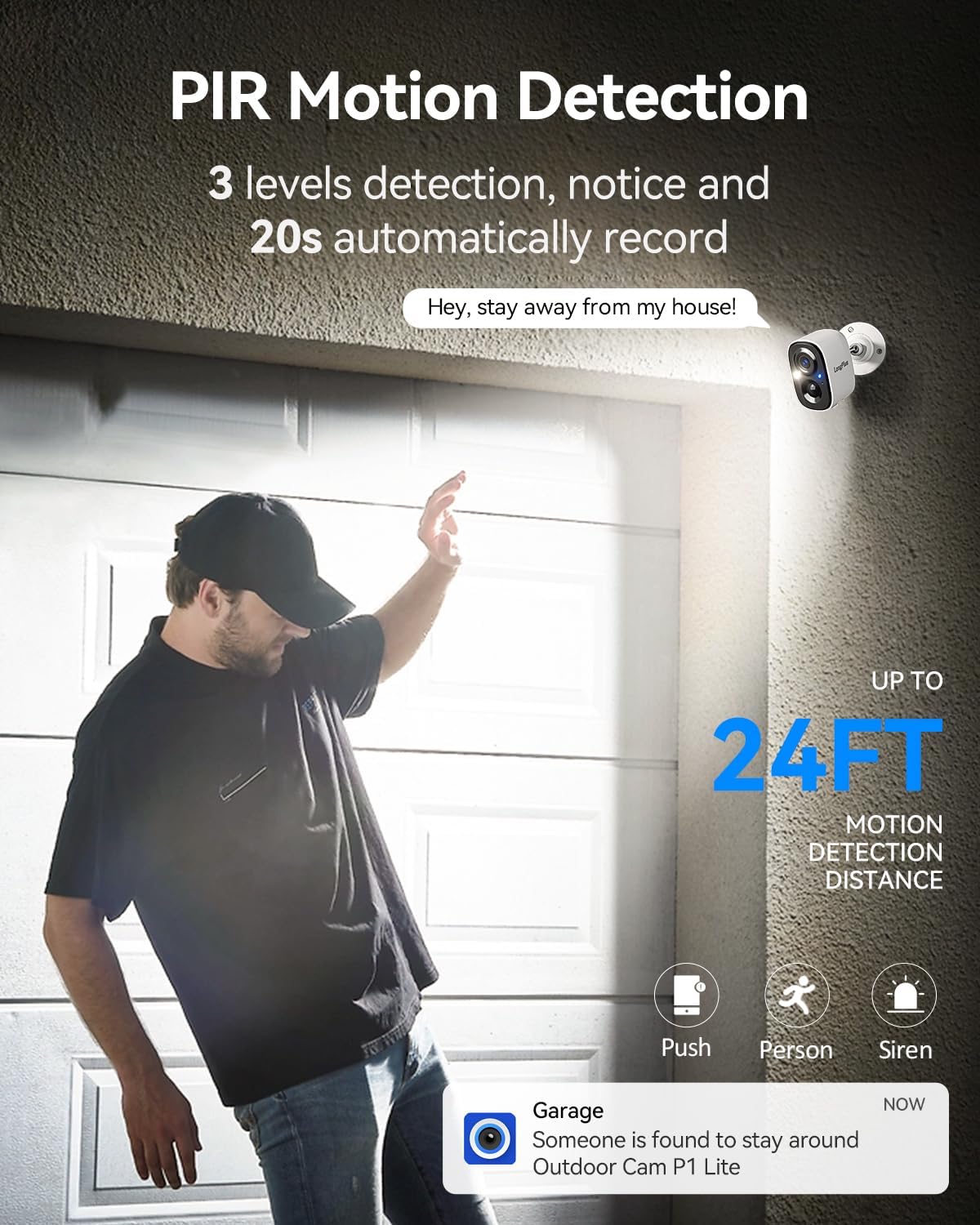
Image 4.3: A comparison showing the enhanced clarity of color night vision compared to standard infrared and human eye perception at night.
4.4 AI Motion Detection and Smart Alarm
The camera features AI-powered human and vehicle detection, reducing false alerts. When motion is detected, the camera activates PIR detection to start recording, and can trigger flashing white lights and a loud siren to deter unwanted visitors. You can adjust sensitivity settings in the app.

Image 4.4: The camera's PIR motion detection feature, showing a person triggering an alert and recording.

Image 4.5: An example of a motion detection notification received on a smartphone.
4.5 Two-Way Talk
Utilize the built-in microphone and speaker for real-time two-way communication through your smartphone. This allows you to speak to visitors or deter intruders remotely.
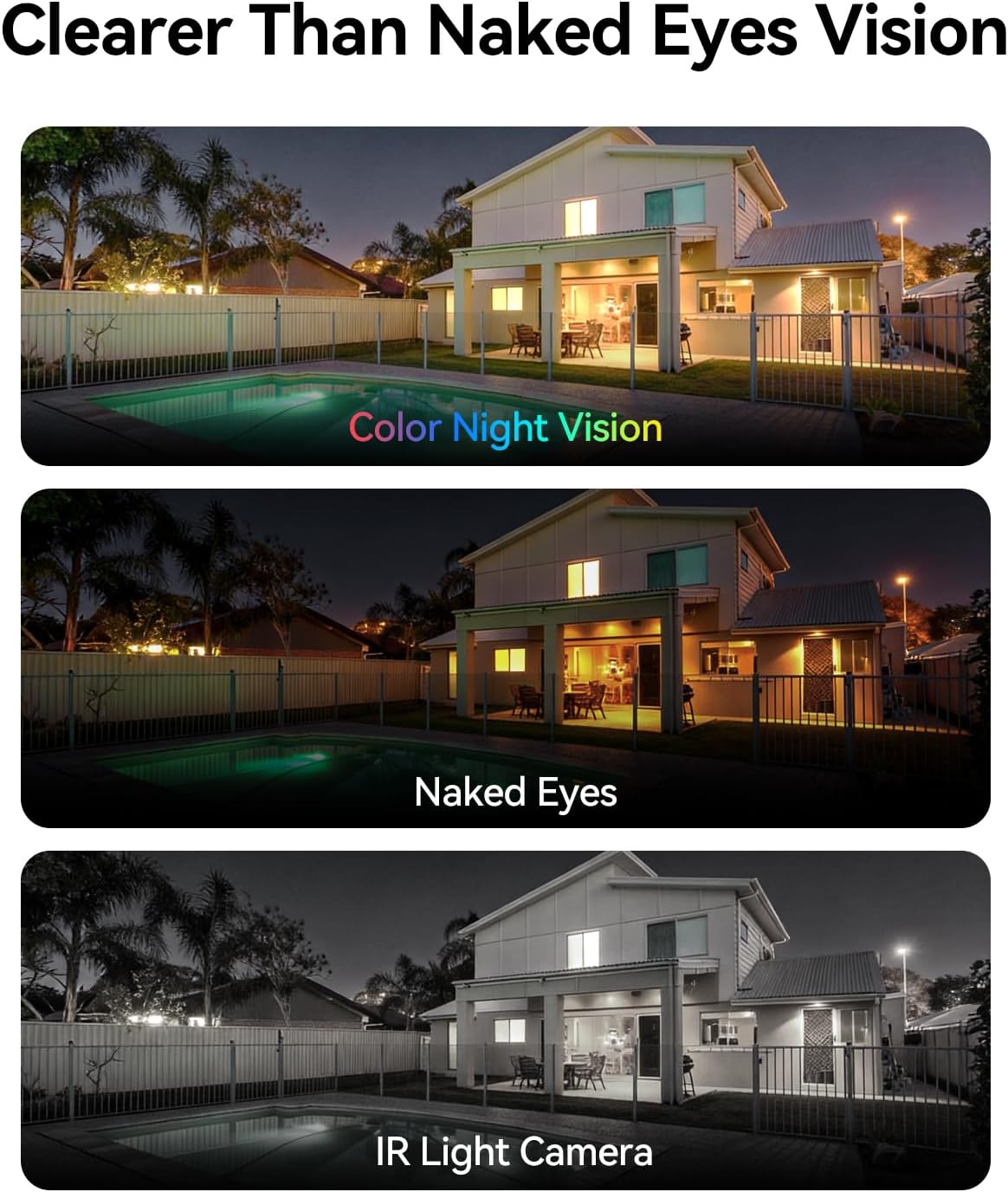
Image 4.6: Demonstrating the two-way talk feature, allowing communication with individuals at your door.
4.6 Storage Options
The camera supports both local and cloud storage:
- Local Storage: Supports a micro SD card up to 512GB (card not included).
- Cloud Storage: A 7-day free trial is available, with subscription plans for continuous video history and enhanced data protection.

Image 4.7: The camera offers multiple storage options, including local SD card storage and cloud storage.
4.7 Multi-User Sharing
The camera allows up to 5 users to live view simultaneously, enabling family members to monitor the property together.
5. Maintenance
5.1 Battery Management
The camera is equipped with a 5200mAh battery. Battery life can vary significantly based on usage, environmental conditions (especially cold weather), and recording settings (e.g., 24/7 recording vs. event-triggered). Regular recharging is necessary. For optimal battery life, consider using Power Saving Mode and adjusting motion detection sensitivity.

Image 5.1: Internal view of the camera highlighting its 5200mAh battery.
5.2 Cleaning
Periodically clean the camera lens and housing with a soft, damp cloth to ensure clear image quality and proper operation. Avoid using harsh chemicals or abrasive materials.
6. Troubleshooting
- Camera Not Connecting to Wi-Fi: Ensure the camera is within range of your router. Verify Wi-Fi password accuracy. Try restarting your router and the camera. The camera supports both 2.4GHz and 5GHz networks; ensure your router is configured correctly.
- Short Battery Life: Battery performance can be affected by frequent motion detection events, continuous recording (Always-On Power Mode), and cold temperatures. Consider switching to Power Saving Mode and adjusting motion detection sensitivity to reduce power consumption.
- App Issues: If the app is not functioning correctly, ensure it is updated to the latest version. Try reinstalling the app. For specific app-related issues, contact LongPlus customer support.
- Poor Image Quality: Ensure the camera lens is clean and free from obstructions. Check your Wi-Fi signal strength; a weak signal can affect video streaming quality.
- False Motion Alerts: Adjust the motion detection sensitivity settings within the VicoHome app. Utilize AI detection for human and vehicle filtering to minimize alerts from pets or environmental factors.
7. Specifications
| Feature | Specification |
|---|---|
| Brand | LongPlus |
| Model Name | CLK2-W1X8 |
| Connectivity Technology | Wireless (2.4GHz & 5GHz Wi-Fi) |
| Recommended Uses | Outdoor Security |
| Special Features | 2-Way Audio, 4K (8MP) resolution, Dual-Band WiFi, Motion Sensor, Color Night Vision, Spotlight |
| Indoor/Outdoor Usage | Outdoor |
| Compatible Devices | Smartphone |
| Mount Type | Wall Mount |
| Color | White |
| Effective Still Resolution | 8 MP |
| Power Source | Battery Powered |
| Night Vision Range | 33 Feet |
| Flash Memory Supported Size Maximum | 512 GB (Micro SD card) |
| Video Capture Resolution | 4K |
| Item Dimensions | 2.3 x 3.5 x 2.3 inches |
8. Warranty and Support
For warranty information and technical support, please refer to the official LongPlus website or contact their customer service directly. Keep your purchase receipt for warranty claims.
Manufacturer: LongPlus Direct


