
Introduction
The Monoise P-M6 are wireless in-ear headphones designed for versatile use, offering both ultra-low latency 2.4 GHz connectivity via a USB-C dongle for gaming and Bluetooth 5.4 for daily use with smartphones. They feature Active Noise Cancellation (ANC) and Environmental Noise Cancellation (ENC) microphones for clear communication. With a long battery life and ergonomic design, the P-M6 provides comfort and performance for extended sessions. They are also resistant to moisture and sweat (IP54).
What's in the Box
- PM6 True Wireless Earbuds
- Charging Case
- USB-C Charging Cable
- USB-C Dongle (for 2.4GHz connection)
- Eartips (various sizes)
Note: The exact contents may vary slightly.
Setup
1. Initial Charging
Before first use, fully charge the earbuds and the charging case. Connect the provided USB-C cable to the charging case and a power source. The charging case takes approximately 3.5 hours for a full charge. A 15-minute quick charge provides up to 180 minutes of listening time.
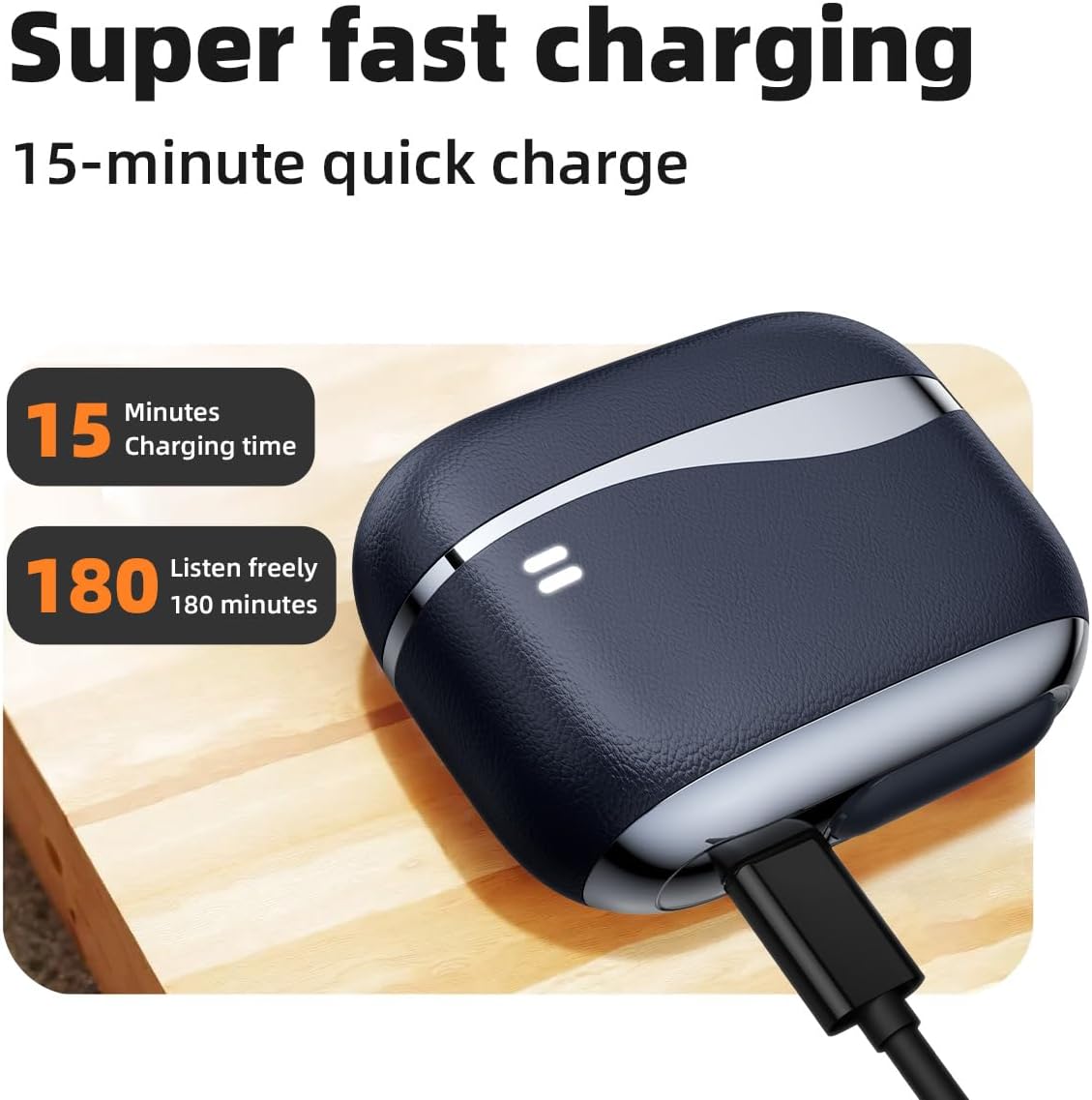
Image: The charging case with a USB-C cable connected, highlighting the super fast charging capability (15 minutes for 180 minutes of listening).

Image: Monoise P-M6 earbuds inside their open charging case, indicating a total battery life of 24 hours and 6 hours of playback on a single charge.
2. Bluetooth Pairing
- Open the charging case. The earbuds will automatically enter pairing mode.
- On your device (smartphone, tablet), enable Bluetooth and search for "P-M6" in the list of available devices.
- Select "P-M6" to connect. Once connected, you will hear an audio prompt.
3. 2.4GHz Dongle Connection (for Low Latency)
For ultra-low latency, especially for gaming or video editing, use the included USB-C dongle.
- Insert the USB-C dongle into the USB-C port of your compatible device (e.g., tablet, gaming console, PC).
- The earbuds will automatically connect to the dongle. No manual pairing is required.

Image: Illustration of receiver wireless connection, showing a Type-C receiver and a Lightning+Type-C receiver plugged into smartphones, indicating plug-and-play functionality.
The P-M6 supports dual connection, allowing you to connect to two devices simultaneously (e.g., one via Bluetooth and one via the 2.4GHz dongle, or two via Bluetooth). You can switch between devices as needed.
Operating Instructions
Touch Controls
The P-M6 earbuds feature intuitive touch controls on the outer surface of each earbud. Refer to the diagram below for specific functions:

Image: A detailed diagram illustrating the touch control functions on the Monoise P-M6 earbud. It shows actions like single touch (Play/Pause, Answer call), double click (Volume up/down), touch three times (Previous/Next song), long press for 2 seconds (Reject call), and press and hold for 3 seconds (ANC switch/Transparent environment).
- Touch once: Play/Pause music, Answer incoming call.
- Double click: Increase volume (right earbud), Decrease volume (left earbud).
- Touch three times: Next song (right earbud), Previous song (left earbud).
- Long press for 2 seconds: Reject incoming call.
- Press and hold for 3 seconds: Cycle through ANC modes (ANC On, ANC Off, Transparent Environment).
Active Noise Cancellation (ANC) and Transparent Environment Mode
The P-M6 earbuds offer three noise control modes:
- ANC On: Actively reduces ambient noise for an immersive listening experience.
- ANC Off: Standard listening mode without active noise cancellation.
- Transparent Environment: Allows you to hear your surroundings while still enjoying your audio, useful for awareness in busy environments.
Cycle through these modes by pressing and holding the touch control area for 3 seconds.

Image: An exploded view of the earbud highlighting ANC (Active Noise Cancellation) and ENC (Environmental Noise Cancellation) technology with dual microphones, emphasizing crystal-clear call quality.
Voice Assistant
Activate your device's voice assistant (e.g., Siri) by clicking the touch control area four times in quick succession.

Image: An earbud and its charging case displayed next to a graphic indicating "Command with your voice" and "Hi Siri," activated by clicking the earbud 4 times in succession.
Maintenance
Cleaning
Regularly clean your earbuds and charging case to ensure optimal performance and hygiene.
- Use a soft, dry, lint-free cloth to wipe the earbuds and charging case.
- For stubborn dirt, slightly dampen the cloth with water. Avoid using harsh chemicals or abrasive materials.
- Gently remove any earwax or debris from the eartips and speaker mesh using a small, soft brush or cotton swab.
- Ensure the charging contacts on both the earbuds and the case are clean and dry.
Water Resistance
The Monoise P-M6 earbuds are rated IP54, meaning they are resistant to moisture and sweat. This makes them suitable for workouts and light rain. However, they are not waterproof and should not be submerged in water or exposed to heavy rain.
- Do not wear the earbuds while swimming or showering.
- If the earbuds get wet, wipe them dry thoroughly before placing them back in the charging case.
Troubleshooting
Earbuds Not Pairing or Connecting
- Ensure the earbuds are charged.
- Make sure Bluetooth is enabled on your device.
- Place the earbuds back in the charging case, close the lid, wait a few seconds, then open it again to re-enter pairing mode.
- If issues persist, try forgetting "P-M6" from your device's Bluetooth settings and re-pairing.
- Ensure no other Bluetooth devices are interfering with the connection.
No Sound or Low Volume
- Check the volume levels on both your device and the earbuds.
- Ensure the earbuds are properly seated in your ears.
- Clean any debris from the speaker mesh.
- Verify that the earbuds are connected to the correct audio output on your device.
Charging Issues
- Ensure the USB-C cable and power adapter are working correctly.
- Check that the charging contacts on both the earbuds and the case are clean and free of obstruction.
- Make sure the charging cable is fully inserted into both the case and the power source.
ANC Not Working Effectively
- Ensure ANC mode is activated (press and hold for 3 seconds to cycle modes).
- Check that the earbuds are properly sealed in your ear canal. Try different sized eartips for a better fit.
- Ensure the microphones on the earbuds are not obstructed.
Specifications
| Model Name | P-M6 |
| Connectivity Technology | Bluetooth 5.4, 2.4GHz Wireless (via USB-C dongle) |
| Bluetooth Range | Up to 10 meters |
| Audio Latency | Ultra-low 15 ms (2.4GHz mode) |
| Driver Size | 13 mm Dynamic Driver |
| Noise Control | Active Noise Cancellation (ANC), Environmental Noise Cancellation (ENC) |
| Battery Life (Earbuds) | Up to 6 hours per charge |
| Total Battery Life (with Case) | Up to 24 hours |
| Charging Time (Case) | Approx. 3.5 hours |
| Quick Charge | 15 minutes for 180 minutes playback |
| Water Resistance | IP54 (Resistant to moisture and sweat) |
| Impedance | 32 Ohms |
| Frequency Response | 20 Hz |
| Sensitivity | 114 dB |
| Weight | 117 grams (total package) |
| Case Dimensions (L x W x H) | 60 mm x 48 mm x 25.5 mm |
| Compatible Devices | Smartphones (iOS, Android), Tablets, PCs, Gaming Consoles with USB-C |

Image: A detailed view of the earbud's internal structure, emphasizing the 13mm speaker and support for SBC/AAC codecs, contributing to professional HIFI audio quality.

Image: A smartphone screen showing a game, with the Monoise P-M6 earbuds and charging case in the foreground, illustrating the ultra-low latency feature (reduced to 25ms) for an enhanced gaming experience.
Warranty and Support
Warranty Information
The Monoise P-M6 headphones come with a 2-year manufacturer's warranty. Please retain your proof of purchase for warranty claims.
Note: Warranty terms and conditions may vary by region.
Customer Support
For further assistance, technical support, or warranty inquiries, please refer to the contact information provided with your purchase or visit the official Genérico website.