
1. Introduction
Thank you for choosing the Mindrose Fitness Tracker H80 Pro. This manual provides essential information for setting up, operating, and maintaining your device. Please read it carefully to ensure proper use and to maximize the benefits of your fitness tracker.
2. Package Contents
Please check the package for the following items:
- Mindrose Fitness Tracker H80 Pro
- Charging Cable
- User Manual
If any items are missing or damaged, please contact customer support.
3. Product Overview
The Mindrose Fitness Tracker H80 Pro is designed to monitor various health and fitness metrics. It features a 1.47-inch HD color screen, customizable watch faces, and comfortable silicone straps.

Image: Overview of the Mindrose Fitness Tracker H80 Pro, highlighting its 1.47-inch HD Color Screen, customizable watch faces, comfortable silicone straps, and core functions such as 24/7 Heart Rate, Blood Oxygen, Blood Pressure, Sleep Tracker, 100+ Sports Modes, Call & Message Notifications, Menstrual Cycle Reminder, Drinking Water Reminder, and Sedentary Reminder.
The device is slim and stylish, offering a full-touch screen experience with 5 brightness levels for optimal visibility.
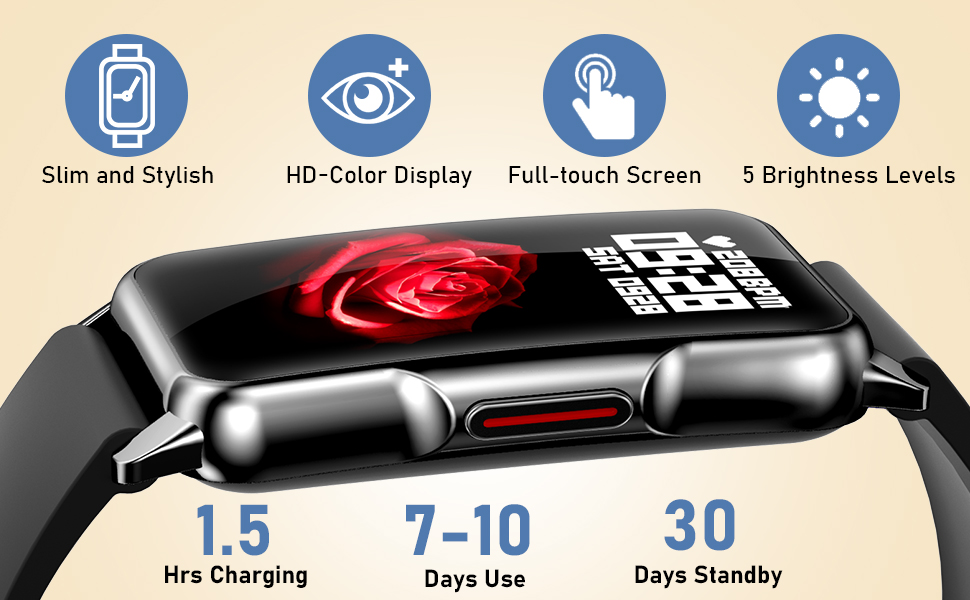
Image: Close-up view of the Mindrose Fitness Tracker H80 Pro, emphasizing its slim and stylish design, HD-Color Display, full-touch screen, and 5 brightness levels. It also indicates a 1.5-hour charging time, 7-10 days of typical use, and 30 days of standby time.
4. Setup
4.1 Charging the Device
Before first use, fully charge your fitness tracker. Connect the magnetic charging cable to the charging contacts on the back of the device and plug the USB end into a power adapter (5V/1A) or a computer USB port.
- Charging Time: Approximately 1.5 hours.
- Battery Life: Up to 7-10 days of typical use, 30 days standby.
4.2 App Installation and Pairing
To unlock the full functionality of your fitness tracker, download the companion app on your smartphone.
- Scan the QR code in the manual or search for the app name (usually provided in the quick start guide or packaging) in the App Store (iOS) or Google Play Store (Android).
- Install the app and create an account.
- Ensure Bluetooth is enabled on your smartphone.
- Open the app, navigate to the device pairing section, and select your fitness tracker from the list of available devices.
- Follow the on-screen prompts to complete the pairing process.
5. Operating Instructions
5.1 Basic Navigation
- Swipe Up/Down: Scroll through menus and notifications.
- Swipe Left/Right: Access quick functions or different data screens.
- Tap: Select an item or confirm an action.
- Press Side Button: Return to the previous screen or wake up the device.
5.2 Health Monitoring
The tracker provides continuous monitoring for several health metrics:
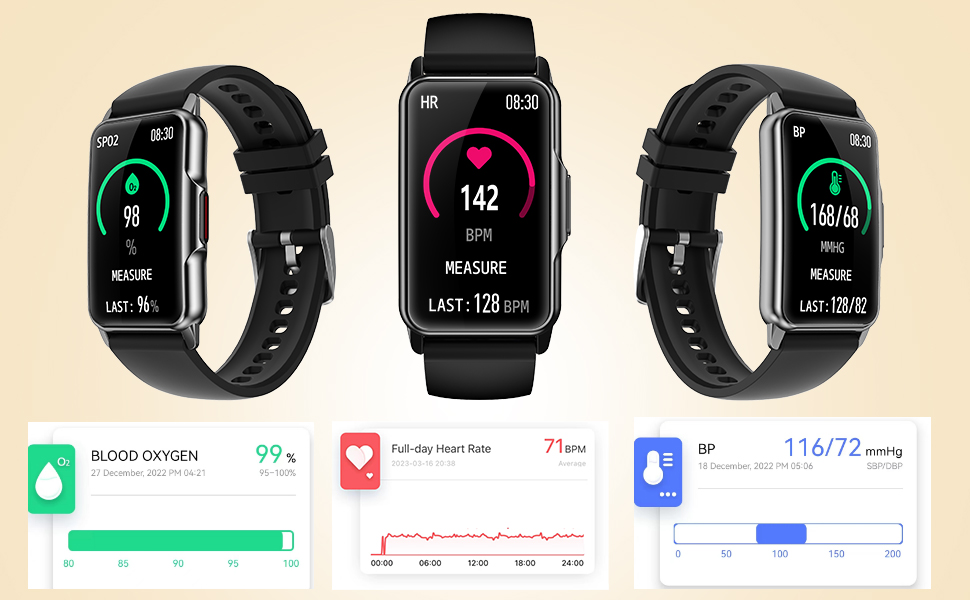
Image: The Mindrose Fitness Tracker H80 Pro showing real-time measurements for Blood Oxygen (SpO2), Heart Rate (HR), and Blood Pressure (BP). Accompanying graphs illustrate historical data for these metrics.
- Heart Rate (HR): Monitors your heart rate 24/7. Access the HR interface on the device to view current and historical data.
- Blood Oxygen (SpO2): Measures your blood oxygen saturation. Navigate to the SpO2 function on the tracker to take a reading.
- Blood Pressure (BP): Provides blood pressure readings. Use the BP function on the device for measurements.
- Sleep Monitoring: Automatically tracks your sleep patterns, including deep sleep, light sleep, REM sleep, and awake times. View detailed sleep analysis in the app.
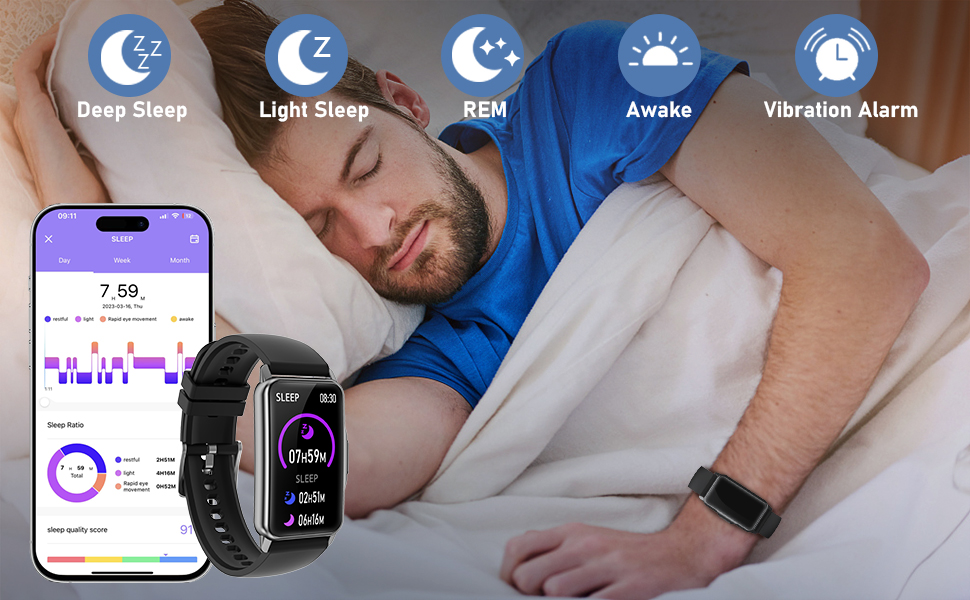
Image: A person sleeping, with the Mindrose Fitness Tracker H80 Pro displaying sleep data. Icons represent Deep Sleep, Light Sleep, REM, Awake, and Vibration Alarm. A smartphone screen shows a detailed sleep analysis with sleep ratio and quality scores.
5.3 Sports Modes
The tracker supports over 100 sports modes to accurately record your workout data.

Image: A collage showing various sports icons such as Walking, Running, Climbing, Cycling, Skipping, Free Training, Swimming, Yoga, Tennis, HIIT, Ellipticals, Dumbbells, Sit-ups, and Dance. The tracker display shows workout metrics like BPM, KCAL, STEPS, and KM, alongside a map displaying a tracked route.
To start a workout:
- Swipe to the 'Sports' menu on your tracker.
- Select your desired activity (e.g., Walking, Running, Cycling).
- Tap to start the activity. The tracker will begin recording data such as duration, steps, distance, calories burned, and heart rate.
- To end the workout, swipe or press the side button and select 'End'.
5.4 Notifications and Reminders
Stay connected with call and message notifications directly on your wrist. The tracker also supports various health reminders.
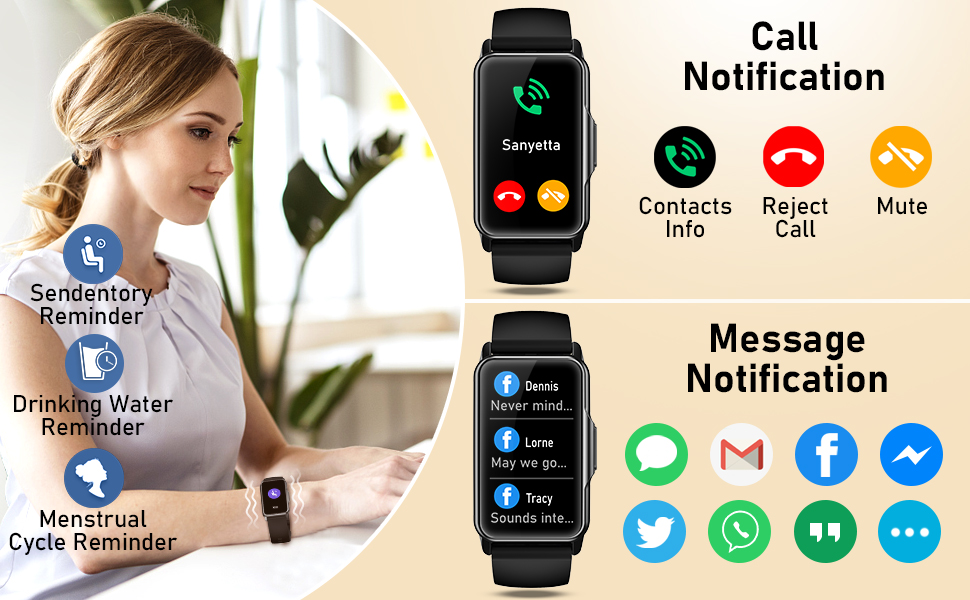
Image: A woman wearing the Mindrose Fitness Tracker H80 Pro. The image displays call notification options (Contacts Info, Reject Call, Mute) and message notifications from various apps (e.g., SMS, Gmail, Facebook, Twitter, WhatsApp). Icons for Sedentary Reminder, Drinking Water Reminder, and Menstrual Cycle Reminder are also shown.
- Call Notifications: Receive incoming call alerts. You can choose to reject or mute calls from the tracker.
- Message Notifications: Get alerts for SMS, email, and social media messages (e.g., Facebook, WhatsApp).
- Sedentary Reminder: Reminds you to move after periods of inactivity.
- Drinking Water Reminder: Prompts you to drink water at set intervals.
- Menstrual Cycle Reminder: Helps track and predict menstrual cycles for female users.
Enable and customize these notifications and reminders through the companion app settings.
5.5 Other Functions
The Mindrose Fitness Tracker H80 Pro includes several additional convenient features:

Image: A series of panels illustrating additional functions of the Mindrose Fitness Tracker H80 Pro, including Timer, Music Control, Weather display, Camera Control, and Do Not Disturb mode.
- Timer: Use the built-in timer for various activities.
- Music Control: Control music playback on your smartphone (play, pause, skip tracks) directly from the tracker.
- Weather: View current weather conditions and forecasts. Ensure the app is connected and location services are enabled.
- Camera Control: Use the tracker as a remote shutter for your smartphone camera.
- Do Not Disturb: Silence notifications and alerts during specific times.
6. Maintenance
- Cleaning: Regularly clean your tracker and strap with a soft, damp cloth. Avoid harsh chemicals or abrasive materials.
- Drying: Ensure the device is completely dry before charging or wearing, especially after exposure to sweat or water.
- Storage: Store the device in a cool, dry place when not in use.
- Avoid Extreme Temperatures: Do not expose the device to extremely high or low temperatures, as this can damage the battery and internal components.
7. Troubleshooting
- Device not turning on: Ensure the device is fully charged. Connect it to the charging cable and a power source for at least 10 minutes.
- Unable to pair with smartphone:
- Ensure Bluetooth is enabled on your phone.
- Make sure the tracker is within Bluetooth range of your phone.
- Restart both your phone and the tracker.
- Check if the app is updated to the latest version.
- Inaccurate readings:
- Ensure the tracker is worn snugly on your wrist, about one finger's width above the wrist bone.
- Avoid excessive movement during measurements.
- Clean the sensor on the back of the device.
- Notifications not received:
- Check app settings to ensure notifications are enabled for the desired applications.
- Ensure the tracker is connected to your phone via Bluetooth.
- Verify that your phone's notification settings allow the app to display alerts.
For further assistance, please refer to the FAQ section in the companion app or contact customer support.
8. Specifications
| Feature | Detail |
|---|---|
| Model Number | H80 Pro |
| Screen Size | 1.47 Inches |
| Brand | Mindrose |
| Battery Life (Typical Use) | 7-10 Days |
| Standby Time | 30 Days |
| Charging Time | Approx. 1.5 Hours |
| Health Monitoring | Heart Rate, Blood Oxygen, Blood Pressure, Sleep |
| Sports Modes | 100+ |
9. Safety Information
- Consult your doctor before starting any new exercise regimen or if you have pre-existing health conditions.
- This device is not a medical device and should not be used to diagnose or treat any medical condition. The data provided is for reference only.
- Keep the device and its accessories out of reach of children.
- Do not attempt to disassemble or modify the device.
- Avoid exposing the device to strong impacts or extreme temperatures.
10. Warranty and Support
Mindrose products come with a standard manufacturer's warranty. For specific warranty details, please refer to the warranty card included in your package or contact Mindrose customer support.
If you encounter any issues or have questions about your Mindrose Fitness Tracker H80 Pro, please contact our customer support team through the contact information provided on the product packaging or our official website.