
1. Introduction
Thank you for choosing the JMGO N3 Ultimate 4K Triple Laser Projector. This manual provides essential information for setting up, operating, and maintaining your projector to ensure optimal performance and longevity. Please read this manual thoroughly before using the product.

Image 1.1: The JMGO N3 Ultimate 4K Triple Laser Projector, showcasing its sleek design and front lens.
2. What's in the Box
Ensure all items are present and in good condition upon unboxing:
- JMGO N3 Ultimate 4K Projector
- Remote Control
- Power Cord
- User Manual (this document)
Video 2.1: Unboxing the JMGO N3 Ultimate Projector, showing the contents of the package.
3. Setup
3.1 Initial Placement & Power Connection
- Place the projector on a stable, flat surface.
- Connect the power cord to the projector's power input port and then to a power outlet.
- Press the power button on the projector or remote control to turn it on.
3.2 Image Alignment & Optimization (3-in-1 System)
The N3 Ultimate features a 3-in-1 system for lossless image adjustment:
- Four-way Lens Shift: Adjusts the image vertically (V ±130%) and horizontally (H ±53%) without digital cropping, preserving 4K resolution.
- Optical Zoom: Resizes the image (0.88-1.7:1) to fit your wall perfectly without physically moving the projector.
- AI Gimbal: Provides 360° pan and 150° tilt movement, allowing you to project on walls, ceilings, or floors with ease.

Image 3.1: Visual representation of the Four-way Lens Shift, Optical Zoom, and AI Gimbal features.
3.3 Smart Auto-Setup & Eye Protection
- Real-time Auto Keystone and Focus: The projector automatically aligns and focuses the screen in under a second if bumped.
- AI Spatial Image Memory: The projector remembers your preferred wall settings (e.g., front, ceiling, left wall) allowing instant switching between saved projection setups without manual recalibration.
- Eye Protection: Utilizes diffuse reflection technology and hardware-level low blue light to reduce eye strain. A smart sensor dims the laser automatically if an object or person approaches the lens.
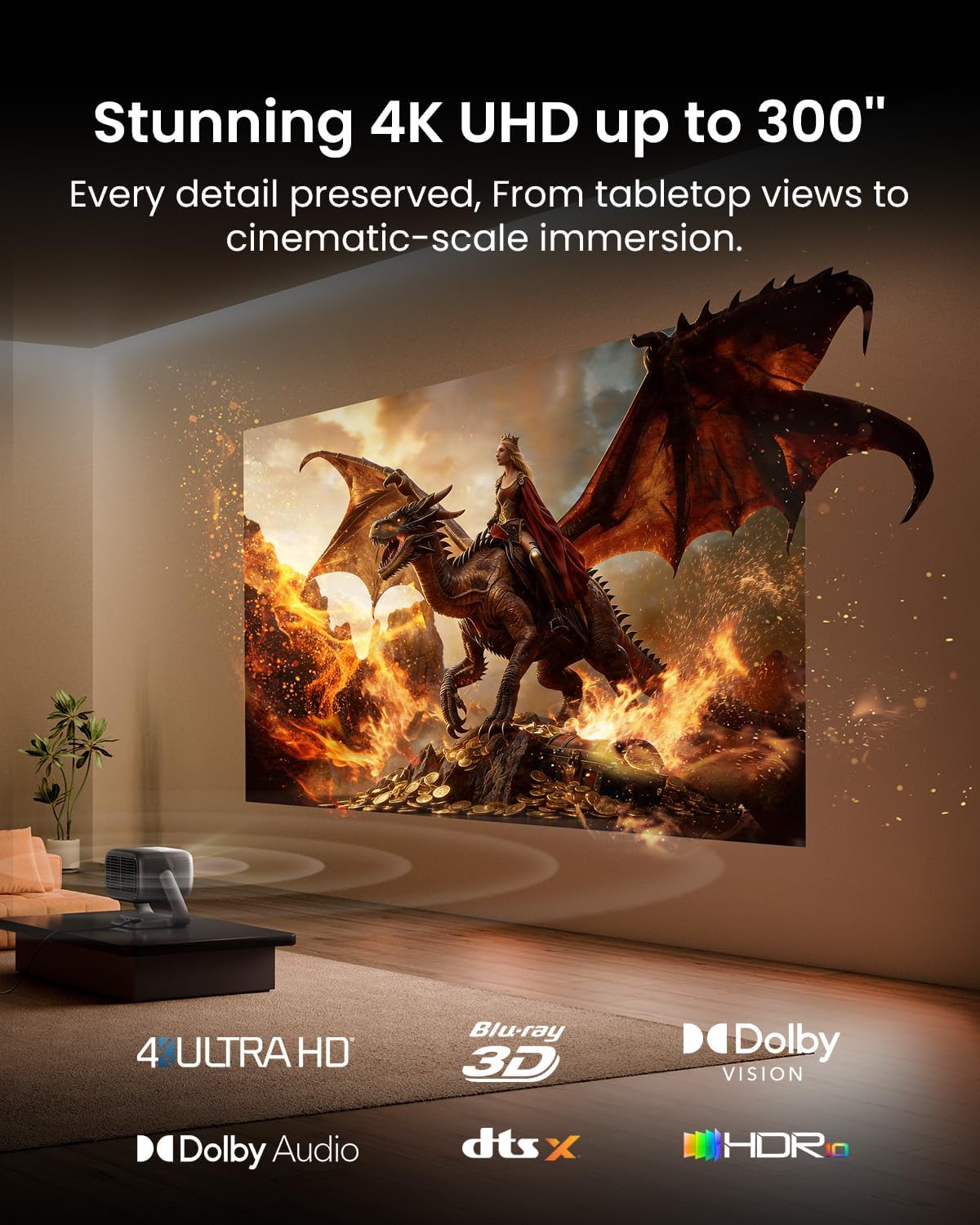
Image 3.2: Illustrates the AI alignment and auto-setup capabilities, simplifying projector configuration.
4. Operating Instructions
4.1 Image Quality & Display
- MALC™ 5.0 Triple Laser: Delivers 5800 ISO Lumens for bright visuals, even in daylight. Features 4K UHD clarity, 110% BT.2020 color gamut, and pro-level color accuracy (ΔE≈0.7).
- Dynamic Contrast: Achieves a 3,000,000:1 dynamic contrast ratio (20,000:1 FOFO Contrast) for deep, detailed dark scenes.
- 300” Massive Screen: Transforms any wall into a large home cinema display.

Image 4.1: The JMGO N3 Ultimate projecting a large, vibrant 4K image in a home setting.
4.2 Audio Experience
- Dual Speakers: Custom 2x12.5W dual speakers provide ultra-deep 35Hz bass.
- Dolby Audio: Combines with the speakers for a room-filling, immersive 3D surround sound experience.
4.3 Smart Features & Connectivity
- Official Google TV Ecosystem: Stream natively from Netflix, Prime Video, YouTube, Disney+, and more.
- Built-in Chromecast & Google Assistant: For easy content casting and voice searches.
- Performance: Upgraded 4GB RAM and 64GB ROM ensure fast navigation and app loading.
- Connectivity: HDMI, USB, and Wi-Fi for versatile device connections.

Image 4.2: Close-up of the projector's rear panel, showing HDMI, USB, and power ports for various connections.
4.4 Gaming Performance
- VRR, 240Hz & 1ms Low Latency: Supports HDMI VRR to prevent screen tearing, offering super-smooth gameplay with up to 240Hz refresh rates and ultra-low 1ms input lag.
- Dedicated Game Modes: Optimize image quality for different game genres.
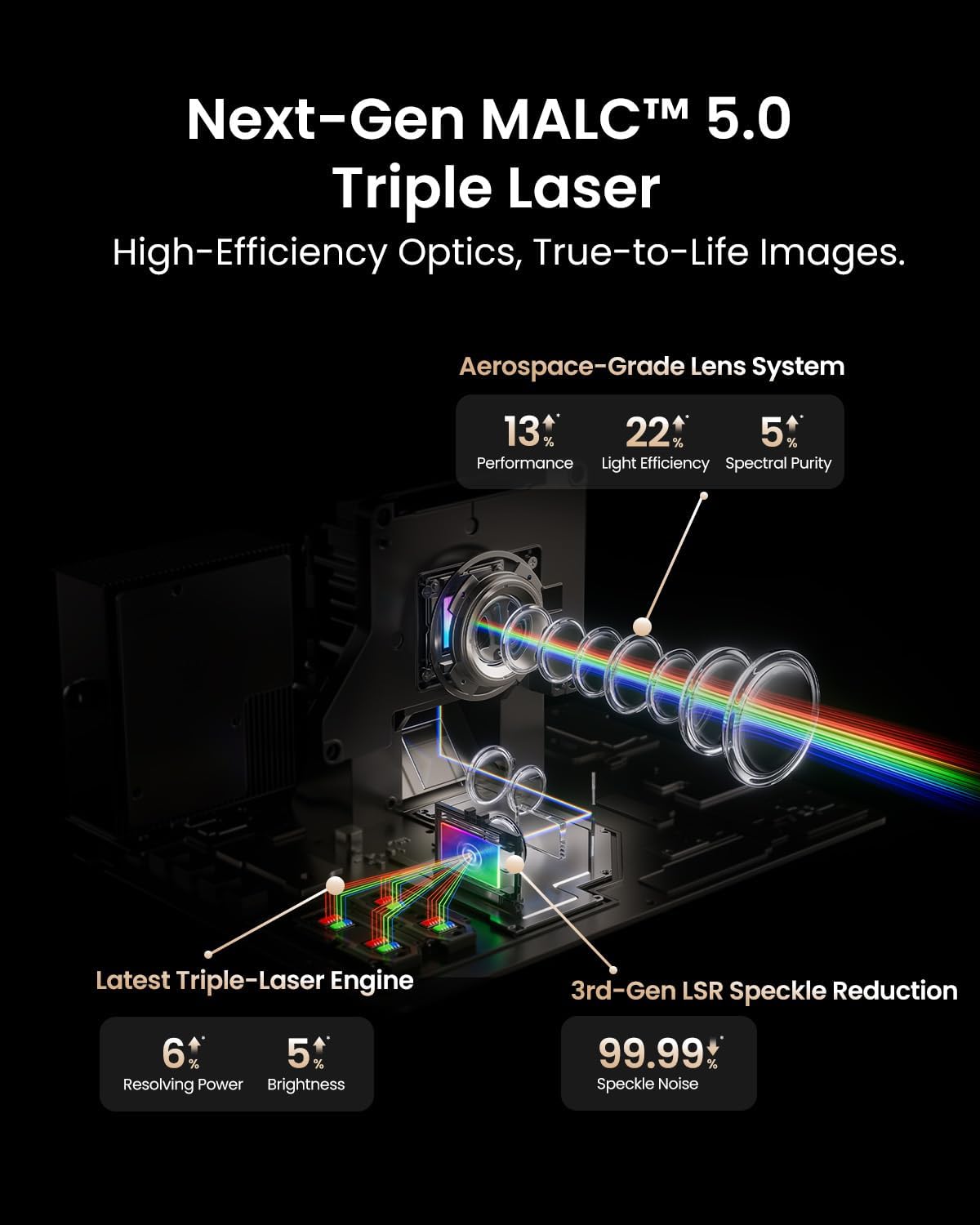
Image 4.3: Depicts the JMGO N3 Ultimate's gaming capabilities, highlighting low latency and high refresh rates.
5. Maintenance
To ensure the longevity and optimal performance of your JMGO N3 Ultimate projector, follow these maintenance guidelines:
- Cleaning the Lens: Use the provided JMGO Polishing Cloth or a soft, lint-free cloth specifically designed for optical lenses. Gently wipe the lens in a circular motion to remove dust or smudges. Avoid using abrasive materials or chemical cleaners.
- Cleaning the Projector Body: Wipe the exterior of the projector with a soft, dry cloth. Do not use liquid cleaners directly on the device.
- Ventilation: Ensure the projector's ventilation openings are clear and unobstructed to prevent overheating. Avoid placing the projector on soft surfaces that might block airflow.
- Storage: When not in use for extended periods, store the projector in a cool, dry place, ideally in its original packaging or a protective case, away from direct sunlight and extreme temperatures.
6. Troubleshooting
If you encounter any issues with your JMGO N3 Ultimate projector, refer to the following common troubleshooting steps:
- No Power: Ensure the power cord is securely connected to both the projector and the power outlet. Try a different outlet to rule out power supply issues.
- No Image: Check that the projector is turned on. Verify the input source is correctly selected (e.g., HDMI, USB). Ensure the lens cap is removed.
- Blurry Image: Allow the auto-focus feature to complete. If still blurry, manually adjust the focus via the settings menu. Ensure the projection surface is flat and clean.
- Image Distortion (Trapezoid Shape): The projector features real-time auto keystone correction. If manual adjustment is needed, access the keystone correction settings.
- Remote Control Not Responding: Check the batteries in the remote control and replace them if necessary. Ensure there are no obstructions between the remote and the projector.
- Overheating Warning: Ensure the ventilation vents are not blocked. Turn off the projector and allow it to cool down in a well-ventilated area.
For persistent issues, please contact JMGO customer support.
7. Specifications
| Feature | Detail |
|---|---|
| Brand | JmGO |
| Model Name | N3 Ultimate |
| Display Resolution | 3840 x 2160 (4K Ultra HD) |
| Display Type | Laser (MALC™ 5.0 Triple Laser) |
| Brightness | 5800 ISO Lumens |
| Contrast Ratio | 20000:1 (FOFO Contrast), 3,000,000:1 (Dynamic Contrast) |
| Color Gamut | 110% BT.2020 |
| Lens Shift | H ±53%, V ±130% |
| Optical Zoom | 0.88-1.7:1 |
| AI Gimbal | H 360°, V 150° |
| Low Latency | 1ms |
| Refresh Rate | Up to 240Hz (with VRR) |
| Operating System | Official Google TV |
| RAM/ROM | 4GB RAM / 64GB ROM |
| Audio | 2x12.5W Dual Speakers, Dolby Audio, DTS-X |
| Connectivity | HDMI (eARC), HDMI, USB 3.0, Wi-Fi |
| Maximum Image Size | 300 Inches |
| Item Weight | 15.35 Pounds |
| Item Dimensions L x W x H | 9.05"L x 10.79"W x 12.14"H |
8. Warranty
The JMGO N3 Ultimate 4K Triple Laser Projector comes with a 1-year manufacturer's warranty. For detailed terms and conditions, please refer to the warranty information provided with your product packaging. Additionally, a 30-day refund/replacement return policy is available through the retailer.
9. Support
For any questions, technical assistance, or warranty claims, please contact JMGO Customer Service:
- Email: after-sales@jmgo.com

Image 9.1: Contact information for JMGO customer service.


