
AKIRES FX-DC76R
AKIRES Pedestal Fan FX-DC76R User Manual
Model: FX-DC76R
Introduction
Thank you for choosing the AKIRES Pedestal Fan. This manual provides essential information for the safe operation, assembly, maintenance, and troubleshooting of your new fan. Please read this manual thoroughly before use and retain it for future reference.
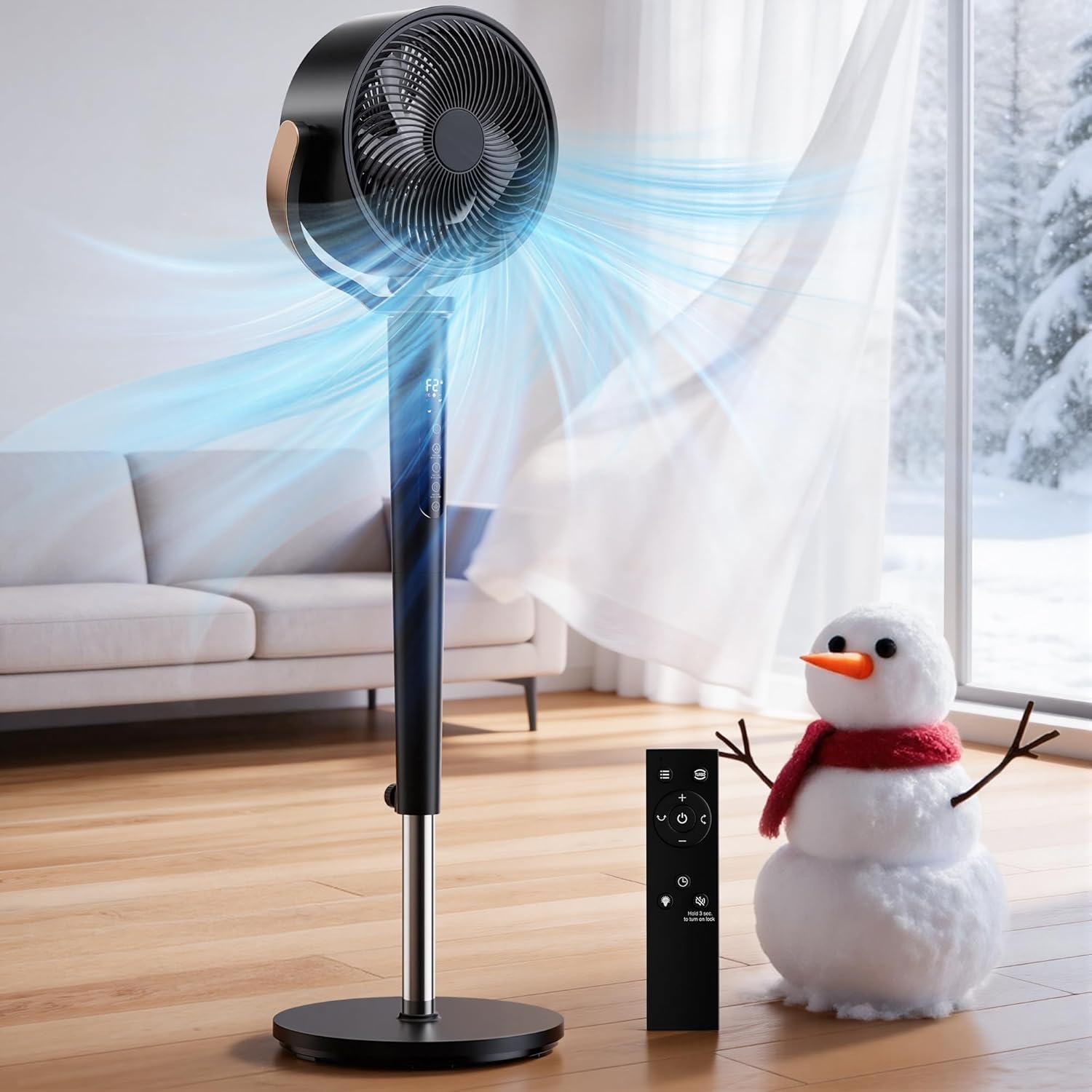
Figure 1: AKIRES Pedestal Fan (Model FX-DC76R)
Important Safety Instructions
To reduce the risk of fire, electric shock, or injury, please observe the following:
- Always unplug the fan before cleaning or servicing.
- Do not operate any fan with a damaged cord or plug.
- Do not run cord under carpeting. Do not cover cord with throw rugs, runners, or similar coverings.
- Do not use the fan in wet or damp locations.
- Keep children away from the fan.
- Ensure the fan is placed on a stable, level surface.
- Do not insert fingers or any objects through the grille when the fan is operating.
- This appliance has a polarized plug (one blade is wider than the other). To reduce the risk of electric shock, this plug is intended to fit in a polarized outlet only one way. If the plug does not fit fully in the outlet, reverse the plug. If it still does not fit, contact a qualified electrician. Do not attempt to defeat this safety feature.
Package Contents
- Circulating Fan Unit (1)
- Remote Control (1)
- Pedestal Base (1)
- Instruction Manual (1)
Setup and Assembly
Follow these steps to assemble your AKIRES Pedestal Fan:
- Attach the Pedestal to the Base:
- Unscrew the bolt from the bottom of the pedestal pole.
- Align the pedestal pole with the hole in the center of the base.
- Insert the bolt through the base and into the bottom of the pedestal pole.
- Tighten the bolt securely using the provided L-shaped wrench.
- Attach the Fan Unit to the Pedestal:
- Align the threaded connection of the fan unit with the top of the pedestal pole.
- Twist the fan unit clockwise until it is securely fastened to the pedestal.
- Adjust Height:
- Loosen the height adjustable knob on the pedestal pole.
- Extend or retract the inner pole to your desired height (between 38 and 46 inches).
- Tighten the knob firmly to secure the height.
- Power Connection:
- Plug the power cord into a standard AC outlet.

Figure 2: Adjustable Height Mechanism
Video 1: Official AKIRES Pedestal Fan Overview and Setup. This video demonstrates the fan's features, including assembly, oscillation, and control options.
Operating Instructions
Your AKIRES Pedestal Fan can be operated using the touch control panel on the unit or the included remote control.
Control Panel Overview

Figure 3: Control Panel and Remote Control
- Power Button (Top): Tap to turn the fan ON/OFF.
- Speed Adjustment (+/-): Adjusts fan speed from 1 to 16 levels.
- Wind Mode Button: Cycles through 4 different wind modes (e.g., Normal, Natural, Sleep, ECO). Hold for 3 seconds to activate Child Lock.
- Timer Button: Sets the auto-shutdown timer from 1 to 12 hours. Hold for 3 seconds to turn ON/OFF the LED light.
- Oscillation Button: Controls horizontal and vertical oscillation. Tap to cycle through 60°, 90°, 120° horizontal oscillation, and 60°, 90°, 120° vertical oscillation. Hold for 3 seconds to activate One-Touch Turbo mode (maximum speed).
Remote Control
The remote control provides convenient access to all fan functions. It requires two AAA batteries (not included).

Figure 4: Remote Control for AKIRES Pedestal Fan
Key Features
- 16-Speed Precision Airflow: Offers a wide range of airflow from gentle breeze to powerful circulation.
- 120° Dual-Axis Oscillation: Provides 120° horizontal and 120° vertical automatic oscillation for comprehensive air circulation.

Figure 5: 120° Dual-Axis Oscillation
- 4 Wind Modes: Customize your airflow experience (e.g., Normal, Natural, Sleep, ECO).
- One-Touch Turbo: Instantly activates maximum airflow for rapid cooling.
- 12-Hour Timer: Set the fan to automatically turn off after a specified duration.
- Quiet DC Motor: Operates quietly, especially at lower speeds, for undisturbed sleep or work.

Figure 6: Quiet Operation for Peaceful Sleep
- Child Lock Function: Prevents accidental changes to settings.
- Smart Memory Function: Restores previous settings after power outages.
Maintenance and Cleaning
Regular cleaning ensures optimal performance and extends the lifespan of your fan.
- Unplug: Always unplug the fan from the power outlet before cleaning.
- Disassembly for Cleaning: The fan is designed for easy disassembly.
- Carefully remove the front grille by twisting or unlatching as indicated in the quick start guide (refer to the assembly video for visual guidance).
- Remove the fan blades.
- Cleaning Components:
- Wipe the fan blades and grilles with a soft, damp cloth. For stubborn dirt, a mild soap solution can be used.
- Ensure all parts are completely dry before reassembling.
- Reassembly:
- Reattach the fan blades and then the front grille, ensuring they are securely in place.
- Exterior Cleaning: Wipe the exterior surfaces of the fan and pedestal with a soft, dry cloth. Do not use abrasive cleaners or solvents.

Figure 7: Easy Disassembly for Cleaning
Troubleshooting
| Problem | Possible Cause | Solution |
|---|---|---|
| Fan does not turn on. | Not plugged in; Power outlet malfunction; Power button not pressed. | Ensure the fan is securely plugged into a working outlet. Press the power button. |
| Weak airflow. | Fan speed is too low; Grille or blades are dirty. | Increase the fan speed. Clean the fan blades and grilles as per maintenance instructions. |
| Fan is noisy. | Fan is on a high speed setting; Loose parts; Obstruction. | Reduce the fan speed. Check for any loose parts or obstructions and remove them. |
| Remote control not working. | Batteries are dead or incorrectly inserted; Obstruction between remote and fan. | Replace batteries with new AAA batteries, ensuring correct polarity. Remove any obstructions. |
If the problem persists after trying these solutions, please contact AKIRES customer support.
Specifications
- Brand: AKIRES
- Model Name: FX-DC76R
- Color: Black
- Electric Fan Design: Pedestal Fan / Floor Fan
- Power Source: AC
- Product Dimensions: 14.17"D x 13.39"W x 46.08"H
- Adjustable Height: 38" - 46"
- Number of Speeds: 16
- Control Method: Remote, Touch
- Special Features: Adjustable Height, Adjustable Tilt, Oscillating (120° Horizontal + 120° Vertical), Remote Controlled, 12H Timer, Child Lock, ECO Mode, Quiet DC Motor
- Item Weight: 9.8 Pounds
- Indoor Outdoor Usage: Indoor
- Certifications: ETL, FCC
Warranty and Customer Support
For warranty information or customer support, please refer to the documentation included with your purchase or visit the official AKIRES website. You can also contact AKIRES customer service directly for assistance with product inquiries, troubleshooting, or parts replacement.
Manufacturer: AKIRES
Contact: Refer to AKIRES official website or product packaging for contact details.
Ask a question about this manual
Ask about setup, troubleshooting, compatibility, parts, safety, or missing instructions. Manuals+ will review the question and use this page’s manual context to help answer it.