
1. Product Overview
The Osram Coromuel LED Ceiling Fan (1065mm, 60W, CCT) integrates lighting and air circulation, suitable for rooms up to 13 m². It offers adjustable light color and gentle air movement. This model provides an airflow of up to 6,120 m³/h, six fan speeds, and timer options (1h / 4h / 8h). The integrated LED delivers a luminous flux of 2,600 lm and can be set to 3,000 K, 4,000 K, or 6,500 K. A remote control, powered by 2 AAA batteries, is included for convenient operation.
Key Features:
- Strong Air Movement: A maximum airflow of 6,120 m³/h ensures noticeable air circulation in small rooms.
- Variable Light Mix: Three color temperatures (3000 K, 4000 K, and 6500 K) allow for creating atmospheric light scenes.
- Quiet Operation: The low noise level at low settings ensures a pleasant, undisturbed sleeping environment.
- Convenient Control: The included remote control allows simple and convenient adjustment of speed, timer, and lighting functions.
- Versatile Control: Six speed levels plus 1h / 4h / 8h timer functions enable flexible use.
- Energy Efficiency: This product is a lighting product containing a light source of energy class E.
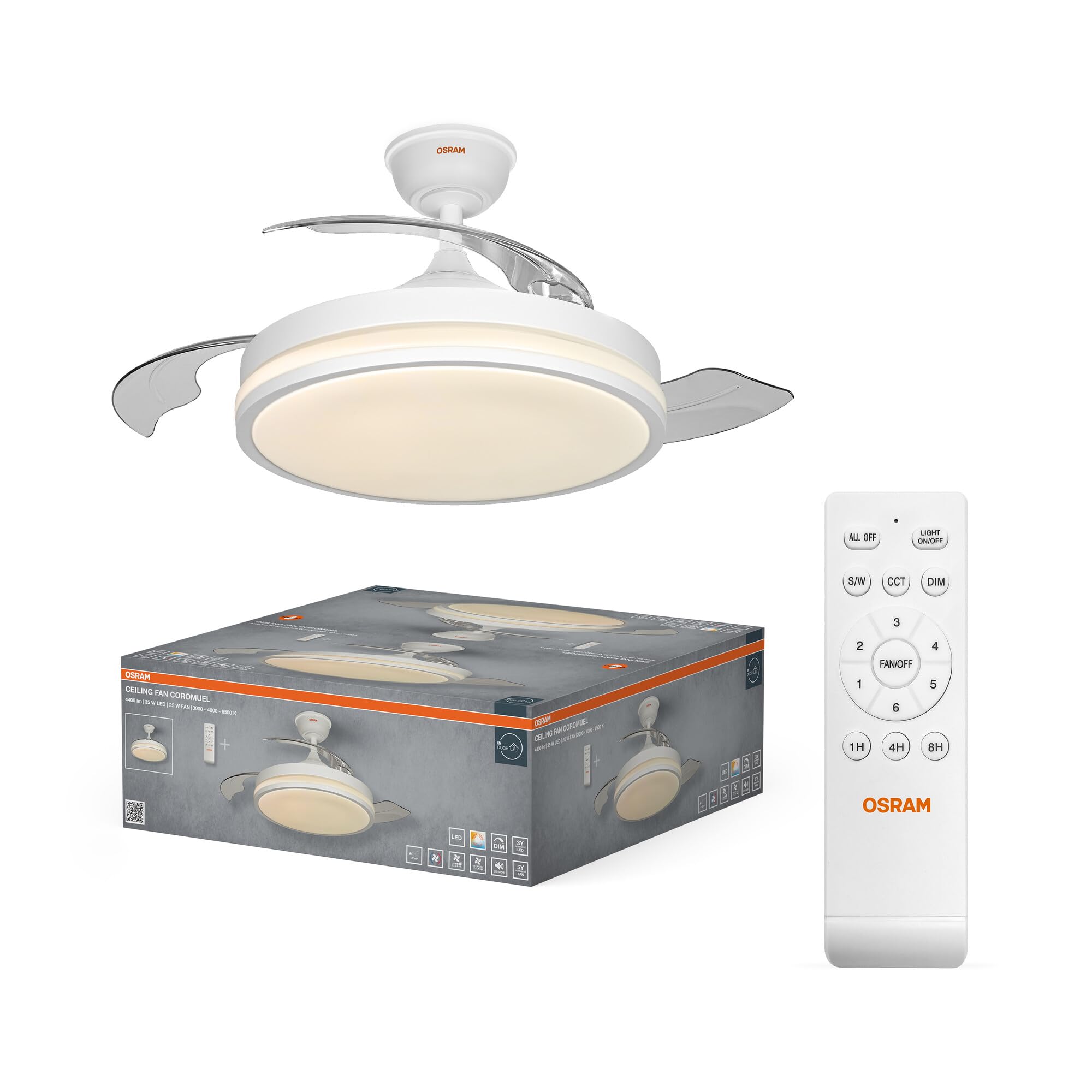
Image 1.1: The Osram Coromuel LED ceiling fan with integrated light, shown installed on a ceiling.

Image 1.2: An illustration of the Osram Coromuel ceiling fan with its blades retracted, appearing as a flush-mount light fixture, and then with the blades extended for air circulation.

Image 1.3: A graph illustrating the quiet operation of the fan, showing low decibel levels at lower speeds, ideal for bedrooms.
2. Safety Instructions
Please read all safety instructions carefully before installation and use. Keep this manual for future reference.
- Installation must be performed by a qualified electrician in accordance with local wiring regulations.
- Ensure the power supply is disconnected at the main circuit breaker before installation, maintenance, or cleaning.
- The ceiling fan must be securely mounted to a structural part of the building capable of supporting its weight.
- Do not insert objects into the fan blades while the fan is operating.
- This appliance is for indoor use only.
- Use only the remote control provided with the unit.
- Keep batteries out of reach of children.
3. Package Contents
Verify that all components are present and undamaged upon unpacking.
- 1x Osram Coromuel Ceiling Fan (1065mm, 60W, CCT)
- 1x Remote Control
- Mounting Hardware (screws, anchors, etc.)
- User Manual (this document)
4. Installation
Follow these general steps for installation. Refer to the detailed diagrams in the included installation guide for specific instructions. Professional installation is recommended.
- Prepare for Installation: Disconnect power at the main circuit breaker to prevent electrical shock.
- Mount the Mounting Bracket: Secure the mounting bracket to the ceiling joist or a suitable electrical junction box using the provided screws. Ensure it is firmly attached and can support the fan's weight.
- Assemble the Fan: Attach the fan motor assembly to the downrod (if applicable) and then to the mounting bracket.
- Wire the Fan: Connect the electrical wires (live, neutral, ground) from the ceiling to the fan's wiring according to the wiring diagram in your separate installation guide. Ensure all connections are secure using wire nuts.
- Attach the Blades: For models with retractable blades, ensure they are correctly aligned. For visible blades, attach them to the motor housing as per instructions.
- Install the Light Kit: Connect the light kit wiring and secure the light fixture to the fan assembly.
- Restore Power: Once installation is complete and all components are secure, restore power at the main circuit breaker.
5. Operating Instructions
The Osram Coromuel ceiling fan is operated using the included remote control. Ensure 2 AAA batteries are correctly inserted into the remote control.
Remote Control Functions:

Image 5.1: The remote control for the Osram Coromuel ceiling fan.

Image 5.2: A detailed diagram of the remote control buttons and their corresponding functions.
- Light ON/OFF: Press to turn the LED light on or off.
- Fan ON/OFF: Press to turn the fan on or off.
- Speed Control (1-6): Use the numbered buttons (1 to 6) to adjust the fan speed from 1 (lowest) to 6 (highest).
- CCT (Color Temperature Change): Press the 'K' button to cycle through the available color temperatures: 3000K (warm white), 4000K (neutral white), and 6500K (cool daylight).
- DIM (+/-): Use the dimming buttons to increase or decrease the brightness of the LED light.
- Timer (1H/4H/8H): Press the 1H, 4H, or 8H button to set the fan to automatically turn off after the selected duration.
- Blade Rotation Direction (Summer/Winter): Press the button with the sun/snowflake icon to change the direction of blade rotation. In summer mode, blades rotate counter-clockwise for a cooling downdraft. In winter mode, blades rotate clockwise to circulate warm air from the ceiling.

Image 5.3: A visual representation of the fan's dual functionality, showing downward airflow for cooling in summer and upward airflow to redistribute warm air in winter.
6. Maintenance
Regular maintenance ensures optimal performance and longevity of your ceiling fan.
- Cleaning: Always disconnect power before cleaning. Wipe the fan blades and light fixture with a soft, damp cloth. Do not use abrasive cleaners, harsh chemicals, or solvents, as these can damage the finish.
- Blade Inspection: Periodically check that all blade screws are tight. Loose blades can cause wobbling and excessive noise.
- Light Source: The integrated LED light source is designed for a long lifespan (50,000 hours) and is not user-replaceable.
7. Troubleshooting
If you encounter any issues, refer to the following common problems and solutions.
| Problem | Possible Cause | Solution |
|---|---|---|
| Fan does not start | No power supply | Check the circuit breaker and wall switch. Ensure power is restored. |
| Fan does not start | Loose wiring | Disconnect power and carefully check all wire connections at the ceiling and fan. |
| Light does not work | No power to light | Check the light switch and wiring connections. |
| Remote control not working | Dead batteries | Replace the 2 AAA batteries in the remote control. |
| Remote control not working | Remote not paired (if applicable) | Refer to the remote control pairing instructions in your separate installation guide. |
| Fan wobbles | Loose mounting | Ensure the mounting bracket and fan assembly are securely fastened to the ceiling. |
| Fan wobbles | Unbalanced blades | Check if blades are properly installed and balanced. Use a balancing kit if necessary. |
| Excessive noise | Loose screws | Check and tighten all screws on the fan housing and blades. |
| Excessive noise | Motor issue | If noise persists after checking screws, contact customer support. |
8. Specifications
| Feature | Detail |
|---|---|
| Brand | Osram |
| Model Name | Coromuel 1065mm 60W CCT |
| Model Number | 4058075857858 |
| Color | White |
| Material | Polystyrene (PS) |
| Style | 60W |
| Fixture Shape | Ceiling light |
| Product Dimensions (L x W x H) | 106.5 x 106.5 x 35 cm |
| Specific Uses | Home |
| Indoor/Outdoor Use | Indoor |
| Power Source | AC (Alternating Current) |
| Installation Type | Ceiling Mount |
| Control Method | Remote Control |
| Bulb Type | LED |
| Number of Bulbs | 1 |
| Voltage | 220 Volts |
| Light Color | CCT adjustable (3000K/4000K/6500K) |
| Beam Angle | 115° |
| Wattage | 60 Watts |
| Luminous Efficacy | 2600 lm |
| Energy Label | E |
| Max Luminous Output | 2600 Lumens |
| Color Temperature | 6500 Kelvin (adjustable to 3000K/4000K) |
| Item Weight | 5130 Grams |
| Country of Origin | China |
9. Warranty and Support
For warranty information or technical support, please contact Osram customer service. Keep your purchase receipt as proof of purchase.
You can find more information and contact details on the official Osram website: www.osram.com