Download PDFFree PDF. The Save button below keeps a bookmark and private notes in your account.
PRAISUN 54 Inch Fluted TV Stand Instruction Manual
Model: B0GTLVQLY9
Introduction
Thank you for choosing the PRAISUN 54 Inch Fluted TV Stand. This manual provides detailed instructions for assembly, operation, maintenance, and troubleshooting to ensure safe and proper use of your new entertainment center. Please read all instructions carefully before beginning assembly and retain this manual for future reference.
Important Safety Information
Exercise caution around sharp edges during assembly and use.
Ensure the television placed on the stand does not exceed 55 inches in size and a weight limit of 110 lbs (50 kg). Overloading can cause instability and damage.
Keep all small parts and hardware away from children during assembly to prevent choking hazards.
Always assemble the unit on a soft, clean surface to prevent scratches.
Do not stand or climb on the TV stand.
Periodically check all connections and fasteners to ensure they remain tight.
Package Contents
Before beginning assembly, please verify that all parts and hardware are present and undamaged. If any parts are missing or damaged, please contact customer support.
(Note: Specific part list not provided in source data. Refer to the included assembly diagram for a complete list of components.)
Image: An exploded diagram showing all individual components and hardware included in the package for the PRAISUN 54 Inch Fluted TV Stand.
Assembly Instructions
Follow these steps carefully for proper assembly. It is recommended to have two people for assembly.
Prepare the Area: Clear a spacious, clean, and soft area for assembly to prevent damage to the furniture.
Identify Parts: Unpack all components and identify them using the provided parts list and labels.
Attach Legs: Attach the solid wood legs to the bottom panel of the TV stand using the provided screws. Tighten securely with the included tool. Ensure adjustable feet are attached to the bottom of the legs.
Assemble Side Panels: Insert dowels into the pre-drilled holes on the side panels. Align the side panels with the bottom panel and secure them using bolts or cam locks as per the diagram.
Install Back Panel: Secure the back panel, ensuring the cable management holes are correctly oriented.
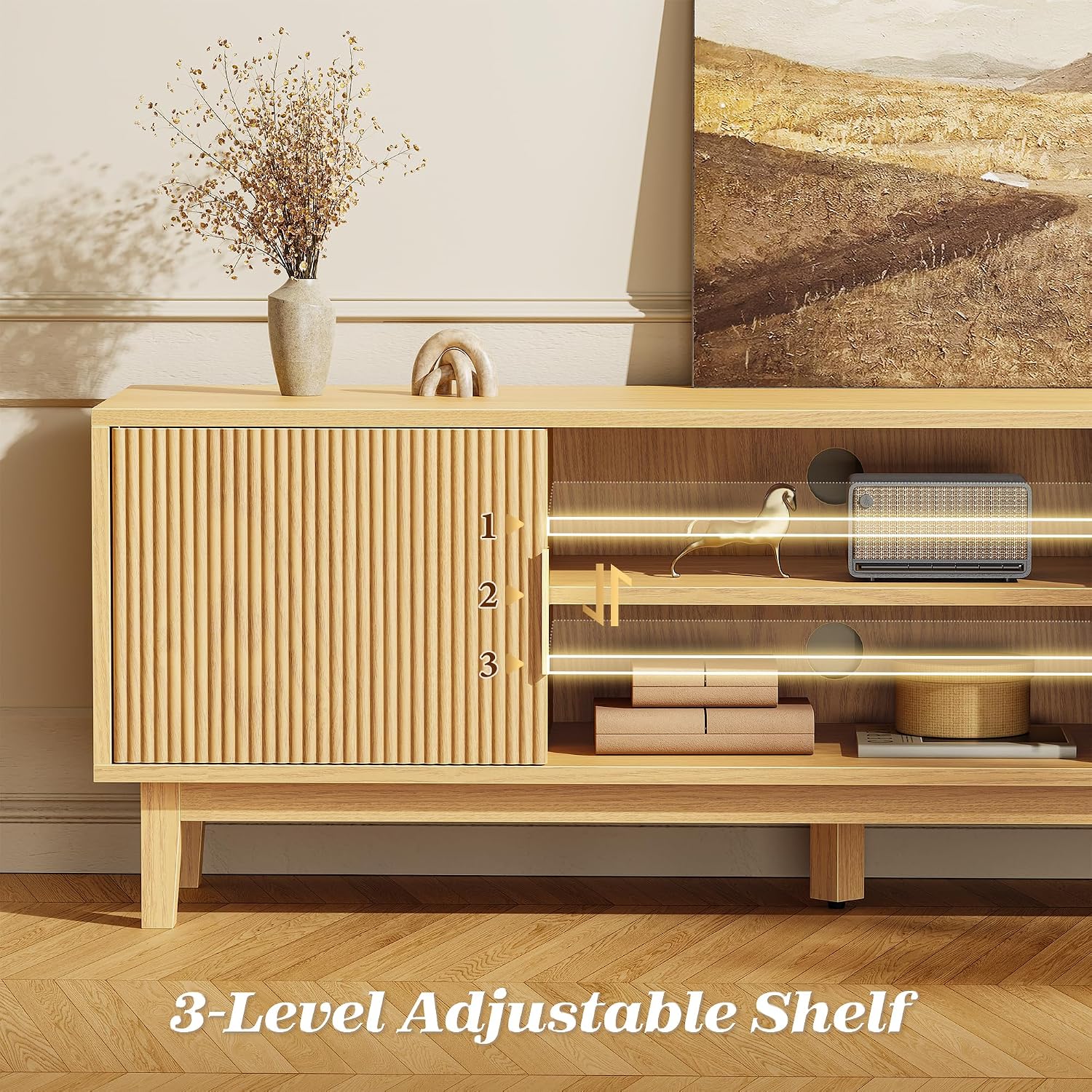
Install Shelves: Insert dowels for the adjustable shelf in the central compartment. Place the adjustable shelf at your desired height (3-level adjustment).
Attach Doors: Attach the fluted cabinet doors to the side compartments using the hinges. Ensure magnetic door catches are installed for secure closure.
Final Check: Once assembled, gently lift and move the TV stand to its desired location. Verify all connections are tight and the stand is stable. Adjust the feet if necessary to level the unit on uneven surfaces.
Image: A visual guide illustrating the step-by-step assembly process for the PRAISUN TV Stand.
Product Features
Optimal TV Size Compatibility
This TV stand is designed to comfortably support televisions ranging from 43 to 55 inches, with a maximum tabletop length of 53.9 inches. It provides ample space for your TV, soundbars, speakers, and other decorative items.
Image: The PRAISUN TV stand with a 43-inch television, demonstrating the generous tabletop space for various media devices and decor.
Image: A diagram illustrating the dimensions of the TV stand and its compatibility with TVs up to 55 inches, highlighting the 150 lbs load capacity.
Ample and Organized Storage
The stand features two enclosed cabinets with magnetic doors, offering dust-protected storage. The central open compartment includes a 3-level adjustable shelf, allowing you to customize storage for gaming consoles, media players, books, or decor of varying sizes.
Image: The TV stand with its cabinet doors open, revealing the spacious interior storage and the central compartment with a 3-level adjustable shelf.
Image: A detailed view of the central compartment, highlighting the 3-level adjustable shelf for flexible storage configurations.
Integrated Cable Management
Four built-in cable management holes on the back panel help keep wires and cables organized and out of sight, contributing to a clean and tidy entertainment area.
Image: A view of the TV stand's back panel, showing the strategically placed cable management holes designed to route and conceal wires.
Robot Vacuum Friendly Design
With a 5.3-inch clearance from the floor, this TV stand allows most robot vacuums to easily clean underneath, maintaining a tidy living space without the need to move furniture.
Image: The TV stand with a robot vacuum positioned underneath, illustrating the 5.3-inch clearance that allows for easy cleaning.
Durable Construction and Elegant Design
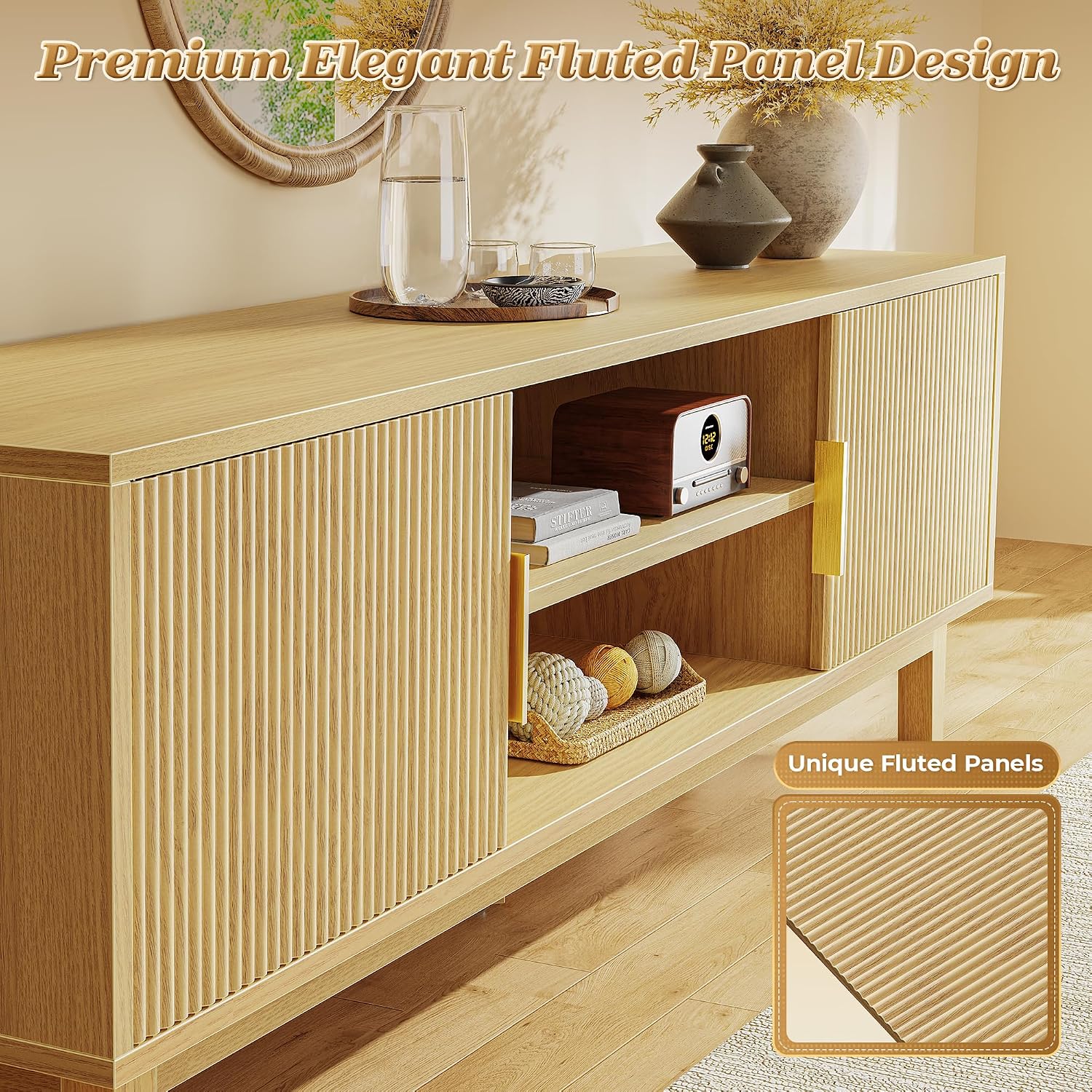
Constructed from durable FSC-Certified engineered wood with solid mid-century style legs, the stand offers reliable stability. The distinctive fluted panel design adds a unique texture and visual appeal, setting it apart from standard furniture.
Image: A close-up view showcasing the elegant fluted panel design on the cabinet doors and the sturdy solid wood legs of the TV stand.
Specifications
Brand
PRAISUN
Model Number
B0GTLVQLY9
Material
Engineered Wood
Color
Nature
Dimensions (L x W x H)
53.9 x 11.8 x 19.7 inches
Weight Capacity
150 lbs (68 kg) for tabletop
TV Size Compatibility
Up to 55 inches
Adjustable Shelf
3-level adjustment in central compartment
Clearance from Floor
5.3 inches
Care and Maintenance
Cleaning: Wipe surfaces with a soft, damp cloth. Avoid harsh chemicals or abrasive cleaners, which can damage the finish.
Spills: Blot spills immediately with a clean, dry cloth.
Heat and Moisture: Avoid placing hot items directly on the surface. Use coasters or protective pads. Keep the furniture away from direct sunlight and excessive moisture.
Moving: When moving the TV stand, always lift it rather than dragging it to prevent damage to the legs and structure.
Fasteners: Periodically check and tighten all screws and bolts to ensure the stability and longevity of the unit.
Troubleshooting
Issue: The TV stand feels wobbly after assembly.
Solution: Ensure all screws and bolts are fully tightened. Check that the adjustable feet are properly extended and leveled on uneven surfaces. Re-check assembly steps to confirm all parts are correctly installed.
Issue: Cabinet doors do not close properly or are misaligned.
Solution: Verify that the hinges are correctly installed and tightened. Check if the magnetic catches are aligned with the metal plates on the doors. Adjust hinges if necessary to align the doors.
Issue: Missing or damaged parts.
Solution: Do not proceed with assembly. Contact PRAISUN customer support immediately with your purchase details and a description of the missing or damaged parts.
Warranty and Customer Support
PRAISUN stands behind the quality of its products. For any questions, concerns, or assistance with your TV stand, please contact PRAISUN customer support. Please have your model number (B0GTLVQLY9) and purchase information ready when contacting support.
(Specific warranty details and contact information are typically provided on a separate warranty card or the manufacturer's website.)
Ask a question about this manual
Ask about setup, troubleshooting, compatibility, parts, safety, or missing instructions. Manuals+ will review the question and use this page’s manual context to help answer it.