
Product Overview
The HLDIRECT Electric Standing Desk (Model SZ0412RB) is a height-adjustable workstation designed for home and office use. It features an electric lift system, integrated power outlets, and storage drawers to enhance productivity and ergonomic comfort.
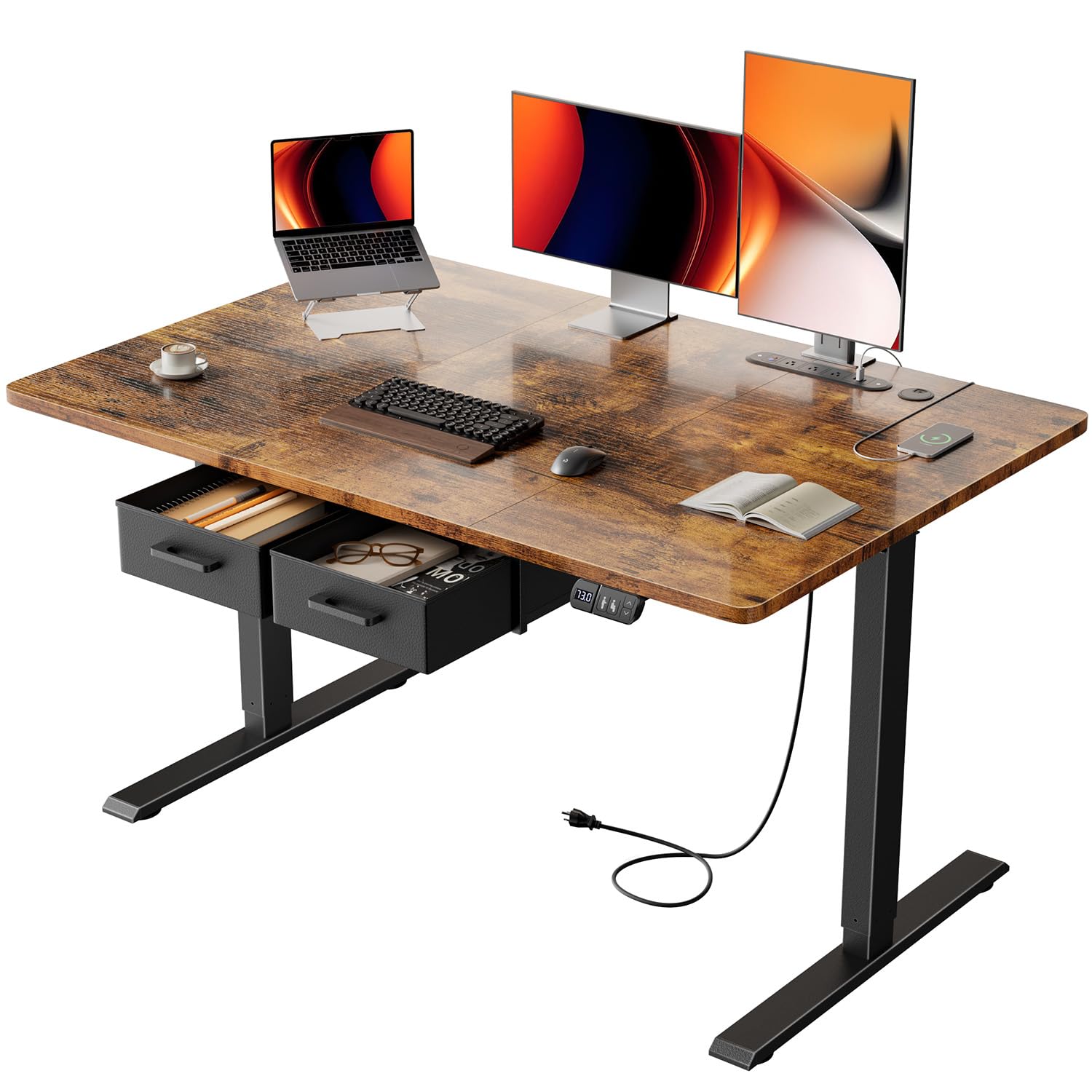
Image: HLDIRECT Electric Standing Desk, Rustic Brown 47 inch variant.

Image: Detailed product dimensions, showing 47 inches width, 31.5 inches depth, and height range from 28.35 to 46.06 inches.
Setup and Assembly
This desk requires assembly. Clear, detailed instructions and all necessary tools are included in the package to facilitate installation. It is recommended to follow the steps carefully to ensure proper function and stability.

Image: Illustration of a person assembling the desk frame, highlighting the quick assembly process.
Assembly Video Guide
Video: Official product video demonstrating the assembly and features of the HLDIRECT Electric Standing Desk with Drawers.
Operating Instructions
Height Adjustment
The desk's height can be adjusted electrically from 28 inches to 46 inches. Use the control panel to raise or lower the desk to your desired sitting or standing position. The desk includes a height memory function to save preferred settings.

Image: Close-up of the smart control panel with LED display, height adjustment buttons, and two memory positions.

Image: Two desks shown at different heights, illustrating the adjustable range for various users and tasks.
Integrated Power Panel
The desk features a built-in power panel to conveniently charge your devices. It includes:
- 3 Power Sockets (120V/12A)
- 2 USB-A Ports (5V/2A)
- 1 USB-C Port (5V/2A)
This panel minimizes cable clutter and tripping hazards. Overload protection is integrated and will automatically activate if current limits are exceeded, protecting connected devices.

Image: Close-up of the integrated power strip with various devices plugged in, showing the 3 power sockets, 2 USB-A ports, and 1 USB-C port.
Anti-Collision Rebound
The desk is equipped with an anti-collision rebound feature. If the desk encounters an obstruction during height adjustment, it will automatically stop and reverse slightly to prevent damage.
Drawer Usage
The desk includes two removable drawers for storage. These drawers can be used to keep frequently accessed items organized and out of sight, enhancing desktop tidiness.

Image: View of the two fabric drawers under the desk, showing them filled with office supplies and personal items.
Maintenance
- Cleaning: Wipe the desk surface and frame with a soft, damp cloth. Avoid abrasive cleaners or harsh chemicals that may damage the finish.
- Cable Management: Periodically check and organize cables to prevent entanglement and ensure smooth operation of the height adjustment mechanism.
- Motor Care: The high-quality motor is designed for durability. No specific user maintenance is required for the motor itself.
Troubleshooting
- Desk Not Moving: Ensure the power cord is securely plugged into both the desk and a working wall outlet. Check if the overload protection has been activated (indicated by a power cut-off). Unplug and replug the desk to reset.
- Uneven Height: If the desk appears uneven, perform a reset procedure (refer to the full assembly manual for specific steps, usually involves holding down a button).
- Unusual Noises: The motor operates quietly (below 50 decibels). If you hear loud or unusual noises, discontinue use and contact customer support.
- Overload Protection Activated: If the power panel's overload protection activates, disconnect some devices and then reset the power by unplugging and replugging the desk.
For any issues not covered here, please refer to the comprehensive troubleshooting section in the full manual or contact HLDIRECT customer support.
Specifications
| Brand | HLDIRECT |
| Model Number | SZ0412RB |
| Product Dimensions (D x W x Max H) | 31.5" x 47" x 46" |
| Minimum Height | 28 Inches |
| Maximum Height | 46 Inches |
| Item Weight | 55 Pounds |
| Number of Drawers | 2 |
| Base Material | Alloy Steel |
| Top Material Type | Wood |
| Special Feature | Built-In USB Outlet |
| Power Sockets | 3 (120V/12A) |
| USB-A Ports | 2 (5V/2A) |
| USB-C Port | 1 (5V/2A) |
| Noise Level | Below 50 dB |
Warranty Information
The HLDIRECT Electric Standing Desk (Model SZ0412RB) comes with a 1-year manufacturer's warranty. This warranty covers defects in materials and workmanship under normal use. Please retain your proof of purchase for warranty claims.
Customer Support
Should you encounter any issues during assembly, operation, or require assistance with your HLDIRECT Electric Standing Desk, please do not hesitate to contact our customer support team. We are committed to providing professional and prompt assistance.
For support, please visit the HLDIRECT Store on Amazon or refer to the contact information provided in your product packaging.