
Introduction
This manual provides essential information for the safe and efficient use of your Metasources 2-Pole AC/DC Adapter. This adapter is specifically designed to be compatible with Marsail MSESD9W-US and MSESD9B-US 55" x 28" Glass Electric Height Adjustable Standing Desks. Please read these instructions carefully before use and retain them for future reference.
What's Included
Verify that all components are present in the package:
- 1 x Metasources AC/DC Adapter
- 1 x AC Power Cord
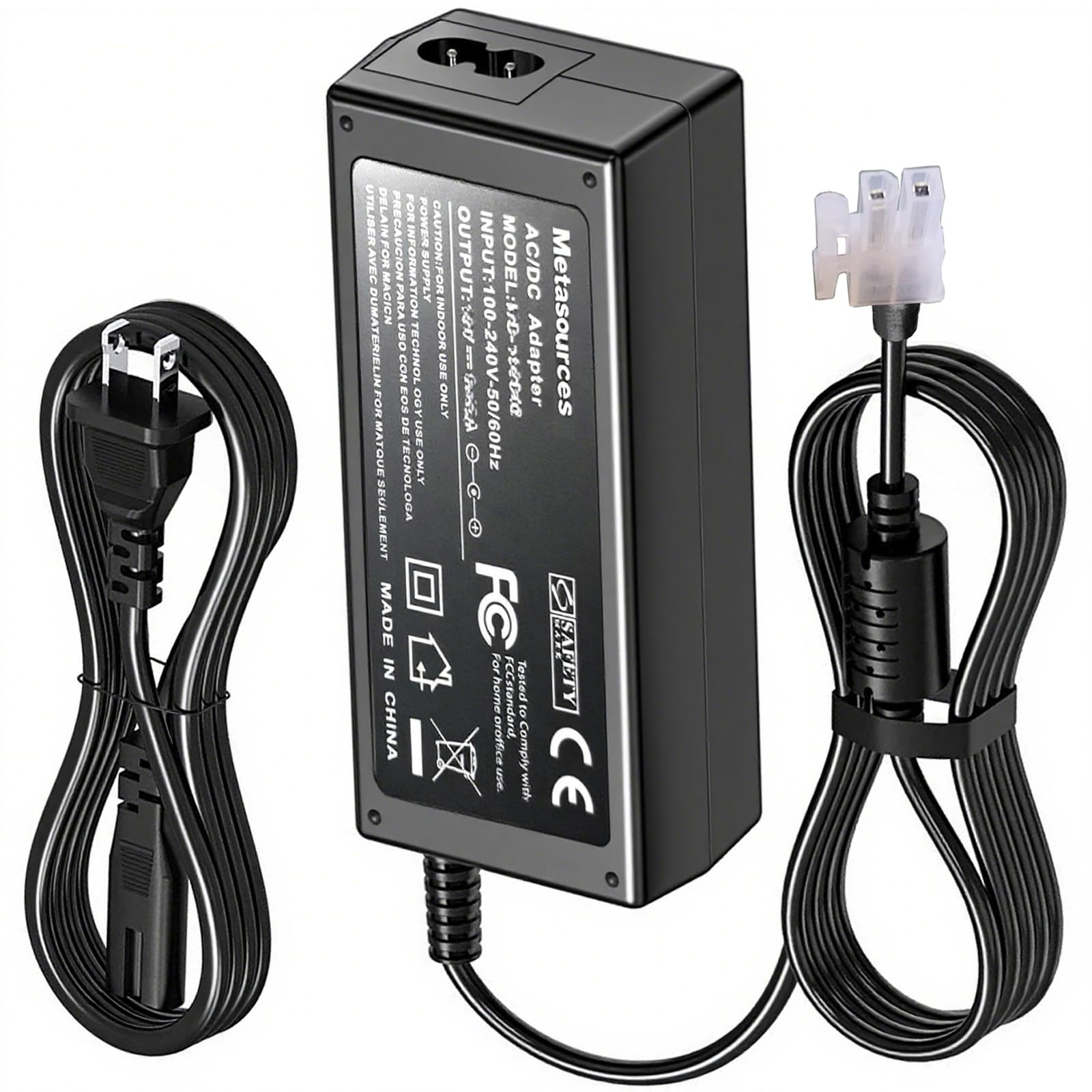
Image: The Metasources AC/DC adapter unit with its detachable AC power cord.
Setup Instructions
- Inspect the Adapter: Before connecting, visually inspect the AC/DC adapter and power cord for any signs of damage, such as frayed wires or cracked casing. Do not use if damaged.
- Connect the AC Power Cord: Insert the 2-prong end of the AC power cord firmly into the AC input port on the Metasources adapter.
- Connect to the Desk: Locate the power input port on your Marsail MSESD9W-US or MSESD9B-US standing desk. Insert the 2-pin connector from the Metasources adapter firmly into this port. Ensure a secure connection.
- Plug into Power Outlet: Plug the AC power cord into a standard 100-240V AC, 50/60Hz wall outlet.
- Verify Power: Once connected, the standing desk should receive power. Refer to your desk's manual for specific power indicator lights or initial setup procedures.

Image: A close-up view of the Metasources AC/DC adapter, highlighting the input for the AC power cord and the output 2-pin connector.
Operating Instructions
The Metasources AC/DC Adapter functions as a power supply for your compatible Marsail standing desk. Once properly connected, it continuously provides the necessary power for the desk's electric height adjustment and other functions.
- Continuous Power: The adapter is designed for continuous operation when connected to a power source and the desk.
- Voltage Compatibility: The adapter supports a global input voltage range of 100-240V AC, 50/60Hz, making it suitable for use in various regions.
- Safety Features: This adapter includes built-in safety protections such as Overcurrent Protection (OCP), Short-Circuit Protection (SCP), and Overvoltage Protection (OVP) to ensure safe operation and protect your devices.

Image: A visual representation of the adapter's 7-Point Safety Protection, including short circuit, fire resistance, overcharge, overcurrent, over temperature, overvoltage, and overpower protection, with the adapter plugged into a wall outlet.
Maintenance
To ensure the longevity and proper functioning of your Metasources AC/DC Adapter, follow these simple maintenance guidelines:
- Cleaning: Disconnect the adapter from the power outlet and the desk before cleaning. Use a soft, dry cloth to wipe the surface. Do not use liquid cleaners or abrasive materials.
- Storage: When not in use for extended periods, store the adapter in a cool, dry place, away from direct sunlight and extreme temperatures. Avoid tightly coiling the cables.
- Cable Care: Do not bend, twist, or pinch the power cords excessively. Avoid placing heavy objects on the cables, as this can cause internal damage.
- Environmental Conditions: Do not expose the adapter to water, high humidity, or dusty environments.
Troubleshooting
If you encounter issues with your Metasources AC/DC Adapter, refer to the following common problems and solutions:
| Problem | Possible Cause | Solution |
|---|---|---|
| Desk not receiving power. |
|
|
| Adapter feels unusually hot. |
|
|
If the problem persists after attempting these solutions, please contact Metasources customer support.
Specifications
| Brand | Metasources |
| Model Compatibility | Marsail MSESD9W, MSESD9B |
| Input Voltage | 100-240V AC, 50/60Hz |
| Output Connector Type | 2-Pin Connector |
| Included Components | 1 AC Adapter, 1 AC Power Cord |
| Safety Features | Short Circuit Protection (SCP), Overcurrent Protection (OCP), Overvoltage Protection (OVP), Fire-Resistance, Overcharge Protection, Over Temperature Protection, Overpower Protection |
| Weight | Approximately 10 Ounces (283 grams) |
Safety Information
Please observe the following safety precautions to prevent injury or damage to the product:
- Use only with compatible devices as specified in this manual.
- Do not disassemble, modify, or attempt to repair the adapter.
- Keep away from water, moisture, and high temperatures.
- Do not operate with wet hands.
- Ensure proper ventilation around the adapter during use.
- Unplug the adapter from the wall outlet when not in use for extended periods or during electrical storms.
- Keep out of reach of children.
Warranty and Support
Your Metasources AC/DC Adapter is covered by a warranty:
- Refund Policy: 30 Days Refund
- Exchange Warranty: 24 Months Exchange
For warranty claims, technical support, or any inquiries, please contact Metasources customer service through the retailer where the product was purchased.