
1. Product Overview
This manual provides instructions for the MUSM Main Roller, a replacement brush bar accessory designed for the Laresar S7 Pro Wet And Dry Vacuum Cleaner. This roller brush is engineered to effectively pick up dirt, dust, and debris, contributing to thorough cleaning performance.
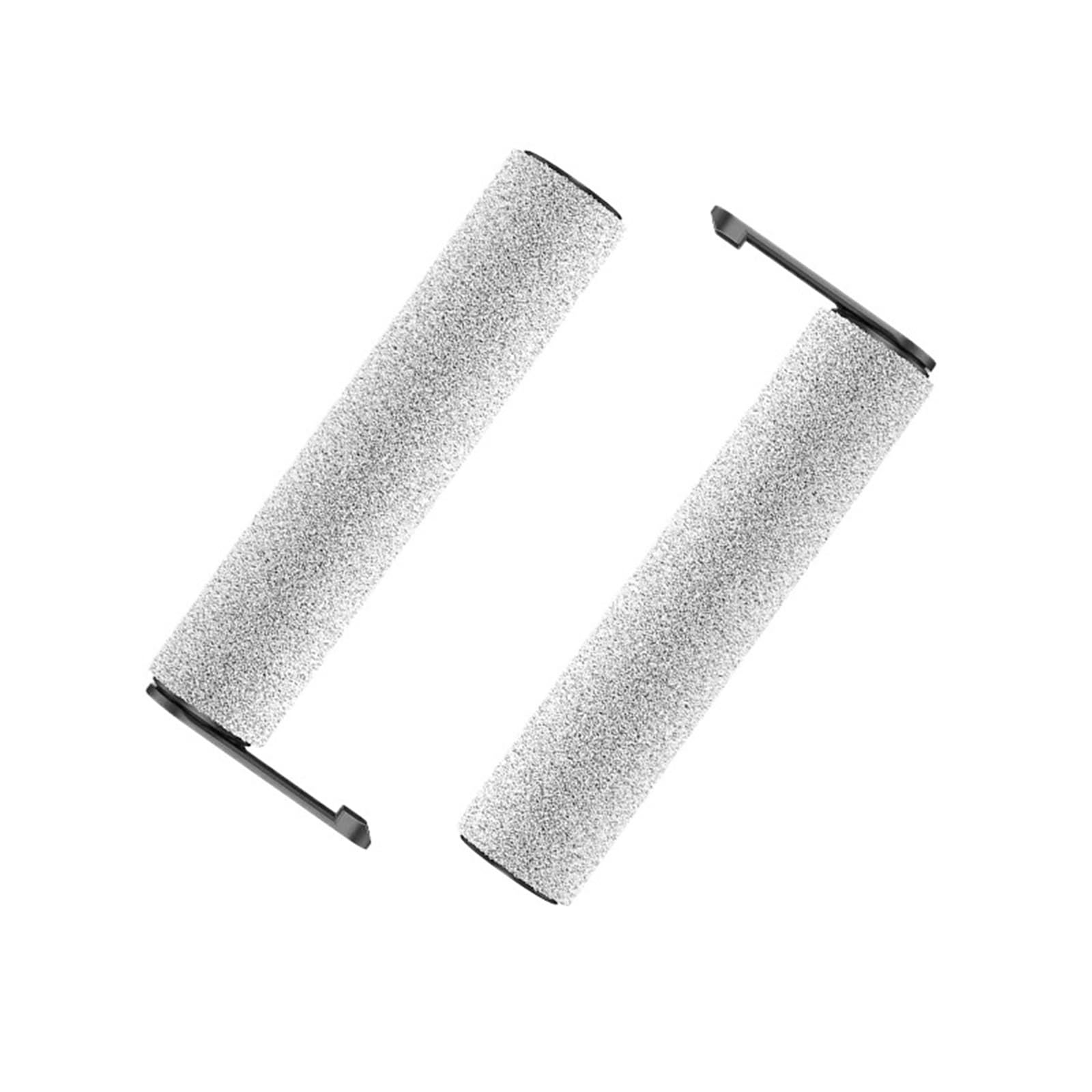
Image 1.1: The MUSM Main Roller Brush, a replacement part for the Laresar S7 Pro Wet And Dry Vacuum Cleaner.
2. Installation Instructions
Follow these steps to properly install the MUSM Main Roller into your Laresar S7 Pro Wet And Dry Vacuum Cleaner. Ensure the vacuum cleaner is turned off and unplugged before beginning installation.
- Prepare the Vacuum: Turn off and unplug your Laresar S7 Pro vacuum cleaner. Place it on a clean, flat surface.
- Access the Roller Compartment: Refer to your Laresar S7 Pro vacuum cleaner's original manual to locate and open the roller brush compartment. This usually involves releasing a latch or cover.
- Remove the Old Roller: Carefully remove the existing roller brush from its housing. Note its orientation for correct installation of the new roller.
- Insert the New Roller: Align the MUSM Main Roller with the designated slots or pins in the vacuum cleaner's brush head. Ensure the ends of the roller fit securely into their respective holders.
- Secure the Compartment: Close the roller brush compartment cover and ensure it latches securely. Verify that the roller can rotate freely without obstruction.

Image 2.1: Side view of the MUSM Main Roller, showing the brush texture and end cap design for proper alignment during installation.

Image 2.2: The MUSM Main Roller with its integrated end cap, crucial for stable rotation within the vacuum cleaner.
3. Operating Instructions
Once the MUSM Main Roller is correctly installed, it operates as an integral part of your Laresar S7 Pro Wet And Dry Vacuum Cleaner. No special operation is required for the roller itself beyond the standard use of your vacuum cleaner.
- Standard Vacuum Operation: Operate your Laresar S7 Pro vacuum cleaner as you normally would, following the instructions provided in its original user manual.
- Observe Performance: During operation, ensure the vacuum maintains its expected cleaning performance. The roller should rotate smoothly and effectively pick up debris.
- Optimal Cleaning: The design of this main roller is intended to enhance debris cleaning on various floor types when used with the Laresar S7 Pro.
4. Maintenance
Regular maintenance of the MUSM Main Roller ensures optimal cleaning performance and extends its lifespan. Perform these steps periodically, or if you notice a decrease in cleaning efficiency.
- Power Off and Unplug: Always turn off and unplug the Laresar S7 Pro vacuum cleaner before performing any maintenance.
- Remove the Roller: Follow the installation steps in reverse to remove the main roller from the vacuum cleaner.
- Clean the Roller:
- Remove any tangled hair, threads, or large debris from the bristles using scissors or a cleaning tool.
- For wet and dry vacuum cleaners, the roller may accumulate wet debris. Rinse the roller under running water if necessary, ensuring all dirt is removed.
- Allow the roller to air dry completely before re-installing it into the vacuum cleaner. Do not use heat to dry.
- Inspect for Wear: Check the bristles for signs of excessive wear or damage. If bristles are significantly flattened or missing, consider replacing the roller.
- Re-install: Once clean and dry, re-install the roller following the installation instructions.

Image 4.1: End view of the MUSM Main Roller, highlighting the bristles that require regular cleaning to maintain effective debris collection.
5. Troubleshooting
If you encounter issues with the MUSM Main Roller, refer to the following common troubleshooting steps:
- Roller Not Spinning:
- Ensure the roller is correctly installed and seated in its compartment.
- Check for any obstructions (hair, debris) preventing rotation. Clean the roller and its housing.
- Verify that the vacuum cleaner itself is functioning correctly.
- Reduced Cleaning Performance:
- The roller bristles may be dirty or worn. Perform maintenance as described in Section 4.
- Check other vacuum components (filters, suction path) as per your vacuum's original manual.
- Unusual Noises:
- Remove the roller and inspect it for any damage or foreign objects lodged within the brush or its end caps.
- Ensure the roller is properly aligned and secured, preventing rattling or grinding sounds.
6. Specifications
Key specifications for the MUSM Main Roller:
| Product Name | MUSM Main Roller |
| Compatibility | Laresar S7 Pro Wet And Dry Vacuum Cleaner |
| Material | ABS |
| Approximate Length | 260 mm (10.2 inches) |
| Approximate End Cap Width | 110 mm (4.3 inches) |
| Item Weight | 1.76 ounces (approx. 50 grams) |
| Part Type | Vacuum Cleaner Brush Bar / Main Roller |
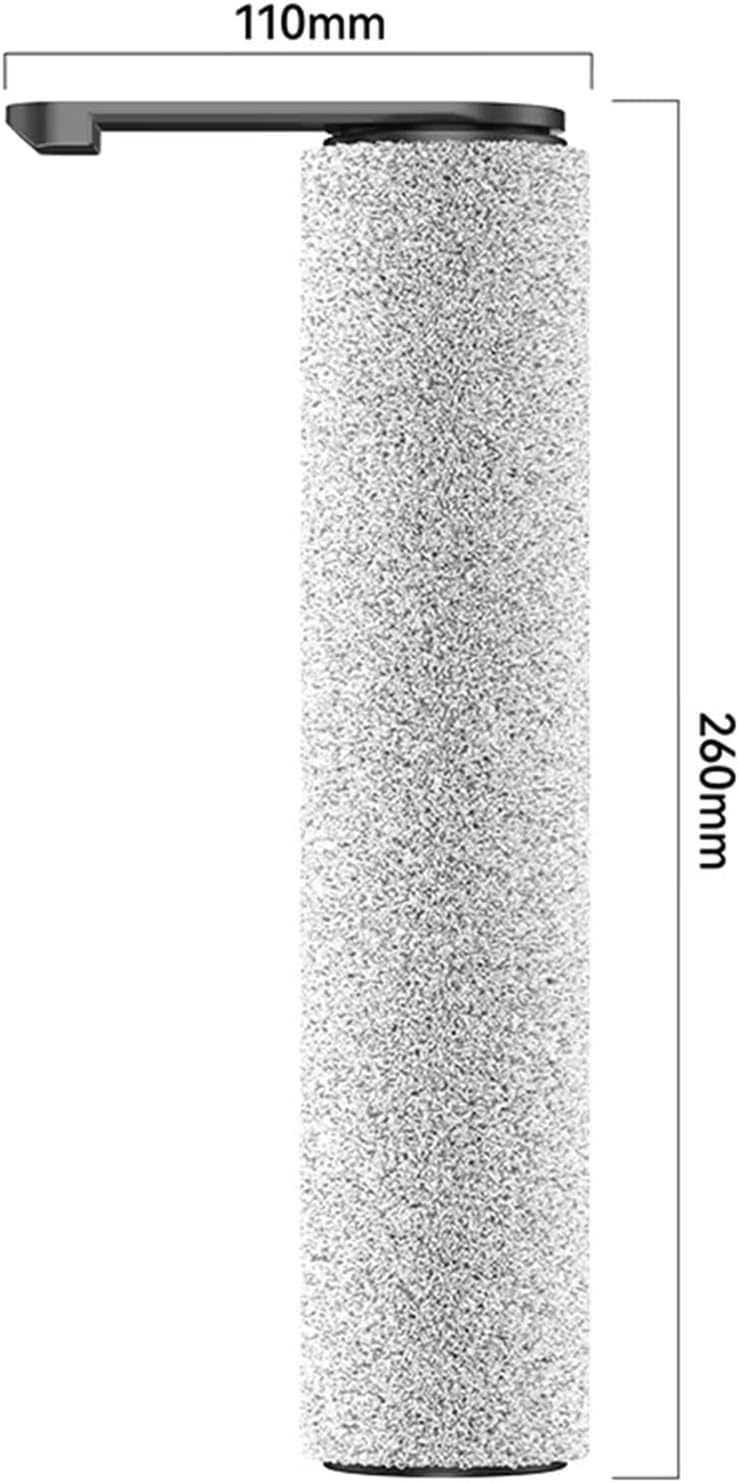
Image 6.1: The MUSM Main Roller showing its approximate length (260mm) and end cap width (110mm).
7. Warranty and Support
Specific warranty information for the MUSM Main Roller is not provided in this document. For details regarding warranty coverage, returns, or technical support, please refer to the original purchase documentation or contact the retailer or manufacturer directly.
For operational issues related to the Laresar S7 Pro Wet And Dry Vacuum Cleaner itself, please consult the vacuum cleaner's original user manual or the Laresar manufacturer's support channels.