
1. Introduction
This manual provides detailed instructions for the Mingtawn 4G Android Smartwatch. It covers initial setup, operational procedures, maintenance guidelines, troubleshooting common issues, and product specifications. Please read this manual thoroughly to ensure proper use and optimal performance of your device.
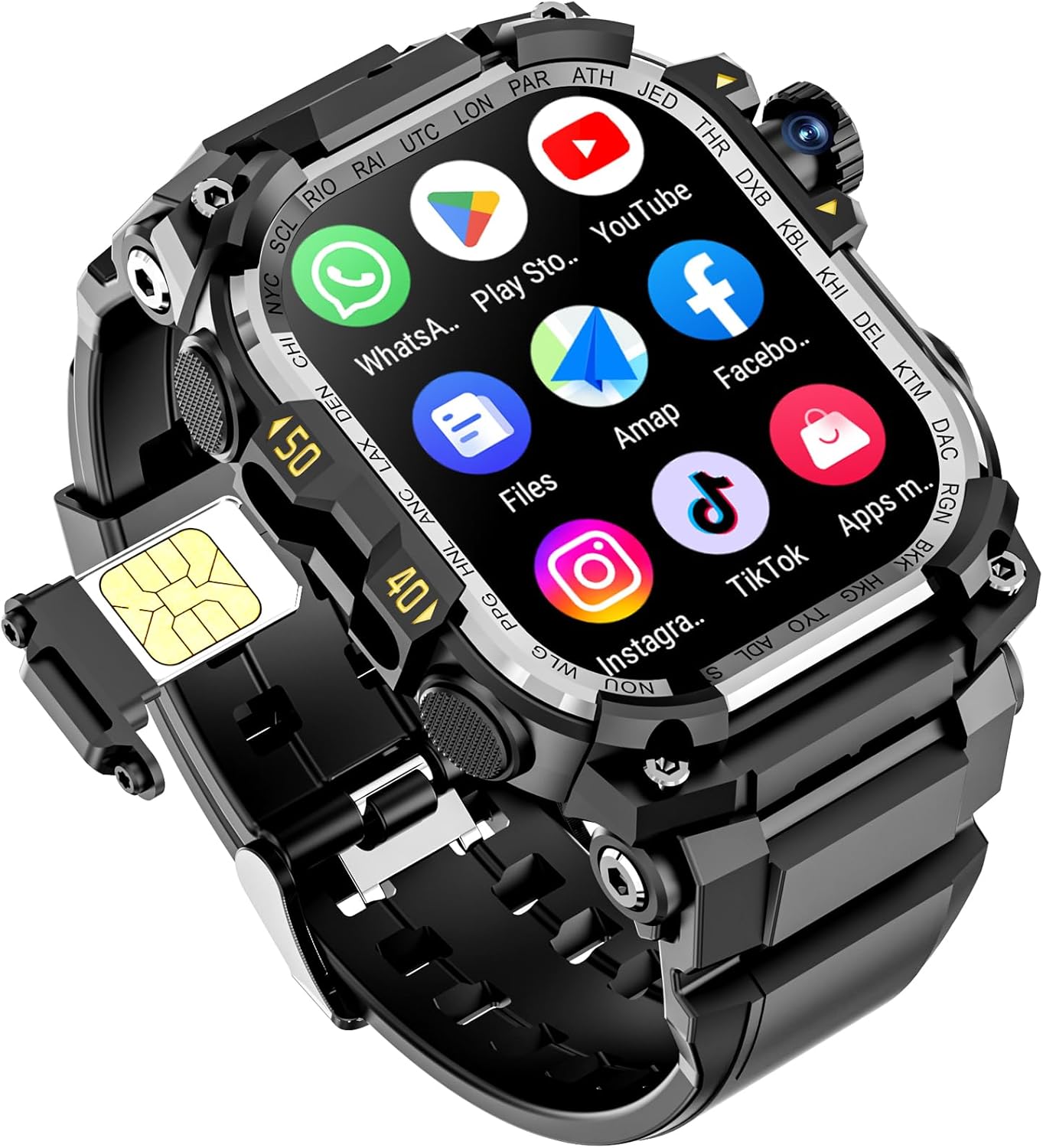
Figure 1: Mingtawn 4G Android Smartwatch
2. Setup
2.1 Unboxing and Initial Charge
Upon unboxing, verify that all components are present: the smartwatch, charging cable, and user manual. Before first use, fully charge the smartwatch using the provided magnetic charging cable. Connect the cable to a standard USB power adapter (not included) and attach the magnetic end to the charging points on the back of the watch. The watch features a 1150mAh battery, designed for extended use.
2.2 Powering On/Off
- To Power On: Press and hold the power button located on the side of the watch until the screen illuminates.
- To Power Off: Press and hold the power button, then select 'Power Off' from the on-screen options.
2.3 Inserting the 4G SIM Card
The smartwatch supports 4G SIM cards for independent communication. Locate the SIM card slot, typically on the side or under a protective cover. Carefully insert a nano-SIM card with the gold contacts facing up, ensuring it clicks into place. Restart the watch after insertion for the SIM card to be recognized.
2.4 Wi-Fi Connection
To connect to Wi-Fi, navigate to the 'Settings' menu on your smartwatch. Select 'Network & Internet', then 'Wi-Fi'. Choose your desired network from the list and enter the password if prompted. A stable Wi-Fi connection is essential for app downloads and updates.
2.5 Smartphone Pairing
The smartwatch is compatible with both Android and iOS devices. Download the companion app (if required, check the manual or product packaging for app name) from your smartphone's app store. Follow the in-app instructions to pair your smartwatch via Bluetooth. This enables notification synchronization and data transfer.
2.6 Face ID Setup
For enhanced security, the smartwatch features Face ID. Access 'Security' in the 'Settings' menu. Follow the on-screen prompts to register your face for unlocking the device.
3. Operating Instructions
3.1 Basic Navigation
The smartwatch features a 1.5-inch AMOLED touchscreen with a 466x466 ultra-high resolution display. Swipe left, right, up, and down to navigate through menus, notifications, and widgets. Tap to select items, and use the side buttons for quick access to functions or to return to the home screen.

Figure 2: AMOLED Display
3.2 Calls and Messaging
With an inserted 4G SIM card, the smartwatch supports independent calls and message replies. You can dial numbers directly from the watch, access contacts, and view call history. Notifications for incoming calls and messages will appear on the display.

Figure 3: Communication Interface
3.3 Using the Dual HD Camera
The smartwatch is equipped with a dual HD camera system (2MP front and 8MP rear, interpolated). To activate the camera, open the camera application. During shooting, double-tap the screen to switch between the front and rear cameras. The camera also features a 180-degree rotation capability for flexible photo and video capture.

Figure 4: Rotating Camera Feature
3.4 Video Chat
Leveraging its 4G and Wi-Fi connectivity, along with the dual camera, the smartwatch supports video chat applications. This allows for high-quality, smooth video communication directly from your wrist.
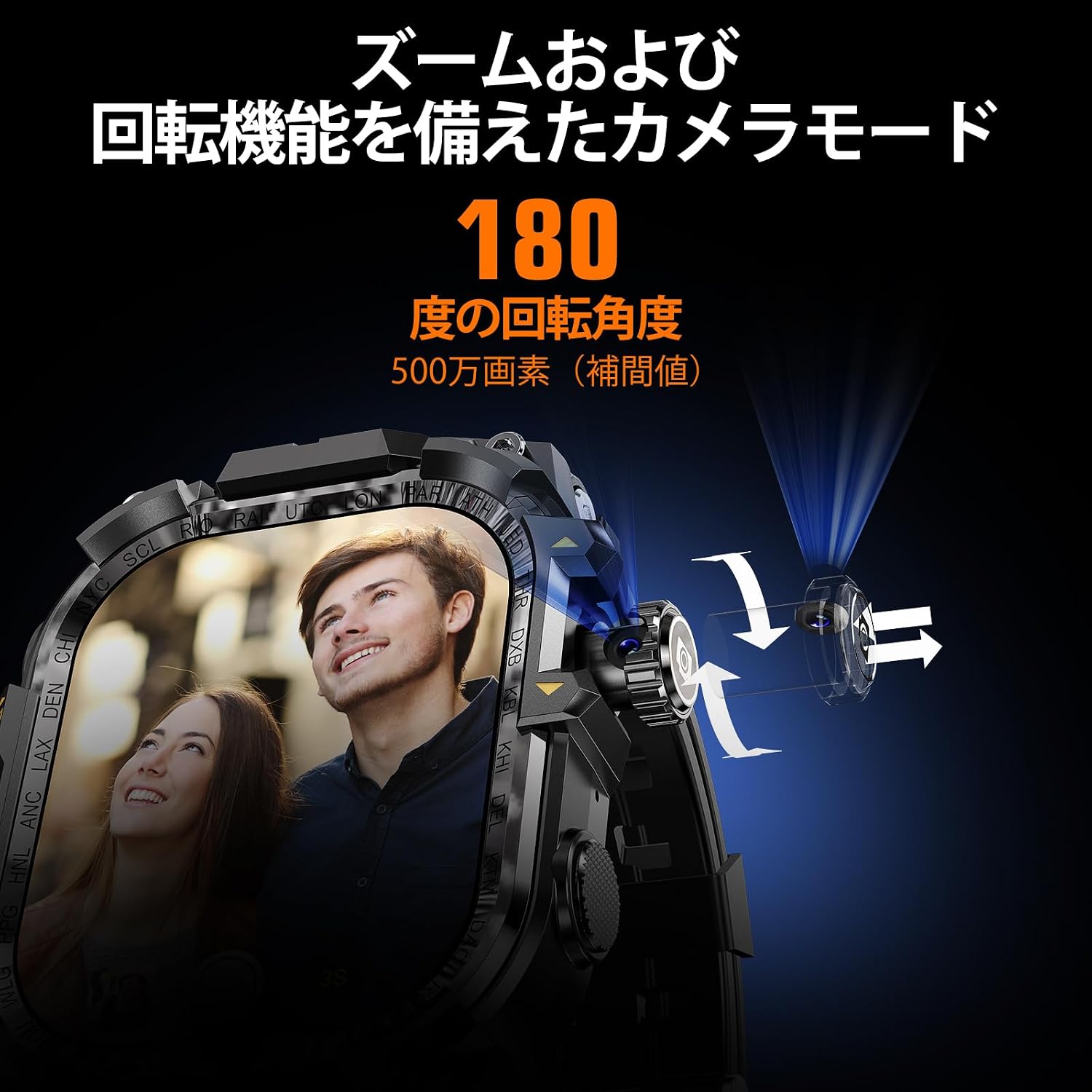
Figure 5: Video Chat Functionality
3.5 GPS and Activity Tracking
The built-in GPS provides accurate location tracking and navigation. The watch supports 11 standard sports modes, including running, cycling, and hiking. It continuously records your activity progress, performance data, steps, heart rate, and sleep patterns, helping you monitor your fitness journey.

Figure 6: Independent Operation Mode and Sports Tracking
3.6 App Downloads and Usage
Connect to Wi-Fi to directly download and install various applications (SNS, games, utilities, etc.) onto your smartwatch. With 3GB RAM and 32GB storage, the device offers ample capacity for your apps and data.

Figure 7: App Download Feature
4. Maintenance
4.1 Charging
Charge the smartwatch using the provided magnetic charging cable. Ensure the charging contacts on the watch and cable are clean and dry before connecting. Avoid using damaged cables or non-compliant chargers.
4.2 Cleaning
Wipe the watch screen and body with a soft, lint-free cloth. For stubborn smudges, slightly dampen the cloth with water. Avoid using harsh chemicals, abrasive materials, or aerosol sprays, as these can damage the device's finish and seals.
4.3 Water Resistance (IP68)
The Mingtawn 4G Android Smartwatch is IP68 rated for water resistance, meaning it can withstand immersion in water up to 1.5 meters for 30 minutes. It is suitable for everyday use, such as washing hands or light rain. However, it is not recommended for swimming, diving, or exposure to high-pressure water jets. Ensure the SIM card slot cover is securely closed to maintain water resistance.
4.4 Battery Care
To prolong battery life, avoid exposing the watch to extreme temperatures. Charge the battery before it completely drains, and avoid leaving it fully charged or fully discharged for extended periods. The 1150mAh battery is designed to last a full day with typical usage.
5. Troubleshooting
5.1 Device Not Powering On
- Ensure the battery is charged. Connect the watch to its charger for at least 30 minutes.
- Perform a forced restart by pressing and holding the power button for 10-15 seconds.
5.2 SIM Card Not Detected
- Verify that the SIM card is correctly inserted into the slot.
- Ensure the SIM card is active and not damaged.
- Restart the smartwatch.
5.3 Connectivity Issues (Wi-Fi/Bluetooth)
- Wi-Fi: Check if the Wi-Fi network is active and within range. Re-enter the password if necessary.
- Bluetooth: Ensure Bluetooth is enabled on both the smartwatch and the paired device. Try unpairing and re-pairing the devices.
5.4 Apps Not Downloading/Installing
- Check your Wi-Fi connection.
- Ensure there is sufficient storage space (32GB total, 3GB RAM).
- Clear the cache of the app store application.
5.5 Camera Not Working
- Ensure the camera lens is clean and unobstructed.
- Restart the camera application or the smartwatch.
5.6 GPS Inaccuracy
- Ensure you are in an open area with a clear view of the sky.
- Update the smartwatch software to the latest version.
6. Specifications
| Feature | Detail |
|---|---|
| Model | 4G Android Smartwatch |
| Operating System | Android Wear 1.0 |
| Display Type | AMOLED |
| Display Size | 1.5 inches |
| Display Resolution | 466x466 pixels |
| Internal Memory (RAM) | 3 GB |
| Storage Capacity | 32 GB |
| Connectivity | 4G, Wi-Fi, Bluetooth |
| Camera | Dual HD (2MP Front, 8MP Rear interpolated), 180° Rotatable |
| GPS | Built-in |
| Water Resistance | IP68 |
| Battery Capacity | 1150mAh |
| Battery Type | Lithium Ion |
| Security Features | Face ID |
| Compatible Devices | Android Smartphones, iOS Smartphones |
| Included Items | Smartwatch, Charging Cable, User Manual |
7. Warranty Information
The Mingtawn 4G Android Smartwatch comes with a standard manufacturer's warranty. Please refer to the warranty card included in your product packaging for specific terms, conditions, and duration of coverage. Keep your proof of purchase for warranty claims.
8. Support
For further assistance, technical support, or inquiries regarding your Mingtawn 4G Android Smartwatch, please visit the official Mingtawn website or contact the seller directly through your purchase platform. Ensure you have your model number (4G Android Smartwatch) and purchase details ready when seeking support.
