
Introduction
Thank you for choosing the Sofucor Smart Ceiling Fan with Light. This 132cm solid wood ceiling fan is designed to provide optimal air circulation and lighting for your living spaces. It features a quiet DC motor, 6 adjustable speeds, 3 color temperatures, and smart control options including Alexa, mobile app, and remote control. This manual provides essential information for safe installation, operation, and maintenance of your new ceiling fan.
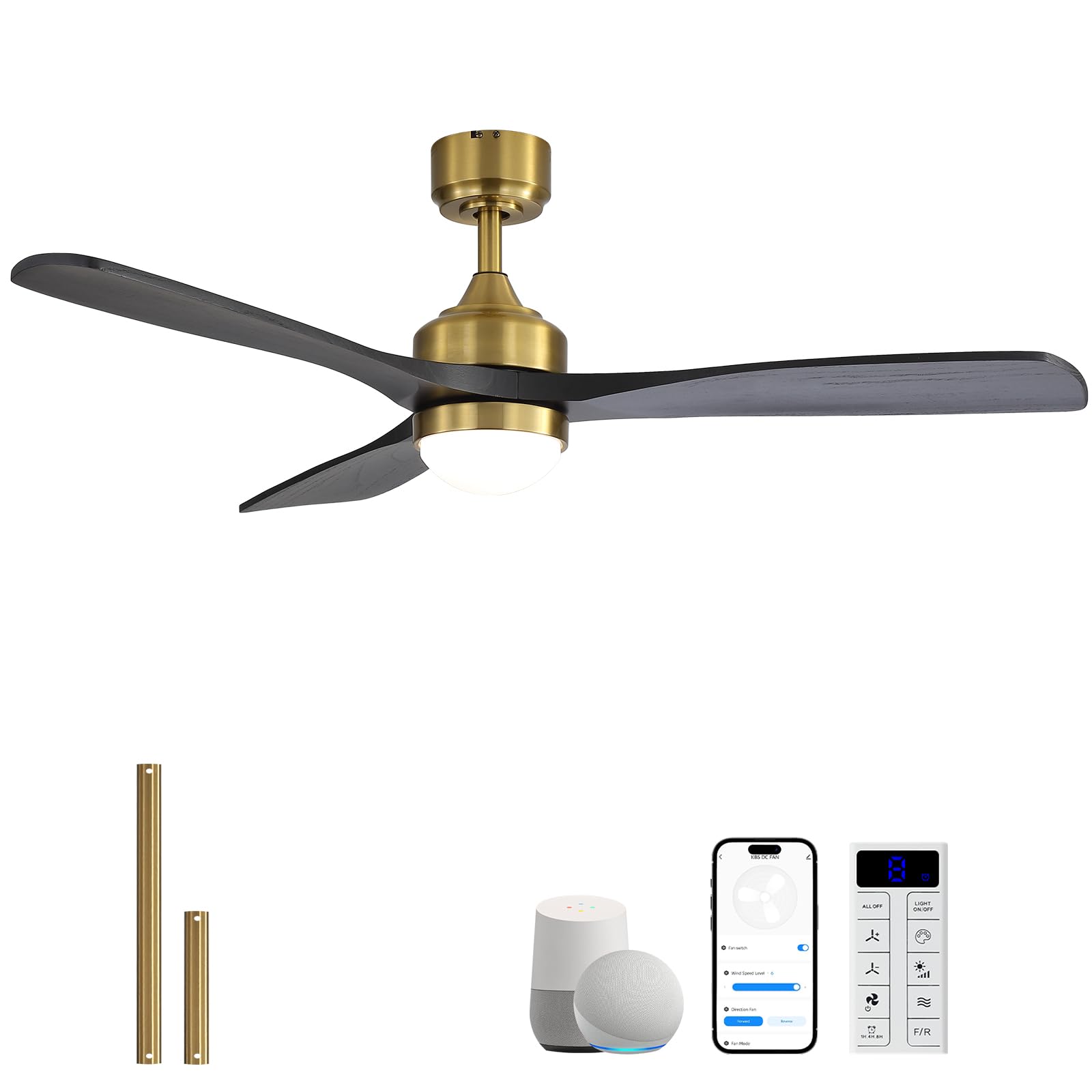
Image: Sofucor Smart Ceiling Fan, 132cm, Gold+Black finish.
Safety Information
Please read all safety instructions carefully before installation and use. Failure to follow these instructions may result in electric shock, fire, or personal injury.
- Ensure the power supply is disconnected at the circuit breaker before installation or maintenance.
- All wiring must be in accordance with national and local electrical codes. If you are unsure, consult a qualified electrician.
- The mounting structure must be capable of supporting the weight of the fan (approximately 5.14 kg) plus the dynamic load during operation.
- Do not connect the fan to a dimmer switch or variable speed control other than the provided remote or app.
- Ensure fan blades are installed at least 2.3 meters (7.5 feet) from the floor and have at least 0.5 meters (1.6 feet) clearance from walls or other obstructions.
- Do not insert objects into the path of the fan blades while the fan is operating.
- This fan is suitable for indoor use and covered outdoor spaces. Avoid direct exposure to water or extreme humidity.
Package Contents
Verify that all components are present and undamaged before beginning installation. If any parts are missing or damaged, contact customer support.

Image: All components included in the Sofucor Smart Ceiling Fan package.
- Mounting Bracket
- LED Light Kit
- Lampshade
- Fan Motor Assembly
- 3 Fan Blades (Solid Wood)
- Extension Rods (12.5 cm and 25 cm)
- Remote Control
- Hardware Pack (screws, wire nuts, etc.)
- Instruction Manual
Specifications
| Brand | Sofucor |
| Model Number | KBS-52K348 |
| Color | Gold + Black |
| Material | Solid Wood (Blades), Metal (Housing) |
| Product Dimensions | 132L x 132W x 132H cm (with longest rod) |
| Item Weight | 5.14 Kilograms |
| Power Source | Electric (220 Volts) |
| Motor Type | DC Motor (Silent Operation) |
| Fan Speeds | 6 adjustable speeds |
| Airflow | Up to 5000 CFM |
| Light Type | Integrated LED (18 Watts) |
| Color Temperature | 3000K (Warm White), 4000K (Neutral White), 6000K (Cool White) - Dimmable |
| Control Methods | Remote Control, Mobile App (Smart Life), Voice Control (Alexa, Google Assistant) |
| Connectivity | Wi-Fi |
| Timer Function | 1H/4H/8H (Remote), 1-540 min (App) |
| Assembly Required | Yes |
| Recommended Room Size | 3.5m x 3.5m to 6.5m x 6.5m |

Image: Detailed dimensions of the fan and included extension rods (12.5cm and 25cm).
Setup (Installation)
Installation requires basic electrical knowledge. If you are not confident, please seek professional assistance. A detailed illustrated installation guide is included in the package, and an installation video is available online.
Mounting Options
The fan supports two mounting types: flush mount and downrod mount. Choose the appropriate method based on your ceiling height and preference.
- Flush Mount: For lower ceilings, providing a more compact profile.
- Downrod Mount: For higher ceilings, using either the 12.5 cm or 25 cm extension rod to optimize airflow.

Image: Illustration of flush mount and downrod mount options, suitable for flat or inclined ceilings.
Installation Steps Overview
- Prepare for Installation: Turn off power at the circuit breaker. Secure the electrical box to the building structure.
- Install Mounting Bracket: Attach the mounting bracket to the ceiling electrical box using appropriate screws.
- Assemble Fan Motor: Connect the downrod (if used) to the fan motor assembly.
- Wire Connections: Carefully connect the fan's electrical wires to the household wiring according to the wiring diagram in the detailed manual.
- Mount Fan Assembly: Lift the fan assembly and hang it onto the mounting bracket. Secure it with screws.
- Attach Fan Blades: Securely attach the three solid wood fan blades to the motor housing.
- Install LED Light Kit and Lampshade: Connect the LED light kit wires and attach the lampshade.
- Restore Power: Turn on power at the circuit breaker.
Note: Each fan undergoes rigorous balance and noise tests before delivery to ensure stable and vibration-free operation.
Operating Instructions
Control Methods
Your Sofucor Smart Ceiling Fan offers multiple convenient control options:
- Remote Control: The included remote allows full control over fan speeds, light settings, and timer functions. Effective range is 15 meters.
- Mobile App (Smart Life): Download the Smart Life app to control your fan from your smartphone. App control requires Bluetooth for initial setup and Wi-Fi for remote access. Download Smart Life App
- Voice Control: Compatible with Amazon Alexa and Google Assistant for hands-free operation.

Image: Overview of remote, app, and voice control options.
Fan Functions
- Power On/Off: Use the dedicated button on the remote, app, or voice command.
- Speed Adjustment: Select from 6 fan speeds to suit your comfort needs. Speeds 1-2 for gentle breeze, 3-4 for natural wind, and 5-6 for powerful airflow.
- Winter/Summer Mode (Reverse Function):
- Summer Mode (Forward Rotation): Creates a downward airflow, providing a cooling effect.
- Winter Mode (Reverse Rotation): Circulates warm air accumulated near the ceiling, helping to reduce heating costs. - Timer: Set the fan to turn off automatically after 1, 4, or 8 hours using the remote. The app allows for precise timer settings from 1 to 540 minutes.

Image: Explanation of winter (upward airflow) and summer (downward airflow) modes.
Light Functions
- Power On/Off: Control the light independently from the fan.
- Brightness Adjustment (Dimming): Adjust the light intensity from 10% to 100% using the remote or app.
- Color Temperature Adjustment: Choose between 3000K (warm white), 4000K (neutral white), and 6000K (cool white). The app allows for continuous adjustment of color temperature.
- Memory Function: The integrated memory function retains your last light settings (brightness and color temperature) when the fan is turned off and on again.

Image: Visual representation of customizable light settings, including warm, neutral, and cool white, and brightness adjustment.
Maintenance
Regular maintenance ensures optimal performance and longevity of your ceiling fan.
- Cleaning: Turn off the power before cleaning. Use a soft, damp cloth to wipe down the fan blades and motor housing. Do not use abrasive cleaners or solvents. For solid wood blades, avoid direct exposure to water.
- Blade Inspection: Periodically check that all blade screws are tight. Loose blades can cause wobbling and noise.
- Light Fixture: The LED light source is integrated and generally does not require replacement. If issues arise, contact customer support.
- Dust Removal: Use a soft brush or vacuum cleaner with a brush attachment to remove dust from the fan and light fixture.
Troubleshooting
If you encounter any issues with your fan, refer to the following common problems and solutions:
| Problem | Possible Cause | Solution |
|---|---|---|
| Fan does not start | No power supply; Loose wiring; Remote control battery low/dead; Remote not paired. | Check circuit breaker; Verify all wire connections; Replace remote battery; Re-pair remote control (refer to detailed manual). |
| Light does not turn on | No power to light kit; Loose wiring; LED driver issue. | Check power supply; Verify light kit wiring; Contact customer support if LED driver is suspected. |
| Fan wobbles | Loose blades or mounting; Unbalanced blades; Improper installation. | Ensure all screws are tight; Check blade balance (balancing kit may be needed); Re-check mounting bracket installation. |
| Remote control not working | Battery dead; Remote not paired; Obstruction between remote and receiver. | Replace battery; Re-pair remote; Ensure clear line of sight. |
| App control not connecting | Wi-Fi signal weak; Incorrect Wi-Fi password; Fan not in pairing mode; Bluetooth off. | Ensure strong 2.4GHz Wi-Fi; Re-enter password; Follow app pairing instructions; Enable Bluetooth on your device. |
Warranty and Support
Sofucor is committed to providing quality products and excellent customer service.

Image: Overview of Sofucor's commitment to customer satisfaction, including warranty and support details.
- Motor Warranty: Lifetime replacement for the motor under conforming use.
- Parts Warranty: 2-year free replacement for other parts.
- Transport Damage: If the product arrives damaged, please contact us immediately for compensation.
- 24/7 Assistance: Our team is available to respond quickly to your installation and after-sales service requests.
For further assistance, please refer to the contact information provided in your product packaging or visit the official Sofucor website.


