
1. Introduction
This manual provides essential information for the safe and efficient operation of your VIZIO Onn 43S4V1 43-inch 4K Smart TV. Please read these instructions thoroughly before using the product and retain them for future reference. This television offers a 4K UHD display with HDR10 support, integrated Roku OS for smart entertainment, and compatibility with various smart home ecosystems.
2. Safety Information
Always follow basic safety precautions when using this television to reduce the risk of fire, electric shock, and injury.
- Do not expose the television to rain or moisture.
- Do not block ventilation openings. Ensure adequate space around the TV for proper airflow.
- Use only the power cord supplied with the television.
- Protect the power cord from being walked on or pinched.
- Unplug the television during lightning storms or when unused for long periods.
- Refer all servicing to qualified service personnel.
3. What's in the Box
Verify that all components are present before proceeding with setup.
- VIZIO Onn 43S4V1 43-inch 4K Smart TV
- Remote Control
- Power Cable
- TV Stand (2 feet) and Screws (may vary based on renewed condition)
- Quick Start Guide (not included in this digital manual)
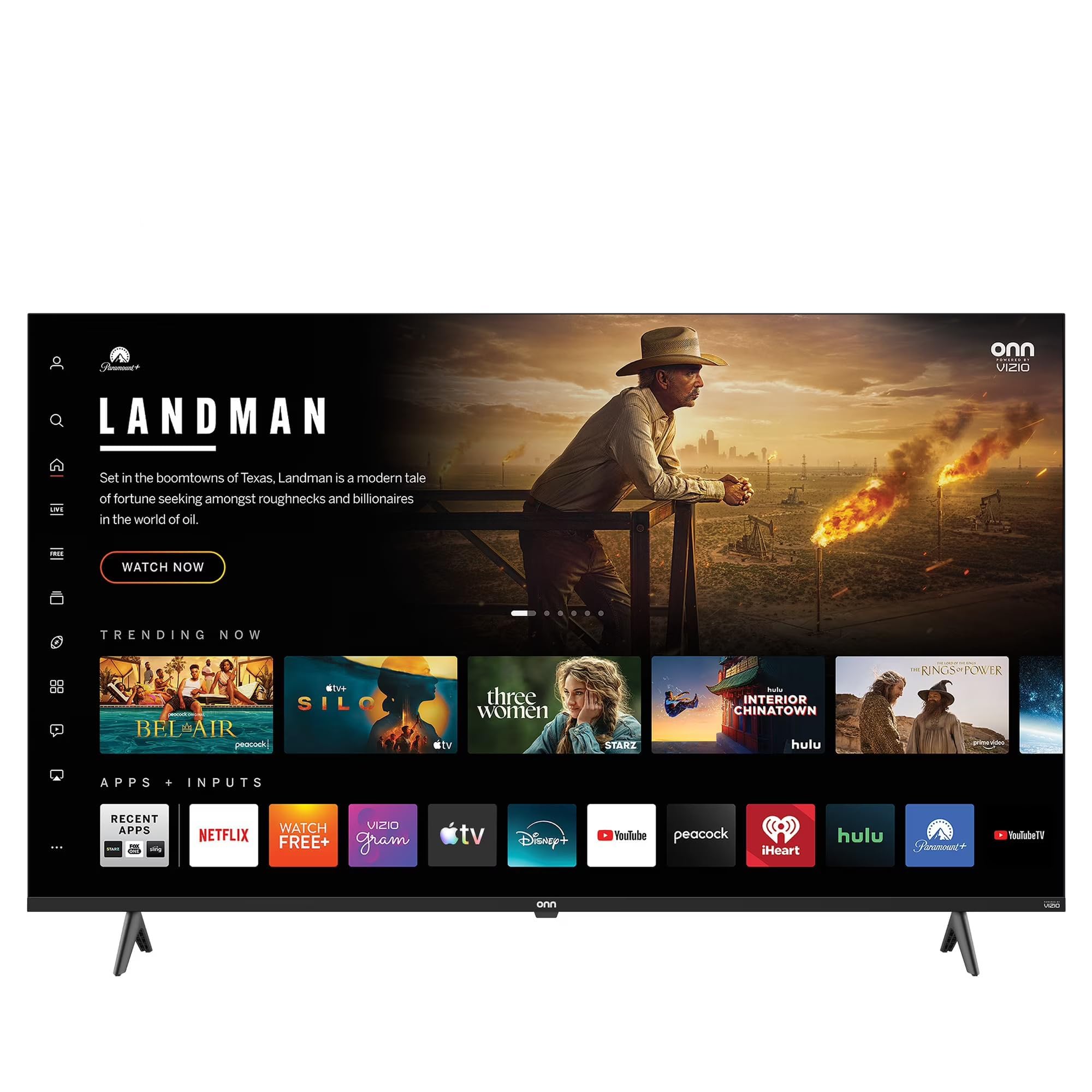
Image: The VIZIO Onn 43S4V1 43-inch 4K Smart TV, showcasing its slim bezel design and display.
4. Setup
4.1 Attaching the TV Stand
- Carefully place the TV screen-down on a soft, clean surface to prevent scratches.
- Align each stand foot with the corresponding screw holes on the bottom of the TV.
- Secure each foot with the provided screws. Do not overtighten.
4.2 Wall Mounting (Optional)
If you choose to wall mount your TV, ensure you use a VESA-compatible mount (not included) and follow the mount manufacturer's instructions. Consult a professional for installation if you are unsure.
4.3 Connecting Devices
Your TV features multiple connectivity options:
- HDMI Ports (3 total): Connect Blu-ray players, gaming consoles, cable boxes, and other HDMI-enabled devices.
- USB Port: For media playback from USB storage devices.
- Antenna/Cable Input: Connect an antenna for over-the-air broadcasts or a cable TV connection.
- Ethernet Port: For a wired internet connection.
4.4 Power On and Initial Setup
- Plug the power cord into the TV and then into a wall outlet.
- Press the Power button on the remote control or on the TV.
- Follow the on-screen instructions to complete the initial setup, including language selection, network connection (Wi-Fi or Ethernet), and channel scanning.
- The Roku OS will guide you through activating your smart TV features and linking your streaming accounts.
5. Operating
5.1 Basic TV Functions
- Power: Press the Power button on the remote to turn the TV on or off.
- Volume: Use the Volume Up/Down buttons to adjust audio levels.
- Input: Press the Input button to switch between connected devices (HDMI 1, HDMI 2, etc.).
- Navigation: Use the directional pad and OK button to navigate menus and select options.
5.2 Smart TV Features (Roku OS)
Your VIZIO Onn TV is powered by Roku OS, providing access to a vast library of streaming content.
- Home Screen: The customizable home screen displays your favorite streaming apps and connected devices.
- Streaming Apps: Access popular services like Netflix, Disney+, YouTube, and thousands more.
- Search: Use the search function to find movies, TV shows, actors, and directors across multiple streaming channels.
5.3 Smart Home & Voice Control
The TV is compatible with various voice assistants and smart home platforms:
- Apple AirPlay & HomeKit: Cast content directly from your Apple devices and integrate the TV into your Apple Home ecosystem.
- Amazon Alexa: Control your TV using Alexa-enabled devices.
- Google Assistant: Use Google Assistant-enabled devices to control your TV.
Refer to the respective smart home app for pairing instructions.
5.4 Gaming Features
The dedicated Game Mode reduces input lag for a more responsive gaming experience. This mode can typically be activated through the TV's picture settings menu when a gaming console is detected or selected as the input source.
5.5 Picture and Sound Settings
Access the TV's settings menu to adjust picture modes (e.g., Standard, Movie, Vivid), brightness, contrast, color, and sound settings (e.g., bass, treble, audio modes). The Auto Volume Leveler feature helps maintain consistent audio levels across different channels and content.
6. Maintenance
6.1 Cleaning the Screen
Gently wipe the screen with a soft, dry, lint-free cloth. For stubborn marks, lightly dampen the cloth with water or a specialized screen cleaner. Never spray liquid directly onto the screen.
6.2 Cleaning the Cabinet
Wipe the TV cabinet with a soft, dry cloth. Avoid using abrasive cleaners or solvents.
6.3 Software Updates
Your VIZIO Onn TV may receive automatic software updates via its internet connection. Ensure the TV is connected to the internet to receive the latest features and performance improvements.
7. Troubleshooting
If you encounter issues with your TV, refer to the following common solutions:
| Problem | Possible Solution |
|---|---|
| No power | Check if the power cord is securely connected to the TV and the wall outlet. Try a different outlet. |
| No picture, but sound is present | Ensure the correct input source is selected. Check HDMI cable connections. |
| No sound, but picture is present | Check volume level and mute status. Verify audio settings and external audio device connections. |
| Remote control not working | Replace batteries. Ensure no obstructions between the remote and the TV's IR sensor. |
| Cannot connect to Wi-Fi | Ensure your Wi-Fi router is on and working. Re-enter the Wi-Fi password. Try restarting the TV and router. |
| Apps not opening or freezing | Ensure the TV has a stable internet connection. Try restarting the TV. If the issue persists, perform a factory reset (note: this will erase all settings and data). |
8. Specifications
| Feature | Detail |
|---|---|
| Model Name | 43S4V1 |
| Screen Size | 43 inches |
| Display Technology | 4K UHD (2160p) |
| Resolution | 3840 x 2160 |
| Refresh Rate | 60 Hz |
| Display Backlight | Direct-Lit LED |
| HDR Support | HDR10 |
| Operating System | Roku OS |
| Connectivity | Wi-Fi, Ethernet |
| HDMI Ports | 3 |
| Special Features | Auto Volume Leveler, Bezel-Less Design, Dynamic Contrast Enhancer, Game Mode, Spatial Scaling Engine |
| Included Components | Remote Control |
| Color | Black |
| Model Year | 2021 |
| UPC | 728434234920 |
9. Warranty and Support
9.1 Warranty Information
This VIZIO Onn 43S4V1 television comes with a 90 days limited warranty. This warranty covers defects in materials and workmanship under normal use. Please retain your proof of purchase for warranty claims.
9.2 Customer Support
For technical assistance, troubleshooting beyond this manual, or warranty service, please contact VIZIO customer support. Refer to the official VIZIO website for the most current contact information and support resources.

