
1. Introduction
Thank you for choosing the oneisall PP04 Pet Air Purifier and LM5 Dog Vacuum. This manual provides essential information for the safe and efficient operation, maintenance, and troubleshooting of your devices. Please read it thoroughly before use and retain it for future reference.

Image 1.1: The oneisall PP04 Pet Air Purifier shown with a puppy and a cat, highlighting its pet-friendly design.

Image 1.2: The oneisall LM5 Dog Vacuum, including various grooming attachments, displayed with two dogs.
2. Safety Information
Please observe the following safety precautions to prevent injury or damage to the devices:
- Do not operate the devices with a damaged power cord or plug.
- Keep both devices away from water or other liquids.
- Ensure proper ventilation when operating the air purifier.
- Supervise children and pets when the devices are in use.
- Unplug the devices before cleaning or performing any maintenance.
- Use only manufacturer-recommended replacement parts and accessories.
3. Product Overview
3.1. oneisall PP04 Pet Air Purifier
The PP04 air purifier is designed to improve air quality in pet-owning households. Key features include:
- Air Intake System: Features 3 large I-shaped inlets and 3 bottom inlets for 360° airflow, designed to capture pet hair and dander efficiently.
- Filtration System: A 3-stage filtration system comprising a washable pre-filter, an H13 HEPA filter, and a pet-specific activated carbon filter.
- Air Quality Monitor: Built-in PM2.5 sensor with a color-coded display for real-time air quality monitoring.
- Pet Entertainment Features: Includes a built-in scratch board, rotating ball, teaser wand, and a top platform for pets.

Image 3.1: The oneisall PP04 Pet Air Purifier in a living room setting, showing a cat utilizing the top perch and a child playing, illustrating its integrated pet entertainment features.
3.2. oneisall LM5 Dog Vacuum
The LM5 dog vacuum is designed for pet grooming and hair removal. It includes various attachments for different tasks.
- Grooming Kit: Comes with multiple attachments for grooming, shedding, and general cleaning.
- Powerful Suction: Designed to effectively remove loose pet hairs.
- Low Noise Design: Engineered to operate at a reduced noise level to minimize pet anxiety.

Image 3.2: An overview of the oneisall LM5 Dog Vacuum grooming kit, showcasing its various attachments for different grooming and cleaning needs.
4. Setup
4.1. oneisall PP04 Pet Air Purifier Setup
- Unpack: Carefully remove the air purifier from its packaging.
- Filter Installation: Open the filter compartment. Remove the plastic packaging from all filters (pre-filter, H13 HEPA, activated carbon filter). Insert the filters in the correct order as indicated by markings inside the compartment. Close the compartment securely.
- Placement: Place the air purifier on a flat, stable surface, ensuring adequate space around the air inlets and outlets for optimal airflow.
- Power Connection: Plug the power cord into a suitable electrical outlet.
4.2. oneisall LM5 Dog Vacuum Setup
- Unpack: Remove the vacuum unit and all accessories from the packaging.
- Attach Hose: Connect the flexible hose to the main vacuum unit. Ensure it clicks into place.
- Select Attachment: Choose the appropriate grooming or cleaning attachment for your task and securely attach it to the end of the hose.
- Power Connection: Plug the power cord into a suitable electrical outlet.
5. Operating Instructions
5.1. oneisall PP04 Pet Air Purifier Operation
- Power On/Off: Press the power button to turn the unit on or off.
- Fan Speed Adjustment: Use the fan speed button to cycle through different fan speeds (e.g., Low, Medium, High).
- Auto Mode: Press the Auto Mode button. The air purifier will automatically adjust its fan speed based on the real-time air quality detected by the PM2.5 sensor.
- Air Quality Display: The color-coded display indicates current air quality:
- Green: Good air quality
- Yellow: Moderate air quality
- Red: Poor air quality
- Timer Function: If available, use the timer button to set the operating duration (e.g., 2H, 4H, 8H).
5.2. oneisall LM5 Dog Vacuum Operation
- Power On/Off: Press the power button to start or stop the vacuum.
- Suction Level: Adjust the suction power as needed for different grooming tasks or pet comfort.
- Grooming: Use the appropriate brush attachment to gently brush your pet's coat, allowing the vacuum to collect loose hair directly.
- Shedding: For shedding, use the deshedding tool. Move it along the pet's coat in the direction of hair growth.
- Cleaning: Use the crevice tool or other cleaning attachments to vacuum pet hair from furniture, carpets, or other surfaces.

Image 5.1: A close-up view of the oneisall LM5 Dog Vacuum in use, demonstrating its ability to remove loose hair from a dog's coat.

Image 5.2: A person using the oneisall LM5 Dog Vacuum on a cat, emphasizing the device's low noise design for a calmer grooming experience.
6. Maintenance
6.1. oneisall PP04 Pet Air Purifier Maintenance
- Pre-filter Cleaning: The washable pre-filter should be cleaned every 2-4 weeks, or as needed, depending on pet hair accumulation. Remove the pre-filter and rinse it under running water. Allow it to air dry completely before reinserting.
- H13 HEPA and Activated Carbon Filter Replacement: These filters are not washable and should be replaced every 3-6 months, or when the filter replacement indicator illuminates. Refer to the visible filter window to check hair buildup.
- Exterior Cleaning: Wipe the exterior of the air purifier with a soft, dry cloth. Do not use abrasive cleaners or solvents.

Image 6.1: A visual representation of the oneisall PP04's 3-stage filtration system, detailing the Pre-Filter, H13 HEPA Filter, and Activated Carbon Filter layers.
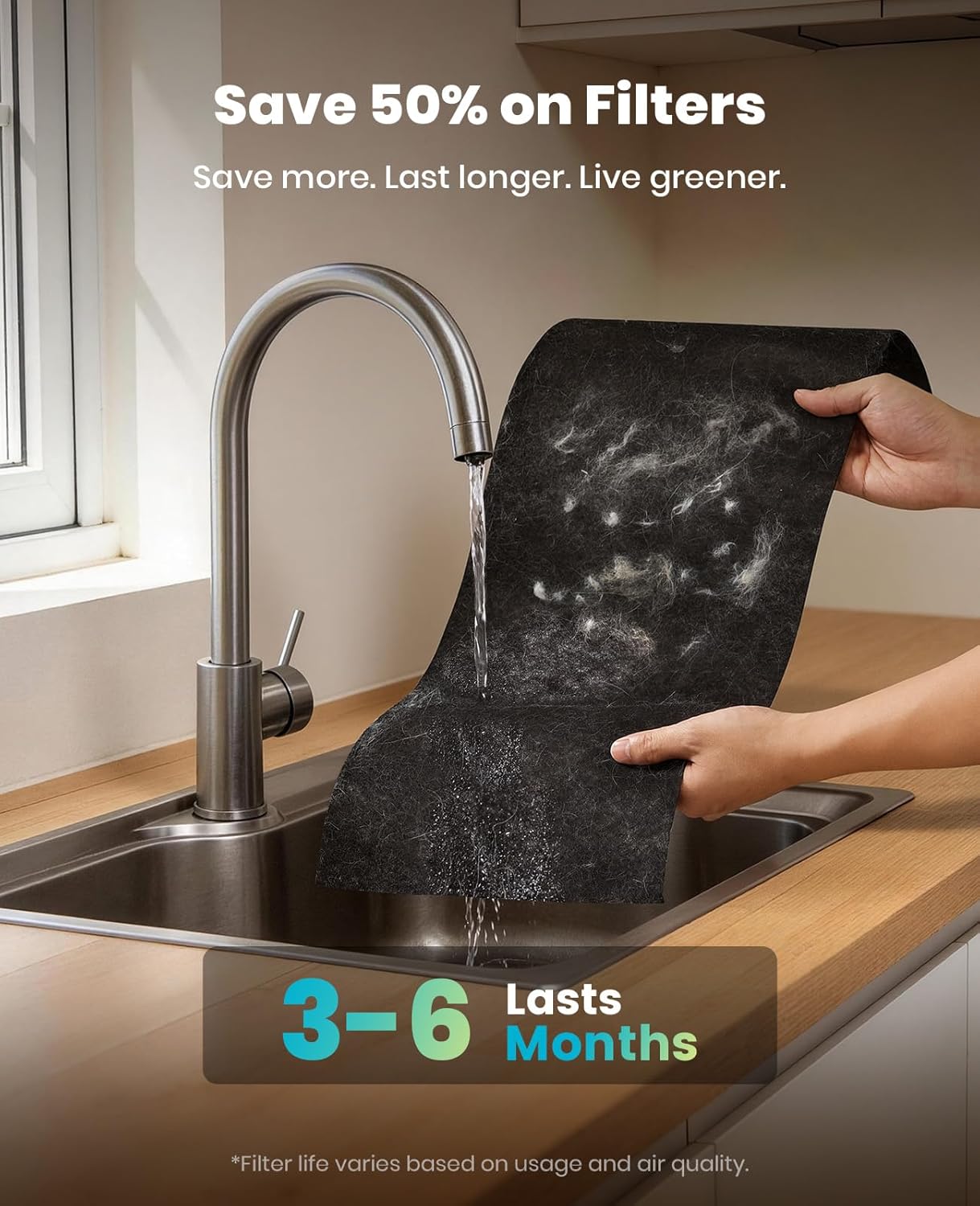
Image 6.2: A person washing the reusable pre-filter of the oneisall PP04 under running water, demonstrating the cleaning process.
6.2. oneisall LM5 Dog Vacuum Maintenance
- Empty Dustbin: After each use, or when full, detach the dustbin and empty its contents.
- Filter Cleaning: Check and clean the internal filters regularly. Tap out dust or rinse if washable (refer to specific filter instructions). Ensure filters are completely dry before reassembly.
- Attachment Cleaning: Remove any hair or debris from the grooming attachments. They can be rinsed with water and air-dried.
- Hose Cleaning: Check the hose for any blockages and clear them if necessary.
7. Troubleshooting
If you encounter issues, refer to the following common troubleshooting steps:
| Problem | Possible Cause | Solution |
|---|---|---|
| Device does not turn on | No power connection; Power button not pressed | Ensure power cord is securely plugged in; Press power button firmly |
| Reduced airflow/suction | Clogged filters; Blocked inlets/hose; Full dustbin | Clean or replace filters; Clear any blockages; Empty dustbin |
| Unusual noise | Foreign object inside; Motor issue | Turn off and unplug, check for and remove foreign objects; Contact customer support if noise persists |
| Air Purifier display shows poor air quality despite operation | High pollutant levels; Sensor dirty | Allow more time for purification; Gently clean the PM2.5 sensor area with a dry cotton swab |
8. Specifications
8.1. oneisall PP04 Pet Air Purifier
- CADR: 390 (230 CFM)
- Coverage Area: Up to 3,000 sq ft (refreshed hourly)
- Filtration: 3-stage (Washable Pre-filter, H13 HEPA, Pet-specific Activated Carbon)
- Air Quality Sensor: PM2.5
8.2. oneisall LM5 Dog Vacuum
- Noise Level: Approximately 58dB
- Included Attachments: Grooming brush, deshedding tool, cleaning tool, crevice tool, etc.
9. Warranty and Support
Your oneisall product is covered by a manufacturer's warranty. Please refer to the warranty card included in your product packaging for specific terms and conditions. For technical support, replacement parts, or warranty claims, please contact oneisall customer service through the retailer where the product was purchased or visit the official oneisall website.


