
Introduction
This manual provides instructions for the Anlapus A60 Pro 3MP 2K Window Angle Mounted Security Camera. This camera features magnetic installation, a 20-degree adjustable tilt bracket, 3MP 2K resolution, F1.0 full-color night vision, anti-glare technology, AI detection capabilities, and dual-band Wi-Fi connectivity. It supports both US-based cloud and local storage options.
Package Contents
- 1 x Anlapus A60 Pro Security Camera
- 1 x USB Type A/C Cable
- 1 x USB Power Adapter
- 3 x Mounting Stickers
- 4 x Cable Holders
- 1 x Quick Start Guide
Setup
Installation
The Anlapus A60 Pro camera is designed for magnetic, no-drill installation on glass surfaces. The adjustable 20-degree tilt bracket allows for optimal viewing angles, particularly for first or second-floor coverage.
- Clean the Window Surface: Ensure the window surface where the camera will be mounted is clean and dry.
- Prepare the Mounting Sticker: Peel off the protective film from one of the provided mounting stickers.
- Apply the Sticker: Press the sticker firmly onto the cleaned window surface.
- Attach the Camera: Securely attach the camera to the magnetic mounting sticker.

Image: Easy Installation - Peel, Stick, Protect. This image illustrates the four-step process for mounting the camera onto a window surface using the adhesive magnetic sticker.

Image: Quick & Easy Magnetic Setup. The camera attaches magnetically to its base, allowing for simple installation and repositioning without tools.
App Download and Connection
The Anlapus A60 Pro camera connects via dual-band 2.4GHz/5GHz Wi-Fi for stable and fast connections. Use the Vsees App for setup and control.
- Power On the Camera: Connect the camera to the power adapter using the provided USB cable and plug it into an electrical outlet.
- Download Vsees App: Download and install the Vsees App on your smartphone, PC, or Mac.
- Connect Camera to WiFi: Follow the in-app instructions to connect your camera to your home Wi-Fi network. QR code scanning is not required for this process.
- Start Live Viewing: Once connected, you can access the live feed and camera settings through the Vsees App.

Image: Set Up in Minutes. This graphic outlines the quick four-step process to power on, connect to the app, link to Wi-Fi, and begin monitoring.

Image: Dual-Band WiFi for Stronger Connections. The camera supports both 2.4GHz and 5GHz Wi-Fi for enhanced connectivity and smoother live viewing.
Operating the Camera
Video Features
The Anlapus A60 Pro provides clear 3MP 2K resolution for detailed image capture. Its F1.0 large-aperture lens and advanced low-light sensor enable full-color night vision, capturing vivid images even in low-light conditions without requiring additional spotlights.
Advanced anti-glare technology is integrated to minimize reflections from sunlight, indoor lighting, and nighttime glare, ensuring clear footage when viewing through glass.
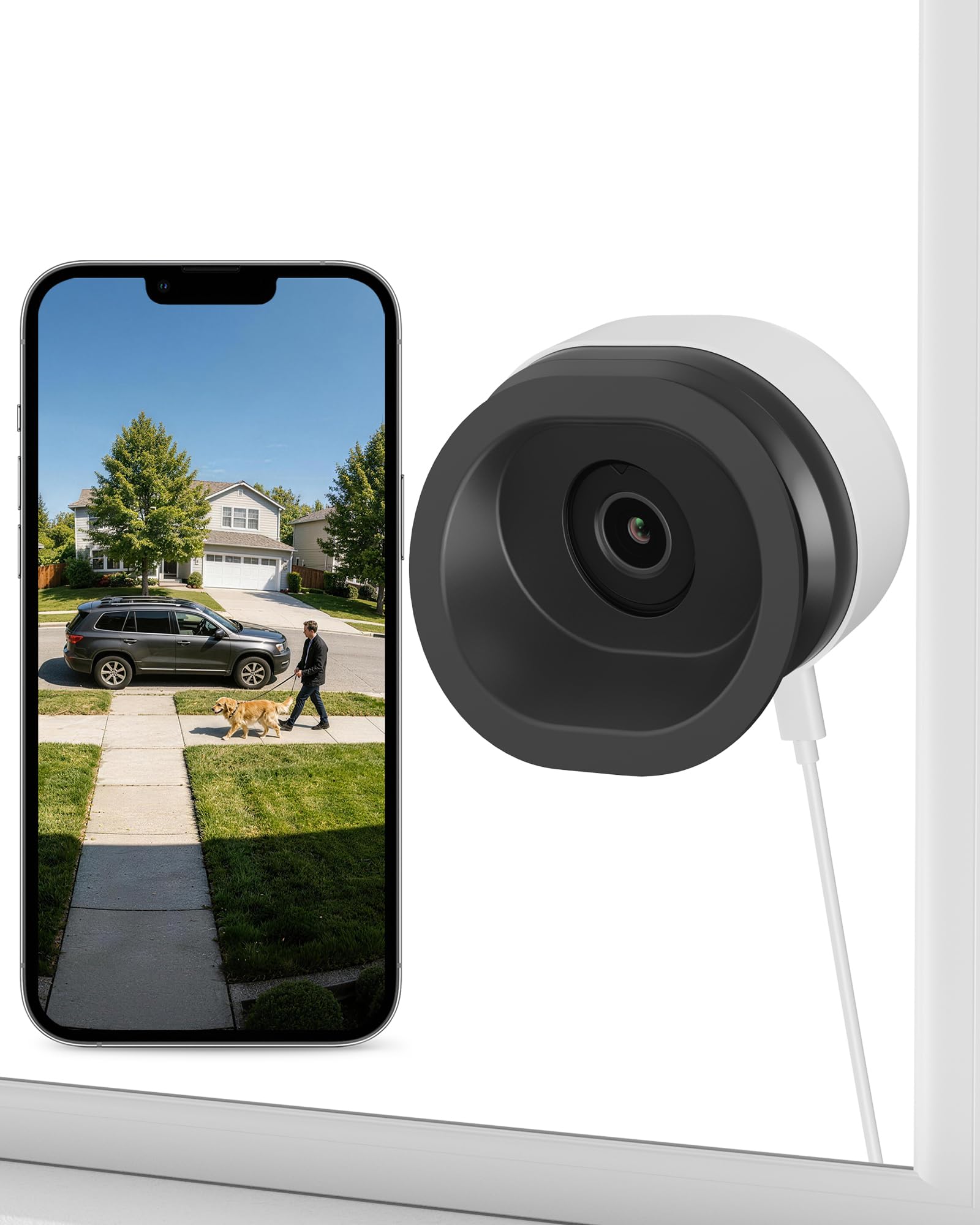
Image: 2K QHD Crisp View with 5x Zoom. This image demonstrates the camera's ability to capture clear, detailed 2K footage with digital zoom capabilities.

Image: Full Color at Night, No Glare. The camera provides full-color night vision due to its F1.0 super aperture and infrared-free design, offering clearer images than standard night vision.

Image: Anti-Glare & Anti-Reflection. This comparison highlights the camera's anti-glare technology, which provides a clear view through glass, unlike traditional cameras that suffer from reflections.
Detection and Alerts
The camera utilizes advanced AI to accurately detect humans, pets, and faces. Upon detection of motion, real-time alerts are sent to your connected smartphone.
- AI Detection: Distinguishes between humans, pets, and vehicles to reduce false alarms.
- Real-time Alerts: Receive instant notifications on your phone when motion is detected.
- Customizable Detection Zones: Define specific areas for motion detection, including line crossing, zone loitering, and zone intrusion.
- Privacy Zones: Mask specific areas within the camera's field of view that you do not wish to record, ensuring privacy.

Image: AI Person/Vehicle/Pet Detection. The camera's AI accurately identifies different subjects, sending precise alerts to your phone.

Image: Set a Virtual Shield to Detect Intruders. This graphic demonstrates how to configure various detection zones and rules, such as line crossing and intrusion zones, for enhanced security.

Image: Monitor Only What Matters. The camera allows users to set up to 5 privacy zones to mask specific areas from being recorded.
Storage Options
The Anlapus A60 Pro offers flexible storage solutions for your recorded footage.
- Local Storage: Supports memory cards up to 256GB (not included).
- US Cloud Storage: A paid subscription service is available for cloud storage, utilizing AWS cloud encryption to ensure data security and localization within the United States.

Image: Multiple Storage Ways. This image highlights the availability of both local storage via a memory card (up to 256GB) and secure US-based cloud storage with AWS encryption.

Image: Find Clips Fast with Smart Event Playback. The app allows for quick searching and playback of recorded events based on categories like human, car, pet, face, motion, or intrusion.
Sharing Access
The camera's live view and recorded footage can be shared with up to 5 family members or authorized users through the Vsees App.

Image: Share with Family. The camera allows sharing of the live view and recorded content with up to 5 users.
Maintenance
- Cleaning: Regularly clean the camera lens and the window surface where it is mounted to ensure optimal image clarity. Use a soft, dry cloth. Avoid abrasive cleaners.
- Firmware Updates: Check the Anlapus official website or the Vsees App periodically for available firmware updates to ensure your camera operates with the latest features and security enhancements.
- Cable Management: Use the provided cable holders to keep the power cable neatly in place, preventing tangles and potential damage.

Image: Clean Setup, No Cable Mess. This image demonstrates how to use cable clips to maintain a tidy and secure power cable installation.
Troubleshooting
- Connectivity Issues: If the camera frequently loses Wi-Fi connection, ensure the camera is within range of your router. Try restarting both the camera and your Wi-Fi router. Verify that your router settings are compatible with dual-band 2.4GHz/5GHz Wi-Fi.
- App Functionality: If you experience issues with the Vsees App, ensure it is updated to the latest version. Try clearing the app's cache or reinstalling it.
- Image Quality/Glare: If images appear unclear or suffer from glare, ensure the window surface is clean. Adjust the camera's angle using the multi-directional tilt feature to minimize direct sunlight or strong indoor light reflections. The camera performs best on windows not exposed to direct, glaring sunlight.
- SD Card Issues: If the memory card is not recognized or fails to format, ensure you are using a compatible SD card (up to 256GB). Try formatting the card using a computer before attempting to format it via the app.
- False Alarms: Utilize the AI detection settings to differentiate between humans, pets, and vehicles. Configure specific detection zones and privacy zones to reduce unwanted alerts from irrelevant areas.
Specifications
| Brand | Anlapus |
| Model Number | A60 Pro |
| Recommended Uses | Indoor Security |
| Connectivity Technology | Wired (for power) |
| Special Features | Easy to Install, Night Vision, AI Detection, Anti-glare |
| Compatible Devices | Vsees App |
| Power Source | Corded Electric |
| Field Of View | 10 meters |
| Item Dimensions | 3.43 x 3.31 x 3.15 inches |
| Item Weight | 0.2 kg |
| Unit Count | 1 Count |
Warranty and Support
For warranty information and detailed support, please refer to the official Anlapus website or contact Anlapus customer service. The Vsees App also serves as a primary resource for managing your device and accessing support features.