
Riuiio G01PRO
Riuiio G01PRO Electric Scooter User Manual
Model: G01PRO
Brand: Riuiio
1. Introduction
This manual provides essential information for the safe operation, assembly, maintenance, and troubleshooting of your Riuiio G01PRO Electric Scooter. Please read this manual thoroughly before your first ride to ensure optimal performance and safety.
2. Safety Guidelines
Operating an electric scooter carries inherent risks. Always prioritize safety to prevent injury or damage.
- Wear Protective Gear: Always wear a helmet, knee pads, and elbow pads.
- Check Local Regulations: Familiarize yourself with local laws and regulations regarding electric scooter use.
- Pre-Ride Inspection: Before each ride, check the brakes, tire condition, and ensure all parts are securely fastened.
- Avoid Hazardous Conditions: Do not ride in heavy rain, on icy surfaces, or in low visibility.
- Maintain Control: Keep both hands on the handlebars and maintain a safe speed.
- Age and Weight Limits: This scooter is designed for adults, teens, and big kids. Refer to the specifications for weight limits.
3. Package Contents
Upon unpacking, verify that all items are present and in good condition:
- Riuiio G01PRO Electric Scooter
- Charging Adapter
- User Manual
- Assembly Tools (screws, wrench)
- Bicycle Lock
- Phone Mount
4. Setup and Assembly
The Riuiio G01PRO Electric Scooter requires minimal assembly. Follow these steps to get started:
- Attach Handlebars: Carefully align the handlebars with the stem and secure them using the provided screws and tools. Ensure they are firmly attached.
- Initial Charge: Before first use, fully charge the scooter's battery. Connect the charging adapter to the charging port and a power outlet. The indicator light on the charger will change when fully charged.
- Install Phone Mount: Attach the phone mount to the handlebars as desired for easy access to the app during rides.
5. Key Features
The Riuiio G01PRO Electric Scooter is designed with several features to enhance your riding experience:
5.1 Dual Suspension System
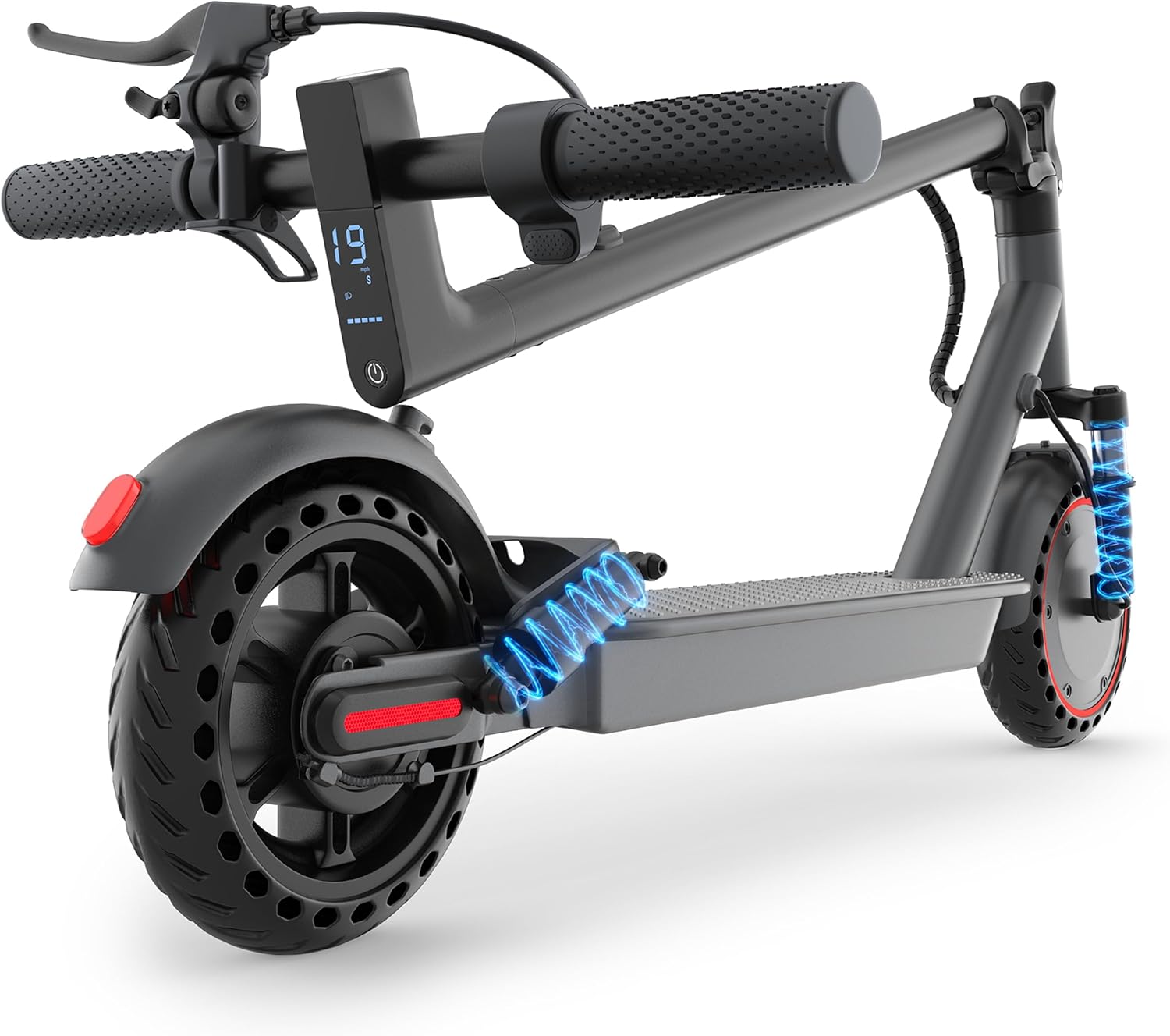
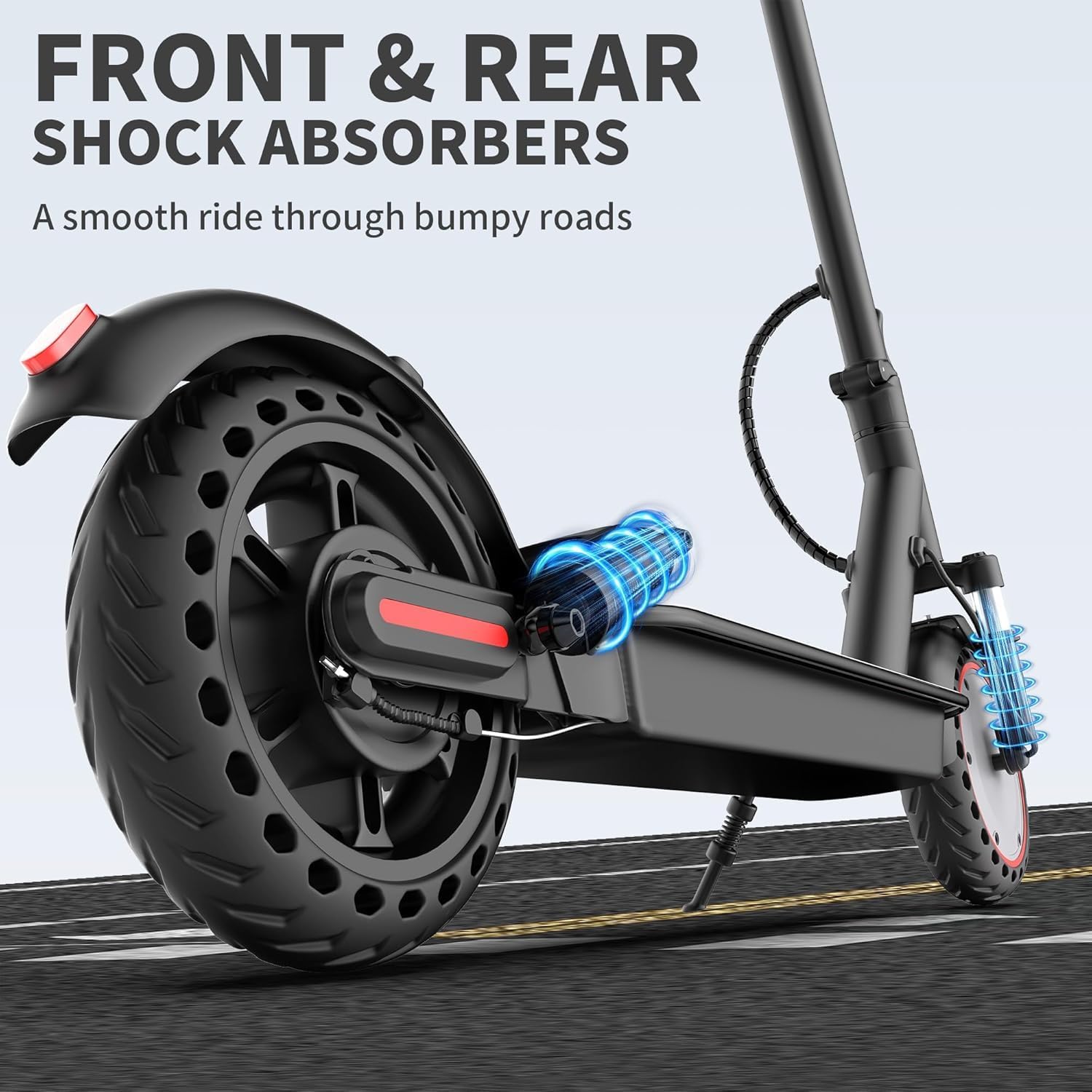
Enjoy a comfortable ride with the upgraded front hydraulic shock absorber and rear spring suspension. This system effectively reduces vibrations on various terrains, providing a smoother experience.
5.2 Powerful 350W Motor
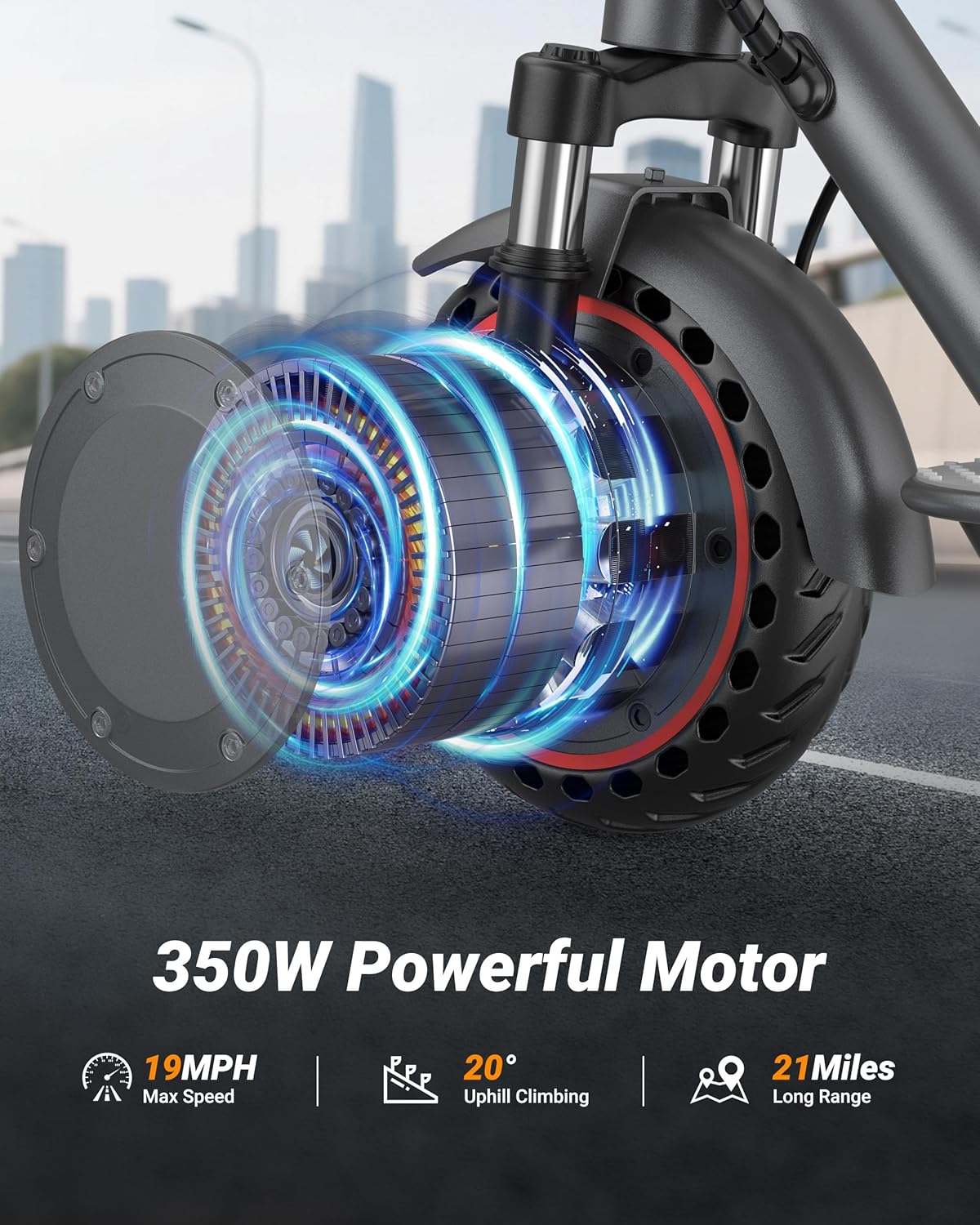
Equipped with a 350W brushless motor, the scooter can reach speeds up to 19 MPH and handle inclines of up to 15 degrees, offering reliable performance for commuting.
5.3 Maintenance-Free Solid Tires
The 8.5-inch puncture-proof honeycomb solid tires provide stability on various road conditions without the need for air, eliminating flats and reducing maintenance.

6. Operating Instructions
6.1 Power On/Off
To power on the scooter, press and hold the power button located on the display panel. To power off, press and hold the same button until the display turns off.
6.2 Display and Modes
The integrated LCD display shows battery health, current speed (MPH), and the active riding mode. Double-click the power button to cycle through the riding modes: Eco, Drive, and Sport. Each mode offers different speed and power characteristics.
- Eco Mode: Energy-saving mode for extended range and lower speeds.
- Drive Mode: Balanced performance for everyday commuting.
- Sport Mode: Maximum speed and acceleration for dynamic riding.

6.3 Lighting System
Press the power button once to turn the LED headlight on or off. The scooter also features a brake taillight that illuminates when the brake is applied, enhancing visibility.

6.4 Braking System
The scooter is equipped with a dual braking system: a drum brake and an EABS electronic brake. Apply the brake lever on the handlebar to engage both brakes for quick and stable stopping. The rear brake light will flicker when braking.
6.5 Smart App Control
Connect your scooter to the Tuya Smart App via Bluetooth for advanced control and monitoring. The app allows you to:
- Adjust riding modes (Eco/City/Sport)
- Enable/disable cruise control
- Set anti-theft alerts
- View real-time ride data (mileage, range)
- Update firmware (OTA)

6.6 Folding Mechanism
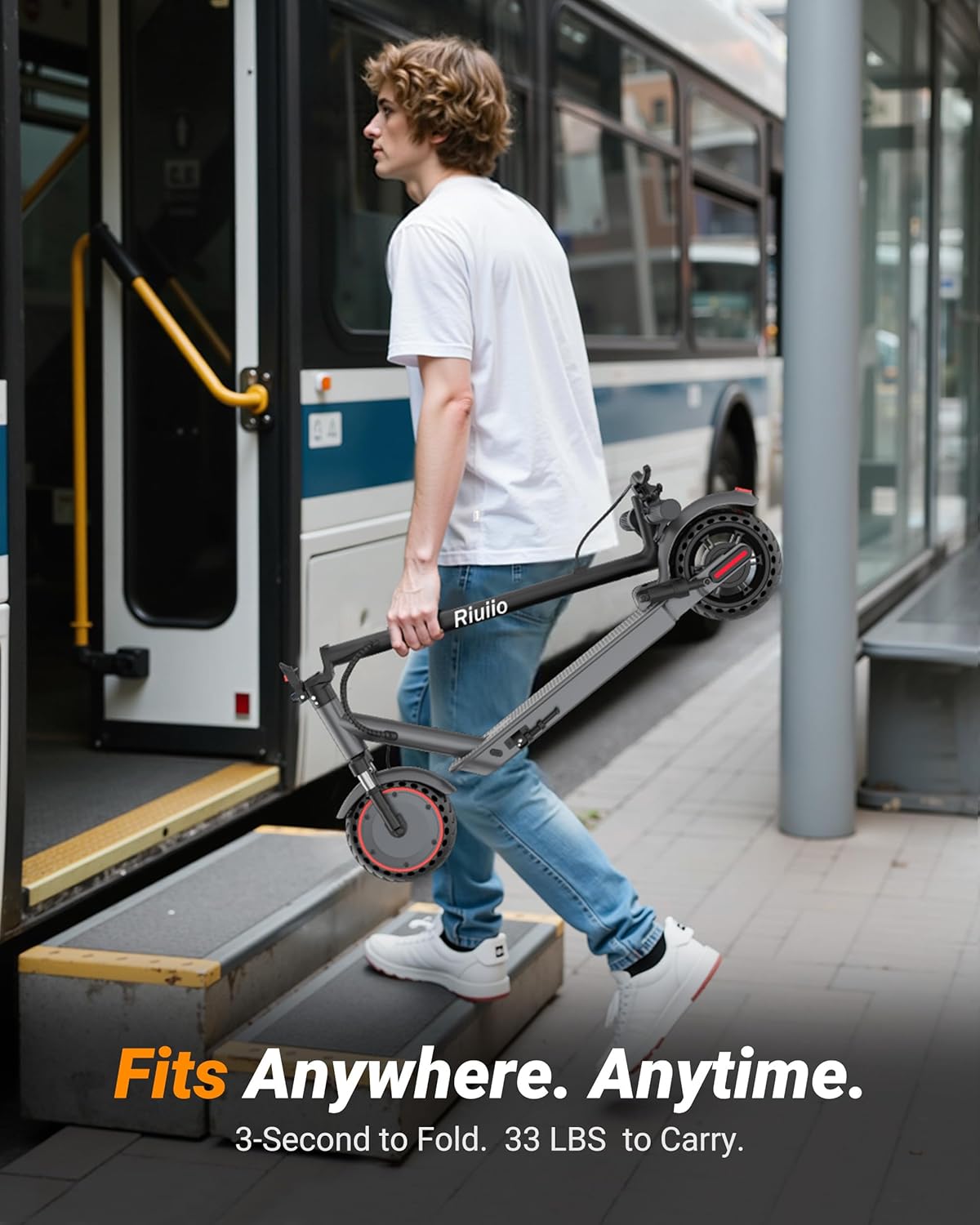
The scooter features a 3-second quick-fold design for easy storage and portability. Pull the lever near the base of the handlebar stem to fold the scooter. Ensure the folding mechanism locks securely when unfolded and folded.
7. Maintenance
Regular maintenance ensures the longevity and safe operation of your scooter.
- Cleaning: Wipe the scooter with a damp cloth. Do not use high-pressure water or immerse it in water.
- Battery Care: Charge the battery regularly, even if not in use, to maintain its health. Avoid completely draining the battery. Store in a cool, dry place.
- Tire Inspection: Although equipped with maintenance-free solid tires, periodically check for any damage or excessive wear.
- Brake Adjustment: Ensure brakes are responsive. If braking performance decreases, consult a service professional.
- Fastener Check: Periodically check all screws and bolts to ensure they are tight.
8. Troubleshooting
If you encounter issues, refer to the table below for common problems and solutions.
| Problem | Possible Cause | Solution |
|---|---|---|
| Scooter does not power on | Low battery; loose connections | Charge the battery; check all cable connections. |
| Reduced range/speed | Low battery; heavy load; uphill riding; strong headwind | Fully charge battery; reduce load; ride on flat terrain. |
| Brakes not responsive | Brake cable loose; worn brake pads | Adjust brake cable tension; replace brake pads if necessary (professional service recommended). |
| App not connecting | Bluetooth off; app not updated; scooter not powered on | Ensure Bluetooth is enabled on your device; update the Tuya Smart App; power on the scooter. |
9. Specifications
| Feature | Detail |
|---|---|
| Brand | Riuiio |
| Model Name | G01PRO |
| Motor Power | 350W Brushless Motor |
| Max Speed | 19 MPH |
| Max Range | 21 Miles |
| Tire Size | 8.5 Inches (Solid Tires) |
| Suspension Type | Dual Suspension (Hydraulic Front Shock, Rear Spring) |
| Brake Style | Dual Braking System (Drum Brake, EABS Electronic Brake) |
| Weight Limit | 265 Pounds |
| Item Weight | 31 Pounds |
| Frame Material | Aluminum |
| Special Features | Smart App Control, 3-Second Folding, Lightweight, Portable |
10. Warranty and Support
The Riuiio G01PRO Electric Scooter comes with a 1-Year Warranty from the date of purchase, covering manufacturing defects. For warranty claims, technical support, or any inquiries, please contact Riuiio customer service through the official website or your retailer.
For additional support and resources, visit the Riuiio Store on Amazon.
Ask a question about this manual
Ask about setup, troubleshooting, compatibility, parts, safety, or missing instructions. Manuals+ will review the question and use this page’s manual context to help answer it.