

1. Introduction
This manual provides essential information for the safe operation, maintenance, and troubleshooting of your ESKUTE D200 Folding Electric Bike. Please read this manual thoroughly before your first ride to ensure proper assembly, safe usage, and to maximize the lifespan of your e-bike. Retain this manual for future reference.
Safety Warnings
- Always wear a helmet when riding.
- Perform a pre-ride safety check before each use, including brakes, tires, and battery security.
- Familiarize yourself with local regulations regarding electric bikes.
- Do not operate the e-bike under the influence of alcohol or drugs.
- Avoid riding in adverse weather conditions or on excessively rough terrain until you are fully accustomed to the bike's handling.
2. Product Overview
The ESKUTE D200 is a versatile folding electric bike designed for adults, featuring a powerful motor, fat tires for various terrains, and a convenient foldable design. Key components and features are outlined below.
Key Features
- Motor: 1200W Peak Brushless Motor for dynamic acceleration and hill climbing.
- Battery: 48V 10.4Ah (499.2Wh) battery, offering a range of up to 55 miles.
- Tires: 20x3.0 inch fat tires for enhanced grip, shock absorption, and stability across diverse landscapes.
- Speed: Maximum speed of 28 MPH.
- Gears: 7-Speed Shimano gear system for adaptable riding.
- Frame: Durable carbon steel frame with a step-through design for easy mounting.
- Folding Mechanism: Quick-release folding design for compact storage and transport.
- Brakes: Reliable disc brakes for effective stopping power.
- Additional Features: Adjustable seat, integrated front basket and reinforced rear rack for cargo, digital display, fenders, and NFC Unlock capability.

Image 2.1: Overview of ESKUTE D200 Electric Bike key features including motor, battery, speed, and tire size.

Image 2.2: Detailed view of the 48V 10.4Ah battery and its 55-mile maximum range, highlighting safety certifications.

Image 2.3: Illustration of the 1200W peak brushless motor, demonstrating its power output and hill-climbing capability.
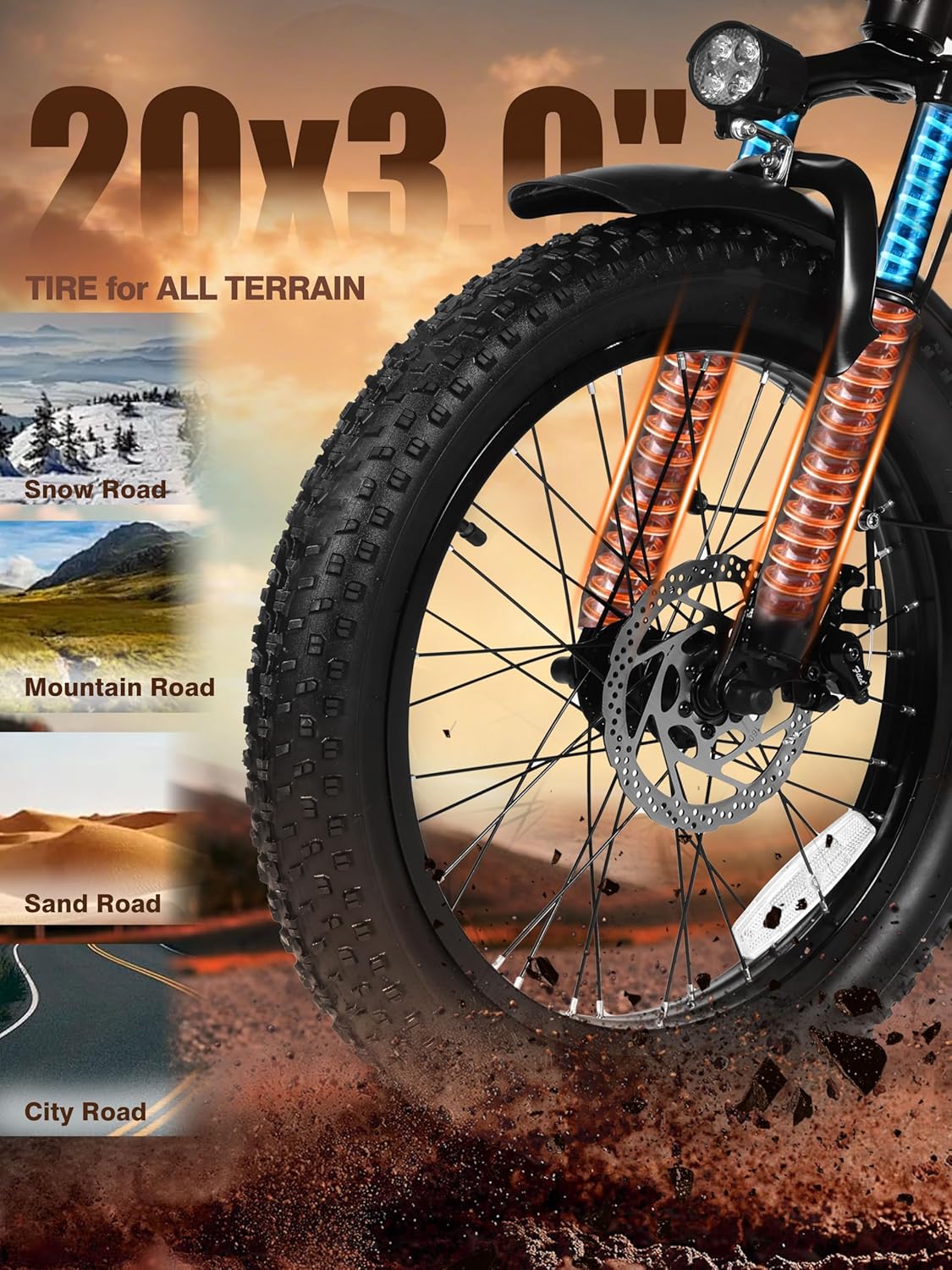
Image 2.4: Close-up of the 20x3.0 inch fat tires, suitable for various terrains including snow, mountain, sand, and city roads.

Image 2.5: Visual representation of the e-bike's safety and comfort features, including integrated head and rear lights.
3. Setup
Although the ESKUTE D200 is largely pre-assembled, some minor setup is required before your first ride. Follow these steps carefully.
3.1 Unpacking and Inspection
- Carefully remove the e-bike and all components from the packaging.
- Inspect for any shipping damage. Contact customer support immediately if you find any issues.
- Ensure all listed components are present: main bike frame, battery, charger, pedals, user manual, and tool kit.
3.2 Handlebar Installation
- Unfold the handlebar stem and secure it in the upright position using the quick-release lever. Ensure it clicks firmly into place.
- Adjust the handlebar height to a comfortable riding position and tighten the quick-release mechanism.
3.3 Pedal Installation
- Identify the 'L' (left) and 'R' (right) markings on the pedals and crank arms.
- The right pedal (R) screws in clockwise. The left pedal (L) screws in counter-clockwise.
- Thread the pedals into the crank arms by hand first to avoid cross-threading, then tighten securely with a wrench.
3.4 Seat Adjustment
- Loosen the seat post quick-release clamp.
- Adjust the seat height so your feet can comfortably touch the ground when stopped, or your leg is slightly bent at the bottom of the pedal stroke.
- Securely tighten the quick-release clamp.
3.5 Initial Battery Charge
- Locate the charging port on the battery. The battery can be charged while installed on the bike or removed.
- Connect the charger to the battery, then plug the charger into a standard wall outlet.
- Charge the battery fully before first use (typically 4-6 hours). The charger indicator light will change when charging is complete.
3.6 Tire Inflation
- Check the recommended tire pressure (PSI) on the sidewall of the tires.
- Inflate tires to the recommended PSI using a bicycle pump. Proper inflation is crucial for ride quality and safety.
4. Operating Instructions
Understand how to operate your ESKUTE D200 e-bike's various functions for an optimal riding experience.
4.1 Powering On/Off and Digital Display
- To power on the e-bike, press and hold the 'M' button on the digital display for a few seconds. The display will illuminate.
- To power off, press and hold the 'M' button again.
- The digital display shows speed (MPH), battery level, pedal assist mode, and trip distance. It is designed for clear readability even in sunlight.

Image 4.1: The digital display showing speed, battery level, and trip information.
4.2 Pedal Assist System (PAS)
- The D200 features an intelligent pedal assist system with multiple levels (typically 0-3 or 0-5).
- Use the '+' and '-' buttons on the display to cycle through the assist levels.
- Level 0: No electric assistance, pedal like a regular bike.
- Higher levels provide more motor assistance, making pedaling easier, especially on inclines or for faster speeds.
4.3 Throttle Operation
- The e-bike is equipped with a twist throttle on the right handlebar.
- To engage the motor without pedaling, gently twist the throttle towards you. The more you twist, the more power the motor delivers.
- Release the throttle to disengage motor power.
4.4 Gear Shifting (Shimano 7-Speed)
- The Shimano 7-speed shifter is located on the right handlebar.
- Use the thumb lever to shift to a higher gear (harder to pedal, faster speed).
- Use the index finger lever to shift to a lower gear (easier to pedal, slower speed).
- Shift gears smoothly and avoid shifting under heavy load to prevent damage to the drivetrain.
4.5 Braking
- The D200 uses disc brakes for reliable stopping power. The left lever controls the front brake, and the right lever controls the rear brake.
- Apply both brakes simultaneously and smoothly for controlled stopping. Avoid sudden, hard braking, especially with the front brake, to prevent skidding.
4.6 NFC Unlock
- Your e-bike may feature NFC unlock functionality. Refer to the separate NFC guide or contact customer support for detailed instructions on setting up and using this feature.
5. Maintenance
Regular maintenance ensures the longevity and safe operation of your ESKUTE D200 e-bike.
5.1 Cleaning
- Clean the bike regularly with a damp cloth and mild soap. Avoid high-pressure washers, which can damage electrical components.
- Dry the bike thoroughly after cleaning.
5.2 Battery Care
- Charge the battery after every ride, or at least once a month if not in use, to maintain battery health.
- Store the battery in a cool, dry place, away from direct sunlight and extreme temperatures.
- Do not fully discharge the battery frequently, as this can reduce its lifespan.
5.3 Tires
- Check tire pressure before each ride and inflate to the recommended PSI.
- Inspect tires for wear, cuts, or punctures. Replace worn tires promptly.
5.4 Brakes
- Regularly check brake pads for wear and replace them when necessary.
- Ensure brake levers are firm and responsive. Adjust brake cables if there is excessive slack.
5.5 Chain and Drivetrain
- Keep the chain clean and lubricated to ensure smooth gear changes and prevent rust.
- Inspect the chain and gears for any damage or excessive wear.
5.6 General Checks
- Periodically check all bolts and fasteners for tightness.
- Ensure quick-release levers are securely fastened before each ride.
6. Troubleshooting
This section addresses common issues you might encounter with your ESKUTE D200 e-bike.
| Problem | Possible Cause | Solution |
|---|---|---|
| Bike not powering on | Battery not charged or not properly seated; power button not pressed correctly. | Ensure battery is fully charged and securely locked in place. Press and hold the power button for several seconds. |
| Motor not assisting | PAS level set to 0; throttle not engaged; brake levers engaged; loose motor connection. | Increase PAS level. Ensure brake levers are fully released. Check motor cable connections. |
| Brakes feel weak or spongy | Worn brake pads; loose brake cable; air in hydraulic system (if applicable). | Inspect and replace brake pads. Adjust brake cable tension. If hydraulic, professional service may be required. |
| Gears not shifting smoothly | Dirty or unlubricated chain; misaligned derailleur; damaged shifter cable. | Clean and lubricate the chain. Adjust derailleur. If issues persist, consult a bike mechanic. |
| Unusual noises during operation | Loose components; rubbing brakes; dry chain; motor issue. | Check all bolts and fasteners. Inspect brake calipers for rubbing. Lubricate chain. If motor noise, contact support. |
7. Specifications
Detailed technical specifications for the ESKUTE D200 Folding Electric Bike.
Image 7.1: Size chart and dimensions for the ESKUTE D200 Electric Bike, including suggested rider height and maximum load.
| Feature | Detail |
|---|---|
| Model Name | D200 |
| Bike Type | Electric Bike, Folding Bike |
| Motor | 1200W Peak Brushless Motor |
| Battery | 48V 10.4Ah (499.2Wh) |
| Max Speed | 28 MPH |
| Max Range | Up to 55 Miles |
| Number of Speeds | 7 (Shimano Gear) |
| Wheel Size | 20 Inches |
| Wheel Width | 3 Inches |
| Frame Material | Carbon Steel |
| Suspension Type | Front Suspension |
| Brake Style | Disc |
| Maximum Weight Recommendation | 350 Pounds |
| Seatpost Travel Distance Maximum | 4 Inches |
| Additional Features | Adjustable Seat, Basket, Digital Display, Fenders, Foldable, NFC Unlock |
8. Warranty Information
The ESKUTE D200 Electric Bike comes with a 1-Year Warranty from the date of purchase. This warranty covers manufacturing defects in materials and workmanship. Please retain your proof of purchase for warranty claims. For specific terms and conditions, refer to the warranty card included with your product or contact customer support.
9. Customer Support
For any questions, technical assistance, or warranty claims, please contact ESKUTE customer support using the information below:
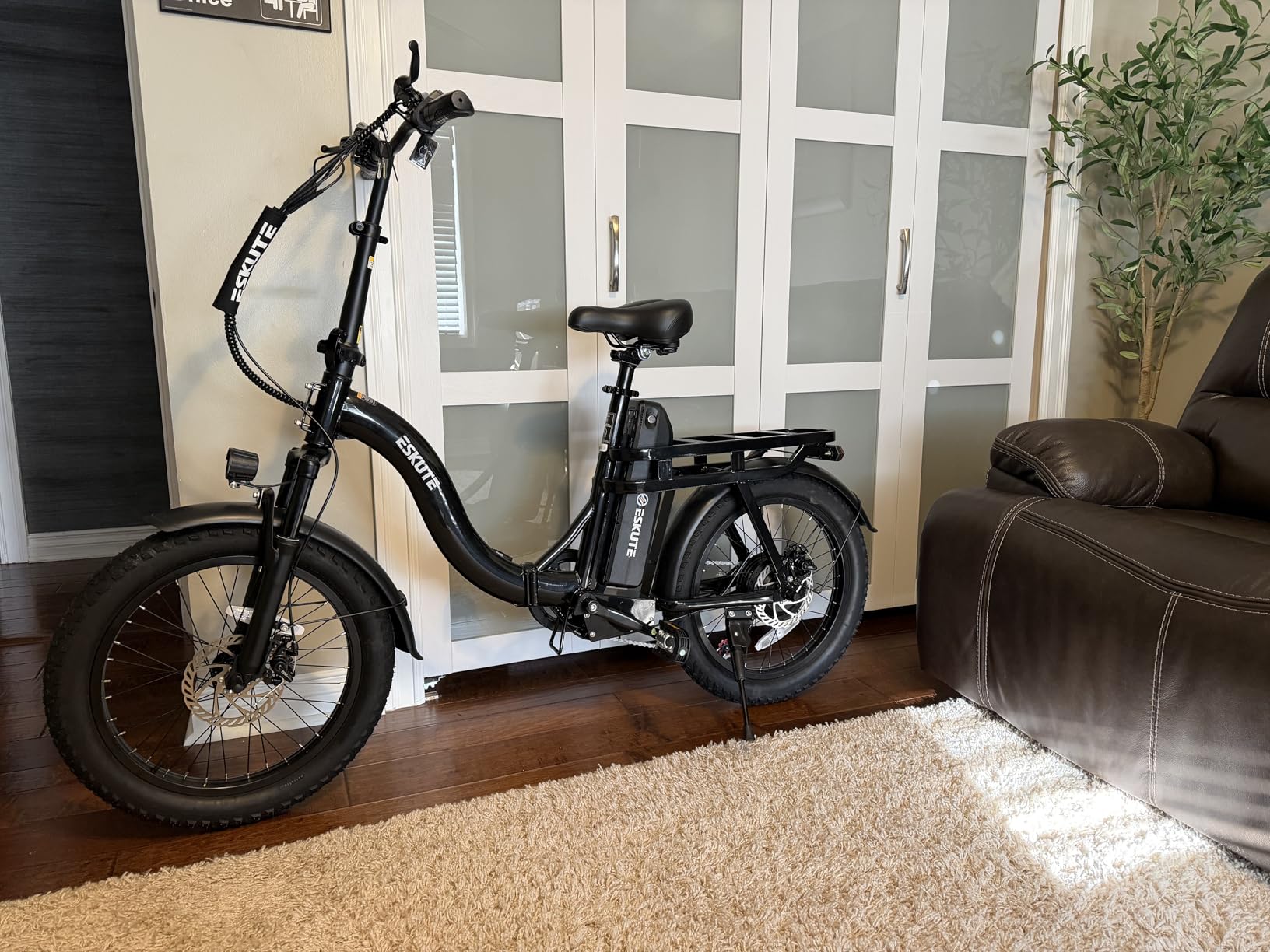
Image 9.1: ESKUTE customer support details, including phone numbers and email address.
- Pre-sales: 1 888 886-2818
- After-sales: 1 240 332-0549
- Email: support.us@eskute.com
- Operating Hours: Mon-Fri 9:00am-6:00pm EST


