
Introduction
Welcome to the CrossBeats Nexus Pro Smart Watch user manual. This guide provides detailed instructions on setting up, operating, and maintaining your new smartwatch. The Nexus Pro combines advanced AI features, comprehensive health monitoring, and seamless communication capabilities to enhance your daily life.
Setup
1. Unboxing and Initial Charge
Upon opening the package, ensure all components are present:
- CrossBeats Nexus Pro Smart Watch
- Charging Cable
- Watch Band
Before first use, fully charge your smartwatch. Connect the magnetic charging cable to the back of the watch and plug the USB end into a power adapter (not included). The watch features a 7-day battery life on a single charge.

Image: The CrossBeats Nexus Pro Smart Watch connected to its magnetic wireless charging cable.
2. Pairing with Your Smartphone
The CrossBeats Nexus Pro is compatible with both iOS (10+) and Android (6.0+) devices.
- Download the official CrossBeats app from your device's app store.
- Ensure Bluetooth is enabled on your smartphone.
- Open the CrossBeats app and follow the on-screen instructions to search for and pair with your Nexus Pro smartwatch.
- Confirm the pairing request on both your phone and the watch.
Operating Instructions
Display and Navigation
The Nexus Pro features a vibrant 2.08" AMOLED display with a 120Hz refresh rate. Navigate through menus and features using touch gestures and the precision crown control.

Image: Close-up of the CrossBeats Nexus Pro's 2.08" AMOLED display, highlighting its clarity and vibrant colors.
Precision Crown Control
Use the rotating crown on the side of the watch for effortless scrolling through lists, adjusting settings, and zooming. Press the crown to return to the home screen or confirm selections.

Image: A detailed view of the precision crown control on the CrossBeats Nexus Pro, indicating its tactile functionality.
Video Watch Faces
Personalize your watch with custom video watch faces. You can upload any 5-second video to be displayed on your watch face via the companion app.
AI Assistant (ChatGPT GPT-4o)
The Nexus Pro integrates a built-in AI engine powered by ChatGPT GPT-4o. Access it directly from your wrist to ask questions, draft messages, or get real-time information without needing your phone.

Image: The CrossBeats Nexus Pro showing the ChatGPT interface, demonstrating its AI capabilities.
Dual Voice Assistant
The watch supports two ways to activate a voice assistant: a built-in on-device assistant (say "Hey Michael") for quick commands like weather, sports, music, and heart rate, or by long-pressing the power button to trigger your phone's assistant (Siri or Google Assistant).
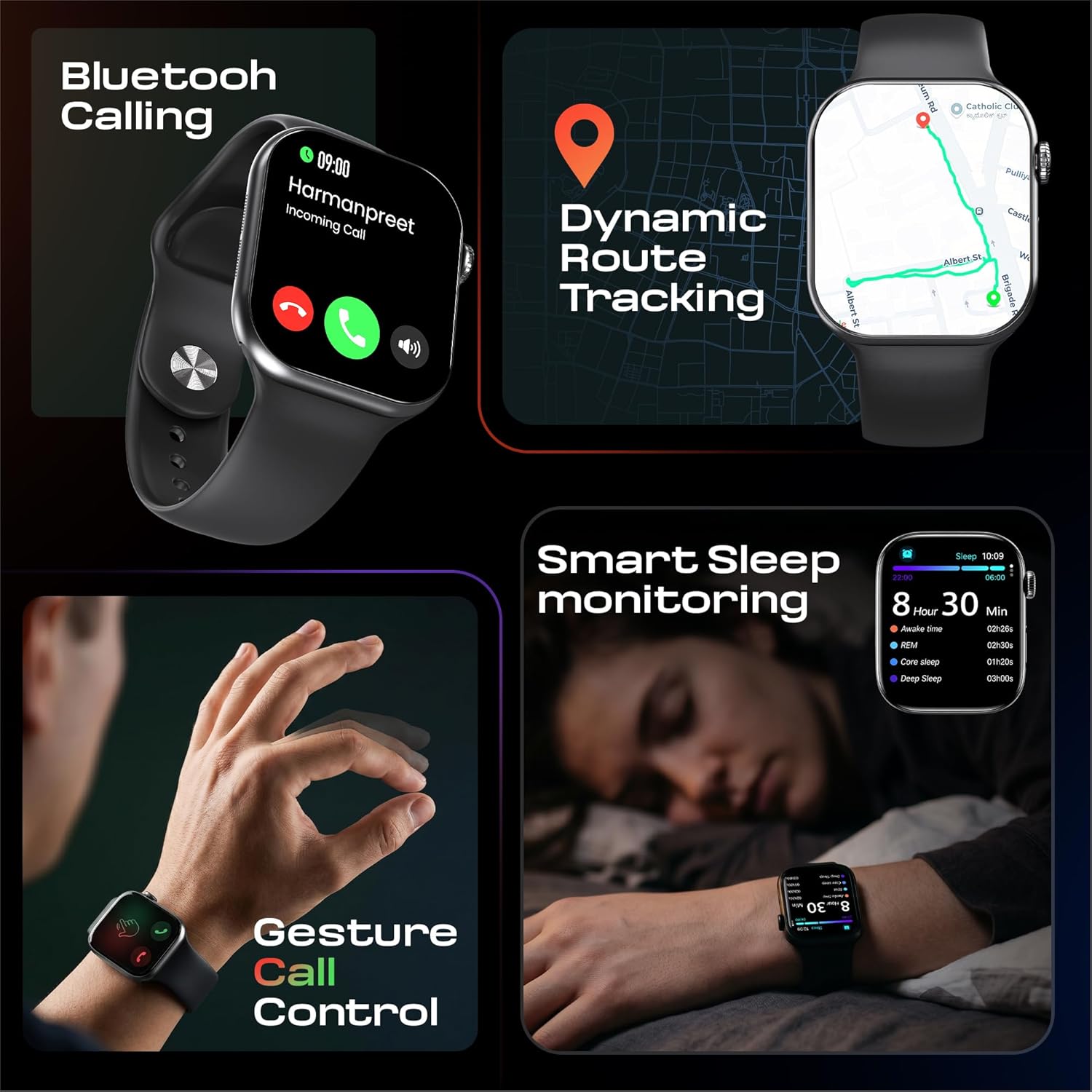
Image: A visual guide on the CrossBeats Nexus Pro demonstrating how to activate both the internal voice assistant and external phone assistants.
Communication Features
WhatsApp Integration
Read and reply to WhatsApp messages directly from your wrist. This feature allows you to stay connected without frequently checking your phone.

Image: The CrossBeats Nexus Pro showing a WhatsApp conversation on its screen, highlighting the reply functionality.
Bluetooth Calling & Gesture Control
Make and receive calls directly from your smartwatch using Bluetooth. The watch also supports gesture call control, allowing you to answer or silence calls with simple hand movements.

Image: The CrossBeats Nexus Pro displaying an incoming call, with an inset showing a hand gesture for call control.
Built-in Translator
Break language barriers with the integrated translator. Speak into your watch and get real-time translations displayed on the screen.

Image: A user interacting with the CrossBeats Nexus Pro's built-in translator feature, showing a translated phrase.
Health and Fitness Monitoring
The Nexus Pro offers a comprehensive suite of health and fitness tracking features.
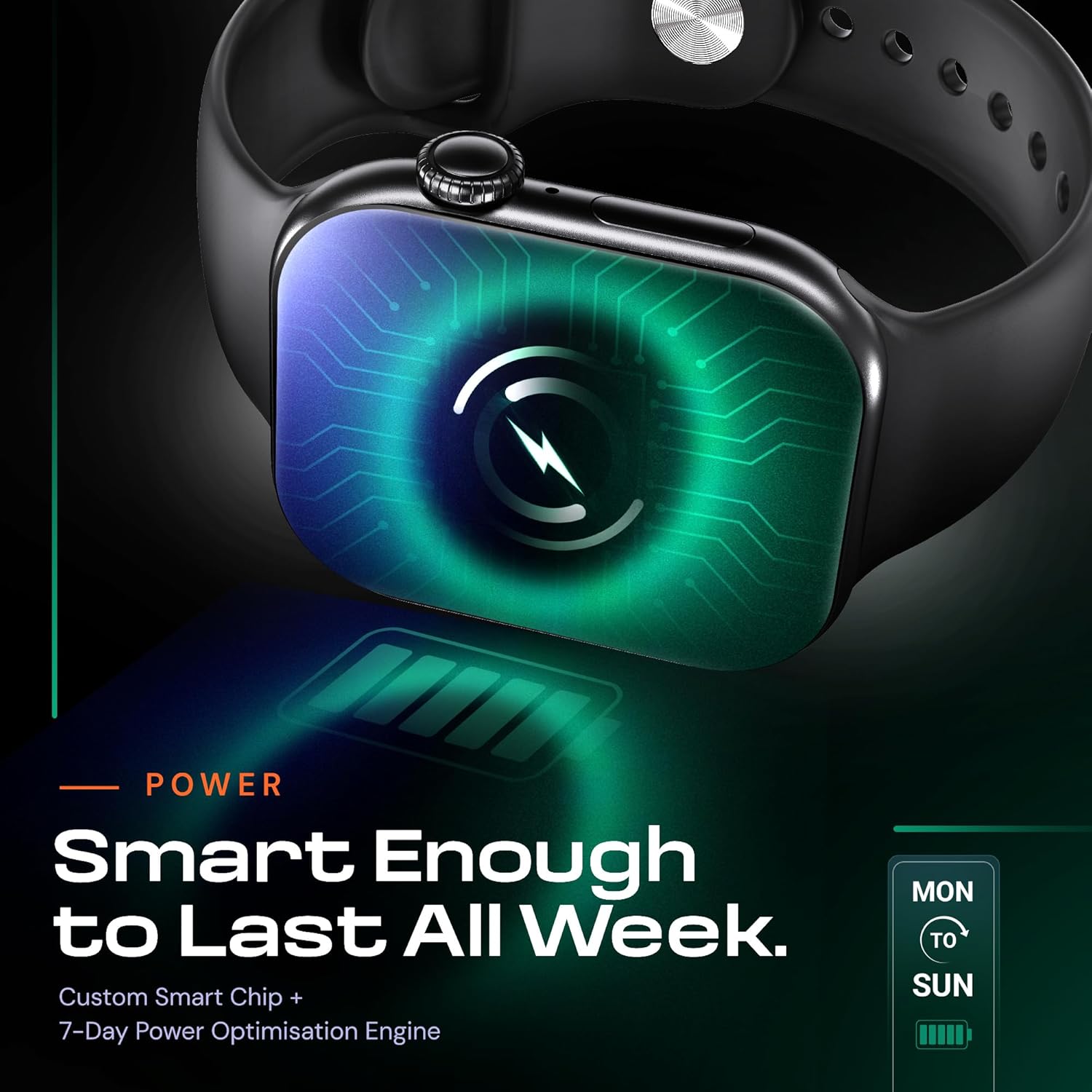
Image: The CrossBeats Nexus Pro screen showing real-time heart rate, blood oxygen (SpO2), blood pressure, and sleep monitoring data.
- 24/7 Heart Rate Monitoring: Tracks your heart rate continuously.
- Blood Oxygen (SpO2) Monitoring: Measures your blood oxygen saturation levels.
- Blood Pressure Monitoring: Provides blood pressure readings.
- AI Sleep Coach: Analyzes your sleep patterns and provides insights.
- 100+ Sports Modes: Tracks various activities like climbing, cycling, hiking, swimming, and more.
- Dynamic Route Tracking: Uses GPS to track your outdoor workout routes.

Image: A user wearing the CrossBeats Nexus Pro during a run, with the watch screen showing multi-sport tracking data like distance, calories, and steps.
Additional Features
NFC Access Card Simulation
The Nexus Pro can simulate NFC access cards for office, apartment, and smart lock systems, turning your wrist into a convenient key.

Image: A user using the CrossBeats Nexus Pro to simulate an NFC access card on a smart lock panel.
Entertainment Hub
- Mini Game Hub: Play motion-controlled games directly on your watch.
- Music Storage: Store and play music without your phone.
- EBook Reader: Read eBooks in .txt format.
- Photo Gallery: Save up to 50 photos locally.
- Voice Recorder: Record WAV voice notes.
Maintenance
Cleaning Your Smartwatch
Regularly clean your CrossBeats Nexus Pro to ensure optimal performance and hygiene.
- Wipe the screen and watch body with a soft, lint-free cloth.
- For stubborn smudges, slightly dampen the cloth with water. Avoid harsh chemicals.
- Clean the watch band with mild soap and water if necessary, then rinse thoroughly and dry completely before reattaching.
Water Resistance
The Nexus Pro is water-resistant, suitable for everyday wear, including rain and sweat. However, it is not recommended for diving or high-pressure water activities. Avoid exposing the watch to hot water or steam.
Troubleshooting
Connectivity Issues
- Watch not connecting to phone: Ensure Bluetooth is on for both devices. Restart both the watch and phone. Check if the CrossBeats app is running in the background.
- Call quality issues: Ensure your watch is within Bluetooth range of your phone. Check for any obstructions between the devices.
Battery Life Concerns
- Short battery life: Reduce screen brightness, disable unnecessary notifications, and limit continuous heart rate monitoring if not required. Ensure the watch is fully charged using the provided magnetic charger.
Display Not Responding
- Screen frozen: Perform a soft reset by pressing and holding the power button until the watch restarts.
Specifications
| Feature | Detail |
|---|---|
| Model Name | NEXUS PRO |
| Display Type | AMOLED |
| Screen Size | 2.1 Inches |
| Maximum Display Brightness | 700 Nit |
| Connectivity Technology | Bluetooth |
| Battery Capacity | 375 Milliamp Hours |
| Battery Average Life | 7 Days |
| Memory Storage Capacity | 256 MB |
| Water Resistance Level | Water Resistant |
| Band Material Type | Silicone |
| Case Material Type | Resin |
| Supported Application | ChatGPT, Heart Rate Monitor, Activity Tracker |
| Supported Satellite Navigation System | GPS |
| Item Weight | 200 Grams |
| Country of Origin | China |
Warranty and Support
The CrossBeats Nexus Pro Smart Watch comes with a 12-month manufacturer warranty from the date of purchase, covering manufacturing defects. For warranty claims or technical support, please contact CrossBeats customer service through their official website or the contact information provided in your product packaging.
Product Overview Video
Video: A brief overview of the CrossBeats Nexus Pro Smart Watch, showcasing its key features and design.