
1. Introduction
Thank you for choosing the Drsaec J55 Bluetooth 5.4 Wireless Earbuds. These earbuds are designed to provide a high-quality audio experience with advanced features such as Bluetooth 5.4 connectivity, Environmental Noise Cancellation (ENC) microphones, and a comfortable in-ear design. This manual will guide you through the setup, operation, and maintenance of your new earbuds to ensure optimal performance and longevity.
2. Package Contents
Please check the package for the following items:
- Drsaec J55 Wireless Earbuds (Left and Right)
- Charging Case
- USB Charging Cable
- Eartips (various sizes)
- User Manual
3. Product Overview
Familiarize yourself with the components of your Drsaec J55 earbuds and charging case.
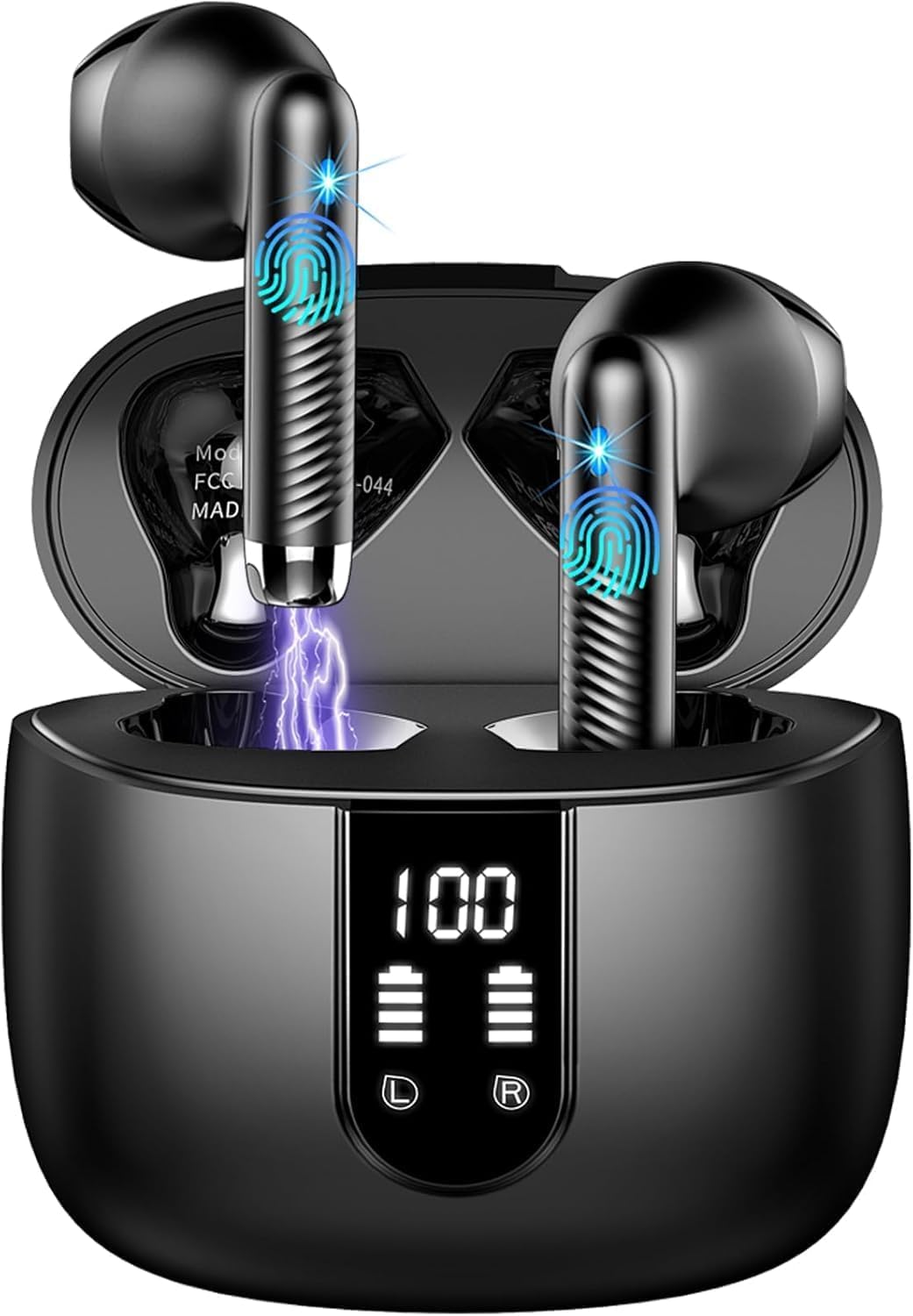
Image: Drsaec J55 Wireless Earbuds and Charging Case. This image displays the black wireless earbuds placed inside their charging case, illustrating their compact design and how they are stored.
- Earbuds: Each earbud features a touch control area, microphone, and charging contacts.
- Charging Case: The case has a charging port, LED indicator, and internal charging contacts for the earbuds.
4. Setup
4.1 Charging the Earbuds and Case
Before first use, fully charge the earbuds and the charging case.
- Place the earbuds into the charging case. Ensure the charging contacts align.
- Connect the USB charging cable to the charging port on the case and to a power source (e.g., USB wall adapter, computer USB port).
- The LED indicator on the charging case will show the charging status. Once fully charged, the indicator will change or turn off.
- A full charge typically takes approximately 1-2 hours for the earbuds and 2-3 hours for the charging case.
4.2 Pairing with Your Device
Follow these steps to pair your Drsaec J55 earbuds with a Bluetooth-enabled device:
- Ensure the earbuds are charged.
- Open the charging case. The earbuds will automatically enter pairing mode, and their indicator lights will flash (e.g., blue and red alternately).
- On your device (smartphone, tablet, computer), go to the Bluetooth settings.
- Turn on Bluetooth and search for available devices.
- Select "Drsaec J55" from the list of found devices.
- Once connected, the earbud indicator lights will stop flashing or flash slowly, and you will hear a confirmation tone.
- The earbuds will automatically reconnect to the last paired device when taken out of the case, provided Bluetooth is enabled on the device.
Note: If pairing fails, place the earbuds back into the case, close the lid, wait a few seconds, and then repeat the pairing process.
5. Operating the Earbuds
5.1 Touch Controls
The Drsaec J55 earbuds feature intuitive touch controls. The functions may vary slightly depending on the specific model and firmware version.
| Action | Function |
|---|---|
| Single Tap (Left/Right) | Play/Pause Music, Answer/End Call |
| Double Tap (Right) | Next Track |
| Double Tap (Left) | Previous Track |
| Triple Tap (Left/Right) | Activate Voice Assistant |
| Long Press (2 seconds) (Left/Right) | Reject Call |
| Long Press (3 seconds) (Left/Right) | Power On/Off (when not in case) |
5.2 Making and Receiving Calls
- Answer Call: Single tap either earbud.
- End Call: Single tap either earbud during a call.
- Reject Call: Long press either earbud for 2 seconds.
5.3 Music Playback
- Play/Pause: Single tap either earbud.
- Next Track: Double tap the right earbud.
- Previous Track: Double tap the left earbud.
6. Maintenance
Proper maintenance ensures the longevity and optimal performance of your earbuds.
- Cleaning: Regularly clean the earbuds and charging case with a soft, dry, lint-free cloth. Do not use harsh chemicals or abrasive materials.
- Charging Contacts: Ensure the charging contacts on both the earbuds and the case are clean and free of debris to prevent charging issues.
- Storage: When not in use, store the earbuds in their charging case to protect them and keep them charged. Avoid extreme temperatures.
- Water Resistance: The earbuds may have some level of water resistance (check product specifications for details), but they are not waterproof. Avoid submerging them in water.
7. Troubleshooting
If you encounter any issues, refer to the following common solutions:
- Earbuds not pairing:
- Ensure both earbuds are charged.
- Turn off Bluetooth on your device and turn it back on.
- Forget "Drsaec J55" from your device's Bluetooth list and try pairing again.
- Place earbuds back in the case, close the lid, wait 10 seconds, then open and try pairing.
- No sound from one earbud:
- Ensure both earbuds are charged.
- Try placing both earbuds back in the case, closing the lid, and then taking them out again.
- Reset the earbuds (refer to specific reset instructions if available in the full product manual, otherwise try forgetting and re-pairing).
- Earbuds not charging:
- Ensure the charging cable is securely connected to both the case and the power source.
- Check if the charging contacts on the earbuds and inside the case are clean and free of obstructions.
- Try a different charging cable or power adapter.
- Poor call quality:
- Ensure the microphones are not covered.
- Move closer to your paired device to avoid signal interference.
- Check for environmental noise that might be picked up by the microphones.
8. Specifications
Key technical specifications for the Drsaec J55 Wireless Earbuds:
- Model Name: J55
- Brand: Drsaec
- Connectivity Technology: Wireless
- Wireless Communication Technology: Bluetooth 5.4
- Form Factor: In-Ear
- Ear Placement: In-Ear
- Microphones: 6 ENC Microphones (Environmental Noise Cancellation)
- Battery Life: Up to 56 hours (with charging case)
- Transmission Range: Up to 15 meters (49 feet)
- Included Components: Wireless Charging Case
- Color: Black
9. Warranty and Support
Drsaec products are designed for reliability and performance. For warranty information, technical support, or customer service inquiries, please refer to the warranty card included in your package or visit the official Drsaec website. Please have your product model number (J55) and purchase details ready when contacting support.


