
1. Important Safety Information
Please read this manual carefully before assembling and using your MELOKEA Office Chair G064B. Keep this manual for future reference.
- Ensure all parts are present and undamaged before assembly. Do not use if any parts are missing or damaged.
- Assemble the chair on a soft, clean surface to prevent scratches.
- Do not overtighten screws during assembly.
- This chair is designed to support a maximum weight of 200 kg (440 lbs). Exceeding this limit may cause damage or injury.
- Keep children and pets away from the assembly area.
- Regularly check all bolts and screws for tightness and re-tighten as necessary.
- Use the chair only for its intended purpose as an office chair.
2. Package Contents
Verify that all components listed below are included in your package. If any parts are missing, please contact MELOKEA customer service.
- Backrest
- Seat Cushion (with integrated spring core)
- Armrests (2)
- Gas Lift Cylinder
- Star Base (Metal)
- Casters (5)
- Mechanism Plate
- Lumbar Cushion (separate)
- Hardware Kit (screws, washers, Allen wrench)
- Instruction Manual
3. Assembly Instructions
Follow these steps carefully to assemble your MELOKEA Office Chair G064B. It is recommended to have two people for assembly.
- Attach Casters to Star Base: Insert each of the five casters into the holes at the end of the star base until they click securely into place.
- Insert Gas Lift: Place the gas lift cylinder into the center hole of the assembled star base. Ensure it sits firmly.
- Attach Mechanism Plate to Seat: Align the mechanism plate with the pre-drilled holes on the underside of the seat cushion. Secure it with the provided screws, ensuring the front of the mechanism faces the front of the seat.
- Attach Armrests to Seat: Secure the armrests to the sides of the seat cushion using the designated screws. Do not fully tighten yet.
- Attach Backrest to Seat and Armrests: Align the backrest with the mechanism plate and the armrests. Secure the backrest to the mechanism plate and then fully tighten all screws for the armrests and backrest.
- Connect Seat Assembly to Gas Lift: Carefully place the assembled seat (with backrest and armrests) onto the gas lift cylinder, ensuring the tapered end of the gas lift fits into the mechanism plate.
- Attach Lumbar Cushion: The separate lumbar cushion can be placed on the backrest for additional support as desired.
For visual guidance, an instruction video is available from MELOKEA customer service or on the product's official support page.
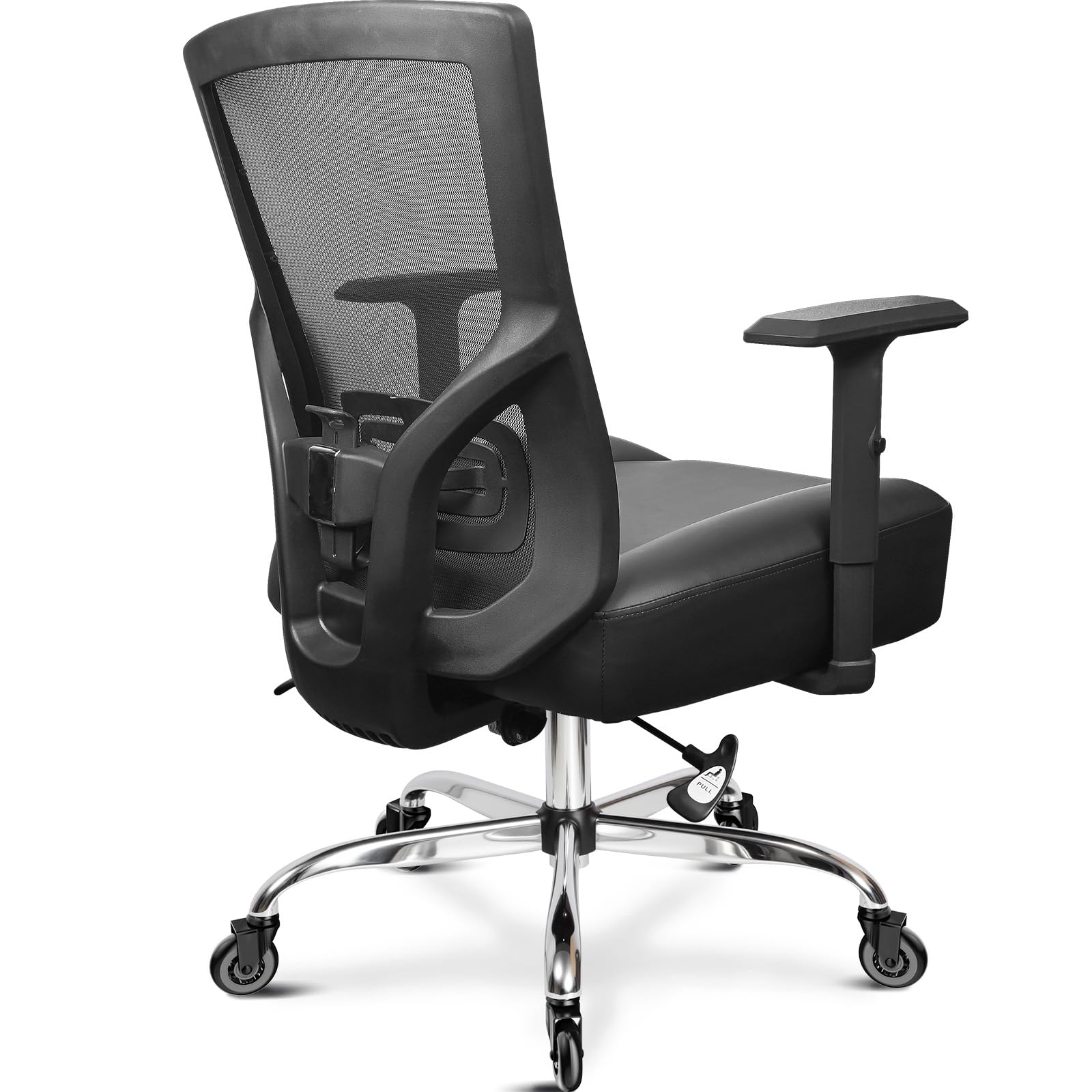
Image 1: Fully assembled MELOKEA Office Chair G064B, showcasing its ergonomic design and robust construction.
4. Operating Instructions
Your MELOKEA Office Chair G064B offers several adjustment options to customize your seating experience for optimal comfort and ergonomic support.
4.1. Seat Height Adjustment
- To raise the seat: While seated, lift the lever located on the right side of the chair. The seat will rise automatically. Release the lever at the desired height.
- To lower the seat: While seated, lift the lever located on the right side of the chair. Apply slight body weight to lower the seat. Release the lever at the desired height.
- Adjustment Range: 48 cm - 56 cm (18.9 inches - 22 inches)
4.2. Lumbar Support Adjustment
- The integrated lumbar support can be adjusted vertically by 2 cm. Gently push the lumbar support up or down to find the position that best supports your lower back.
- The additional lumbar cushion can be positioned freely on the backrest for personalized comfort.
4.3. Armrest Height Adjustment
- To adjust the armrest height: Press the button located on the side of each armrest. While holding the button, move the armrest up or down. Release the button to lock it in place.
- Adjustment Range: 8 cm (3.15 inches)
4.4. Tilt Function and Lock
- To recline: Pull out the lever located on the left side of the chair. Lean back to the desired angle.
- To lock the tilt: Push the lever back in at your desired recline angle (between 90° and 130°).
- To return to upright position: Pull out the lever, lean forward slightly, and the backrest will return to its upright position. Push the lever back in to lock.
5. Maintenance
Proper maintenance ensures the longevity and optimal performance of your MELOKEA Office Chair G064B.
- Cleaning: Wipe the chair's surfaces with a soft, damp cloth. For stubborn stains, use a mild soap solution and then wipe with a clean, damp cloth. Avoid harsh chemicals or abrasive cleaners.
- Casters: Periodically check the rubber casters for accumulated dust or hair and clean them to ensure smooth movement and prevent floor damage.
- Hardware: Every 3-6 months, inspect all screws and bolts. Re-tighten any loose fasteners to maintain stability and safety.
- Avoid Direct Sunlight: Prolonged exposure to direct sunlight can cause fading or material degradation.
6. Troubleshooting
If you encounter any issues with your MELOKEA Office Chair G064B, refer to the following common problems and solutions.
| Problem | Possible Cause | Solution |
|---|---|---|
| Chair does not adjust height. | Gas lift malfunction or lever not engaged. | Ensure the height adjustment lever is fully engaged. If the issue persists, the gas lift may need replacement. Contact customer service. |
| Chair is wobbly. | Loose screws or improper assembly. | Check and re-tighten all assembly screws, especially those connecting the seat, backrest, and armrests. Ensure the gas lift is properly seated in the base. |
| Casters do not roll smoothly. | Debris (hair, dust) caught in casters. | Turn the chair over and carefully remove any debris from the caster wheels. |
| Backrest does not recline or lock. | Tilt mechanism issue or lever not engaged. | Ensure the tilt lever is fully pulled out to recline and pushed in to lock. Check for any obstructions in the mechanism. |
If the problem persists after attempting these solutions, please contact MELOKEA customer service for further assistance.
7. Specifications
| Feature | Detail |
|---|---|
| Brand | MELOKEA |
| Model Number | G064B |
| Maximum Load Capacity | 200 kg (440 lbs) |
| Material | Metal frame, Foam and Feather seat fill |
| Product Dimensions (D x W x H) | 70.0cm D x 36.0cm W x 55.0cm H (27.56"D x 14.17"W x 21.65"H) |
| Seat Cushion Size | 56 cm (22 inches) wide, 14 cm (5.5 inches) thick spring seat cushion |
| Seat Height Adjustment Range | 48 cm - 56 cm (18.9 inches - 22 inches) |
| Armrest Height Adjustment Range | 8 cm (3.15 inches) |
| Tilt Function | Continuous tilt and lockable from 90° - 130° |
| Lumbar Support | Height adjustable by 2 cm, includes separate lumbar cushion |
| Casters | High-quality, floor-friendly rubber wheels |
| Certifications | SGS certified gas lift, BIFMA approved armrests |
| Item Weight | 15.6 kg (34.4 lbs) |
8. Warranty and Customer Support
MELOKEA is committed to providing high-quality products and excellent customer service.
- Warranty: Your MELOKEA Office Chair G064B comes with a 3-year after-sale service. This warranty covers manufacturing defects and significant malfunctions under normal use.
- Defective Accessories: In the event of defective accessories, MELOKEA offers a free replacement. Please contact our customer service team with details of the issue.
- Contact Support: For any questions, concerns, or warranty claims, please contact MELOKEA customer service. Our professional team is available to assist you and ensure a satisfactory solution.
- Online Resources: Visit the official MELOKEA website or the product's support page for additional resources, FAQs, and contact information.


