
1. Introduction
The Vexilar W8 Robot Vacuum and Mop is an advanced 3-in-1 cleaning device designed to efficiently vacuum, sweep, and mop your home. Featuring 8000Pa powerful suction, intelligent gyroscope navigation, and smart control options, it provides a comprehensive cleaning solution for various floor types, including hard floors and carpets.
2. Package Contents
Before setup, please ensure all components are present in the box:
- Vexilar W8 Robot Vacuum
- 2-in-1 Dustbin and Water Tank
- Charging Base
- Power Adapter
- Remote Control
- HEPA Filter (x2)
- Side Brush (x4)
- Mop Cloth (x2)
- Cleaning Tool
- User Manual
- Quick Start Guide

3. Setup
3.1 Charging Base Placement
Place the charging base against a wall in an open area. Ensure there is approximately 1 meter of clear space on both sides of the base and 2 meters of clear space in front of it, free from any obstacles. This allows the robot to easily dock for recharging.
3.2 App Connection Method
To connect your Vexilar W8 to the mobile application, follow these steps:
- Ensure your Wi-Fi network is set to 2.4 GHz. The robot does not support 5 GHz Wi-Fi.
- Download the Vexilar app from your device's App Store.
- Open the app and click on "Add Device". Activate Bluetooth on your mobile device.
- Ensure the robot is powered on. Press and hold both buttons on the robot for 5 seconds to enter pairing mode.
- The app will automatically detect the W8 robot and open the connection page.
- Confirm connection to your 2.4 GHz Wi-Fi network.
- Wait for the robot to pair successfully with the app.

4. Operating Instructions
4.1 Cleaning Modes
The Vexilar W8 offers versatile cleaning modes to suit different needs:
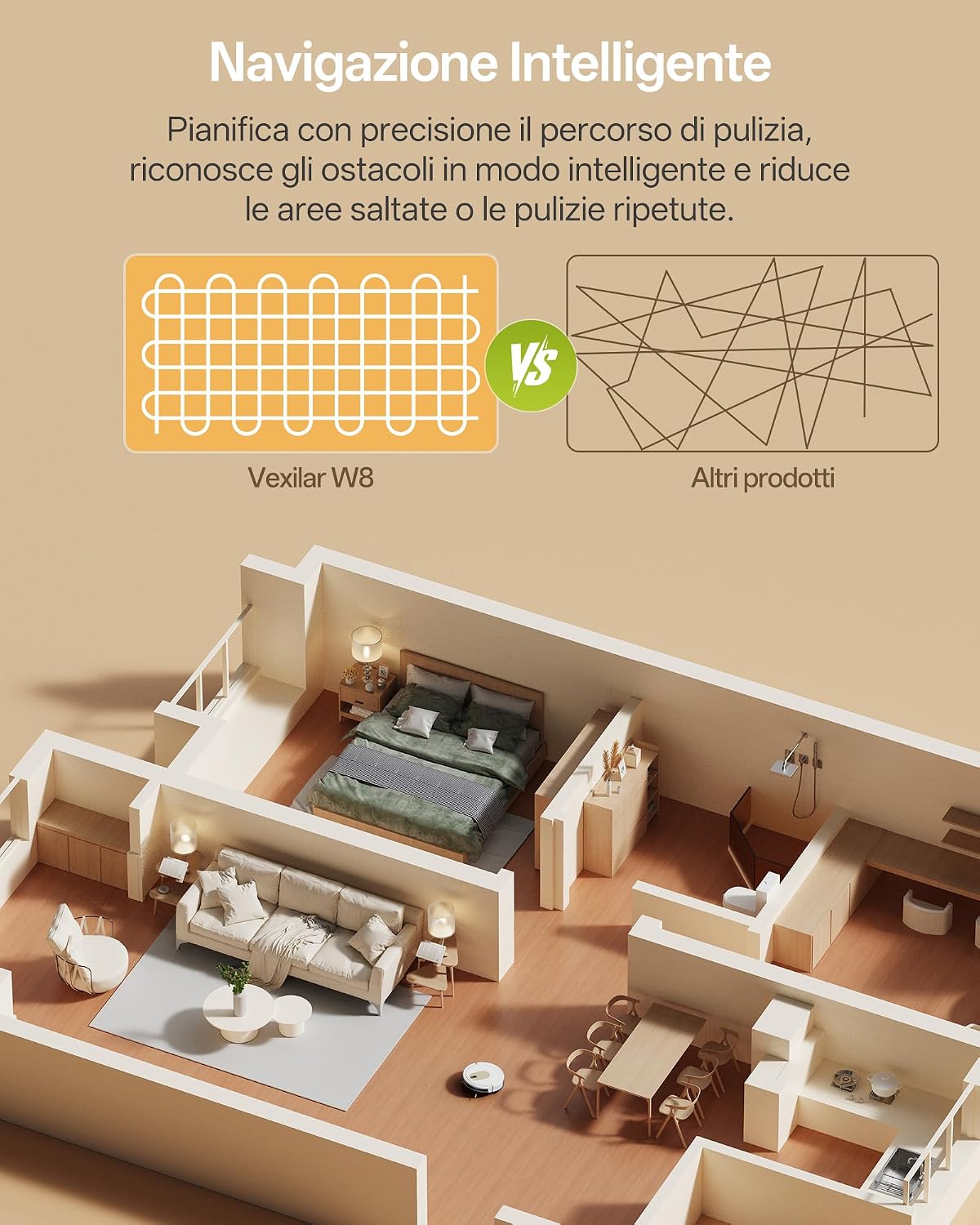
- Automatic Cleaning: The robot plans an efficient, systematic path to cover the entire area, reducing missed spots and repeated cleaning.
- Edge Cleaning: The robot cleans along walls and corners to remove dust and debris from edges.
- Spot Cleaning: For concentrated cleaning of a specific dirty area, the robot cleans in a spiral pattern.
- Vacuum Only: Utilizes the powerful 8000Pa suction for dry debris.
- Mop Only: Engages the mopping function for wet cleaning.
- Vacuum and Mop Simultaneously: Performs both functions for a complete clean.

4.2 Suction and Water Control
- Suction Power: Choose from 3 adjustable suction levels (Silent, Standard, Max) up to 8000Pa to tackle various types of dirt, including pet hair, crumbs, and fine dust.
- Water Flow: The electronic water control system offers 4 levels to adjust water output during mopping, suitable for different floor types.

4.3 Smart Features
- Intelligent Navigation: The gyroscope navigation system plans organized and efficient cleaning paths, minimizing missed areas and repeated cleaning.
- Automatic Carpet Detection: The robot automatically increases suction power when it detects carpets for deeper cleaning. It can also overcome obstacles up to 15mm.
- Automatic Recharging: When the battery is low, the robot automatically returns to its charging base.
- Scheduling: Program cleaning times via the app for automated cleaning sessions.

4.4 Control Methods
- App Control: Use the dedicated Vexilar app to schedule, select cleaning modes, adjust suction, and monitor the robot.
- Remote Control: A convenient remote control is included for basic functions like start/pause, directional control, cleaning modes, and water volume adjustment.
- Voice Control: Compatible with Alexa, Google Home, and Siri for hands-free operation.
- On-Device Buttons: Manual control directly from the robot's buttons.

5. Maintenance
Regular maintenance ensures optimal performance and extends the lifespan of your Vexilar W8.
5.1 Dustbin and Water Tank
- Empty the dustbin after each cleaning cycle.
- Refill the water tank as needed for mopping. You may add a few drops of non-foaming floor cleaner.

5.2 Filters and Brushes
- Clean the HEPA filter regularly. Replace it every 3-6 months, or as indicated by the app.
- Inspect and clean the side brushes for tangled hair or debris.
- The anti-tangle nozzle is designed to reduce hair accumulation, but occasional inspection and cleaning are recommended, especially in homes with pets.

5.3 Sensors
Wipe the robot's sensors (anti-drop, anti-collision) with a clean, dry cloth to ensure they function correctly and prevent navigation issues.
6. Troubleshooting
If you encounter issues with your Vexilar W8, refer to the following common problems and solutions:
| Problem | Possible Cause | Solution |
|---|---|---|
| Robot does not connect to Wi-Fi | Incorrect Wi-Fi frequency (5 GHz) | Ensure your Wi-Fi is set to 2.4 GHz. |
| Robot gets stuck frequently | Obstacles, low clearance areas | Clear the cleaning area of small obstacles. The robot has a slim design (7.8 cm height) to fit under most furniture, but some areas might be too low. |
| Poor suction performance | Full dustbin, clogged filter, tangled brushes | Empty the dustbin. Clean or replace the HEPA filter. Remove any hair or debris tangled in the side brushes or anti-tangle nozzle. |
| Robot does not charge | Charging base obstructed, poor contact | Ensure the charging base is placed correctly with clear space. Clean the charging contacts on both the robot and the base. |
| Robot is noisy | High suction mode, foreign object | Switch to a lower suction mode (Silent or Standard). Check for any foreign objects caught in the brushes or suction inlet. The robot operates at a low noise level of up to 60dB in normal operation. |
7. Specifications
| Feature | Detail |
|---|---|
| Brand | Vexilar |
| Model Name | W8 |
| Suction Power | 8000Pa (3 adjustable levels) |
| Battery Life | Up to 150 minutes |
| Battery Type | Lithium-ion (10.8 Volts) |
| Noise Level | 55-60 Decibels |
| Dimensions (LxWxH) | 30L x 30l x 7H cm |
| Weight | 3 Kilograms |
| Control Type | App, Remote Control, Voice Control (Alexa, Google Home, Siri), Buttons |
| Cleaning Modes | Automatic, Edge, Spot, Vacuum Only, Mop Only, Vacuum & Mop |
| Water Flow Control | 4 electronic levels |
| Obstacle Clearance | Up to 15mm |
8. Warranty and Support
Vexilar offers a 2-year warranty for the W8 Robot Vacuum and Mop. For any assistance or inquiries, customer support is available 24/7. Vexilar also maintains service and repair centers across Europe to ensure prompt and reliable service.
For further support, please refer to the contact information provided in your Quick Start Guide or visit the official Vexilar website.


