
1. Introduction
This manual provides comprehensive instructions for the Generic GT02/ST901 Vehicle GPS Tracker. This high-precision device offers real-time vehicle location, anti-theft capabilities, and asset protection. It is suitable for a wide range of vehicles including motorcycles, trailers, trucks, and taxis, enhancing security and streamlining vehicle management.
Key features include:
- Fully Sealed Design: Robust three-layer construction resists high temperatures, water, and dust for long-term use.
- Efficient Quad-Band Performance: Equipped with a quad-band module for real-time location transmission, ensuring global network compatibility and uninterrupted communication for long-distance vehicle tracking.
- Enhanced Tracking Performance: Features a high-sensitivity chip for rapid satellite capture and live location updates, providing meter-level accuracy for precise vehicle positioning.
- Improved Coverage: Reduces blind spots with dual antenna synchronization for optimized GPS and signal strength, ensuring a fast response rate during vehicle tracking operations.
- Advanced Anti-Theft Functionality: Offers intelligent anti-theft features, remote control options, vibration-triggered alerts, movement/ignition alarms, and automated notifications for sudden power failures.
2. Product Overview
The Generic GT02/ST901 GPS Tracker is a compact and durable device designed for reliable vehicle tracking. Below are images illustrating the product and its typical applications.
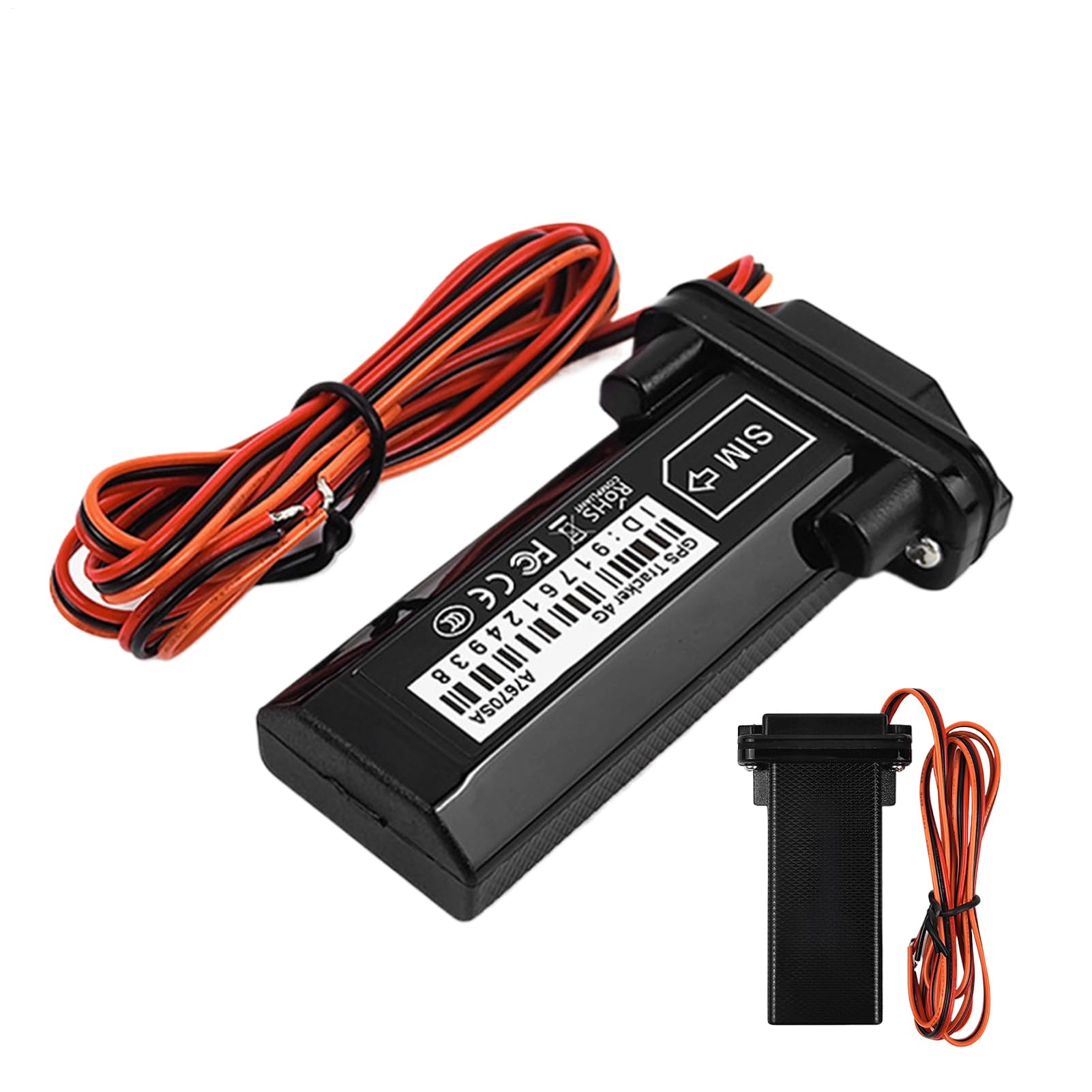
Figure 2.1: Generic GT02/ST901 GPS Tracker with a motorcycle in the background, highlighting global signal coverage.
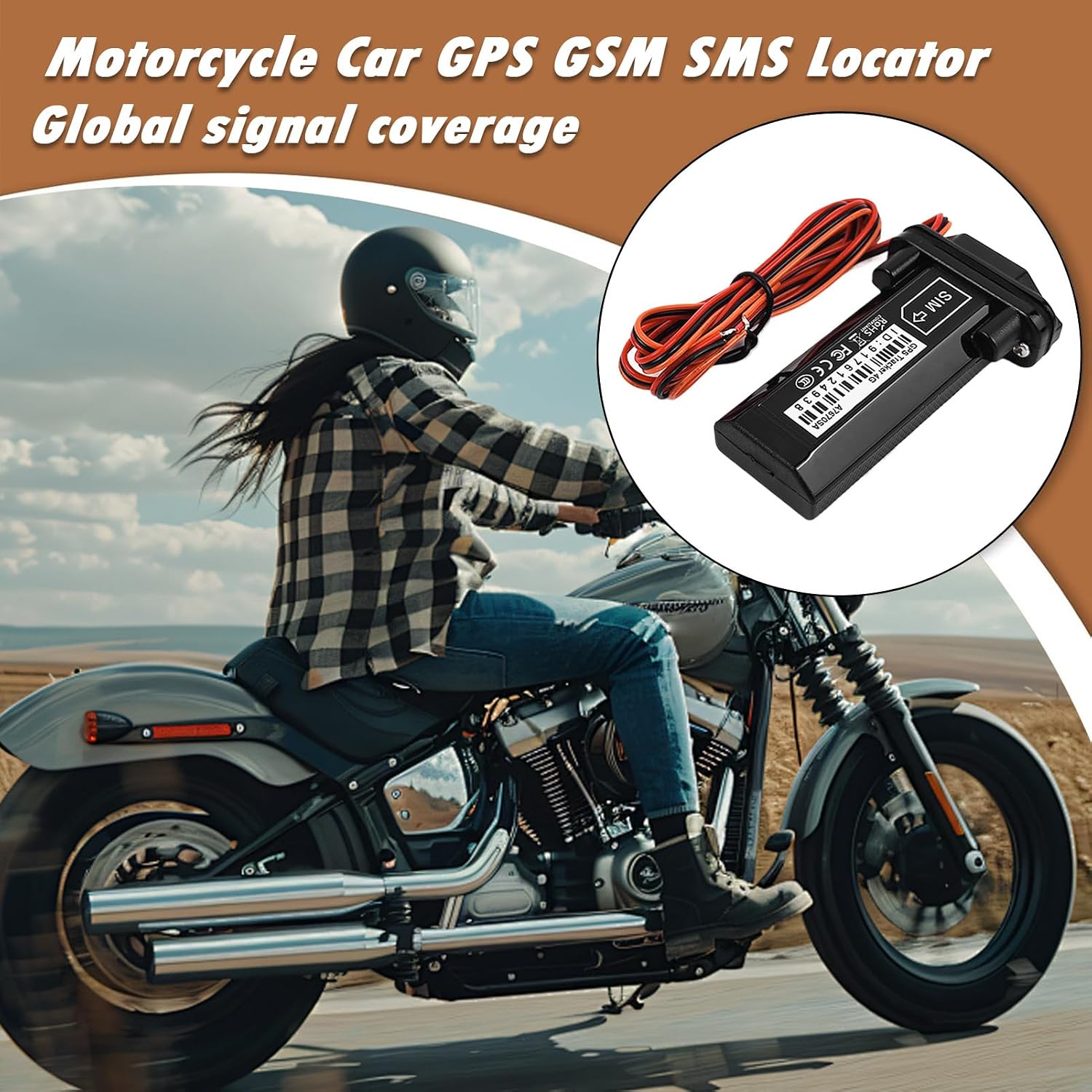
Figure 2.2: Generic GT02/ST901 GPS Tracker shown with a motorcycle, emphasizing its use for two-wheelers.

Figure 2.3: Generic GT02/ST901 GPS Tracker with a car in the background, illustrating its adaptability to various complex environments.

Figure 2.4: Generic GT02/ST901 GPS Tracker centrally placed, surrounded by images of a scooter, car, motorcycle, and a three-wheeled vehicle, demonstrating its versatility.

Figure 2.5: Generic GT02/ST901 GPS Tracker with various vehicle types and environments, including a car on a coastal road, a truck, a scooter in a tunnel, and a motorcycle, showcasing its broad application.

Figure 2.6: Dimensions of the Generic GT02/ST901 GPS Tracker: 9cm (3.54in) length, 5.2cm (2.05in) width, and 2cm (0.79in) thickness.
3. Setup Instructions
Follow these steps to properly install and activate your GPS tracker.
3.1. SIM Card Installation
- Ensure the device is powered off before inserting the SIM card.
- Locate the SIM card slot on the device. Refer to the product diagram if available.
- Insert a valid 2G/3G/4G GSM SIM card (not included) into the slot. Ensure the SIM card has sufficient balance and data plan for GPRS communication.
- Close the SIM card slot cover securely to maintain the device's waterproof integrity.
3.2. Power Connection
The tracker requires a stable 9-36V DC power supply from your vehicle's electrical system.
- Identify the vehicle's positive (+) and negative (-) power wires. It is recommended to connect to a constant power source (e.g., directly to the battery or a fused power line that is always on).
- Connect the red wire of the tracker to the vehicle's positive (+) power supply.
- Connect the black wire of the tracker to the vehicle's negative (-) power supply (ground).
- Ensure all connections are secure and insulated to prevent short circuits and water damage.
3.3. Initial Activation and Placement
- After connecting power, the device will automatically power on. Allow a few minutes for the device to acquire a GPS signal and connect to the GSM network.
- Place the tracker in a location within the vehicle where it has a clear view of the sky (e.g., under the dashboard, rear parcel shelf) to ensure optimal GPS signal reception. Avoid placing it under metallic objects that could block the signal.
- The GPS positioning service for this product is free. You may need to configure APN settings via SMS commands depending on your SIM card provider. Refer to the specific SMS command list provided by the manufacturer or your SIM card provider.
4. Operating Instructions
Once installed and activated, your GPS tracker provides various functionalities for vehicle monitoring and security.
4.1. Real-Time Tracking
Access real-time location data through a dedicated mobile application or web platform (details typically provided with the product or via SMS commands). The device transmits its location coordinates periodically, allowing you to view the vehicle's current position and historical routes.
4.2. Anti-Theft Features
- Vibration Alerts: The device can be configured to send an alert (SMS or app notification) if it detects significant vibration, indicating potential tampering or unauthorized movement.
- Movement Alarm: Set a geofence or enable a movement alarm. If the vehicle moves outside a defined area or starts moving when it should be stationary, an alert will be triggered.
- Ignition Alarm: Receive notifications when the vehicle's ignition is turned on or off.
- Power-Off Notification: The device will send an alert if its main power supply is disconnected, indicating potential tampering or removal.
4.3. Remote Control Options
Depending on the specific model and platform, you may be able to send SMS commands to the device for various functions, such as:
- Requesting current location.
- Setting or disabling alarms.
- Configuring tracking intervals.
Refer to the specific SMS command list provided with your device for detailed instructions.
5. Maintenance
Proper maintenance ensures the longevity and optimal performance of your GPS tracker.
- Keep Clean: Periodically wipe the device with a dry, soft cloth. Avoid using harsh chemicals or solvents.
- Check Connections: Regularly inspect the power connections to ensure they are secure and free from corrosion.
- Software Updates: Check the manufacturer's website or app for any available firmware updates to ensure the device has the latest features and security patches.
- Environmental Protection: While the device has a sealed design, avoid prolonged exposure to extreme temperatures or direct water immersion beyond its rated capabilities.
6. Troubleshooting
If you encounter issues with your GPS tracker, refer to the following common problems and solutions.
| Problem | Possible Cause | Solution |
|---|---|---|
| Device not powering on | Incorrect power connection; No power from vehicle | Check power wiring (red to positive, black to negative). Ensure vehicle battery has power. |
| No GPS signal / Inaccurate location | Poor placement; GPS signal obstruction; Device not initialized | Relocate the device to an area with a clear view of the sky. Ensure initial activation period has passed. |
| No GSM signal / Cannot send SMS | SIM card not inserted correctly; SIM card no balance/data; Network coverage issue | Reinsert SIM card. Check SIM card balance and data plan. Verify network coverage in the area. |
| Alerts not working | Alert settings incorrect; SIM card issues; App notification settings | Verify alert settings via app/SMS commands. Check SIM card functionality. Ensure app notifications are enabled on your phone. |
7. Specifications
- Material: ABS
- Product Dimensions: 52 mm x 20 mm x 90 mm (2.04 x 0.78 x 3.54 inches)
- Antenna Type: Integrated antenna
- External Power Supply: 9-36V DC (Vehicle Power)
- Network Compatibility: Quad-band module (for global network compatibility)
- GPS Chip: High-sensitivity chip
- Manufacturer: Generic
- Model Number: NLMTYL47U97MVOJNBPY
- Country of Origin: China
8. Warranty and Support
8.1. Warranty Information
For warranty details, please refer to the specific product description or contact the seller directly. The provided product information states: "Description de la garantie: Se référer à la description" (Warranty description: Refer to the description).
8.2. Customer Support
If you require further assistance or have questions not covered in this manual, please contact your retailer or the manufacturer's customer support. Keep your purchase receipt and model number (NLMTYL47U97MVOJNBPY) handy when contacting support.