
1. Introduction
The YOEYOU Smart Pulse Facial Shaping Instrument is designed to provide at-home facial toning and firming using microcurrent technology. This device stimulates facial muscles to promote product absorption, enhance muscle firmness, and improve overall skin vitality. It features an ergonomic design for comfortable wear and ease of use.
2. Package Contents
Verify that all components are present in the package:
- 1 x Face Shield
- 1 x Host Machine
- 1 x Remote Control
- 4 x Beauty Patches
- 1 x TYPE-C Charging Cable
- 1 x Product Manual (this document)

Image 2.1: Overview of the device components and design features.
3. Product Features
- Intelligent Pulse Technology: Utilizes microcurrents to stimulate facial muscles, promoting skincare product absorption and enhancing skin firmness.
- Premium Comfort & Hygienic Material: Constructed from 100% food-grade silicone, ensuring an odorless, colorfast, and skin-friendly experience. Features seamless ear cushions for comfort.
- Universal & Secure 4-Point Fit: A 4-point Velcro elastic adjustment system ensures even tension distribution and a stable fit for various face shapes.
- Versatile Use: Lightweight design allows for use during various activities such as sleeping, exercising, housework, or working.
- Easy Maintenance: The non-porous silicone material is easy to wipe clean and dries quickly.

Image 3.1: Depiction of microcurrent technology in action.
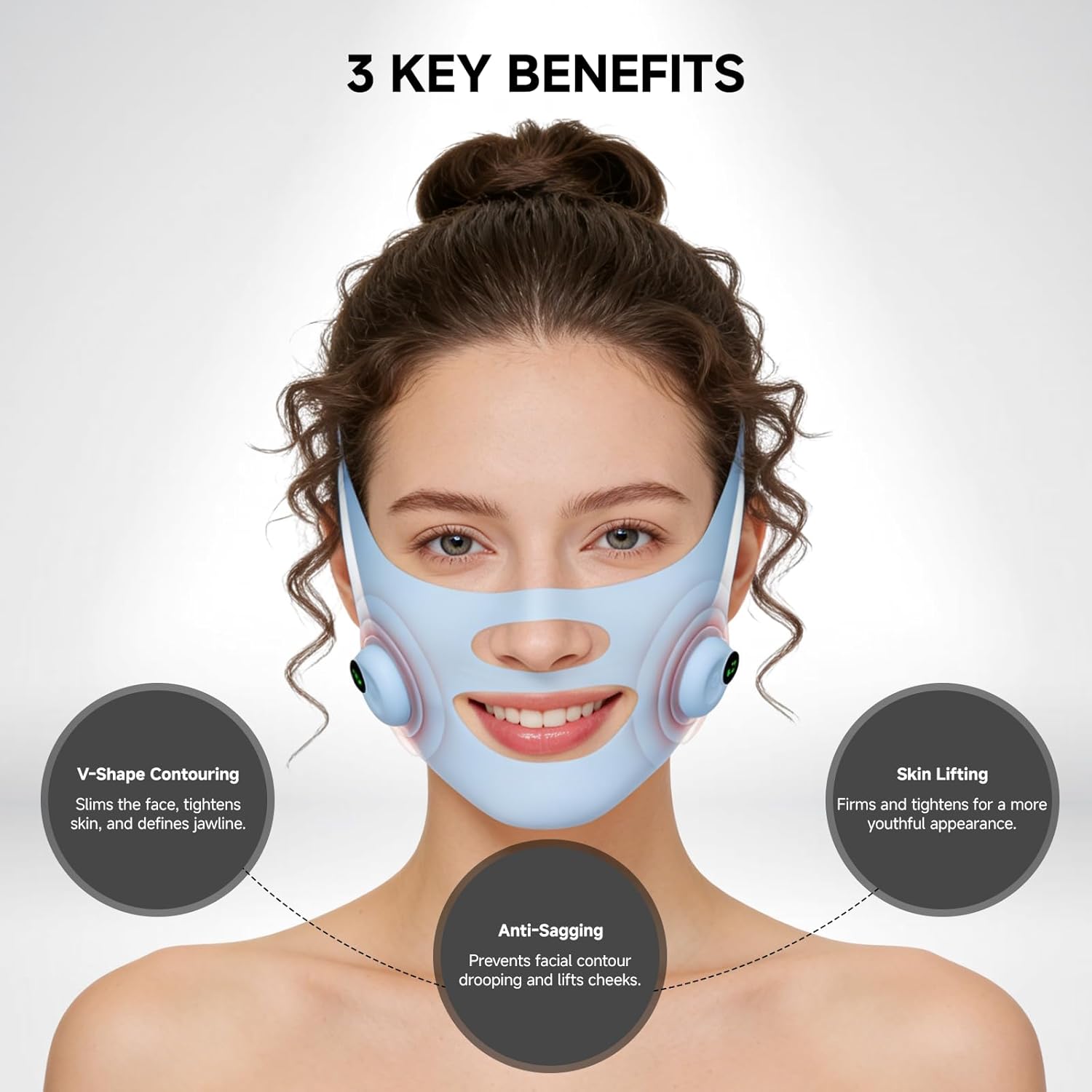
Image 3.2: Key benefits of using the facial shaping instrument.
4. Setup Guide
- Charge the Device: Connect the TYPE-C charging cable to the host machine and a suitable power source. Ensure the device is fully charged before first use. The indicator light will show charging status.
- Attach Host Machine: Secure the mini host machine to the designated area on the face shield. Ensure it clicks into place firmly.
- Apply Beauty Patches: If using, attach the beauty patches to the desired areas on your face, ensuring good skin contact.
- Position the Face Shield: Place the face shield on your face, aligning the ear cushions comfortably around your ears.
- Adjust Straps: Use the 4-point Velcro elastic adjustments to secure the mask firmly but comfortably. Ensure even tension distribution across your face.
5. Operating Instructions
Follow these steps for effective use of your Smart Pulse Facial Shaping Instrument:
- Power On: Press and hold the power button on the remote control or host machine to turn on the device.
- Select Mode: Use the 'M' button on the remote control to cycle through available modes. Refer to the remote control display for current mode.
- Adjust Intensity: Use the '+' and '-' buttons on the remote control to increase or decrease the microcurrent intensity to your comfort level. Start with a lower intensity and gradually increase.
- Begin Treatment: Wear the device for approximately 15 minutes per session. The smart timer will manage the duration.
- Power Off: After the session, press and hold the power button to turn off the device.
The device is designed for versatile use, allowing you to integrate it into various daily activities:

Image 5.1: Examples of device usage during daily activities.
6. Maintenance
- Cleaning: After each use, gently wipe the silicone face shield with a soft, damp cloth. The food-grade silicone is non-porous and easy to clean. Do not submerge the host machine or remote control in water.
- Drying: Allow all components to air dry completely before storing.
- Storage: Store the device in a cool, dry place away from direct sunlight and extreme temperatures. Keep out of reach of children.
7. Troubleshooting
| Issue | Possible Cause | Solution |
|---|---|---|
| Device does not power on | Low battery; Device not properly connected | Charge the device fully using the TYPE-C cable. Ensure the host machine is securely attached to the face shield. |
| No sensation or weak sensation | Low intensity setting; Poor skin contact; Dry skin | Increase intensity using the '+' button. Ensure the device is making good contact with your skin. Apply a conductive gel or moisturizer if necessary. |
| Discomfort during use | Intensity too high; Straps too tight | Decrease intensity using the '-' button. Loosen the adjustable straps for a more comfortable fit. |
| Remote control not responding | Remote battery low; Obstruction between remote and host | Ensure the remote control has power (if applicable, check/replace battery). Ensure a clear line of sight or proximity to the host machine. |
8. Technical Specifications
| Specification | Detail |
|---|---|
| Model | Smart Pulse Facial Shaping Instrument |
| Material | Food-Grade Silicone |
| Power Source | 1 x 12V Battery (included) |
| Charging Port | TYPE-C |
| Main Unit Dimensions | 13.3cm x 51.8cm (5.24in x 20.39in) |
| Remote Control Dimensions | 9.6cm x 3.5cm (3.78in x 1.38in) |
| Color | Blue |

Image 8.1: Product dimensions.
9. Warranty and Support
This product comes with a standard manufacturer's warranty. For specific warranty details, please refer to the warranty card included in your package or contact YOEYOU customer support.
If you encounter any issues or have questions regarding your Smart Pulse Facial Shaping Instrument, please contact our customer support team through the retailer's platform or the official YOEYOU website. Please have your product model and purchase information ready when contacting support.